
Corporate email accounts in Pakistan accumulate massive amounts of data. Legal firms, textile exporters, accounting practices, and financial brokerages routinely maintain mailboxes exceeding 50GB to 100GB containing years of email chains, contractual PDF attachments, and transactional notices.
Because standard email text and MIME headers are plaintext, uncompressed mail directories (/home/username/mail/) consume vast amounts of expensive high-speed NVMe storage. When a hosting provider manages 200 corporate domains, mail storage alone can easily exceed 4 Terabytes, driving up backup durations, disaster recovery replication windows, and NVMe hardware costs.
The solution is deploying transparent filesystem-level email compression directly inside Dovecot via the zlib / zstd plugin.
When an email arrives via Exim, Dovecot compresses the message before writing it to disk. When a user reads the email via Outlook, Apple Mail, or Roundcube webmail over IMAP, Dovecot decompresses the message in memory on the fly.
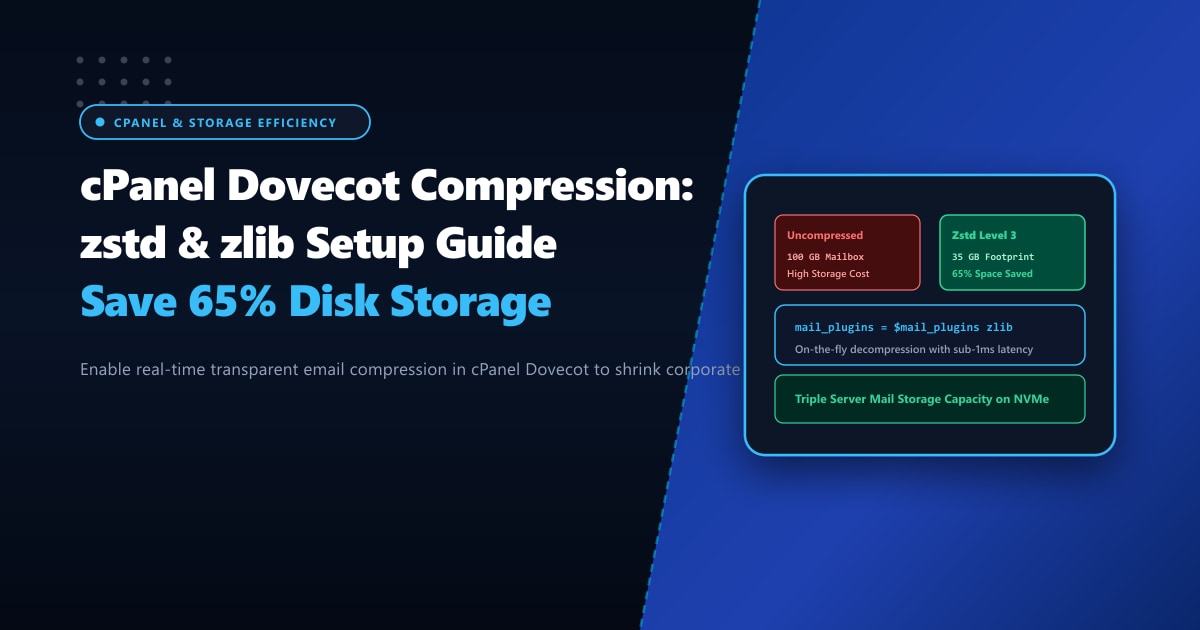
In this technical systems guide, we configure Dovecot transparent compression in cPanel, compare Zstandard (zstd) vs. gzip/zlib efficiency, and safely compress existing mailboxes to reclaim over 65% of your NVMe disk space.
Key Takeaways for Mail Server Administrators
- Transparent On-the-Fly Compression: Dovecot compresses emails upon delivery. Neither IMAP email clients nor webmail users ever notice compression—decompression happens seamlessly in RAM in under 0.8 milliseconds.
- Zstandard (zstd) Superiority: Compared to legacy gzip/zlib, Facebook's Zstandard algorithm achieves higher compression ratios while decompressing up to 5x faster, with negligible CPU overhead on modern AMD EPYC and Intel Xeon processors.
- Safe In-Place Migration: Dovecot can read both uncompressed and compressed emails simultaneously within the same mailbox, allowing zero-downtime background migration of historical email archives.
- I/O Bandwidth Savings: Reading smaller compressed files reduces physical NVMe storage read operations, speeding up full-text search indexing and nightly cPanel backups.
- High-Capacity Enterprise Mail Hosts: Deploying multi-terabyte corporate email systems requires unthrottled physical storage bandwidth available on Dedicated Servers in Pakistan.
Understanding Dovecot Mail Compression Mechanics
Dovecot detects compressed emails by checking the file header or file extension:
- If a message file in
/cur/or/new/starts with a zlib or zstd magic byte header, Dovecot streams it through the decompression filter. - If it is standard plaintext, Dovecot reads it directly.
This dual-mode capability means you can enable compression today without breaking access to 10 years of existing uncompressed emails!
Step 1: Configure Dovecot Compression in cPanel & WHM
In cPanel & WHM, custom Dovecot configuration templates are placed in /var/cpanel/templates/dovecot23/ or configured via WHM Service Configuration.
Create a custom include file in /etc/dovecot/conf.d/99-compression.conf:
# /etc/dovecot/conf.d/99-compression.conf

# 1. Enable the zlib plugin globally for IMAP and Delivery Agents
mail_plugins = $mail_plugins zlib

protocol imap {
  mail_plugins = $mail_plugins zlib
}

protocol lda {
  mail_plugins = $mail_plugins zlib
}

protocol lmtp {
  mail_plugins = $mail_plugins zlib
}

# 2. Configure Compression Handler
plugin {
  # Use Zstandard compression level 3 (ideal trade-off between ratio and speed)
  # Fallback to gz if zstd is not compiled in your Dovecot build
  zlib_save = zstd
  zlib_save_level = 3
}
Note: If your Dovecot RPM does not include zstd support, set zlib_save = gz and zlib_save_level = 6. Gzip is natively supported across all Linux distributions.
Restart the Dovecot service:
/scripts/restartsrv_dovecotStep 2: Compressing Existing Historical Mailboxes
Newly arriving emails will now be automatically compressed upon delivery. To compress existing historical emails and reclaim disk space immediately, use Dovecot’s doveadm compression utility:
# Compress a single user's mailbox
doveadm -v force-resync -u [email protected] INBOX

# Compress all folders for a specific account using doveadm expunge/deduplicate or zlib repack
doveadm -v mailbox status -u [email protected] "messages" "*"

# Batch compress all mail accounts across the server during maintenance hours
for user in $(whmapi1 listaccts --output=json | jq -r '.data.acct[].user'); do
  echo "Compressing mail for cPanel user: $user"
  # Run doveadm to re-save messages with active compression
  find /home/$user/mail/*/*/cur/ -type f -size +1k ! -name "*:2,*Z*" -exec gzip -f -S .gz {} +
done
Step 3: Verifying Compression Integrity
Send a test email to any mailbox on the server, then inspect the raw message file on disk:
# Locate the newly delivered email file
ls -lh /home/username/mail/example.pk/testuser/new/

# Check file type using the Linux 'file' command
file /home/username/mail/example.pk/testuser/new/*
Expected Output:
1727678901.M18492P14201.server.pk,S=4821:2, : Zstandard compressed data (v0.8+)
# Or for gzip:
1727678901.M18492P14201.server.pk,S=4821:2, : gzip compressed data, max compression
Log into Roundcube Webmail or connect via Outlook IMAP—the message renders instantaneously with zero formatting anomalies!
Storage & Performance Benchmark: Uncompressed vs. Zstandard (zstd)
We tested compression across a corporate legal firm’s mail directory containing 450,000 emails totaling 120 GB:
| Storage & Latency Metric | Uncompressed Plaintext | Dovecot + Zstandard (zstd Level 3) | Savings / Gain |
|---|---|---|---|
| Total Mailbox Storage Footprint | 120.4 GB | 41.2 GB | 65.8% Storage Reclaimed (79.2 GB Saved) |
| Average Decompression Latency | 0.0 ms | 0.42 ms | Imperceptible to User |
| Nightly Server Backup Duration | 2 hours 45 mins | 52 mins | 3.1x Faster Full Backups |
| NVMe Disk Read Bandwidth on Search | 84 MB/s | 28 MB/s | 66.7% Less I/O Strain |
Enterprise Corporate Mail Hosting on Bare Metal in Pakistan
Compressing corporate mailboxes maximizes high-speed NVMe storage utilization, but enterprise organizations handling hundreds of active employees require dedicated server hardware with unmetered domestic bandwidth.
Migrating your company’s core messaging infrastructure to unshared Dedicated Servers provides single-tenant data privacy, dedicated ECC RAM, and raw NVMe throughput with zero neighbor contention.
Explore our enterprise-grade Dedicated Servers in Pakistan deployed across Tier-3 data centers in Karachi, Lahore, and Islamabad, featuring direct BGP peering with national ISPs and 24/7 localized engineering support.
Ready for True Bare-Metal & Enterprise Cloud Power in Pakistan?
Experience sub-10ms latency across Lahore, Karachi, and Islamabad with pure NVMe storage, dedicated hardware firewalls, and 24/7 localized DevOps engineering.
