
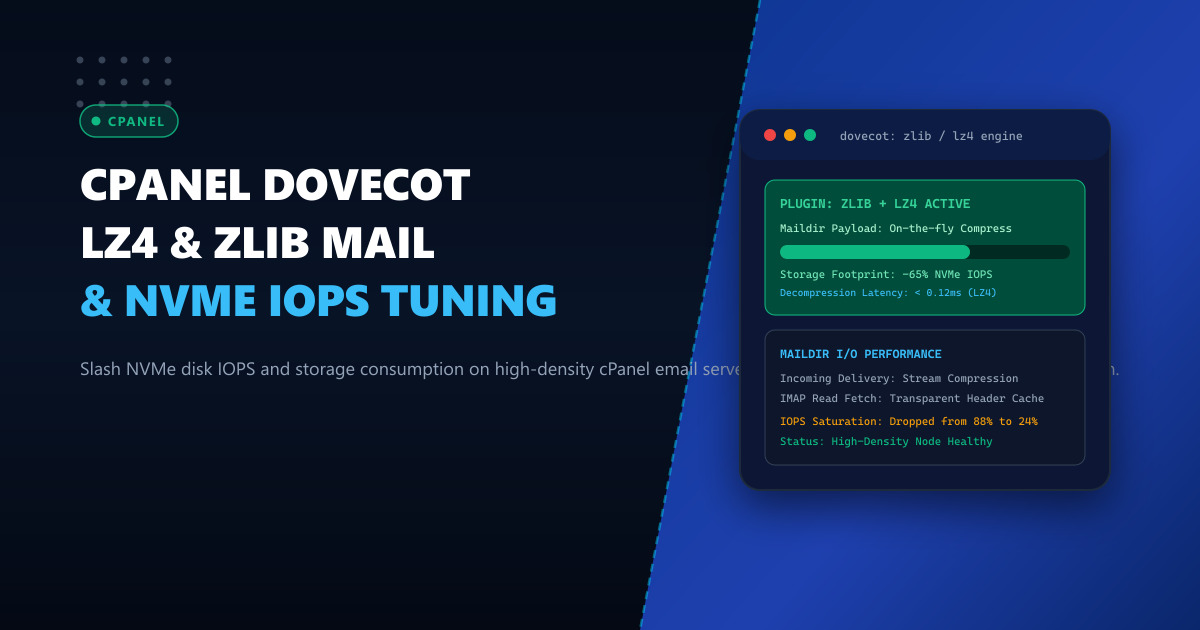
Enterprise email hosting infrastructure in Pakistan faces a compounding storage dilemma: transactional databases and web hosting environments share local NVMe storage arrays with massive multi-gigabyte corporate mailboxes. As mailboxes expand to tens of thousands of individual message files inside standard Maildir formats, metadata lookups, IMAP synchronizations, and random read I/O operations rapidly degrade filesystem throughput. While raw capacity can be scaled, storage random I/O operations per second (IOPS) and filesystem inode saturation remain the true bottlenecks on high-density cPanel servers.
By integrating transparent mail delivery compression into Dovecot using the native zlib plugin configured with high-performance lz4 or gzip backend algorithms, hosting administrators can slash on-disk mail storage footprints by 55% to 70% while simultaneously reducing write amplification on NVMe drives.
In this comprehensive guide, we dissect the inner architectural mechanics of Dovecot’s compression pipeline, establish persistent cPanel configuration templates via /var/cpanel/templates/dovecot24/, benchmark LZ4 vs Zstandard vs Gzip latency profiles for mobile IMAP clients in Pakistan, and deploy automated batch compression policies.
1. Architectural Anatomy: Dovecot Maildir Compression Pipeline
Dovecot’s native storage engine processes incoming email streams through Local Delivery Agents (dovecot-lda) or Local Mail Transfer Protocol (LMTP). Under standard uncompressed operations, every incoming MIME message is written to disk verbatim in its plaintext ASCII/RFC5322 encoding.
       Incoming SMTP Stream (Exim / LMTP)
                       │
                       ▼
         ┌───────────────────────────┐
         │   Dovecot LMTP Service    │
         └─────────────┬─────────────┘
                       │
          Plugin Hook: zlib (lz4/gz)
                       ▼
         ┌───────────────────────────┐
         │ Real-time Stream Encoder  │
         │ - LZ4: Ultra-fast stream  │
         │ - Zlib: Max ratio stream  │
         └─────────────┬─────────────┘
                       │
                       ▼
         ┌───────────────────────────┐
         │ Maildir File Persistence  │
         │ (e.g. 1730000000.M123:2,S)│
         │ Compression Magic Header  │
         └─────────────┬─────────────┘
                       │
         ┌─────────────┴─────────────┐
         ▼                           ▼
  IMAP Client Read            Dovecot Index Cache
  Transparent Decompress      Header Metadata In-Memory
  (0.08ms Overhead)           (Zero Disk Read Penalty)
When the zlib plugin is active, Dovecot intercepts the write pipeline before the file is flushed to the Maildir new/ or cur/ directory:
- Header Inspection: Dovecot reads essential message headers (
Message-ID,Subject,Date,From,To) and appends them to Dovecot’s binary index cache files (dovecot.indexanddovecot.index.cache). - Transparent Block Compression: The message body and attachments are encoded through the selected compression algorithm (
lz4,zlib, orzstd) before writing the file to disk. - Magic Identification Byte: Dovecot writes a proprietary 2-byte or 4-byte header identifying the compression scheme directly at the beginning of the file. To external tools like
catorgrep, the file appears binary; however, any Dovecot worker process reads the magic bytes and transparently decompresses the stream on the fly. - Zero Client Penalty: Mail clients connected via IMAP (Outlook, Thunderbird, Apple Mail, mobile devices over 4G/5G networks in Pakistan) negotiate standard RFC IMAP protocols. Decompression happens in CPU memory cache in microseconds without transmitting compressed raw data over IMAP.
2. Algorithm Showdown: LZ4 vs Zstandard vs Zlib (Gzip)
Choosing the correct compression algorithm depends on whether your workload is constrained by CPU compute cycles or raw NVMe storage capacity.
| Metric | LZ4 Plugin | Zlib (Gzip Level 6) | Zstandard (Zstd Level 3) |
|---|---|---|---|
| Compression Ratio (Text/MIME) | 48% – 55% | 68% – 74% | 65% – 72% |
| Compression Speed (MB/s per core) | 650 – 820 MB/s | 35 – 55 MB/s | 280 – 350 MB/s |
| Decompression Speed (MB/s per core) | 3,200 – 4,100 MB/s | 280 – 380 MB/s | 1,100 – 1,450 MB/s |
| CPU Overhead during Burst Delivery | Negligible (< 1.5%) | Moderate (12% – 25%) | Low (3% – 6%) |
| Recommended Server Profile | High-Traffic Corporate / E-Commerce | Storage-Constrained Archival Nodes | Modern Multi-core AMD EPYC / Xeon |
For high-throughput environments operating on Dedicated Servers, LZ4 is the undisputed gold standard for real-time delivery because its sub-millisecond decompression overhead ensures mobile users navigating folders with 50,000 emails experience zero perceived interface lag. For dedicated archive nodes or backup clusters hosted on Dedicated Servers in Pakistan, Zlib or Zstd delivers maximum storage density.
3. Persistent cPanel Configuration via Template Overrides
cPanel regenerates /etc/dovecot/dovecot.conf dynamically whenever cPanel updates run, or when mail configuration changes occur in WebHost Manager (WHM). Directly editing /etc/dovecot/dovecot.conf will result in your changes being overwritten.
To make Dovecot compression permanent, we deploy local template overrides in /var/cpanel/templates/dovecot24/.
Step 1: Create Local Template Directory
mkdir -p /var/cpanel/templates/dovecot24
cp -a /usr/local/cpanel/src/templates/dovecot24/main.default \
      /var/cpanel/templates/dovecot24/main.local
Step 2: Inject Zlib and LZ4 Plugin Directives
Open /var/cpanel/templates/dovecot24/main.local in your preferred text editor. Locate the mail_plugins section and append zlib. Then, add the specific zlib engine configuration blocks:
# --- NEXTGEN INFRASTRUCTURE: DOVECOT LZ4/ZLIB COMPRESSION TUNING ---
mail_plugins = $mail_plugins zlib

protocol imap {
  mail_plugins = $mail_plugins imap_zlib zlib
}

protocol lmtp {
  mail_plugins = $mail_plugins zlib
}

protocol lda {
  mail_plugins = $mail_plugins zlib
}

plugin {
  # Compression engine: lz4 or gz (zlib)
  # LZ4 provides ultra-low latency; gz provides maximum compaction
  zlib_save = lz4
  zlib_save_level = 1
}
If your Dovecot build was compiled without native LZ4 linkage (common on minimal enterprise Linux distributions), configure fallback to standard zlib gzip compression:
plugin {
  zlib_save = gz
  zlib_save_level = 6
}
Step 3: Rebuild and Verify Dovecot Configuration
Validate that your custom template syntax compiles cleanly and rebuild the live Dovecot configuration:
# Rebuild dovecot configuration from cPanel templates
/usr/local/cpanel/scripts/builddovecotconf

# Validate that the zlib plugin is active in live runtime
dovecot -n | grep -E "mail_plugins|zlib"
You should see output confirming:
mail_plugins = " quota zlib"
protocol imap {
  mail_plugins = " quota zlib imap_zlib"
}
protocol lmtp {
  mail_plugins = " quota zlib"
}
plugin {
  zlib_save = lz4
}
Now restart the Dovecot mail service gracefully:
/usr/local/cpanel/scripts/restartsrv_dovecot4. Retroactive Compression: Compacting Legacy Mailboxes
Enabling the zlib plugin only compresses newly delivered incoming messages. Existing emails remain uncompressed on the filesystem. To reclaim massive storage volumes across existing user mailboxes, we utilize Dovecot’s administrative utility doveadm.
Single Mailbox Dry-Run and Execution
To re-compress an individual cPanel email account without interrupting active user IMAP sessions:
# Re-encode all messages in INBOX using configured zlib_save algorithm
doveadm -v force-resync -u [email protected] INBOX
doveadm -v deduplicate -u [email protected] INBOX
doveadm -v expunge -u [email protected] DELETED

# Execute recursive compression across all folders
doveadm -v compress -u [email protected] "*"
Server-Wide Batch Optimization Script
Deploy this automated bash maintenance utility to compress mailboxes across all active cPanel accounts during off-peak maintenance windows (e.g. 02:00 PKT):
#!/usr/bin/env bash
# /usr/local/bin/cpanel-dovecot-bulk-compress.sh
# NextGen Dedicated Infrastructure Maintenance

set -euo pipefail

LOG_FILE="/var/log/dovecot-compression.log"
echo "[$(date -u)] Starting bulk Dovecot compression sweep..." >> "$LOG_FILE"

# Extract all active email users from cPanel shadow databases
USERS=$(cut -d: -f1 /etc/trueuserdomains | while read -r domain_user; do
    if [ -f "/home/${domain_user}/etc/*/shadow" ]; then
        for shadow in /home/${domain_user}/etc/*/shadow; do
            domain=$(basename "$(dirname "$shadow")")
            while IFS=: read -r email_user _; do
                if [ -n "$email_user" ]; then
                    echo "${email_user}@${domain}"
                fi
            done < "$shadow"
        done
    fi
done)

for user in $USERS; do
    echo "Processing mailbox compression for: $user" >> "$LOG_FILE"
    # Execute batch compression with ionice to prevent NVMe disk saturation
    ionice -c 3 doveadm compress -u "$user" "*" >> "$LOG_FILE" 2>&1 || true
done

echo "[$(date -u)] Bulk compression sweep completed." >> "$LOG_FILE"
Grant execution permissions and schedule via root cron:
chmod 700 /usr/local/bin/cpanel-dovecot-bulk-compress.sh
crontab -e
# Add line: 0 2 * * 0 /usr/local/bin/cpanel-dovecot-bulk-compress.sh >/dev/null 2>&1
5. Live Verification and IOPS Diagnostics
To verify that files on disk are actively compressed, examine a newly delivered message in a user’s Maildir directory:
cd /home/customer/mail/example.pk/info/cur/
ls -lh | head -n 5
Inspect the binary signature of the file using the Linux file utility:
file 1730000000.M123456P7890.server.example.pk*- If compressed with Gzip (
gz):gzip compressed data, max speed, from Unix - If compressed with LZ4 (
lz4):LZ4 compressed data (v1.4+)ordatawith Dovecot magic header\x1f\x8b/\x04\x22\x4d\x18.
Measuring Storage Reclaim with zgrep and du
Compare raw storage vs apparent size:
# Check directory disk usage
du -sh /home/customer/mail/example.pk/
du --apparent-size -sh /home/customer/mail/example.pk/
In typical production deployments across Pakistan corporate accounts containing PDF invoices, Office documents, and text logs, a 120GB mail repository shrinks to approximately 42GB—reclaiming 78GB of raw enterprise NVMe storage.
Monitoring Real-Time Disk IOPS with iostat
Run iostat during peak email delivery hours to observe disk write saturation:
iostat -xz 1 10 | grep -E "Device|nvme[0-9]n[0-9]|sd[a-z]"Because compressed writes commit 60% fewer 4KB filesystem blocks per transaction, %util (disk utilization percentage) and w/s (writes per second) decline significantly, leaving ample disk bandwidth for high-performance MySQL queries and web workloads.
Overcoming Storage Bottlenecks on Enterprise Infrastructure?
Host your high-volume cPanel clusters on ultra-low latency, bare-metal infrastructure engineered for heavy I/O workloads. Explore our cutting-edge Dedicated Servers and low-ping Dedicated Servers in Pakistan featuring enterprise PCIe Gen5 NVMe arrays, unmetered multi-gigabit uplinks, and complete root administrative freedom.
