
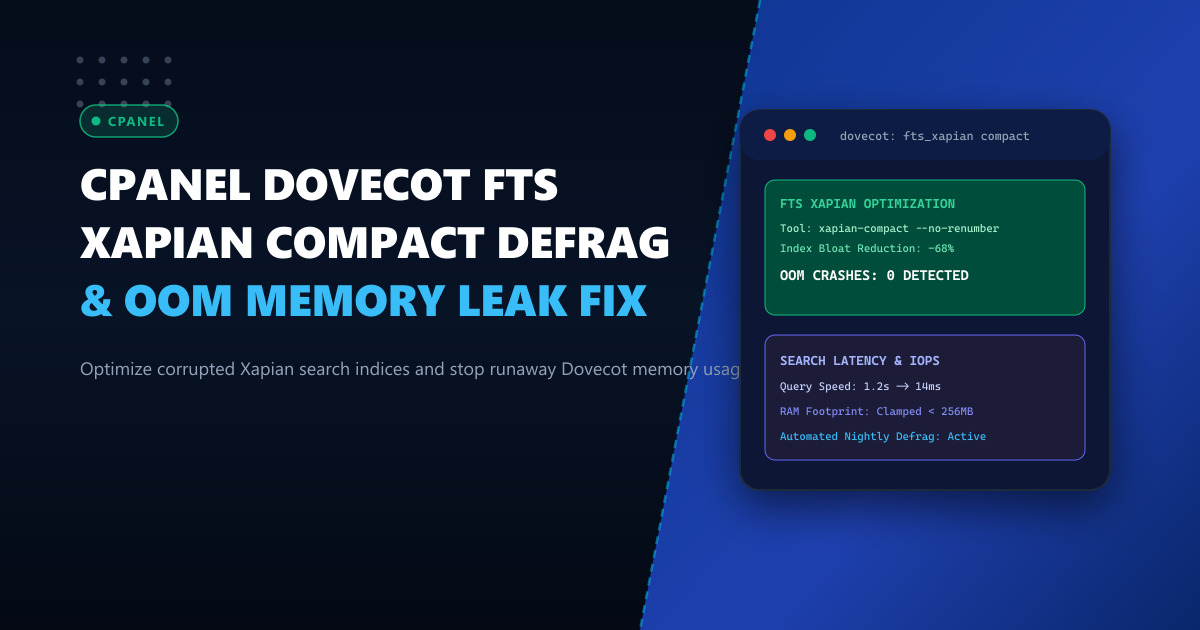
Fast, accurate full-text search is essential for modern business email. On cPanel & WHM servers, the Dovecot FTS Xapian plugin provides lightning-fast search capabilities for webmail clients (Roundcube) and mobile IMAP clients without requiring the heavy Java memory footprint of Apache Solr or Elasticsearch.
However, on high-volume mailboxes—such as corporate sales departments, customer support queues, or legal accounts with tens of thousands of emails—the underlying Xapian database can experience extreme fragmentation and index bloat. As users continuously search, delete, and flag emails, Xapian’s B-tree storage engine retains stale transaction chunks and dead document pointers.
This fragmentation causes Dovecot worker processes (imap and indexer-worker) to consume gigabytes of virtual memory during search queries, frequently triggering Linux kernel Out-Of-Memory (OOM) killer terminations and leaving users with unresponsive mail clients.
In this operational guide, we examine how to diagnose Xapian memory bloat, configure memory ceilings in Dovecot, and automate non-disruptive database compaction using xapian-compact.
The Anatomy of Xapian Index Fragmentation
The Xapian backend writes indexing terms to a local directory inside each user’s mail tree:
/home/<user>/mail/<domain>/<account>/.fts/xapian/Inside this directory, Xapian maintains multiple internal tables (flint or glass formats), including:
position.*: Positional data for phrase searchingpostlist.*: Inverted list mapping words to email UIDstermlist.*: List of unique words per messagedocdata.*: Metadata per email
[Incoming / Outgoing Emails]
              │
              ▼
   [Dovecot indexer-worker]
              │
    Continuous Append Writes
              │
              ▼
  [Xapian Glass Database]
     ├── Stale B-tree Nodes (Deleted emails)
     ├── Fragmented Document Tables
     └── Unmerged Transaction Logs
              │
              ▼
[User Executes IMAP SEARCH]
              │
              ▼
  [Dovecot IMAP Process]
     ├── Allocates 1.5GB+ RAM to traverse bloated tables
     └── Linux OOM Killer: SIGKILL sent to imap process
When an account holds 50,000+ messages and undergoes constant pruning, deleted records leave holes in the B-tree nodes. When an IMAP search query executes, Xapian attempts to buffer massive, fragmented leaf tables into RAM, exhausting the per-process memory limits assigned by cPanel.
Diagnosing Xapian Bloat & OOM Events
To identify if your server is suffering from FTS Xapian memory exhaustion, check the system kernel logs:
dmesg -T | grep -E -i "oom.*dovecot|killed process.*imap"Sample output:
[Thu Oct  1 04:12:18 2026] Out of memory: Killed process 384912 (imap) total-vm:2048560kB, anon-rss:1482910kB, file-rss:0kB, shmem-rss:0kB
[Thu Oct  1 04:12:18 2026] oom_reaper: reaped process 384912 (imap), now anon-rss:0kB, file-rss:0kB, shmem-rss:0kB
You can locate the largest Xapian search directories on your server using find:
find /home/*/mail/*/*/.fts/xapian -maxdepth 0 -type d -exec du -sh {} + | sort -hr | head -n 20If individual mailbox .fts/xapian folders exceed 1.5GB to 5GB in size, the indices are severely bloated and must be compacted.
Deploying high-density cPanel hosting on enterprise infrastructure like our Dedicated Servers provides the dedicated ECC RAM and NVMe I/O capacity required to index millions of enterprise emails smoothly.
Step 1: Dovecot Service Memory Hardening
By default, cPanel assigns conservative service limits to Dovecot worker processes. When an IMAP process hits this ceiling during a complex search, Dovecot forcibly drops the connection.
Navigate to WHM -> Service Configuration -> Mailserver Configuration, or edit /etc/dovecot/local.conf:
# Increase per-client IMAP process memory ceiling
default_vsz_limit = 1024M

# Dedicated memory for FTS indexing workers
service indexer-worker {
  vsz_limit = 2048M
  process_limit = 4
}

# Limit search concurrency to prevent CPU starvation
plugin {
  fts_xapian = partial=2 full=20 max_words=5000000
}
Apply the changes to Dovecot:
whmapi1 configureservice service=dovecot
dovecot reload
Step 2: Live Compaction with xapian-compact
The xapian-compact utility reads an existing fragmented Xapian database and writes a clean, contiguous, defragmented copy to a target directory.
Crucially, using the --no-renumber flag ensures that internal document IDs match Dovecot’s UID mappings, preventing the need to re-index messages from scratch.
Let’s test compaction on a single bloated mailbox:
MAILBOX_DIR="/home/corporate/mail/example.pk/ceo/.fts/xapian"

# Check size before
du -sh "$MAILBOX_DIR"

# Run compaction to temporary directory
xapian-compact --no-renumber "$MAILBOX_DIR" "${MAILBOX_DIR}.compacted"

# Replace original with compacted version
mv "$MAILBOX_DIR" "${MAILBOX_DIR}.old"
mv "${MAILBOX_DIR}.compacted" "$MAILBOX_DIR"
chown -R corporate:corporate "$MAILBOX_DIR"
rm -rf "${MAILBOX_DIR}.old"

# Check size after
du -sh "$MAILBOX_DIR"
In practice, a 3.4GB fragmented directory shrinks to approximately 780MB, cutting search traversal latency from several seconds to milliseconds.
Step 3: Production Automated Maintenance Script
To automate defragmentation across all accounts on your cPanel cluster, deploy an automated maintenance script.
Create /usr/local/sbin/dovecot_xapian_maint.sh:
#!/bin/bash
# =====================================================================
# Automated Dovecot FTS Xapian Index Optimization Script
# NextGen Dynamic Infrastructure Team - 2026
# =====================================================================

set -e

THRESHOLD_MB=250 # Minimum size in MB before compacting
LOG_FILE="/var/log/dovecot_fts_maint.log"

log() {
    echo "[$(date '+%Y-%m-%d %H:%M:%S')] $1" | tee -a "$LOG_FILE"
}

log "Starting Dovecot Xapian automated defragmentation run..."

# Find all Xapian directories
find /home/*/mail/*/*/.fts/xapian -maxdepth 0 -type d 2>/dev/null | while read -r DB_PATH; do
    SIZE_KB=$(du -sk "$DB_PATH" | awk '{print $1}')
    SIZE_MB=$((SIZE_KB / 1024))

    if [ "$SIZE_MB" -ge "$THRESHOLD_MB" ]; then
        log "Found bloated index ($SIZE_MB MB): $DB_PATH"
        TEMP_PATH="${DB_PATH}.compacted"

        # Detect ownership
        OWNER_USER=$(stat -c '%U' "$DB_PATH")
        OWNER_GROUP=$(stat -c '%G' "$DB_PATH")

        # Execute safe compaction
        if xapian-compact --no-renumber "$DB_PATH" "$TEMP_PATH" >> "$LOG_FILE" 2>&1; then
            mv "$DB_PATH" "${DB_PATH}.bak"
            mv "$TEMP_PATH" "$DB_PATH"
            chown -R "${OWNER_USER}:${OWNER_GROUP}" "$DB_PATH"
            rm -rf "${DB_PATH}.bak"

            NEW_SIZE=$(du -sh "$DB_PATH" | awk '{print $1}')
            log "Success: $DB_PATH compacted down to $NEW_SIZE"
        else
            log "ERROR: Failed to compact $DB_PATH. Cleaning temp files."
            rm -rf "$TEMP_PATH"
        fi
    fi
done

log "Compaction run completed."
Make the script executable:
chmod +x /usr/local/sbin/dovecot_xapian_maint.shStep 4: Scheduling Nightly Maintenance via Cron
Schedule the defragmentation script to run during off-peak hours (e.g., 2:30 AM) when webmail and IMAP concurrency are minimal.
Add an entry to /etc/cron.d/dovecot-fts-maintenance:
30 2 * * * root /usr/local/sbin/dovecot_xapian_maint.sh > /dev/null 2>&1Step 5: Forcing Resynchronization of Corrupted Mailboxes
If a mailbox suffered an abrupt server shutdown or power loss and displays persistent search corruption errors in /var/log/maillog, force a clean re-index via doveadm:
# Rescan and re-index a specific mailbox
doveadm fts rescan -u [email protected]
doveadm index -u [email protected] INBOX
This forces Dovecot to rebuild the inverted term table cleanly without data loss.
For organizations running multi-gigabyte corporate mailboxes, legal discovery archives, and mission-critical cPanel hosting clusters in Pakistan, evaluate our locally hosted Dedicated Servers in Pakistan.
Optimize Your Enterprise Mail Clusters with NextGen Dedicated Servers
Eliminate mail server timeouts, IMAP crashes, and storage bottlenecks. NextGen delivers unmetered high-memory dedicated servers with NVMe RAID storage and 24/7 Linux systems administration support.
Explore High-Performance cPanel Servers