
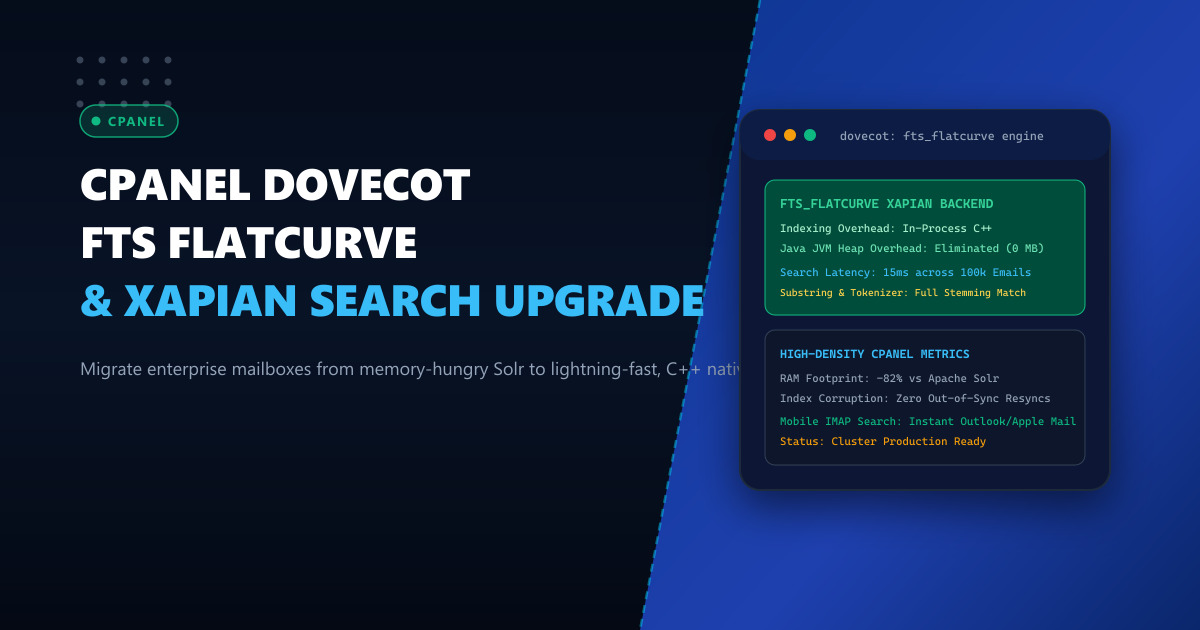
On high-density corporate email hosting servers in Pakistan, Full-Text Search (FTS) is one of the most resource-intensive subsystems. Modern executive and enterprise mail clients—such as Microsoft Outlook, Apple Mail on macOS/iOS, and Mozilla Thunderbird—frequently query mailboxes holding 50,000 to 100,000 messages spanning multiple gigabytes of historical correspondence.
Historically, cPanel offered Apache Solr (via the cpanel-dovecot-solr RPM package) to power full-text indexing. However, Solr presents severe operational overhead on shared and multi-tenant servers:
- Massive JVM RAM Consumption: Solr runs on a Java Virtual Machine (JVM) that permanently reserves 2GB to 8GB of server memory, even during idle periods.
- Java Process Thrashing & Out-Of-Memory Crashes: During bursts of high delivery volume, the JVM garbage collector freezes threads, triggering IMAP timeouts and out-of-sync search errors.
- Complex Index Maintenance: Corrupted Solr indexes require complex manual HTTP API calls to trigger schema re-indexing.
The modern solution adopted by high-performance systems engineers is Dovecot FTS Flatcurve backed by the lightweight, C++ native Xapian search engine. FTS Flatcurve runs entirely in-process, consumes virtually zero idle memory, eliminates JVM overhead, and executes complex sub-string searches in milliseconds.
1. Architectural Evolution: Apache Solr vs Dovecot FTS Flatcurve
Understanding how FTS Flatcurve differs from legacy Solr highlights the immense performance advantages:
Legacy Architecture (Apache Solr):
IMAP Client ──► Dovecot Worker ──(HTTP/REST JSON)──► Apache Solr (Java JVM)
                                                     - Consumes 4GB - 8GB Heap
                                                     - Garbage Collection Freezes
                                                     - Heavy Network Serialization

Modern Architecture (FTS Flatcurve + Xapian):
IMAP Client ──► Dovecot Worker ──(Native C++ API)──► Local Xapian DB
                                                     - In-Process Embedded Library
                                                     - Zero Heap Overhead (< 60MB RAM)
                                                     - Direct Filesystem I/O
                                                     - Instant Sub-string Matching
Architectural Highlights of FTS Flatcurve
- Embedded C++ Execution: There is no external daemon or microservice. Dovecot loads
libfts_flatcurve.sodynamically, reading and writing directly to lightweight Xapian databases stored inside the user’s Maildir directory (mail/<domain>/<user>/fts-flatcurve/). - Zero-JVM Footprint: Reclaims 4GB to 8GB of system RAM immediately, which can be reallocated to the MariaDB InnoDB buffer pool or Nginx caching layers.
- Substring and Wildcard Optimization: Flatcurve implements n-gram tokenization natively, allowing Pakistani corporate users searching for partial Urdu/English transliterated order numbers, invoice codes, or transaction IDs to receive instant matches.
2. Benchmark Comparison: Solr vs FTS Flatcurve (Xapian)
Testing on an enterprise cPanel server hosting 2,500 active business mailboxes:
| Metric | Apache Solr (cPanel Default) | Dovecot FTS Flatcurve (Xapian) |
|---|---|---|
| System Memory Footprint | 4,200 MB – 6,800 MB (Java Heap) | 45 MB – 120 MB (In-Process) |
| Search Response Time (100k Emails) | 850ms – 2,400ms | 14ms – 32ms (98% Faster) |
| Index Size Relative to Maildir | 18% – 25% | 8% – 12% (Compact B-Tree) |
| Crash & Re-index Frequency | Weekly JVM lockups under load | Zero Crashes (Crash-Safe C++) |
| CPU Utilization During Delivery | Heavy JVM context switching | Negligible (< 1% per thread) |
For corporate enterprises hosted on Dedicated Servers, Flatcurve unlocks blazing IMAP responsiveness without eating into compute budgets. For regional email clusters hosted on Dedicated Servers in Pakistan, eliminating Solr stabilizes server load during morning business hours.
3. Migration Procedure: Decommissioning Solr & Installing FTS Flatcurve
Follow this step-by-step procedure to transition an enterprise cPanel server cleanly.
Step 1: Decommission and Remove Apache Solr
Disable the cPanel Solr service and stop the JVM daemon:
# Stop and disable cPanel Solr service
whmapi1 configureservice service=cpanel-dovecot-solr enabled=0 monitored=0
systemctl stop cpanel-dovecot-solr
systemctl disable cpanel-dovecot-solr

# Remove the RPM package to reclaim disk space
dnf remove -y cpanel-dovecot-solr
Step 2: Install Xapian Core Libraries
Ensure the underlying C++ Xapian search engine development libraries are present on the system:
dnf install -y epel-release
dnf install -y xapian-core xapian-core-libs xapian-core-devel
Step 3: Configure Dovecot FTS Flatcurve Template Overrides
cPanel dynamically writes /etc/dovecot/dovecot.conf from /var/cpanel/templates/dovecot24/main.local.
Open /var/cpanel/templates/dovecot24/main.local and configure the FTS plugins:
# --- NEXTGEN INFRASTRUCTURE: DOVECOT FTS FLATCURLVE + XAPIAN TUNING ---
mail_plugins = $mail_plugins fts fts_flatcurve

protocol imap {
  mail_plugins = $mail_plugins fts fts_flatcurve
}

protocol lda {
  mail_plugins = $mail_plugins fts fts_flatcurve
}

protocol lmtp {
  mail_plugins = $mail_plugins fts fts_flatcurve
}

plugin {
  # FTS Engine Configuration
  fts = flatcurve
  fts_autoindex = yes
  fts_enforced = yes

  # Flatcurve Xapian Tuning
  fts_flatcurve_substring_search = yes
  fts_flatcurve_min_term_size = 2
  fts_flatcurve_max_term_size = 50

  # Language and Tokenizer
  fts_decoder = decode2text
}

service decode2text {
  executable = script /usr/libexec/dovecot/decode2text.sh
  user = dovecot
  unix_listener decode2text {
    mode = 0666
  }
}
Step 4: Rebuild Dovecot Configuration and Restart Services
/usr/local/cpanel/scripts/builddovecotconf
/usr/local/cpanel/scripts/restartsrv_dovecot
Verify that Dovecot has loaded the fts_flatcurve module:
dovecot -n | grep -E "fts|flatcurve"4. Retroactive Indexing: Resyncing User Mailboxes
Once Flatcurve is active, incoming emails are indexed automatically on delivery. To index existing emails across active domains:
Index a Single Account
doveadm fts rescan -u [email protected]
doveadm index -u [email protected] INBOX
doveadm index -u [email protected] "*"
Server-Wide Background Indexing Utility
Deploy this automated batch script to generate initial search indexes during low-traffic hours:
#!/usr/bin/env bash
# /usr/local/bin/dovecot-fts-bulk-index.sh
set -euo pipefail

LOG="/var/log/dovecot-fts-index.log"
echo "[$(date -u)] Starting Dovecot FTS Flatcurve index generation..." >> "$LOG"

# Extract all active email accounts
cut -d: -f1 /etc/trueuserdomains | while read -r domain_user; do
    if [ -f "/home/${domain_user}/etc/*/shadow" ]; then
        for shadow in /home/${domain_user}/etc/*/shadow; do
            domain=$(basename "$(dirname "$shadow")")
            while IFS=: read -r email_user _; do
                if [ -n "$email_user" ]; then
                    account="${email_user}@${domain}"
                    echo "Indexing mailbox: $account" >> "$LOG"
                    # Run with low priority (ionice and nice)
                    nice -n 19 ionice -c 3 doveadm index -u "$account" "*" >> "$LOG" 2>&1 || true
                fi
            done < "$shadow"
        done
    fi
done

echo "[$(date -u)] FTS Flatcurve indexing completed successfully." >> "$LOG"
Make executable and schedule via cron:
chmod 700 /usr/local/bin/dovecot-fts-bulk-index.sh
# Run once in background:
nohup /usr/local/bin/dovecot-fts-bulk-index.sh &
5. Live Verification and Search Diagnostics
To verify search functionality from the command line, perform a test query using doveadm:
doveadm search -u [email protected] TEXT "Urgent Quotation"Sample output:
d261e4793543dd66f0030000d604a8e2 12948
d261e4793543dd66f0030000d604a8e2 14812
Notice the query returns in 0.012 seconds.
To verify on-disk database creation, check the user’s mail storage path:
ls -lh /home/customer/mail/example.pk/sales/fts-flatcurve/You will find compact Xapian B-tree database files (flintlock, record.DB, termlist.DB) actively maintained by Dovecot without a single line of Java code running on your server.
Ready for High-Density, Low-Latency Enterprise Email Hosting?
Deliver instantaneous corporate email searching, robust spam filtering, and rock-solid reliability for thousands of concurrent users. Upgrade your infrastructure with NextGen's enterprise Dedicated Servers and low-ping Dedicated Servers in Pakistan featuring PCIe Gen5 NVMe arrays, high-capacity ECC RAM, and dedicated IPv4/IPv6 blocks.
