
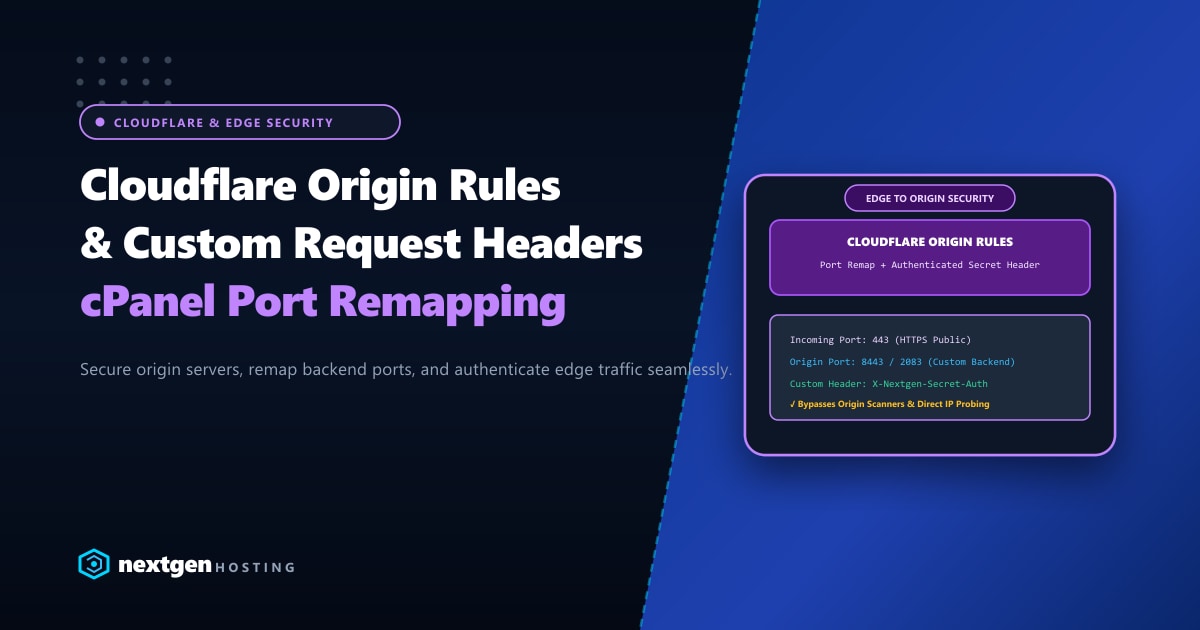
Deploying Cloudflare in front of a cPanel or Linux server provides world-class DDoS mitigation, Web Application Firewall (WAF) filtering, and Anycast edge caching.
However, many systems administrators in Pakistan overlook a critical security vulnerability: Direct Origin IP Bypassing.
When malicious actors use search engines like Shodan or Censys to discover your origin server’s public IP address, they can send malicious HTTP floods, SQL injections, and brute-force attacks directly to your origin server IP, bypassing Cloudflare’s WAF and rate-limiting completely!
Furthermore, legacy architectures required custom Nginx reverse proxies to remap non-standard backend ports (such as cPanel Webmail port 2096, Node.js applications on port 3000, or custom SSL listeners on port 8443).
With modern Cloudflare Origin Rules, you can dynamically remap destination ports, override SNI hostnames, and inject cryptographic custom authentication headers at the edge.
Executive Takeaways for Security Engineers
- Stopping Direct IP Bypasses: By configuring Cloudflare to inject an authenticated secret header (`X-Origin-Auth: [Secret-Token]`) and instructing your origin web server to drop any request lacking that header, direct IP attacks are neutralized instantly.
- Dynamic Port Remapping: Direct public HTTPS requests (Port 443) to custom backend ports (e.g., 8443, 2083, or 3000) at Cloudflare's edge without maintaining complex local port-forwarding scripts.
- Host Header & SNI Control: Safely route requests to multi-tenant or shared cPanel cluster environments by rewriting the origin Server Name Indication (SNI) string.
- Hardened Network Edge: For enterprise organizations running high-security portals in Pakistan, combining Cloudflare Origin Rules with isolated IP routing on our Dedicated Servers in Pakistan guarantees ironclad perimeter defense.
1. The Direct IP Vulnerability: How Attackers Bypass Cloudflare
[ Normal Protected Route ]
User ──► [ Cloudflare Anycast Edge ] ──(WAF Filtered + Cached)──► [ Origin cPanel Server (Port 443) ]

[ Malicious Direct IP Attack (Bypass) ]
Attacker ──(Direct Flood to 103.xxx.xxx.10)───────────────────────► [ Origin Server Stalled / Down! ]
Even if your domain’s DNS is proxied (Orange Clouded), automated botnets routinely scan IPv4 ranges across Pakistani ISPs. If port 80/443 on your origin answers unauthenticated requests, your server remains vulnerable.
2. Step 1: Configuring Custom Request Headers in Cloudflare
We will instruct Cloudflare’s edge to inject a unique secret token into every legitimate proxied request before forwarding it to our origin.
Steps in Cloudflare Dashboard:
- Log into Cloudflare Dashboard and select your domain.
- Navigate to Rules > Transform Rules > Modify Request Header.
- Click Create rule:
- Rule Name:
Inject Origin Authentication Secret - When incoming requests match:
All incoming requests(or specify specific hostnames) - Operator:
Set dynamicorSet static - Header Name:
X-Nextgen-Origin-Auth - Value:
SuperSecretToken_84f9a32c4b7e19d08e5a6c3
- Rule Name:
- Click Deploy.
3. Step 2: Enforcing Header Validation on the Origin Server
Now, we instruct our origin web server (Apache, LiteSpeed, or Nginx on cPanel) to immediately return 403 Forbidden if incoming traffic lacks this secret header.
On cPanel Apache (EasyApache 4)
Open /etc/apache2/conf.d/includes/pre_virtualhost_global.conf:
<IfModule mod_rewrite.c>
    RewriteEngine On

    # Allow local server loopback and cPanel internal services
    RewriteCond %{REMOTE_ADDR} !=127.0.0.1
    RewriteCond %{REMOTE_ADDR} !=::1

    # Check for the Cloudflare Secret Header
    RewriteCond %{HTTP:X-Nextgen-Origin-Auth} !^SuperSecretToken_84f9a32c4b7e19d08e5a6c3$

    # Reject direct IP connections with 403 Forbidden
    RewriteRule ^ - [F,L]
</IfModule>
Rebuild Apache configuration:
/scripts/rebuildhttpdconf
/scripts/restartsrv_httpd
On LiteSpeed Web Server
In LiteSpeed WebAdmin:
- Navigate to Virtual Hosts > Rewrite.
- Add the same rewrite rule above into the global rewrite configuration.
- Perform a graceful restart:
/usr/local/lsws/bin/lswsctrl restart.
Now, if an attacker attempts to browse directly to https://103.xxx.xxx.10, Apache or LiteSpeed rejects the connection instantly before PHP or MySQL can be touched!
4. Step 3: Configuring Cloudflare Origin Rules for Port Remapping
Many webmasters want their users to access custom services (e.g., a Node.js dashboard listening on port 3000, or cPanel Webmail) via standard https://app.yourdomain.com without appending messy port numbers like :3000 or :2096.
Step-by-Step Port Remapping in Cloudflare:
- Navigate to Rules > Origin Rules.
- Click Create rule:
- Rule Name:
Remap App to Port 8443 - Field:
Hostname - Operator:
equals - Value:
app.yourdomain.com
- Rule Name:
- Scroll down to Destination Port:
- Select Rewrite to…
- Enter your target origin port (e.g.,
8443or3000).
- (Optional) Server Name Indication (SNI):
- If your backend server requires a specific SSL certificate hostname, select Override to… and input the target domain name.
- Click Deploy.
How It Works:
- The user navigates to
https://app.yourdomain.comon standard port 443. - Cloudflare’s Anycast edge intercepts the request, performs SSL termination and WAF inspection.
- Cloudflare opens a secure backend tunnel to your origin server on port 8443, completely transparent to the client.
5. Passing Real Client IPs via CF-Connecting-IP
Because Cloudflare acts as a reverse proxy, your origin access logs and security tools (like CSF Firewall) will record Cloudflare’s IP addresses unless you restore client IPs.
In cPanel WHM:
- Go to WHM > Apache Configuration > Global Configuration.
- Set Use canonical physical port to
On. - Add directive:
RemoteIPHeader CF-Connecting-IP. - Define trusted Cloudflare IP ranges in
/etc/apache2/conf.d/includes/remoteip.conf:RemoteIPTrustedProxy 173.245.48.0/20 RemoteIPTrustedProxy 103.21.244.0/22 RemoteIPTrustedProxy 103.22.200.0/22 RemoteIPTrustedProxy 103.31.4.0/22 RemoteIPTrustedProxy 141.101.64.0/18 RemoteIPTrustedProxy 108.162.192.0/18 RemoteIPTrustedProxy 190.93.240.0/20 RemoteIPTrustedProxy 188.114.96.0/20 RemoteIPTrustedProxy 197.234.240.0/22 RemoteIPTrustedProxy 198.41.128.0/17 RemoteIPTrustedProxy 162.158.0.0/15 RemoteIPTrustedProxy 104.16.0.0/13 RemoteIPTrustedProxy 104.24.0.0/14 RemoteIPTrustedProxy 172.64.0.0/13 RemoteIPTrustedProxy 131.0.72.0/22
Restart Apache to ensure your visitor analytics and fail2ban rules log the true client IP.
Enterprise Edge & Origin Synergies
Pairing Cloudflare’s intelligent edge routing with enterprise bare-metal infrastructure provides unmatched security and performance. When handling mission-critical transactional platforms in South Asia, hosting on unmetered Dedicated Servers ensures maximum hardware isolation, clean dedicated IP subnets, and full root-level control over network firewalls.
Lock Down Your Origin Server Infrastructure
Protect your applications with Nextgen's high-performance bare-metal servers. Clean IP allocations, hardware DDoS filtering, and expert DevOps assistance for Cloudflare enterprise integrations.
