
When routing website traffic through Cloudflare’s Anycast proxy (the “Orange Cloud”), thousands of website owners and digital agencies in Pakistan make a dangerous configuration mistake: they set their SSL encryption mode to “Flexible SSL”.
In Flexible mode, the connection between the user’s browser and Cloudflare’s edge is encrypted over HTTPS. However, the connection between Cloudflare’s edge and your origin cPanel server travels across the public internet in completely unencrypted plaintext HTTP. Passwords, credit card numbers, and administrative session cookies are completely exposed to interception by network eavesdroppers and rogue ISP routing.
Furthermore, using free 90-day Let’s Encrypt certificates on origin servers frequently breaks, because Cloudflare’s edge proxy often intercepts the HTTP-01 ACME challenge requests required for automated renewal.
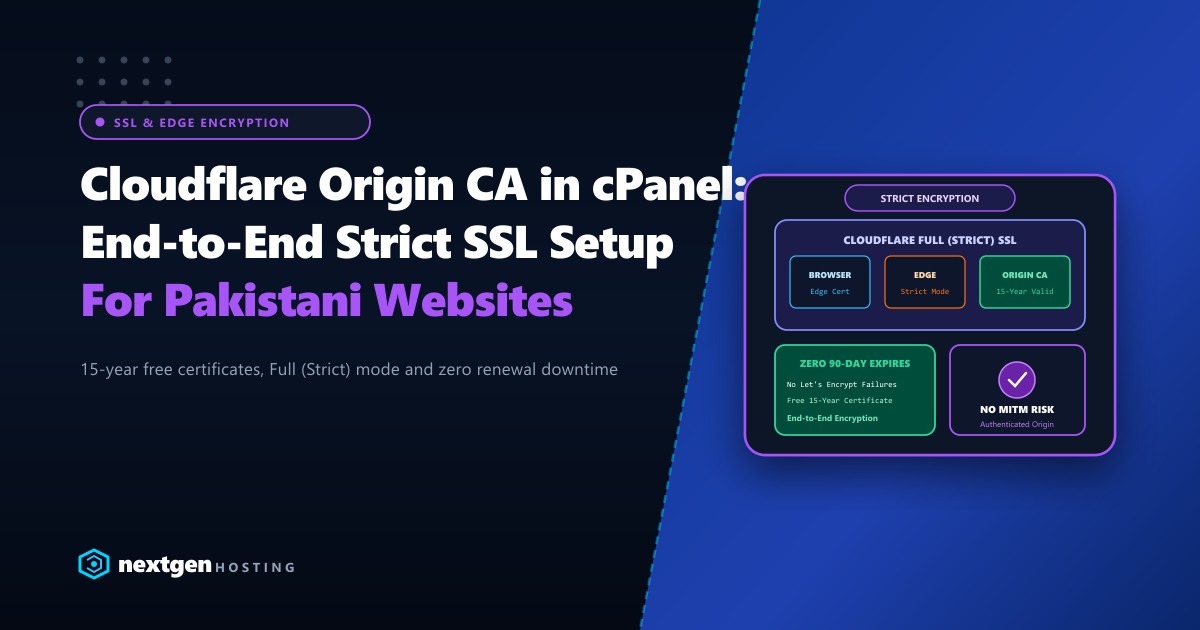
The definitive, enterprise-grade solution is installing a Cloudflare Origin CA certificate inside cPanel and enforcing Full (Strict) SSL.
Executive Summary: Cloudflare Origin CA & Strict SSL
- The Myth of Flexible SSL: Flexible SSL offers a false sense of security. The origin leg is unencrypted HTTP, leaving customer data vulnerable to Man-in-the-Middle (MITM) attacks.
- 15-Year Free Validity: Cloudflare Origin CA certificates are completely free and can be issued with a validity period of up to 15 years, eliminating 90-day renewal breakage entirely.
- Full (Strict) Verification: Full (Strict) mode ensures Cloudflare validates that the origin server presents a valid, authenticated certificate signed by Cloudflare's CA before delivering traffic.
- cPanel Compatibility: Origin certificates install seamlessly into standard cPanel SSL/TLS Manager with zero command-line configuration required.
The Four Cloudflare SSL Modes Explained
Understanding how data travels under each Cloudflare encryption mode is vital for enterprise security:
1. FLEXIBLE SSL (INSECURE):
Browser --[ HTTPS (Encrypted) ]--> Cloudflare Edge --[ HTTP (PLAINTEXT!) ]--> Origin Server
* Traffic between Cloudflare and Origin is completely vulnerable to packet sniffing!

2. FULL SSL (SEMI-SECURE):
Browser --[ HTTPS (Encrypted) ]--> Cloudflare Edge --[ HTTPS (Self-Signed) ]--> Origin Server
* Origin is encrypted, but Cloudflare doesn't verify the certificate authenticity.

3. FULL (STRICT) WITH ORIGIN CA (ENTERPRISE STANDARD):
Browser --[ HTTPS (Encrypted) ]--> Cloudflare Edge --[ HTTPS (Validated Origin CA) ]--> Origin Server
* 100% end-to-end cryptographic encryption with authenticated certificate validation!
Step 1: Generating the Origin CA Certificate in Cloudflare
- Log in to your Cloudflare Dashboard and select your domain.
- In the left navigation, navigate to SSL/TLS >> Origin Server.
- Click Create Certificate.
- Configure the certificate parameters:
- Private key type: Select RSA (2048) (universally compatible with cPanel).
- Hostnames: By default, Cloudflare includes
yourdomain.pkand*.yourdomain.pk. Ensure all subdomains you plan to use are listed. - Certificate Validity: Choose 15 years.
- Click Create.
Cloudflare will generate two blocks of text:
- Origin Certificate (Begins with
-----BEGIN CERTIFICATE-----) - Private Key (Begins with
-----BEGIN PRIVATE KEY-----)
[!IMPORTANT] Cloudflare will only display the Private Key once! Keep this tab open while you proceed to cPanel.
Step 2: Installing the Certificate in cPanel
- Log in to your website’s cPanel dashboard.
- In the Security section, click SSL/TLS.
- Under Install and Manage SSL for your site (HTTPS), click Manage SSL sites.
- Scroll down to Install an SSL Website:
- Domain: Select your domain from the dropdown.
- Certificate: (CRT): Copy and paste the Origin Certificate from Cloudflare.
- Private Key: (KEY): Copy and paste the Private Key from Cloudflare.
- Certificate Authority Bundle: (CABUNDLE): Leave this blank (cPanel will automatically fetch the bundle, or you can paste Cloudflare’s official Origin Root CA bundle).
- Click Install Certificate.
- cPanel will display a success message confirming that the certificate is bound to your virtual host.
Step 3: Enabling Full (Strict) Mode in Cloudflare
Now that your origin cPanel server is serving a verified Cloudflare Origin certificate, activate strict verification:
- Return to the Cloudflare dashboard.
- Navigate to SSL/TLS >> Overview.
- Under SSL/TLS encryption mode, change the toggle from Flexible or Full to Full (strict).
Incoming Request -> Cloudflare Edge
                          |
             [ SSL Handshake to Origin ]
                          |
             Does Origin present a valid Origin CA Cert?
             /                                     \
          [ YES ]                                [ NO ]
            /                                       \
  Connection Established (200 OK)             Blocks Connection (526 Invalid SSL)
Within seconds, all traffic to your website is encrypted end-to-end with zero risk of expired Let’s Encrypt certificates breaking your business operations.
Preventing Direct Origin IP Bypass
Even with Full (Strict) SSL enabled, an attacker who discovers your real origin server IP could attempt to bypass Cloudflare’s Web Application Firewall (WAF) and DDoS protection by connecting directly to your IP.
To lock down your server completely:
- In cPanel or via CSF firewall, restrict ports
80and443to accept connections only from Cloudflare’s published IP ranges:- Cloudflare publishes its official IPv4 CIDR blocks at
https://www.cloudflare.com/ips-v4.
- Cloudflare publishes its official IPv4 CIDR blocks at
- Enable Authenticated Origin Pulls (AOP) in Cloudflare so your web server verifies Cloudflare’s client certificate on every request.
For mission-critical e-commerce platforms, government portals, and financial services in Pakistan, deploying origin stacks on enterprise Dedicated Servers ensures that hardware cryptographic acceleration (AES-NI) handles TLS handshakes without CPU latency. Hosting domestically on Dedicated Servers in Pakistan guarantees that domestic users enjoy ultra-fast TLS session resumption and sub-10ms ping times over local telecommunication networks.
Secure Your Web Applications with Nextgen Hosting
Protect your users with bulletproof end-to-end SSL encryption, enterprise Cloudflare integration, pure NVMe storage, and 24/7 cybersecurity monitoring.
