
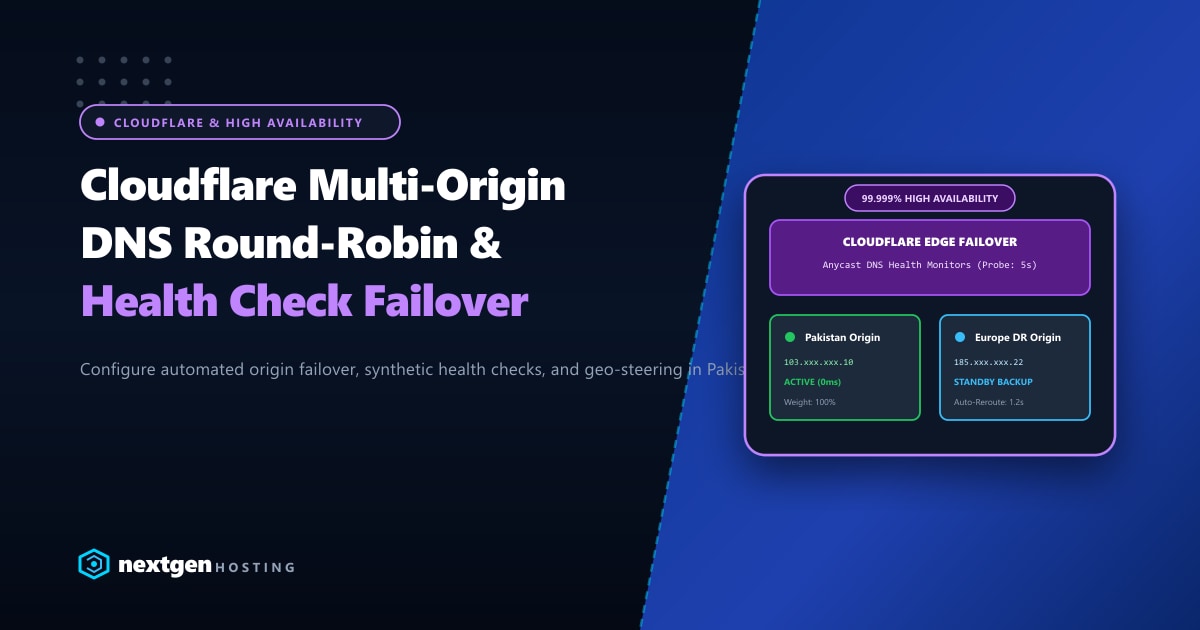
For high-profile e-commerce platforms, FinTech apps, and corporate websites in Pakistan, relying on a single origin server introduces an unacceptable single point of failure (SPOF). Power disruptions, undersea fiber cable outages, or routine upstream maintenance can abruptly take your primary application offline.
While hardware-level load balancers (such as F5 or LiteSpeed WebADC) are fantastic for local server farms, achieving geographic multi-datacenter redundancy requires traffic steering at the DNS and Anycast edge.
By combining Cloudflare’s Anycast Edge Network with multi-origin DNS configurations, automated health monitors, and intelligent failover pools, you can guarantee that visitors from PTCL, Nayatel, and StormFiber remain online even if your primary datacenter experiences a catastrophic failure.
Executive Takeaways for Systems Architects
- Proxied vs. Unproxied DNS Round-Robin: If DNS records are unproxied (Grey Cloud), client browsers receive multiple IPs and resolve them unpredictably. When proxied (Orange Cloud), Cloudflare’s Anycast edge handles origin connection pooling, health checks, and seamless re-routing.
- Sub-3-Second Automated Failover: By attaching Cloudflare Health Monitors with 5-second interval probes, Cloudflare detects origin timeouts or 5xx HTTP codes and reroutes incoming traffic to your secondary disaster recovery node before visitors notice disruption.
- Geo-Steering for Minimum Latency: Direct South Asian traffic to low-latency Dedicated Servers in Pakistan (sub-15ms latency), while automatically directing North American and European visitors to offshore worker clusters.
- Database Synchronization Requirement: Multi-origin failover requires robust database replication (e.g., Galera Cluster, MariaDB asynchronous master-slave, or CockroachDB) and object storage replication (S3/R2) across origin sites.
1. Architectural Blueprint: Primary & Disaster Recovery Topology
Here is the reference architecture for an enterprise active-passive or active-active multi-origin deployment:
                          [ Global & Pakistani Visitors ]
                                         │
                                         ▼
                      ┌─────────────────────────────────────┐
                      │    Cloudflare 330+ City Anycast     │
                      │  - DDoS Shield & Edge WAF           │
                      │  - Multi-Origin Load Balancer       │
                      │  - Synthetic Health Probe Engine    │
                      └──────────────────┬──────────────────┘
                                         │
                 ┌───────────────────────┴───────────────────────┐
                 │ Traffic Distribution based on Health & Weight │
                 ▼                                               ▼
  ┌───────────────────────────────┐               ┌───────────────────────────────┐
  │   Primary Origin (Pakistan)   │               │   DR Origin (Europe / USA)    │
  │   IP: 103.xxx.xxx.10          │               │   IP: 185.xxx.xxx.22          │
  │   - Primary Active Workload   │               │   - Standby Failover Target   │
  │   - Low Latency for Pakistan  │               │   - Global Redundancy Site    │
  └──────────────┬────────────────┘               └──────────────┬────────────────┘
                 │                                               │
                 └───────────── Bi-Directional DB Sync ──────────┘
When building redundant infrastructure, coupling a high-performance local node with international Dedicated Servers in Europe or North America provides geographic diversity that is completely immune to regional telecommunication fiber cuts.
2. Basic DNS Round-Robin (Proxied Mode)
If you do not have a Cloudflare Enterprise Load Balancing add-on subscription, you can achieve basic multi-origin load balancing directly through standard DNS records with Orange Cloud (Proxy) enabled.
Configuration Steps in Cloudflare Dashboard:
- Open your domain in Cloudflare Dashboard > DNS > Records.
- Create two
Arecords for the exact same hostname:Type: A | Name: app | IPv4: 103.xxx.xxx.10 | Proxy: Proxied (Orange Cloud) Type: A | Name: app | IPv4: 185.xxx.xxx.22 | Proxy: Proxied (Orange Cloud) - Set TTL to Auto.
How Cloudflare Handles Proxied Multi-A Records
Because both records are proxied:
- The public does not see your origin server IP addresses.
- Cloudflare’s edge nodes distribute requests between
103.xxx.xxx.10and185.xxx.xxx.22using an internal round-robin balancing scheme. - If an origin server refuses a TCP connection (
SYN-ACKtimeout), Cloudflare attempts an automatic retry on the second origin before returning an error to the client.
Limitation: Standard proxied round-robin cannot detect HTTP 500/502 errors automatically unless you implement Cloudflare Load Balancing with synthetic health checks.
3. Enterprise Automated Failover with Cloudflare Load Balancing
For mission-critical production sites, Cloudflare Load Balancing provides active health monitoring, origin pooling, and automated failover steering.
Step 3.1: Define Origin Pools
Navigate to Traffic > Load Balancing > Manage Pools:
Pool 1: Primary Pakistan Datacenter
- Pool Name:
origin-pakistan-primary - Origin Address:
103.xxx.xxx.10 - Weight:
1.0 - Health Threshold:
1
Pool 2: Secondary DR Datacenter
- Pool Name:
origin-europe-dr - Origin Address:
185.xxx.xxx.22 - Weight:
1.0 - Health Threshold:
1
Step 3.2: Configure the Synthetic Health Monitor
Click Create Monitor:
Monitor Configuration:
- Type: HTTPS
- Path: /cdn-health-check
- Port: 443
- Expected Codes: 200
- Interval: 10 seconds (5 seconds for enterprise)
- Timeout: 3 seconds
- Retries: 2
- Method: GET
- Header: Host: yourdomain.com
Step 3.3: Implement the Origin Health Check Endpoint
On each origin web server, configure Nginx, Apache, or LiteSpeed to serve a dedicated lightweight health check that checks both web server and database connectivity:
<?php
// /var/www/html/cdn-health-check.php
header("Content-Type: application/json");
header("Cache-Control: no-store, no-cache, must-revalidate");

$db = @new mysqli("localhost", "db_monitor", "StrongPasswordHere!", "health_check");
if ($db->connect_errno) {
    http_response_code(503);
    echo json_encode(["status" => "unhealthy", "error" => "database_connection_failed"]);
    exit;
}
$db->close();

http_response_code(200);
echo json_encode(["status" => "healthy", "timestamp" => time()]);
Step 3.4: Assemble the Load Balancer & Fallback Order
Create the Load Balancer for app.yourdomain.com:
- Hostname:
app.yourdomain.com - Origin Pools:
origin-pakistan-primary(Priority 1)origin-europe-dr(Priority 2)
- Fallback Pool:
origin-europe-dr - Traffic Steering:
Off (Failover based on priority)orGeo-Steering
If origin-pakistan-primary fails two consecutive 5-second health checks, Cloudflare removes it from the routing table and steers 100% of incoming traffic to origin-europe-dr within 3 to 7 seconds.
4. Handling Session Affinity Across Origins
When running stateful applications like WooCommerce or Magento across multiple origins, visitors must not bounce between servers mid-session.
Enable Session Affinity in the Cloudflare Load Balancer settings:
- Affinity Type:
Client IPorCloudflare Cookie(__cflb) - TTL:
14400(4 hours) - Zero-Downtime Failover:
Enable
With __cflb cookies enabled, Cloudflare pins the visitor to Origin 1. If Origin 1 goes down, Cloudflare seamlessly reroutes the visitor to Origin 2 on their subsequent request without showing a connection error.
5. Database & Asset Synchronization Strategies
Origin failover is only effective if your secondary server has access to synchronized data:
- MySQL / MariaDB Replication: Use MariaDB Galera Cluster over private VPN tunnels (WireGuard) for multi-master active-active replication, or asynchronous master-slave with automated read-only promotion.
- Media & Static Uploads: Store WordPress
wp-content/uploads/on Cloudflare R2 or an S3-compatible object storage bucket, or uselsyncdover SSH withrsyncdaemon for real-time file mirroring. - Redis Object Cache: Run dedicated Redis instances locally on each origin with short cache TTLs (e.g., 300 seconds) so failovers do not serve stale transient states.
Summary & Infrastructure Architecture
A multi-origin failover strategy with Cloudflare edge steering ensures that your enterprise web assets remain 100% accessible through ISP fiber severances, power outages, and scheduled hardware overhauls.
Architect High-Availability Multi-Origin Hosting
Combine high-speed local Pakistan dedicated servers with offshore disaster recovery nodes. Nextgen provides redundant 10Gbps uplinks, dedicated hardware firewalls, and experienced DevOps engineers to build your failover architecture.
