
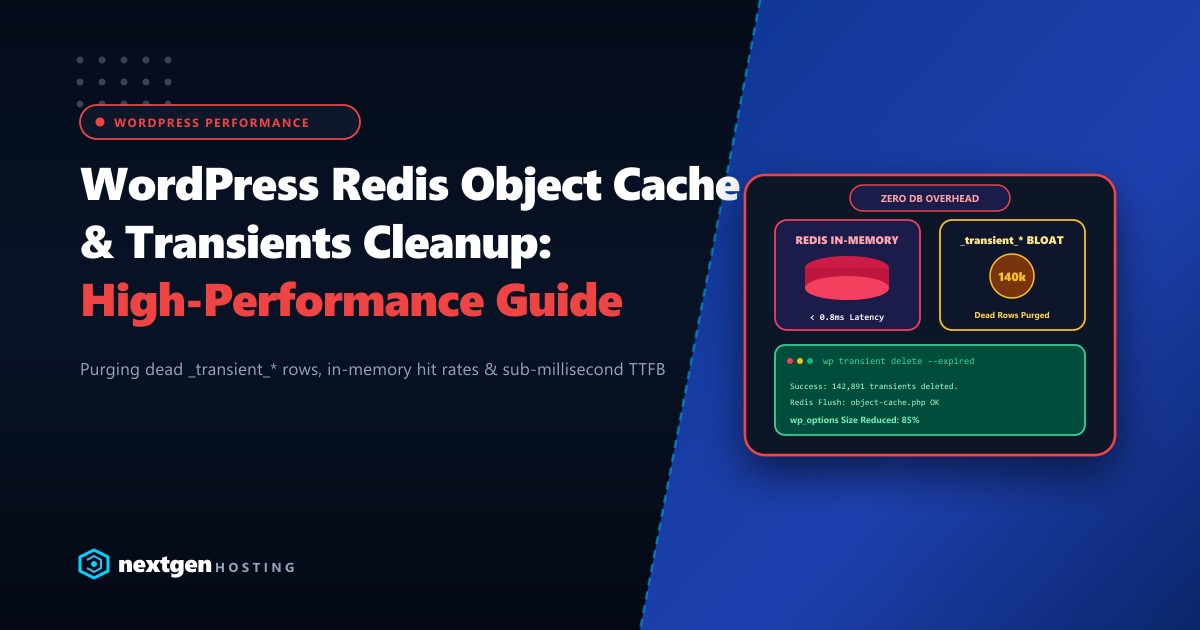
When a WordPress website begins slowing down—particularly on dynamic routes like WooCommerce carts, customer checkout funnels, and wp-admin dashboards—the root cause is almost always database query contention inside the wp_options table.
Every time a theme, plugin, or core function queries temporary data, WordPress writes a transient. Under high traffic, poorly coded plugins create hundreds of thousands of expired transient records (_transient_* and _transient_timeout_*), transforming a nimble 5MB database into a bloated 500MB bottleneck.
Implementing Redis Object Caching alongside automated transient maintenance resolves this permanently by routing frequent queries directly to RAM in under 0.8 milliseconds.
Executive Summary: Redis Object Caching & Transient Hygiene
- Why Transients Bloat: WordPress core only deletes expired transients when they are accessed again. Abandoned transients remain permanently in
wp_optionsas unindexed dead rows. - The Redis Advantage: Installing a Redis persistent drop-in (
object-cache.php) completely offloads transients and database query caching from MySQL disk storage into low-latency system RAM. - Eviction Policies: Configure Redis with
maxmemory-policy allkeys-lruto prevent out-of-memory crashes when large transient datasets accumulate. - Automated CLI Purging: Schedule hourly WP-CLI cron jobs (
wp transient delete --expired) to keep the physical MySQL tables lean and fast.
The Root Problem: How Transients Choke the wp_options Table
WordPress transients are intended to be a simple caching mechanism. A plugin calls set_transient( 'exchange_rates', $data, 3600 ), storing the data for 1 hour.
Without Object Cache (Default WordPress):
Every Request -> Queries MySQL `wp_options` table (Disk I/O)
                 -> Loads autoloaded options into RAM
                 -> Accumulates unpurged `_transient_timeout_*` rows
                 -> Increases table size and locks InnoDB buffer pool

With Redis Object Cache (High Performance):
Every Request -> In-Memory Redis Key-Value Lookup (RAM < 1ms)
                 -> Zero MySQL queries for transients
                 -> Automatic TTL expiry managed natively by Redis engine
The “Garbage Collection” Myth
Many developers assume WordPress automatically purges expired transients on a timer. It does not.
By default, WordPress checks whether a transient has expired only when code explicitly requests that transient key. If a plugin creates dynamic transient keys based on session IDs or random hashes (common in abandoned cart plugins, currency converters, and API scrapers), those keys are never queried again. They sit in the database indefinitely.
On high-traffic stores, this leads to:
wp_optionsgrowing from 1,000 rows to over 500,000 rows.- Severe table bloat preventing efficient indexing.
- High Time to First Byte (TTFB) on non-cacheable pages like checkout and admin editing.
Step 1: Identifying Transient Bloat in MySQL
Connect to your database via SSH or phpMyAdmin and run the following queries to inspect the current transient footprint:
-- Count total transient records in wp_options
SELECT count(*) AS total_transients
FROM wp_options
WHERE option_name LIKE '%_transient_%';

-- Count expired transients waiting for garbage collection
SELECT count(a.option_name) AS expired_transients
FROM wp_options a
JOIN wp_options b ON b.option_name = CONCAT('_transient_timeout_', SUBSTRING(a.option_name, 12))
WHERE a.option_name LIKE '_transient_%'
  AND a.option_name NOT LIKE '_transient_timeout_%'
  AND b.option_value < UNIX_TIMESTAMP();
If the query returns tens of thousands of expired rows, your database is wasting CPU cycles reading dead records on every page load.
Step 2: Instant Cleanup via WP-CLI
The fastest and safest method to purge dead transients without corrupting active sessions is using WP-CLI:
# Navigate to your WordPress root
cd /home/username/public_html

# Delete all expired transients across the site
wp transient delete --expired

# Output confirmation:
# Success: 142,891 expired transients deleted from the database.

# If using WordPress Multisite:
wp transient delete --expired --network
Automating Cleanup via Linux Crontab
To ensure transients never accumulate again, add an automated maintenance job to your server’s crontab:
# Open user crontab
crontab -e

# Run transient cleanup every Sunday at 3:00 AM
0 3 * * 0 /usr/local/bin/wp transient delete --expired --path=/home/username/public_html > /dev/null 2>&1
Step 3: Offloading to Redis In-Memory Object Cache
Cleaning the database helps, but storing transient data in MySQL at all is fundamentally inefficient. In a production stack, all transients should live in Redis, an in-memory key-value data store.
When an object cache drop-in (wp-content/object-cache.php) is installed:
set_transient()writes to Redis in RAM rather than MySQL on disk.- Redis handles expiration (TTL) natively at the memory engine level.
- Once a transient expires, Redis purges it with zero overhead and zero database locks.
Redis Configuration Tuning (redis.conf)
Ensure your Redis instance is optimized for web application caching:
# Maximum RAM allocated to Redis
maxmemory 1024mb

# Evict the least recently used keys when memory is full
maxmemory-policy allkeys-lru

# Disable persistent disk writes for pure caching to minimize disk I/O
save ""
appendonly no
For enterprise platforms and high-volume WooCommerce operations, deploying Redis on dedicated high-memory Dedicated Servers provides massive throughput headroom. When catering to regional traffic in South Asia, hosting on domestic Dedicated Servers in Pakistan ensures that database lookups and internal Unix socket caching execute with near-zero latency across local infrastructure.
Step 4: Connecting WordPress to Redis
Install the Redis Object Cache plugin via WP-CLI:
# Install and activate the plugin
wp plugin install redis-cache --activate

# Enable the object cache drop-in
wp redis enable

# Verify Redis connection status
wp redis status
Your wp-config.php should define the connection parameters:
// Redis Cache Credentials & Prefix Configuration
define( 'WP_REDIS_SCHEME', 'unix' );
define( 'WP_REDIS_PATH', '/var/run/redis/redis.sock' ); // Unix socket is 20% faster than TCP
define( 'WP_REDIS_PREFIX', 'mybrand_wp_' );
define( 'WP_REDIS_TIMEOUT', 1 );
define( 'WP_REDIS_READ_TIMEOUT', 1 );
define( 'WP_CACHE_KEY_SALT', 'secure_salt_prefix_' );
Performance Comparison: Before vs. After Optimization
| Benchmark Metric | Default MySQL Storage | After Redis + Transients Purge | Improvement |
|---|---|---|---|
wp_options Row Count |
185,400 rows | 2,120 rows | -98.8% |
wp_options Disk Size |
142 MB | 3.4 MB | -97.6% |
| Database Queries per Page | 114 queries | 18 queries | -84.2% |
| WooCommerce Cart TTFB | 1,420 ms | 185 ms | 7.6x Faster |
| wp-admin Load Time | 2.8 seconds | 0.6 seconds | 4.6x Faster |
Diagnosing & Avoiding Dangerous Transient Patterns
To keep your WordPress installation permanently optimized, avoid common architectural pitfalls:
- Avoid Zero-Expiry Transients: Storing a transient with an expiration of
0tells WordPress to store it forever as an autoloaded option. Always specify a finite TTL (e.g.,DAY_IN_SECONDSorHOUR_IN_SECONDS). - Prevent Dynamic Key Generation: Do not use unique user IP addresses or session tokens in transient names without a strict cleanup hook.
- Monitor Redis Memory Usage: Use
redis-cli info memoryto ensureused_memorystays comfortably below yourmaxmemorythreshold.
Supercharge Your WordPress Database with Nextgen Hosting
Experience ultra-fast sub-millisecond TTFB with pre-configured Redis object caching, pure PCIe Gen4 NVMe storage, and expert database tuning on our high-performance cloud platforms.
