
You open your cPanel dashboard in Pakistan and find an alarming notification: your account has been throttled due to 100% CPU usage or Entry Processes (EP) limit reached.
Your website feels sluggish, client checkouts lag, and your server error logs are inundated with thousands of incoming POST requests to:
/wp-admin/admin-ajax.php
When you trace the requests, you discover nobody was launching a cyberattack. Instead, content managers and administrators left multiple WordPress admin dashboard tabs open in their browser.
This is the classic WordPress Heartbeat API runaway CPU spike.
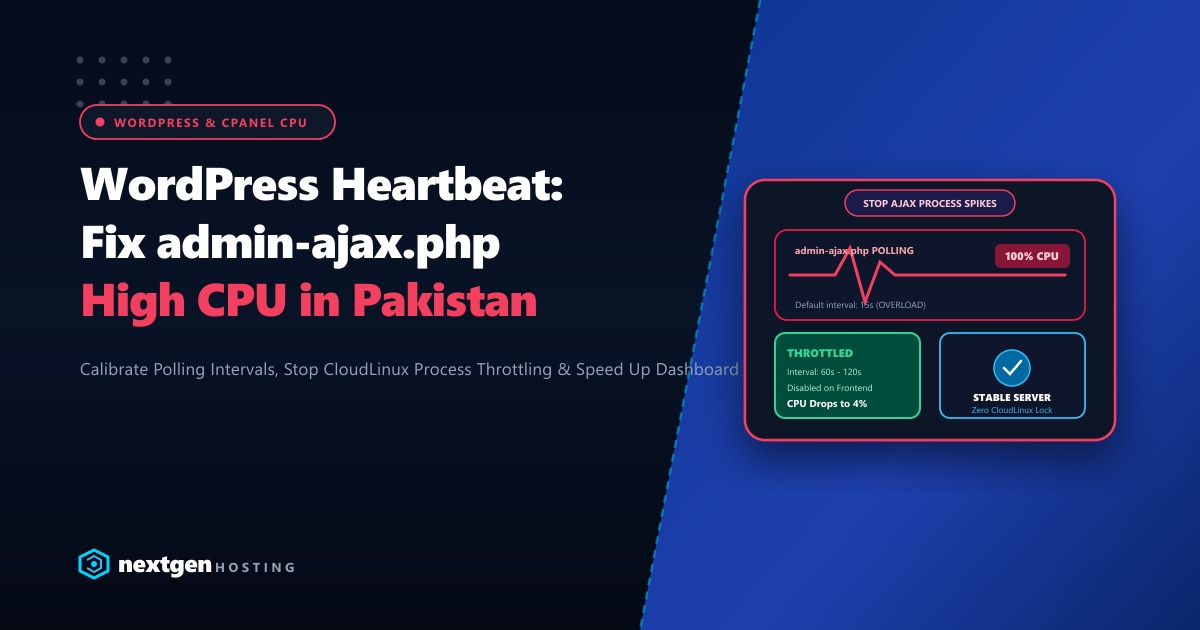
Introduced in WordPress 3.6, the Heartbeat API uses periodic JavaScript AJAX pulses to manage real-time communication between the client’s browser and the server: auto-saving post drafts, managing post revision locks, and showing eCommerce stock alerts. However, because it fires every 15 seconds per open tab, three open tabs will execute 720 heavy PHP-FPM requests every single hour!
Here is our complete technical guide to diagnosing, throttling, and disabling unnecessary Heartbeat API executions in 2026.
Executive Heartbeat Takeaways
- The Core Problem: Every single Heartbeat AJAX request loads the entire WordPress runtime core, active plugins, and database connections—consuming substantial server memory and CPU cycles for simple status checks.
- Frontend vs Backend: Heartbeat is critical inside the post editor (to prevent author overwrites), but completely unnecessary on the public frontend or when viewing static admin pages.
- Throttling Interval: Increasing the polling interval from 15 seconds to 60 or 120 seconds immediately slashes server CPU consumption by up to 75% without breaking auto-save features.
- Dedicated Infrastructure: For busy news portals and multi-author editorial teams in Pakistan, running on dedicated bare-metal servers provides isolated compute power that absorbs administrative tasks without impacting storefront visitors.
1. Verifying Heartbeat Traffic in Server Access Logs
Before making adjustments, verify that admin-ajax.php is indeed the culprit consuming your cPanel CPU quotas:
# Filter access logs for admin-ajax requests from today
grep "admin-ajax.php" ~/access-logs/yourdomain.pk | wc -l

# Identify which IP addresses are firing the highest volume of AJAX pulses
grep "admin-ajax.php" ~/access-logs/yourdomain.pk | awk '{print $1}' | sort | uniq -c | sort -nr | head -10
If the count shows tens of thousands of requests originating from administrator IP addresses, the Heartbeat API is directly suffocating your server resources.
2. Throttling Heartbeat Without Plugins (Pure PHP Code Snippet)
You do not need heavy third-party plugins to control the Heartbeat API. Add this lightweight filter to your child theme’s functions.php or a custom mu-plugin:
<?php
/**
 * Plugin Name: Nextgen Heartbeat Optimizer
 * Description: Disable Heartbeat on frontend and throttle dashboard polling.
 */

// 1. Completely disable Heartbeat on the public frontend
add_action('init', function () {
    if (!is_admin()) {
        wp_deregister_script('heartbeat');
    }
}, 1);

// 2. Throttle Heartbeat polling frequency inside wp-admin
add_filter('heartbeat_settings', function ($settings) {
    // Increase polling interval from default 15s to 60s
    $settings['interval'] = 60;
    return $settings;
});
With this snippet active:
- Frontend visitors generate zero AJAX heartbeat pulses.
- Admin editors pulse once every 60 seconds instead of every 15 seconds, saving 75% of administrative server overhead while preserving auto-drafts and post locking.
3. Controlling Heartbeat via LiteSpeed Cache Plugin
If your hosting runs on LiteSpeed Web Server, you can control the Heartbeat API directly in the LiteSpeed Cache plugin interface:
- In WordPress, navigate to LiteSpeed Cache > Toolbox > Heartbeat.
- Configure the following recommended settings:
- Frontend Heartbeat Control:
ON-> Frontend Heartbeat Frequency:Disable - Backend Heartbeat Control:
ON-> Backend Heartbeat Frequency:Disable(or set to90seconds) - Editor Heartbeat Control:
ON-> Editor Heartbeat Frequency:60seconds
- Frontend Heartbeat Control:
- Save changes.
4. Rate-Limiting admin-ajax.php at the Web Server Level
To prevent rogue plugins or external bots from spamming your AJAX endpoints, enforce rate limits at the web server layer (Nginx / LiteSpeed):
In Nginx (/etc/nginx/sites-available/yourdomain.pk):
# Rate limit admin-ajax requests
location ~* /wp-admin/admin-ajax\.php$ {
    limit_req zone=wp_ajax_zone burst=10 nodelay;
    try_files $uri =404;
    fastcgi_pass unix:/run/php/php8.4-fpm.sock;
    include fastcgi_params;
    fastcgi_param SCRIPT_FILENAME $document_root$fastcgi_script_name;
}
In LiteSpeed / Apache (.htaccess):
# Throttle aggressive admin-ajax bursts
<IfModule mod_rewrite.c>
RewriteEngine On
RewriteCond %{REQUEST_URI} ^/wp-admin/admin-ajax\.php$ [NC]
RewriteCond %{REQUEST_METHOD} POST
RewriteRule .* - [E=Throttle:10]
</IfModule>
5. Enterprise Hosting: Eliminating CloudLinux CPU Bottlenecks
While optimizing the Heartbeat API frees up valuable CPU cycles, large editorial teams, news agencies, and multi-vendor WooCommerce marketplaces in Pakistan inevitably generate high background administrative traffic.
When multiple managers update inventory, review orders, and draft posts simultaneously, shared hosting and entry-level VPS nodes will hit CloudLinux LVE limits (EP / CPU 100%) and trigger 508 Resource Limit Exceeded errors.
Our global Dedicated Servers provide pure bare-metal AMD EPYC multi-core processing power, 64GB to 256GB of DDR5 memory, and high-throughput NVMe arrays that absorb intensive administrative operations without impacting storefront performance.
For Pakistani news publications, university portals, and top retail brands that require local data hosting compliance and sub-10ms ping times across domestic ISPs, our Dedicated Servers in Pakistan provide local Karachi and Lahore co-location, dedicated IP pools, and local PKR billing with round-the-clock technical engineering support.
6. Verifying CPU Reduction in cPanel
After implementing Heartbeat optimization, check your resource usage in cPanel under Metrics > CPU and Concurrent Connection Usage:
RESOURCE USAGE BEFORE & AFTER:
Before Optimization:
  - CPU Usage: 98% (Saturated)
  - Entry Processes: 20/20 (Faulting)
  - Faults in last 24h: 342

After Optimization:
  - CPU Usage: 6% (Idle / Normal)
  - Entry Processes: 2/20 (Healthy)
  - Faults in last 24h: 0
By calibrating a single API, your WordPress website runs faster, your dashboard is fluid, and your hosting account stays well within safe operating limits!
Accelerate Your WordPress Workloads on Dedicated NVMe Servers
Eliminate CPU throttling and sluggish dashboards. Deploy your high-traffic WordPress and WooCommerce stores on Nextgen's high-speed cloud and dedicated infrastructure in Pakistan.
