
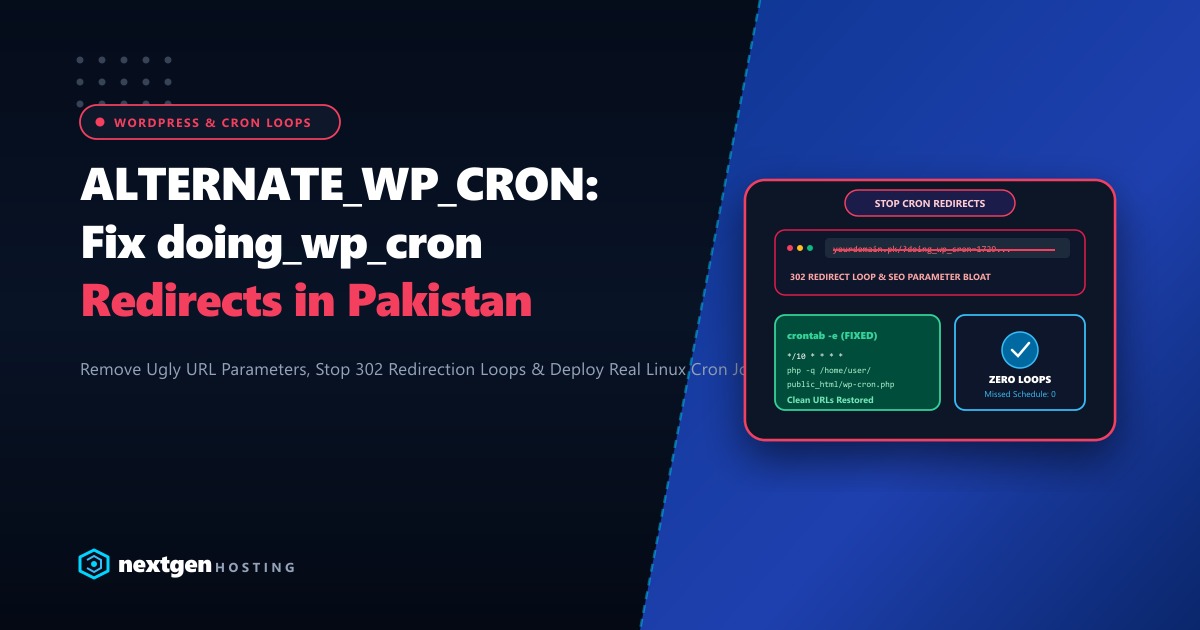
If your WordPress site in Pakistan suffered from “Missed Schedule” errors on published articles or delayed WooCommerce order notification emails, you likely read an outdated forum post advising you to add:
define('ALTERNATE_WP_CRON', true);to your wp-config.php file.
While this setting may have temporarily triggered your scheduled tasks, it introduced a far worse technical disaster:
- Ugly URL Query Strings: Every visitor and Googlebot crawler is redirected to URLs ending in
?doing_wp_cron=1729384729.1928374.... - SEO & Indexing Chaos: Search engines crawl duplicate variations of every page, splitting your link equity and bloating crawl budgets.
- Endless 302 Redirection Loops: On caching reverse proxies, Cloudflare, or LiteSpeed servers,
ALTERNATE_WP_CRONfrequently traps visitors in infinite 302 redirection loops, breaking site access entirely.
Here is our complete engineering guide to removing ALTERNATE_WP_CRON, stripping doing_wp_cron parameters, and setting up a rock-solid system crontab in 2026.
Executive ALTERNATE_WP_CRON Takeaways
- How Alternate Cron Works: Because WordPress lacks a built-in server daemon,
ALTERNATE_WP_CRONforces a 302 redirect on every page visit to executewp-cron.phpvia the user's browser connection, passing a unique timestamp parameter. - The Cache Conflict: When edge caching (Cloudflare, Nginx, or LiteSpeed) is enabled, the 302 redirect itself is accidentally cached, causing subsequent visitors to loop indefinitely.
- The Professional Fix: Disable both default WP-Cron and Alternate WP-Cron in
wp-config.php, and triggerwp-cron.phpdirectly from the server CLI using a dedicated Linux crontab every 10 minutes. - Dedicated Compute Reliability: Running heavy Action Scheduler jobs (like WooCommerce subscription renewals and bulk email dispatches) requires unconstrained PHP execution time on dedicated hardware.
1. Disabling ALTERNATE_WP_CRON in wp-config.php
Open your wp-config.php file (located in your website root) via cPanel File Manager or SSH terminal:
nano /home/youruser/public_html/wp-config.phpLocate and remove or change ALTERNATE_WP_CRON:
// REMOVE OR SET TO FALSE:
// define('ALTERNATE_WP_CRON', true);  <-- DELETE THIS LINE!

// Disable default visitor-triggered cron execution
define('DISABLE_WP_CRON', true);
By setting DISABLE_WP_CRON to true and removing ALTERNATE_WP_CRON, you stop WordPress from executing cron during visitor page requests, instantly eliminating ?doing_wp_cron query strings!
2. Stripping Lingering doing_wp_cron Parameters via .htaccess
If search engine bots or external links still reference URLs containing ?doing_wp_cron, add this clean 301 canonical rewrite rule to the very top of your .htaccess file:
# BEGIN Nextgen Strip doing_wp_cron Parameter
<IfModule mod_rewrite.c>
RewriteEngine On
RewriteCond %{QUERY_STRING} (^|&)doing_wp_cron=[0-9.]+($|&) [NC]
RewriteRule ^(.*)$ /$1? [R=301,L]
</IfModule>
# END Nextgen Strip doing_wp_cron Parameter
This rule intercepts any request bearing the doing_wp_cron query parameter and immediately performs a permanent 301 redirect to the clean URL, restoring pristine Google SEO indexing.
3. Configuring a Real Server Crontab in cPanel
Now that visitor-triggered cron is disabled, you must automate WordPress cron execution using your hosting server’s real Linux crontab:
- Log into your cPanel Account.
- Navigate to Advanced > Cron Jobs.
- Under Add New Cron Job:
- Common Settings: Select Once Every 10 Minutes (
*/10 * * * *).
- Common Settings: Select Once Every 10 Minutes (
- In the Command field, enter the CLI PHP runner command:
(Ensure you replace/usr/local/bin/php -q /home/yourcpaneluser/public_html/wp-cron.php > /dev/null 2>&1/home/yourcpaneluser/public_html/with your actual cPanel home path!) - Click Add New Cron Job.
Why CLI Execution is 10x Superior:
- Bypasses web server timeout limits (
max_execution_time). - Executes with zero HTTP latency and zero web server worker overhead.
- Operates deterministically even if your website experiences zero visits for days.
4. Purging Edge CDN Caches (Cloudflare & LiteSpeed)
Because ALTERNATE_WP_CRON generates dynamic 302 redirects, stale edge caches may still serve redirect loops:
- In Cloudflare Dashboard, navigate to Caching > Configuration > click Purge Everything.
- In LiteSpeed Web Server / LSCache, click Purge All from the top admin bar.
- Clear your local browser cache (
Ctrl + F5orCmd + Shift + R).
Test the URL directly from your terminal:
curl -I https://yourdomain.pk/You should receive a crisp HTTP/2 200 OK with zero query string appendages!
5. Enterprise Infrastructure for Heavy Background Tasks
While basic cron jobs execute in milliseconds, large-scale WooCommerce stores and LMS portals in Pakistan accumulate thousands of scheduled actions: processing subscription renewals, dispatching automated WhatsApp notifications, syncing ERP inventory, and pruning database transients.
On shared hosting, background PHP crons that exceed 30 seconds are abruptly terminated by CloudLinux memory killers or process timeout limits.
Our global Dedicated Servers provide pure bare-metal AMD EPYC processors, 64GB to 256GB of DDR5 ECC memory, and pure Gen4 NVMe storage, allowing heavy WooCommerce cron workers to run to completion without server slowdowns.
For Pakistani enterprises, healthcare providers, and high-volume retail brands requiring domestic compliance and sub-10ms ping times across domestic ISPs, our Dedicated Servers in Pakistan provide local Karachi and Lahore co-location, dedicated IP pools, and local PKR billing with 24/7 dedicated engineering support.
6. Verifying Scheduled Task Health with WP-CLI
Confirm that scheduled cron events are running smoothly from the command line:
# Check status of next scheduled cron events
wp cron event list --path=/home/youruser/public_html/

# Manually trigger pending cron queue
wp cron event run --due-now --path=/home/youruser/public_html/
All scheduled tasks will execute cleanly, your URLs will remain pristine, and your website will never suffer from redirect loops again!
Accelerate Your WordPress Workflows on Enterprise NVMe Hosting
Eliminate cron stalls, redirect loops, and server timeouts. Scale your WordPress and WooCommerce platforms on Nextgen's high-speed cloud and dedicated bare-metal infrastructure in Pakistan.
