
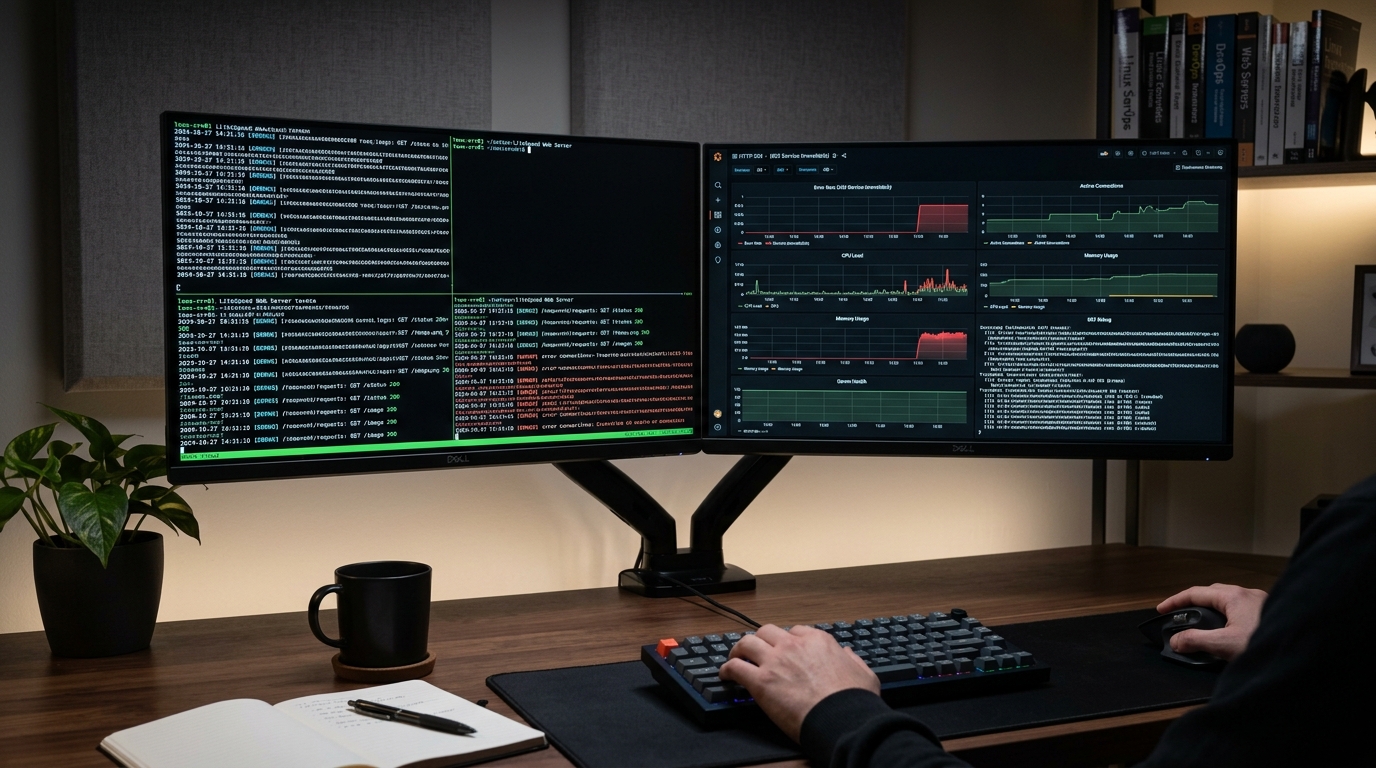
The dreaded HTTP status message 503 Service Unavailable: The server is temporarily busy, try again later is one of the most frustrating errors encountered by systems engineers, web hosting operators, and WooCommerce merchants running on LiteSpeed Web Server (LSWS) or OpenLiteSpeed (OLS).
Unlike typical web server error pages generated by application code, this 503 response is emitted directly by LiteSpeed’s core event engine. It indicates that the web server front-end successfully accepted the client’s TCP connection and parsed the incoming HTTP request, but the underlying LiteSpeed Server Application Programming Interface (LSAPI) worker pool was unable or unwilling to process the request.
Whether triggered by sudden traffic surges, memory exhaustion, aggressive CloudLinux LVE throttling, or segmentation faults in third-party PHP extensions, resolving this issue requires understanding the low-level communication mechanics between LSWS and LSPHP.
This runbook provides an exhaustive technical breakdown of the LSAPI process architecture, analyzes the five primary root causes of LSAPI 503 errors, demonstrates real-time terminal diagnostic workflows, and delivers production-tested configuration adjustments for cPanel/WHM, CyberPanel, and standalone LiteSpeed deployments.
1. Internal Architecture: LSWS and the LSAPI Process Model
To diagnose and resolve 503 errors under high concurrency, you must first understand how LiteSpeed manages dynamic PHP requests compared to traditional FastCGI or PHP-FPM architectures.
[ Client Browser / HTTPS Request ]
                 │
                 ▼
[ LiteSpeed Core Event Loop (epoll / kqueue) ]
                 │
                 ├── Static Asset Request ──► Directly Streamed from Kernel Cache / NVMe
                 │
                 └── Dynamic PHP Request (.php)
                                 │
                                 ▼
                     [ LSAPI Request Dispatcher ]
                                 │
           ┌─────────────────────┴─────────────────────┐
           │ Check External App Process Pool Limits    │
           │ (Active Connections vs Max Connections)   │
           └─────────────────────┬─────────────────────┘
                                 │
          ┌──────────────────────┴──────────────────────┐
          │                                             │
    [ Available Worker ]                        [ Pool Saturated ]
          │                                             │
          ▼                                             ▼
  Dispatched via UNIX Socket                Enqueued in Backlog Queue
  `/tmp/lshttpd/lsphp.sock`                             │
          │                                     Queue Wait Exceeds
          ▼                                  `Connection Timeout` (15s-30s)
  [ LSPHP Master Process ]                              │
          │ (forks child workers)                       ▼
          ▼                                     HTTP 503 Service Unavailable
  [ LSPHP Child Worker (PID: 28412) ]          "Server is temporarily busy"
          │
          ├── Process request in memory
          ├── Query MySQL / Redis
          └── Stream FastCGI response back
Master vs. Worker Processes
LiteSpeed Server Application Programming Interface (LSAPI) is a high-performance communication protocol specifically engineered by LiteSpeed Technologies to bridge the web server and PHP runtimes. Unlike standard FastCGI, LSAPI minimizes connection setup overhead through persistent internal pooling, shared memory segments, and native signal handling.
LSAPI executes under one of two operational modes:
- ProcessGroup Mode (Worker Pool / SuEXEC Daemon):
A master
lsphpprocess is spawned for each unique Linux user account. The master process remains resident in memory and dynamically forks child worker processes to service incoming requests up to defined capacity limits. Because the master process already has the core PHP runtime and loaded extensions mapped into memory, forking a child worker takes less than 2 milliseconds—dramatically faster than spawning a new process from scratch. - Worker Communication via UNIX Domain Sockets:
LSWS dispatches incoming HTTP payloads to workers across high-speed UNIX domain sockets (such as
/tmp/lshttpd/lsphp.sockor per-user paths like/tmp/lshttpd/username.sock). These sockets bypass the network stack entirely, eliminating TCP handshake overhead, loopback interface latency, and ephemeral port exhaustion.
How the 503 Trigger Mechanism Works
When a visitor requests a dynamic URL (such as an uncached WooCommerce /cart/ or /checkout/ endpoint), LiteSpeed checks the state of the designated external application worker pool:
- If a child worker is idle, LiteSpeed hands off the socket file descriptor immediately.
- If all workers are occupied (
Active Connections == Max Connections), the incoming request is placed into an internal pending queue. - If the pending queue reaches capacity, or if a queued request sits idle waiting for an available worker longer than the configured
Connection TimeoutorInitial Request Timeout, LiteSpeed drops the queue entry and immediately writes a raw HTTP 503 header directly to the client socket.
2. The 5 Core Root Causes of LiteSpeed 503 Errors
Diagnosing an LSAPI 503 error requires isolating which constraint was violated. Across production environments, more than 95% of all occurrences stem from one of five distinct architectural bottlenecks.
Cause 1: LSAPI Process Pool Starvation & Max Connections Cap
Every LSAPI external application definition contains a Max Connections directive. In shared hosting platforms and default CyberPanel or cPanel installations, this value is frequently set conservatively between 10 and 35.
During a marketing campaign, social media surge, or aggressive web scrape by automated bots, dozens of concurrent visitors execute non-cacheable PHP scripts simultaneously. Once the number of concurrent executions matches Max Connections, LiteSpeed refuses to fork additional child workers to protect host memory.
Subsequent requests queue up. When the queue fills up, any incoming connection triggers an immediate:
[NOTICE] [LSAPI] [UID:1001] [ExtApp:lsphp81] reached Max Conns: 35, current: 35, queue: 100Once the queue latency exceeds the timeout limit, the visitor sees 503 Service Unavailable.
Cause 2: External Application Timeout Mismatches
Sysadmins often adjust PHP execution limits inside php.ini without adjusting LiteSpeed’s internal process supervisors. This creates conflicting timeouts:
; Inside php.ini
max_execution_time = 300
Meanwhile, LiteSpeed WebAdmin retains default external application parameters:
Process Soft Timeout: 120
Process Hard Timeout: 300
If a complex database migration, large export, or unoptimized WordPress WP-CLI/cron query runs for 121 seconds, LiteSpeed’s external application watcher notices that the worker has exceeded the Process Soft Timeout. LiteSpeed sends a SIGTERM (signal 15) to kill the offending worker. The client’s connection is severed before PHP can send a clean error or complete execution, resulting in an ungraceful 503 page.
Cause 3: CloudLinux LVE & cGroup Resource Throttling
In cPanel and DirectAdmin environments operating on CloudLinux OS, every cPanel account is constrained within a Lightweight Virtual Environment (LVE) container governed by kernel cgroups.
CloudLinux enforces three critical limits that trigger 503 errors:
- EP (Entry Processes): The maximum number of concurrent dynamic connections (LSPHP workers) allowed inside the LVE. If
EP = 20and 21 PHP requests hit the account at the same millisecond, the 21st request is instantly rejected bymod_lsapiwith a CloudLinux 503 page. - PMEM (Physical Memory): When total memory consumption across all user processes (PHP, Redis, Cron) breaches the allocated limit (e.g.,
1GBor2GB), the CloudLinux kernel out-of-memory handler terminates new process allocations. Fork calls fail immediately. - CPU and IO Throttling: When an account hits 100% CPU usage, the kernel throttles execution cycles. Scripts take three to four times longer to execute. Because each worker takes longer to finish, workers remain occupied, rapidly depleting the available Entry Process pool and causing a cascading 503 failure.
Cause 4: LSPHP Worker Crashes (SIGSEGV / Signal 11 and SIGKILL / Signal 9)
If a child worker terminates abruptly while processing an active HTTP transaction, LiteSpeed cannot retrieve an HTTP response header. It defaults to emitting a 503 to the client.
Worker crashes typically follow two failure modes:
- Signal 11 (
SIGSEGV- Segmentation Fault): Triggered when PHP attempts to access unauthorized memory addresses. This is commonly caused by binary incompatibilities in third-party PECL extensions (such as Zend OPcache, Imagick, IonCube Loader, or buggy New Relic APM agents), or corrupt bytecode cache files. - Signal 9 (
SIGKILL- Killed): Triggered externally. Either the Linux Kernel Out-Of-Memory (OOM) Killer abruptly destroyed the process because the physical node ran out of RAM, or the CloudLinux LVE subsystem terminated the worker for violating hard memory ceilings.
Cause 5: Database Connection Stalls & Unclosed PHP Session Locks
PHP’s default session handler locks the session file on disk (/var/cpanel/php/sessions or /tmp) via flock() as soon as session_start() executes. The lock is held open until the PHP script completes execution or explicitly calls session_write_close().
In WordPress and WooCommerce setups:
- A customer opens three browser tabs (product page, cart, and account history).
- The cart endpoint makes a slow query to a congested MySQL database that takes 8 seconds to return.
- The other two tabs make concurrent AJAX requests that execute
session_start(). - Because Tab 1 holds the session lock, Tab 2 and Tab 3 block completely, waiting for the lock to release.
- All three requests tie up three separate LSPHP workers. Multiply this across 15 customers, and an entire 50-worker pool is completely exhausted by stalled, locked processes.
3. Real-Time Diagnostic Procedures
When an alert triggers or users report 503 errors, follow this structured command-line triage workflow to pinpoint the root cause within seconds.
Step 1: Inspect LiteSpeed Core and Error Logs
The primary log files for LiteSpeed Web Server are located in /usr/local/lsws/logs/.
Connect to your server via SSH as root and examine the live error stream:
tail -fn 100 /usr/local/lsws/logs/error.logLook for distinct log signatures:
# Signature A: Process Pool Starvation
2026-10-15 04:12:08.109245 [NOTICE] [284102] [T0] [ExtApp:lsphp:example_user] reached Max Conns: 40, current: 40, queue: 100

# Signature B: Upstream Connection Timeout
2026-10-15 04:12:38.214051 [INFO] [284102] [T0] [198.51.100.24:52140#example_user] Connection to [ExtApp:lsphp:example_user] on socket [/tmp/lshttpd/example_user.sock] timed out while reading response.

# Signature C: Worker Killed by Signal
2026-10-15 04:13:01.002814 [NOTICE] [284102] [T0] [ExtApp:lsphp:example_user] Child process with pid: 295111 was killed by signal: 11
Next, examine stderr.log, where unhandled PHP segmentation faults, core dumps, and stderr output are routed:
tail -fn 100 /usr/local/lsws/logs/stderr.logIf you observe zend_mm_heap corrupted or Segmentation fault (core dumped), an extension or OPcache corruption is crashing workers.
Step 2: Track Live LSAPI Workers and Memory Consumption
Identify which user accounts are running active LSPHP processes, how many workers are spawned, and their exact CPU/memory footprints:
# Count active LSPHP processes grouped by system user
ps -eo user,comm | grep lsphp | sort | uniq -c | sort -nr
Sample output:
     82 user_woocommerce
     14 user_corporate
      4 nobody
If a single user has 82 processes active, that user is either absorbing a massive traffic spike or suffering from stuck database queries.
To inspect the real-time resource utilization of that user’s workers:
top -c -u user_woocommerceSort by memory (Shift + M) or CPU (Shift + P) to see if workers are saturated at 100% CPU or ballooning past memory limits.
Step 3: Attach strace to a Stalled Worker
If an LSPHP worker is frozen in memory and holding a connection open until it triggers a 503 timeout, attach strace to the worker PID to see what system call it is currently blocked on:
# Replace 295111 with the stuck worker PID identified from top
strace -p 295111 -s 512 -v
Common diagnostic outputs:
- Blocked on MySQL:
The process is blocked on file descriptor 4, waiting for a response from the MySQL socket. The bottleneck is database query execution, not LiteSpeed.poll([{fd=4, events=POLLIN|POLLERR|POLLHUP}], 1, 120000) = 0 (Timeout) - Blocked on PHP Session Lock:
The process is blocked trying to acquire an exclusive lock (fcntl(5, F_SETLKW, {type=F_WRLCK, whence=SEEK_SET, start=0, len=0}F_WRLCK) on file descriptor 5 (a session file).
Step 4: Check CloudLinux LVE Throttling and Fault Counters
If your infrastructure runs CloudLinux with mod_lsapi, query the live LVE fault log:
# Check fault history for the last 10 minutes
lveinfo --period=10m --by-usage=ep --show-all-faults
Look at the fault columns:
EPf(Entry Process Faults): Non-zero indicates requests were rejected because the account hit its concurrent worker ceiling.MEf(Memory Faults): Non-zero indicates processes were killed because the account breached physical memory (PMEM).Nproc(Number of Processes): Total processes (cron, shell, PHP) permitted.
You can also run live monitoring for a specific user:
lvectl user-status user_woocommerce4. Actionable Configuration Runbook
Follow these tested tuning procedures to eliminate 503 errors across LiteSpeed WebAdmin Console, cPanel/WHM, and server configuration files.
Tuning LSAPI External App Parameters
In standalone LiteSpeed or OpenLiteSpeed WebAdmin Console, navigate to:
Server Configuration → External App → LiteSpeed SAPI App (lsphp81, lsphp82, etc.)
If using cPanel/WHM, navigate to: WHM → Plugins → LiteSpeed Web Server Plugin → External App Tuning
Apply the following production parameters for medium-to-high concurrency:
Parameter                        Default Value    Production Recommended Value
─────────────────────────────────────────────────────────────────────────────
Max Connections                  35               100 - 200
Initial Request Timeout (secs)   60               120
Retry Timeout (secs)             0                0
Response Buffering               Yes              No (or Stream Large)
Start By Server                  Yes (Daemon)     Yes (Daemon Mode)
Instances                        1                1
Persistent Connection            Yes              Yes
Process Soft Timeout (secs)      120              300
Process Hard Timeout (secs)      300              600
Memory Soft Limit (bytes)        400M             2047M
Memory Hard Limit (bytes)        500M             2047M
[ Important Configuration Rules ]
1. Always set `Retry Timeout = 0`. Setting this to an integer (such as 5) tells
LiteSpeed to wait 5 seconds before retrying an external application if it
encounters a failure. During traffic spikes, this results in extended 503 outages.
2. Ensure `Instances = 1` when using ProcessGroup mode. Spawning multiple master
instances causes socket contention and uncoordinated process limits.Tuning PHP Environment Variables (lsphp Environment)
Under the Environment textarea of the External App configuration, specify these critical runtime variables:
PHP_LSAPI_MAX_REQUESTS=5000
PHP_LSAPI_CHILDREN=100
LSAPI_AVOID_FORK=200M
Why these settings matter:
PHP_LSAPI_MAX_REQUESTS=5000: Controls how many requests an individual child worker handles before terminating cleanly to reclaim leaked memory. The default of500forces workers to restart too frequently under heavy load. Increasing this to5000dramatically reduces process-fork churn.PHP_LSAPI_CHILDREN=100: Dictates the maximum number of worker children the masterlsphpprocess is permitted to spawn. This number must match or slightly exceed theMax Connectionssetting in the LiteSpeed External App definition.LSAPI_AVOID_FORK=200M: Prevents unnecessary fork calls if the master process’s memory footprint grows excessively.
CloudLinux LVE Limits for High-Traffic WooCommerce Stores
Default CloudLinux limits (EP = 20, PMEM = 1G) are inadequate for dynamic WooCommerce installations processing multiple transactions per minute.
Scale the target user’s LVE container using lvectl:
# Allocate 80 Entry Processes, 8 CPU cores, 6GB RAM, and 50MB/s IO throughput
lvectl set user_woocommerce \
  --maxEntryProcs=80 \
  --cpu=800 \
  --mem=6144M \
  --io=51200 \
  --iops=10240 \
  --nproc=200 \
  --save
This ensures that during high-traffic checkout events, incoming visitors are not throttled at the kernel cgroup barrier.
Resolving Signal 11 (SIGSEGV) Crashes and OPcache Corruption
If stderr.log shows child workers dying from signal 11, isolate the faulty PHP extension:
-
Verify OPcache Configuration: Open your active
opcache.ini(e.g.,/opt/cpanel/ea-php81/root/etc/php.d/10-opcache.inior/etc/php/8.1/mods-available/opcache.ini):opcache.enable = 1 opcache.memory_consumption = 512 opcache.interned_strings_buffer = 64 opcache.max_accelerated_files = 50000 opcache.revalidate_freq = 0 opcache.validate_timestamps = 1 opcache.save_comments = 1 opcache.fast_shutdown = 0Note: Set
opcache.fast_shutdown = 0if you observe segmentation faults in PHP 8.x environments with complex frameworks. -
Purge Corrupt Bytecode Caches: Corrupt OPcache memory segments can cause instant worker segfaults. Gracefully restart LiteSpeed to force complete reinitialization:
touch /tmp/lshttpd/lsphp.restart /usr/local/lsws/bin/lswsctrl restart -
Disable Suspect Extensions: Temporarily disable heavy modules like
ioncube_loader,xdebug, or unoptimizedimagickinstances to verify if worker stability returns.
Relieving Worker Pressure with Redis Object Cache & LSCache ESI
If your MySQL database is overloaded with metadata queries, PHP workers spend 90% of their lifespan blocked on database I/O, quickly reaching Max Connections.
- Deploy Redis Object Caching:
Install Redis and configure persistent object caching in WordPress via
wp-config.php:
This offloads up to 80% of repetitive SQL queries for transient data and options tables, cutting average worker execution time from 600ms down to 80ms.define('WP_CACHE', true); define('WP_REDIS_HOST', '127.0.0.1'); define('WP_REDIS_PORT', 6379); define('WP_REDIS_TIMEOUT', 1); define('WP_REDIS_READ_TIMEOUT', 1); - Implement Edge Side Includes (ESI) via LSCache: Rather than bypassing cache completely for logged-in users or shopping carts, configure LiteSpeed Cache’s built-in ESI engine. ESI serves 95% of the page shell from static cache while punching a micro-hole only for dynamic customer elements (e.g., cart quantity badge or user profile name), reducing dynamic PHP execution requests by more than 70%.
5. Diagnostic Matrix: Quick Triage Reference
| Observed Diagnostic Signal | Immediate Root Cause | Resolution Action |
|---|---|---|
reached Max Conns: X, current: X |
Process pool starvation due to traffic spike or slow queries | Increase Max Connections and PHP_LSAPI_CHILDREN to 100+; enable Redis cache. |
timed out while reading response |
PHP script ran longer than LSAPI Process Soft Timeout |
Align Process Soft Timeout in LSWS WebAdmin with PHP max_execution_time. |
Child process was killed by signal: 11 |
Memory segmentation fault in PHP extension or OPcache | Disable conflicting extensions; purge OPcache; verify binary ABI compatibility. |
Child process was killed by signal: 9 |
Kernel OOM killer or CloudLinux PMEM limit breach | Increase server swap/RAM; increase CloudLinux mem limit via lvectl. |
lveinfo reports non-zero EPf |
Account reached CloudLinux Entry Process ceiling | Elevate account maxEntryProcs in CloudLinux LVE to 50–100. |
| High worker count, near-zero CPU | Workers blocked on MySQL or disk locks (session_start) |
Run SHOW FULL PROCESSLIST; in MySQL; switch to Redis-backed session handlers. |
6. Infrastructure Scaling: Moving Beyond Virtualized Bottlenecks
While tuning LSAPI configuration directives resolves software-level mismatches, high-concurrency e-commerce platforms and multi-tenant hosting servers inevitably run into physical hardware boundaries.
[ Virtualized Cloud / Shared Node ]
  ├── Shared Physical vCPU (Steal Time Latency: 5ms - 40ms)
  ├── Multi-Tenant Hypervisor Disk Queue Lockups
  └── Strict cGroup / LVE Process Caps (503 Service Unavailable)

                                vs.

[ Dedicated Bare-Metal Architecture ]
  ├── 100% Dedicated Physical Cores (Zero Steal Time / Guaranteed IPC)
  ├── Direct PCIe Gen5 NVMe Array (Sub-millisecond DB & Socket Latency)
  └── Unmetered LSAPI Process Pools (Zero Worker Rejection)
The Limitations of Shared Slices and Virtualized I/O
On shared platforms and standard virtual machines, multiple tenants contend for the same physical processor caches and hypervisor scheduling queues:
- CPU Steal Time: When adjacent virtual machines spike, hypervisor CPU steal time increases. Even if your LSPHP processes require only 50ms of CPU time, they may wait 200ms just to be scheduled onto a core. As a result, requests back up in the LSAPI queue, leading to pool exhaustion.
- Virtualized Disk Queue Bottlenecks: Shared storage solutions and budget SAN volumes suffer high I/O latency under heavy write operations. When dozens of WordPress sites concurrently write transients, session files, and error logs, disk queues block. LSAPI workers lock on file writes, rapidly triggering the
reached Max Connslimit.
Bare-Metal Isolation for High-Concurrency Workloads
To ensure enterprise-grade reliability and zero 503 errors during flash sales, high-traffic portals must migrate to dedicated bare-metal infrastructure:
- Dedicated Compute Resources: Deploying on enterprise Dedicated Servers guarantees that 100% of physical CPU cores, L3 cache lines, and ECC DDR5 memory channels are reserved exclusively for your LiteSpeed workers and MariaDB database instances.
- Ultra-Low Latency for Regional Audiences: For web applications serving users across South Asia and the Middle East, hosting on domestic Dedicated Servers in Pakistan delivers sub-15ms regional network latency, local data residency compliance, direct peering with major internet exchanges, and complete isolation from multi-tenant hypervisor contention.
Eliminate LiteSpeed 503 Errors Under Any Concurrency
Tired of process pool starvation and CloudLinux resource limits capping your high-traffic WordPress sites? Deploy on Nextgen's high-performance Dedicated Servers and Cloud VPS with pre-tuned LiteSpeed Enterprise, ultra-fast NVMe storage, and dedicated server resources.
