
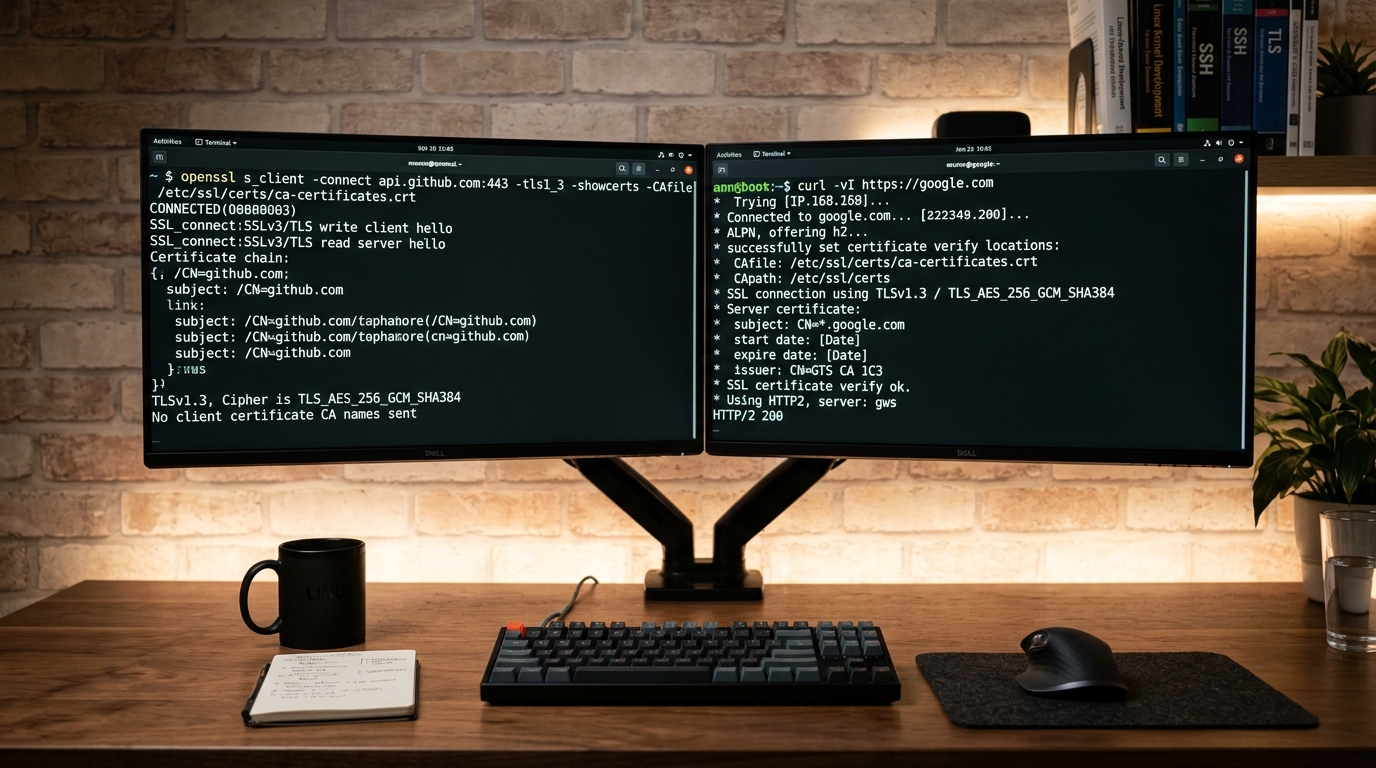
In production web hosting, continuous deployment pipelines, and mission-critical WordPress infrastructure, few operational failures cause more immediate collateral damage than cURL error 60: SSL certificate problem: unable to get local issuer certificate or its closely related variant, cURL error 60: SSL certificate problem: certificate has expired.
When a server-side runtime encounters this exception, the affected system is cut off from the secure web. Outbound HTTPS requests executed via PHP (wp_remote_get(), wp_remote_post(), Guzzle, or raw curl_exec()) terminate abruptly at the TLS handshake phase:
- WordPress Site Health flags critical background communication failures: “The REST API encountered an error” or “Your site could not complete a loopback request due to an SSL verification failure.”
- WooCommerce Payment Gateways (such as Stripe, PayPal, PayMob, 1LINK, and Safepay) fail to process tokenized transactions, order capture webhooks, or mutual TLS callbacks, immediately disrupting revenue.
- Core, Plugin, and Theme Upgrades halt with fatal errors during package downloads from
api.wordpress.orgor private GitHub/Bitbucket repositories. - Third-Party API Integrations—including transactional email dispatchers (SendGrid, Mailgun, Amazon SES), headless CMS webhooks, and analytics ingest pipelines—fail silently or flood server logs with critical exceptions.
The most baffling symptom for junior administrators is that the destination site loads flawlessly in a desktop browser (such as Chrome, Firefox, or Safari) with a valid padlock icon, while the server’s CLI and PHP workers throw fatal cURL 60 errors for the exact same URL.
This diagnostic runbook provides systems administrators, DevOps engineers, and PHP backend operators with an authoritative, low-level technical guide to resolving cURL error 60. We will examine the cryptographic mechanics of X.509 chain building, dissect the 5 core root causes, execute real-time terminal diagnostic procedures, provide OS-specific remediation runbooks, and explain why modifying production code to bypass verification is an unacceptable security failure.
1. Internal Cryptographic Architecture of TLS Verification
To troubleshoot why libcurl rejects a certificate that desktop browsers accept, you must understand the difference between client-side operating system trust architecture, OpenSSL certificate validation engines, and browser-specific network stacks.
+---------------------------------------------------------------------------------------------------+
|                           X.509 Cryptographic Chain of Trust Architecture                        |
+---------------------------------------------------------------------------------------------------+
|  [Root CA Certificate]                                                                            |
|  Subject: CN=ISRG Root X1                                                                         |
|  Issuer:  Self-Signed (or Cross-Signed by DST Root CA X3)                                         |
|  Location: Pre-installed in OS CA Trust Store (/etc/ssl/certs or /etc/pki/tls)                   |
|       │                                                                                           |
|       ▼ Cryptographic Signature Verification (RSA/ECDSA Public Key)                               |
|  [Intermediate CA Certificate]                                                                    |
|  Subject: CN=R3 / R10 / E1                                                                        |
|  Issuer:  CN=ISRG Root X1                                                                         |
|  Location: Transmitted by origin server in TLS Handshake (Server Hello payload)                   |
|       │                                                                                           |
|       ▼ Cryptographic Signature Verification (RSA/ECDSA Public Key)                               |
|  [End-Entity / Leaf Certificate]                                                                  |
|  Subject: CN=api.wordpress.org (SAN: api.wordpress.org)                                           |
|  Issuer:  CN=R3                                                                                   |
|  Location: Transmitted by origin server in TLS Handshake                                          |
+---------------------------------------------------------------------------------------------------+
Trust Anchors and the Root CA Store
When a client initiates a TLS handshake over TCP port 443, the target web server presents an X.509 certificate to establish its identity. Cryptographic trust is hierarchical:
- End-Entity (Leaf) Certificate: Issued directly to the domain name (e.g.,
api.wordpress.org). It contains the server’s public key, Subject Alternative Names (SAN), and a digital signature created by the private key of an Intermediate Certificate Authority (CA). - Intermediate CA Certificate: Bridges the gap between high-security offline root keys and public-facing end certificates. It is signed by a Root CA.
- Root CA Certificate: The ultimate trust anchor. Root certificates are self-signed and stored directly inside the client system’s trust store.
Under the Public Key Infrastructure (PKI) standard (RFC 5280), trust is not inherent to the wire transmission; trust is established solely if the client can construct an unbroken, cryptographically validated cryptographic path from the leaf certificate through intermediate authorities to an anchor explicitly present in its local trust store.
The libcurl and OpenSSL Verification Engine
When PHP or a command-line script invokes cURL, the HTTP client hands the TLS negotiation off to an underlying cryptographic library—typically OpenSSL, GnuTLS, or NSS. In Linux hosting environments running Debian, Ubuntu, RHEL, CloudLinux, or AlmaLinux, OpenSSL is the de facto standard.
OpenSSL’s verification engine (X509_verify_cert) performs rigid cryptographic checks:
- Name Matching: Verifies the hostname in the requested URL against the Common Name (CN) or Subject Alternative Name (SAN) extension of the leaf certificate.
- Temporal Validity: Validates that current system time falls strictly between the
Not BeforeandNot Aftertimestamps of every certificate in the chain. - Chain Reconstruction: Validates that the issuer string of Certificate $N$ matches the subject string of Certificate $N+1$, and verifies the mathematical signature using the issuer’s public key.
- Anchor Termination: Reaches a trusted certificate present in the local root bundle file (e.g.,
/etc/ssl/certs/ca-certificates.crt).
If any link in this cryptographic chain is missing, mathematically invalid, expired, or untrusted, OpenSSL immediately aborts the handshake with an error code, which libcurl surfaces to the calling application as:
curl: (60) SSL certificate problem: unable to get local issuer certificate
More details here: https://curl.se/docs/sslcerts.html
Why Desktop Browsers Succeed While cURL Fails
Engineers often report: “I can open the API URL in Google Chrome on my Mac or Windows PC without any warnings, so the server’s SSL certificate must be fine. Why is my PHP server throwing cURL error 60?”
This divergence occurs due to three architectural discrepancies between consumer web browsers and server-side CLI libraries:
1. Authority Information Access (AIA) Fetching
Modern desktop browsers implement AIA Chasing. If a misconfigured origin server fails to send intermediate certificates during the TLS handshake, Chrome, Edge, and Safari inspect the leaf certificate’s AIA X.509 extension. This field contains a direct HTTP URL pointing to the intermediate certificate on the CA’s infrastructure (e.g., URI:http://r3.i.lencr.org/). The browser quietly fetches the missing intermediate certificate over HTTP in the background, completes the chain, and shows a green lock.
OpenSSL and libcurl do not perform AIA chasing. By design and standard POSIX philosophy, libcurl relies strictly on the server sending the complete chain during the TLS Server Hello exchange. If the server omits the intermediate certificate, libcurl fails immediately with unable to get local issuer certificate.
2. Local Certificate Caching
Browsers cache intermediate certificates encountered during earlier browsing sessions. If your browser visited a properly configured site using the same intermediate CA earlier in the day, it reuses that cached intermediate cert to validate a broken site. Server-side PHP-FPM processes running in isolated worker pools do not possess this browser cache.
3. Operating System Trust Store Updates
Desktop operating systems (macOS, Windows 11, iOS, Android) update their root trust stores automatically in the background via silent OS update mechanisms. Enterprise Linux servers—especially long-term support distributions or isolated VMs without routine patching—often run CA bundles that have not been refreshed in years.
2. The 5 Core Root Causes Triggering cURL Error 60
In production environments, cURL error 60 is triggered by one of five distinct infrastructure or configuration failures.
+---------------------------------------------------------------------------------------------------+
|                               Root Cause Classification Matrix                                    |
+-------------------+----------------------------------------------------+--------------------------+
| Root Cause        | Primary Failure Mechanism                          | Characteristic Error     |
+-------------------+----------------------------------------------------+--------------------------+
| 1. Outdated Trust | Local CA bundle lacks modern Root CAs or is corrupt| unable to get local      |
|    Store (OS)     | on the client host OS                              | issuer certificate       |
+-------------------+----------------------------------------------------+--------------------------+
| 2. Expired Cross- | Legacy OpenSSL 1.0.2/1.1.0 path validation stalls  | certificate has expired  |
|    Signed Roots   | on expired cross-signed anchors (e.g., DST Root X3)| (on valid remote sites)  |
+-------------------+----------------------------------------------------+--------------------------+
| 3. Incomplete     | Remote server sends leaf certificate only, omitting| unable to get local      |
|    Remote Chain   | intermediate CA chain payload                      | issuer certificate       |
+-------------------+----------------------------------------------------+--------------------------+
| 4. Misconfigured  | php.ini points curl.cainfo or openssl.cafile to an | error setting certificate|
|    PHP Directives | invalid, unreadable, or missing file path          | verify locations         |
+-------------------+----------------------------------------------------+--------------------------+
| 5. System Clock   | Server hypervisor or CMOS clock drifted outside    | certificate has expired  |
|    Desync / NTP   | validity window (Not Before / Not After)           | or not yet valid         |
+-------------------+----------------------------------------------------+--------------------------+
Cause 1: Outdated, Missing, or Corrupted Local CA Certificate Bundle
On Linux servers, libcurl depends on a centralized bundle file containing concatenated PEM-encoded root certificates curated by Mozilla. The filesystem path depends on the distribution family:
- Debian / Ubuntu / Proxmox:
/etc/ssl/certs/ca-certificates.crt - RHEL / CentOS / AlmaLinux / Rocky Linux / CloudLinux / cPanel:
/etc/pki/tls/certs/ca-bundle.crt - Alpine Linux (Docker):
/etc/ssl/cert.pem - FreeBSD / OpenBSD:
/usr/local/share/certs/ca-root-nss.crt
If the package maintaining this bundle (ca-certificates) is removed, corrupted, altered with restrictive permissions (chmod 000), or simply abandoned without security updates on an aged distribution (e.g., Ubuntu 16.04 or CentOS 6/7), the verification engine cannot cross-reference the authority that signed modern certificates (such as Google Trust Services, Amazon Trust Services, or Let’s Encrypt ISRG Root X1/X2).
Cause 2: Expired Cross-Signed Root Certificates in Chain
A major source of widespread cURL Error 60 failures in legacy enterprise environments stems from cross-signed root expiration. The most prominent historical example was the expiration of the DST Root CA X3 certificate on September 30, 2021.
When Let’s Encrypt launched, its modern root anchor (ISRG Root X1) was not yet embedded in older client trust stores (older Android devices, Windows XP/7, embedded appliances). To ensure universal compatibility, IdenTrust cross-signed ISRG Root X1 using their established DST Root CA X3 anchor.
Under modern OpenSSL (1.1.1k+ or 3.0+), the verification engine uses an algorithm that tests alternative paths. If one path terminates at an expired root, OpenSSL searches for an alternative path that terminates at a valid local root and succeeds.
However, in legacy OpenSSL (versions 1.0.2 and early 1.1.0 releases commonly found on CentOS 7 or Debian 9), the verification algorithm operates linearly:
- The remote web server sends a chain ending in the cross-certificate pointing to
DST Root CA X3. - OpenSSL encounters
DST Root CA X3in the local trust store. - OpenSSL checks the validity date, finds it expired on September 30, 2021, and immediately terminates with
certificate has expired—completely ignoring the fact thatISRG Root X1was already installed in the local trust store as a valid root anchor.
Cause 3: Incomplete Server Certificate Handshake (Missing Intermediate CA)
When configuring web servers (Nginx, Apache, LiteSpeed, or HAProxy), administrators must concatenate the domain’s leaf certificate and the intermediate certificate into a unified bundle:
- In Nginx:
ssl_certificate /etc/ssl/domain_bundle.crt;(must containleaf.crtfollowed immediately byintermediate.crt). - In Apache 2.4.8+:
SSLCertificateFile /etc/ssl/domain_bundle.crt(full chain). - In LiteSpeed:
Chained Certificatesetting must be populated.
If a remote third-party API or your own internal microservice misconfigures its web server by referencing only the leaf certificate, the TLS server hello omits the intermediate authority. While desktop browsers silently heal the broken chain using AIA chasing, your server’s cURL client fails instantly with:
cURL error 60: SSL certificate problem: unable to get local issuer certificateCause 4: Misconfigured PHP Directives (curl.cainfo and openssl.cafile)
PHP maintains dedicated configuration directives inside php.ini to explicitly instruct ext-curl and ext-openssl where to locate cryptographic trust bundles:
curl.cainfo = "/path/to/cacert.pem"
openssl.cafile = "/path/to/cacert.pem"
In many shared hosting setups, cPanel installations, or mismanaged Docker containers:
- An administrator or automated migration script hardcodes an absolute path in
php.inipointing to a user home directory that was subsequently deleted (e.g.,/home/olduser/cacert.pem). - The target
.pemfile permissions are set to0600owned byroot, preventing the unprivilegedwww-data,nobody, or PHP-FPM pool user (e.g.,cpaneluser) from reading the file. - EasyApache 4 or CloudLinux PHP Selector builds an isolated PHP binary with an invalid compile-time default trust path that does not align with the host OS filesystem hierarchy.
When PHP attempts to initialize a cURL handle, OpenSSL attempts to open the specified path. Finding no accessible file, it cannot build the trust store and aborts before initiating network traffic.
Cause 5: System Hardware Clock Drift and NTP Desync
X.509 certificates possess absolute temporal boundaries:
Not Before: The exact UTC second prior to which the certificate is cryptographically invalid.Not After: The exact UTC second past which the certificate is cryptographically expired.
Virtual machines, cloud instances (AWS EC2, Google Cloud, DigitalOcean), container runtimes, and local bare-metal servers can suffer from severe clock drift if Network Time Protocol (NTP) daemons are unconfigured, blocked by hypervisor firewalls, or stalled:
- If a server’s clock drifts forward by months or years, valid current certificates will trigger
SSL certificate problem: certificate has expired. - If a server’s clock drifts backward (common after hypervisor pause states, VM snapshot restorations, or dead CMOS batteries), a freshly issued certificate will trigger
SSL certificate problem: certificate is not yet valid.
3. Real-Time Diagnostic Procedures
When cURL Error 60 strikes a production server, do not guess or randomly reboot services. Execute this structured command-line diagnostic routine to isolate the exact point of cryptographic failure within 60 seconds.
+---------------------------------------------------------------------------------------------------+
|                              Diagnostic Decision Tree Flowchart                                   |
+---------------------------------------------------------------------------------------------------+
|  [Test Outbound cURL with Verbose Flag]                                                           |
|  $ curl -Iv https://api.wordpress.org                                                             |
|       │                                                                                           |
|       ├─► Returns HTTP 200 OK via CLI? ───────────────────► Root cause is PHP runtime (Cause 4)   |
|       │                                                     Inspect php.ini curl.cainfo           |
|       ▼ Fails with Error 60 on CLI                                                                |
|  [Inspect Certificate Chain via OpenSSL CLI]                                                      |
|  $ openssl s_client -connect api.wordpress.org:443 -servername api.wordpress.org -showcerts       |
|       │                                                                                           |
|       ├─► Verify return code: 20 (unable to get local issuer)? ───► Check Intermediate / Bundle  |
|       │                                                             (Cause 1 or Cause 3)          |
|       ├─► Verify return code: 10 (certificate has expired)? ─────► Check System Clock / NTP      |
|       │                                                             (Cause 5 or Cause 2)          |
|       ▼                                                                                           |
|  [Check System Clock & NTP Status]                                                                |
|  $ timedatectl status                                                                             |
|       ├─► "NTP service: active" & "System clock synchronized: yes"? ──► Clock OK                  |
|       └─► Desynchronized? ──────────────────────────────────────────► Step NTP clock immediately  |
+---------------------------------------------------------------------------------------------------+
Diagnostic Step 1: Testing Outbound cURL with Verbose Debugging
Log in to the affected server via SSH as root or an administrative user. Execute a raw cURL command against the failing endpoint with the -I (headers only) and -v (verbose output) flags:
curl -Iv https://api.wordpress.orgExamine the output lines preceding the failure:
*   Trying 198.143.164.251:443...
* Connected to api.wordpress.org (198.143.164.251) port 443 (#0)
* ALPN, offering h2
* ALPN, offering http/1.1
* successfully set certificate verify locations:
*  CAfile: /etc/ssl/certs/ca-certificates.crt
*  CApath: /etc/ssl/certs
* SSL certificate problem: unable to get local issuer certificate
* Closing connection 0
curl: (60) SSL certificate problem: unable to get local issuer certificate
Pay critical attention to two items in this trace:
CAfileandCApath: This reveals the exact file path libcurl is querying for root trust anchors. Verify whether that file actually exists and contains data:ls -la /etc/ssl/certs/ca-certificates.crt- CLI vs. PHP Differential: If
curl -Iv https://api.wordpress.orgsucceeds in the terminal withSSL certificate verify okand returns anHTTP/2 200, but your WordPress site health or WooCommerce logs still report Error 60, the server’s OS trust store is healthy, but PHP’s environment is misconfigured (skip to Remediation Step 2).
Diagnostic Step 2: Inspecting the Remote Certificate Chain with OpenSSL
Use the openssl s_client utility to simulate a complete TLS handshake against the target destination. Always pass the -servername flag to trigger Server Name Indication (SNI), as modern reverse proxies and CDNs (Cloudflare, Fastly, CloudFront) require SNI to present the correct virtual host certificate:
openssl s_client -connect api.wordpress.org:443 -servername api.wordpress.org -showcertsScroll to the end of the handshake output and inspect the Certificate chain and Verify return code:
Certificate chain
 0 s:CN = api.wordpress.org
   i:CN = Let's Encrypt Authority R3
 1 s:CN = Let's Encrypt Authority R3
   i:C = US, O = Internet Security Research Group, CN = ISRG Root X1
---
Server certificate
-----BEGIN CERTIFICATE-----
MIIFazCCA1OgAwIBAgIRAIIQz7DSQONZRGPgu2OcIwAwDQYJKoZIhvcNAQELBQAw
...
-----END CERTIFICATE-----
---
No client certificate CA names sent
Peer signing digest: SHA256
Peer signature type: RSA-PSS
Verification: OK
Verify return code: 0 (ok)
Diagnostic Evaluation Matrix:
Verify return code: 0 (ok): The TLS handshake, chain validation, and local root lookup succeeded completely.Verify return code: 21 (unable to verify the first certificate): The remote server failed to send the intermediate certificate (Cause 3). Certificate 0 is present, but Certificate 1 is missing.Verify return code: 20 (unable to get local issuer certificate): The chain sent by the server was syntactically complete, but the root CA listed as the issuer of Certificate 1 could not be found in the local server’s CA bundle (Cause 1).Verify return code: 10 (certificate has expired): Either the certificate has truly expired, an obsolete cross-signed root is fouling the chain (Cause 2), or your local clock is desynchronized (Cause 5).
Diagnostic Step 3: Verifying Certificate Cryptographic Integrity Locally
To isolate whether a specific certificate file or bundle is corrupted, download the remote server’s presented leaf certificate directly and test it against your local system CA bundle using openssl verify:
# 1. Dump the remote leaf certificate to a temporary file
echo | openssl s_client -connect api.wordpress.org:443 -servername api.wordpress.org 2>/dev/null | openssl x509 > /tmp/target_cert.pem

# 2. Verify the downloaded cert against the host system bundle
# On Ubuntu/Debian:
openssl verify -CAfile /etc/ssl/certs/ca-certificates.crt /tmp/target_cert.pem

# On RHEL/AlmaLinux/cPanel:
openssl verify -CAfile /etc/pki/tls/certs/ca-bundle.crt /tmp/target_cert.pem
If the verification succeeds, the command returns:
/tmp/target_cert.pem: OKIf the local bundle lacks the root anchor, it outputs:
/tmp/target_cert.pem: error 20 at 0 depth lookup:unable to get local issuer certificateDiagnostic Step 4: Auditing System Time and NTP Synchronization
Check whether the host machine’s clock is synchronized against external atomic clocks:
# Query systemd-timedated status
timedatectl status
Examine the output:
               Local time: Sun 2026-10-25 02:15:30 UTC
           Universal time: Sun 2026-10-25 02:15:30 UTC
                 RTC time: Sun 2026-10-25 02:15:30
                Time zone: UTC (UTC, +0000)
System clock synchronized: yes
              NTP service: active
          RTC in local TZ: no
If System clock synchronized: reads no, or if Universal time deviates from real-world UTC by more than a few seconds, OpenSSL will trigger false-positive expiration or “not yet valid” errors during certificate validation.
For enterprise environments running chrony, inspect tracking offsets:
chronyc trackingLook for System time: if the offset exceeds 0.500000000 seconds, time drift is actively corrupting your cryptographic operations.
4. Actionable Remediation Runbook
Follow these OS-specific procedures to systematically restore cryptographic trust across your infrastructure.
Remediation Step 1: Updating and Rebuilding the Host CA Trust Store
For Ubuntu / Debian Systems
Reinstall the operating system’s CA certificates package from the official distribution mirrors, purge stale cached symlinks, and rebuild the master bundle /etc/ssl/certs/ca-certificates.crt:
# 1. Update repository metadata and reinstall the package
sudo apt-get update
sudo apt-get install --reinstall ca-certificates -y

# 2. Force a clean rebuild of the certificate trust directory and bundle
sudo update-ca-certificates --fresh

# 3. Verify the bundle file was regenerated and contains valid PEM blocks
ls -la /etc/ssl/certs/ca-certificates.crt
grep -c "BEGIN CERTIFICATE" /etc/ssl/certs/ca-certificates.crt
For RHEL / AlmaLinux / Rocky Linux / CentOS / cPanel Systems
On Red Hat-derived systems and cPanel/WHM servers, certificates are managed through the dynamic CA trust framework:
# 1. Reinstall ca-certificates via DNF or YUM
sudo dnf reinstall ca-certificates -y

# 2. Enable the dynamic CA trust framework
sudo update-ca-trust force-enable

# 3. Extract and rebuild the system-wide trust bundles
sudo update-ca-trust extract

# 4. Verify the symlinks and bundle status
ls -la /etc/pki/tls/certs/ca-bundle.crt
grep -c "BEGIN CERTIFICATE" /etc/pki/tls/certs/ca-bundle.crt
Note for cPanel/WHM Administrators: cPanel maintains its own internal OpenSSL and Perl/PHP environments. After rebuilding the OS CA trust store, restart cPanel internal services to ensure background daemons pick up the refreshed trust store:
/usr/local/cpanel/scripts/restartsrv_cpsrvdRemediation Step 2: Hardening PHP Runtime Directives (curl.cainfo and openssl.cafile)
If cURL succeeds on the Linux CLI but fails inside WordPress or PHP-FPM, PHP is either looking at a non-existent CA bundle or failing to find a default file due to compile-time misalignments.
1. Identify the Active PHP Configuration Files
Create a temporary CLI check or inspect your active PHP-FPM pool:
# Determine which php.ini is actively parsed by CLI
php -i | grep -E "Loaded Configuration File|Additional \.ini files"

# Check active curl and openssl cafile values
php -r 'print_r(["curl.cainfo" => ini_get("curl.cainfo"), "openssl.cafile" => ini_get("openssl.cafile")]);'
2. Configure Global Directives in php.ini
Edit the primary php.ini file for your active PHP version (e.g., /etc/php/8.2/fpm/php.ini, /etc/php/8.3/fpm/php.ini, or cPanel’s /opt/cpanel/ea-php82/root/etc/php.ini).
Locate the [curl] and [openssl] sections and define the explicit, absolute paths to the system bundle:
On Ubuntu / Debian:
[curl]
curl.cainfo = "/etc/ssl/certs/ca-certificates.crt"

[openssl]
openssl.cafile = "/etc/ssl/certs/ca-certificates.crt"
openssl.capath = "/etc/ssl/certs"
On RHEL / AlmaLinux / cPanel:
[curl]
curl.cainfo = "/etc/pki/tls/certs/ca-bundle.crt"

[openssl]
openssl.cafile = "/etc/pki/tls/certs/ca-bundle.crt"
openssl.capath = "/etc/pki/tls/certs"
3. Restart PHP-FPM and Web Server Daemons
Changes to php.ini do not take effect until the PHP-FPM process manager reloads its master configuration:
# Ubuntu/Debian
sudo systemctl restart php8.2-fpm
sudo systemctl reload nginx

# AlmaLinux / cPanel EasyApache 4
sudo systemctl restart ea-php82-php-fpm
sudo systemctl reload httpd
Remediation Step 3: Deploying Mozilla’s Official CA Bundle (cacert.pem)
In hardened containerized environments (Docker, Kubernetes), legacy servers where package repositories are deprecated, or Windows/IIS hosting stacks, you can install the standalone, official Mozilla CA bundle extracted directly by the cURL maintainers.
1. Download and Place the Mozilla CA Bundle
# Create a secure, standardized directory for manual certificates
sudo mkdir -p /etc/ssl/custom-ca

# Download the latest trusted bundle directly from the official curl repository
sudo curl -sSLo /etc/ssl/custom-ca/cacert.pem https://curl.se/ca/cacert.pem

# Lock down permissions (readable by all services, writable only by root)
sudo chmod 0644 /etc/ssl/custom-ca/cacert.pem
sudo chown root:root /etc/ssl/custom-ca/cacert.pem
2. Configure PHP to Use the Custom Bundle
Point php.ini to this universal location:
curl.cainfo = "/etc/ssl/custom-ca/cacert.pem"
openssl.cafile = "/etc/ssl/custom-ca/cacert.pem"
3. Automate Monthly Updates via Crontab
Root certificate authorities evolve continuously as old certificates expire and new ciphers are adopted. Set up an automated monthly cron task to ensure this file never stagnates:
# Open system cron
sudo crontab -e

# Append automated monthly refresh on the 1st of every month at 03:00 UTC
0 3 1 * * /usr/bin/curl -sSLo /etc/ssl/custom-ca/cacert.pem.tmp https://curl.se/ca/cacert.pem && mv -f /etc/ssl/custom-ca/cacert.pem.tmp /etc/ssl/custom-ca/cacert.pem
Remediation Step 4: Resolving the DST Root CA X3 Expired Cross-Signed Anchor
If your server runs legacy OpenSSL (such as OpenSSL 1.0.2 on CentOS 7 or Ubuntu 16.04) and fails when communicating with Let’s Encrypt certificates, you must manually blacklist the expired DST Root CA X3 anchor from the local trust store.
On Ubuntu / Debian:
# 1. Edit the ca-certificates configuration
sudo nano /etc/ca-certificates.conf

# 2. Search for the line:
# mozilla/DST_Root_CA_X3.crt
# And prepend an exclamation mark to disable it:
# !mozilla/DST_Root_CA_X3.crt

# 3. Alternatively, execute via sed:
sudo sed -i 's|mozilla/DST_Root_CA_X3.crt|!mozilla/DST_Root_CA_X3.crt|g' /etc/ca-certificates.conf

# 4. Regenerate the bundle
sudo update-ca-certificates --fresh
On RHEL / AlmaLinux / CentOS:
# 1. Add the expired cert to the system blacklist directory
sudo trust dump --filter "pkcs11:id=%c4%a7%b1%a4%7b%2c%71%fa%db%e1%4b%90%75%ff%c4%1b%ac%80%f1%14" | sudo tee /etc/pki/ca-trust/source/blacklist/DST-Root-CA-X3.pem > /dev/null

# 2. Extract and update trust store
sudo update-ca-trust extract
Remediation Step 5: Forcing Real-Time Clock Synchronization
If timedatectl revealed clock drift, synchronize the system hardware and software clocks immediately.
Using chrony (Recommended for Enterprise RHEL/AlmaLinux/Debian):
# 1. Ensure chrony is installed and active
sudo systemctl enable --now chronyd

# 2. Force an immediate stepped time adjustment (bypassing gradual slewing)
sudo chronyc -a makestep

# 3. Verify clock synchronization status
chronyc tracking
Using systemd-timesyncd (Default on Ubuntu Server):
# 1. Ensure timesyncd is active
sudo systemctl enable --now systemd-timesyncd

# 2. Force NTP synchronization toggle
sudo timedatectl set-ntp false
sudo timedatectl set-ntp true

# 3. Confirm status
timedatectl status
5. Security Malpractice: The Severe Danger of Disabling Peer Verification
When developers encounter cURL error 60 during plugin development or tight project deadlines, forum posts often suggest adding the following snippet to their PHP scripts or functions:
// CRITICAL SECURITY RISK - NEVER USE IN PRODUCTION CODE
curl_setopt($ch, CURLOPT_SSL_VERIFYPEER, false);
curl_setopt($ch, CURLOPT_SSL_VERIFYHOST, 0);

// In WordPress HTTP filters:
add_filter( 'https_ssl_verify', '__return_false' );
While this code snippet will “fix” the error and allow the script to execute, it disables all cryptographic protection across the connection.
+---------------------------------------------------------------------------------------------------+
|                            Man-in-the-Middle (MITM) Exploitation Model                            |
+---------------------------------------------------------------------------------------------------+
|  [Your Server / WooCommerce Store]                                                                |
|  CURLOPT_SSL_VERIFYPEER = false                                                                   |
|       │                                                                                           |
|       │ Outbound HTTPS Payload (Bearer Tokens, Stripe Secret Keys, Customer PII)                  |
|       ▼                                                                                           |
|  [Adversary / Compromised Router / Spoofed DNS / ARP Poisoner]                                    |
|  Attacker presents a self-signed, fake certificate: "CN=api.stripe.com"                           |
|       │                                                                                           |
|       ├──► Since verification is disabled, your server blindly trusts the fake certificate.       |
|       ├──► Attacker decrypts transmission, harvests API secret keys and customer credit cards.   |
|       └──► Attacker re-encrypts payload and forwards to real Stripe API.                          |
|       ▼                                                                                           |
|  [Real Stripe / Payment Processor API]                                                            |
+---------------------------------------------------------------------------------------------------+
Consequences of Disabling Peer Verification:
- Total Vulnerability to Man-in-the-Middle (MITM) Attacks: Any entity on the upstream network path (a rogue Wi-Fi AP, compromised datacenter top-of-rack switch, poisoned DNS resolver, or malicious proxy) can present a self-signed dummy certificate. Without peer verification, your server encrypts sensitive traffic using the attacker’s public key.
- Credential and API Token Theft: WooCommerce transactions transmit confidential merchant private keys, webhook signing secrets, and customer personal data. An attacker intercepting this traffic gains full access to your payment merchant account.
- Severe PCI-DSS Violations: The Payment Card Industry Data Security Standard (PCI-DSS Section 4.1) mandates strict validation of all cryptographic certificates when transmitting cardholder data across open networks. Disabling verification voids compliance, exposing the business to substantial regulatory fines and merchant gateway termination.
Disabling verification is not a solution; it is the total removal of the security layer. Always fix the underlying CA bundle, PHP path, or system clock.
6. Infrastructure Architecture: Why Enterprise Workloads Outgrow Shared Hosting
In budget shared hosting environments, dozens or hundreds of tenant accounts share a single operating system kernel, filesystem root, and hypervisor instance. Under this architecture, your WordPress or WooCommerce store does not control the foundational components that govern TLS integrity:
- Host Base Image Stagnation: Shared hosting providers frequently lock base operating system images to prevent breaking legacy client sites. A server running an unpatched Linux kernel and an obsolete CA bundle leaves your application unable to communicate with modern payment gateways adopting strict TLS 1.3 standards.
- Dirty Shared CA Stores and Poisoned Caches: In shared environments where local trust stores are modified to support proprietary server monitoring or proxy software, system-wide bundles can become corrupted.
- Noisy-Neighbor Hypervisor Clock Drift: Heavy CPU oversubscription by neighboring virtual machines on the same hardware node leads to interrupt loss and CPU steal (
%st). This CPU starvation causes the hypervisor clock to desynchronize from hardware time, generating intermittent, unpredictable SSL validation failures during peak traffic.
+---------------------------------------------------------------------------------------------------+
|                           Shared Hosting vs. Dedicated Infrastructure                             |
+---------------------------------+-----------------------------------------------------------------+
| Shared Hosting Bottlenecks      | Nextgen Dedicated Server Architecture                           |
+---------------------------------+-----------------------------------------------------------------+
| • Stagnant, global OS CA store  | • Full root control over OS trust stores and automated updates  |
| • Hypervisor CPU steal & drift  | • Hardware real-time clock (RTC) synchronized via PTP/NTP       |
| • Global php.ini locked down    | • Granular per-service PHP-FPM pool isolation & modern OpenSSL |
| • Shared ephemeral port pool    | • Dedicated network stack, unthrottled outbound sockets         |
+---------------------------------+-----------------------------------------------------------------+
For high-volume WooCommerce stores, transactional platforms, and multi-tenant SaaS applications, architectural stability demands infrastructure where root trust stores, cryptographic libraries, and hardware clocks are fully isolated. Deploying on high-performance Dedicated Servers and localized enterprise Dedicated Servers in Pakistan gives your engineering team unrestricted root access to maintain hardened system trust stores, configure dedicated NTP synchronization daemons, and ensure sub-millisecond API communication without interference from noisy neighbors.
7. Operational Troubleshooting Checklist
Keep this quick reference runbook available for your on-call engineering team:
[cURL Error 60 Triage Checklist]
  │
  ├── 1. Run CLI Test:
  │     $ curl -Iv https://target-api-domain.com
  │     ├── Success on CLI? ──► Error is in PHP-FPM runtime.
  │     │                       Check php.ini curl.cainfo and openssl.cafile paths.
  │     │                       Verify permissions (0644) on bundle file.
  │     └── Fails on CLI? ────► Proceed to Step 2.
  │
  ├── 2. Inspect Remote Chain:
  │     $ openssl s_client -connect target-api-domain.com:443 -servername target-api-domain.com -showcerts
  │     ├── Verify return code 21? ──► Destination server failed to send intermediate certificate.
  │     │                              Contact remote API administrator to install fullchain.pem.
  │     └── Verify return code 20? ──► Local host lacks root anchor. Proceed to Step 3.
  │
  ├── 3. Refresh Host CA Trust Store:
  │     ├── Ubuntu/Debian:  apt-get install --reinstall ca-certificates && update-ca-certificates --fresh
  │     └── RHEL/AlmaLinux: dnf reinstall ca-certificates && update-ca-trust force-enable && update-ca-trust extract
  │
  ├── 4. Verify System Time Synchronization:
  │     $ timedatectl status
  │     └── If desynchronized: chronyc -a makestep or systemctl restart systemd-timesyncd
  │
  └── 5. Reload Application Daemons:
        $ systemctl restart php*-fpm && systemctl reload nginx
By following this disciplined diagnostic flow, systems engineers can eliminate cURL error 60 at its root, maintaining secure, encrypted, and uninterrupted communication across all mission-critical web applications.
Eliminate SSL Verification Stalls and Network Timeouts
Deploy your mission-critical WordPress and WooCommerce stores on bare-metal hardware with synchronized RTC clocks, modern OpenSSL stacks, and unthrottled outbound API performance. Fully backed by Nextgen Hosting's 24/7 senior systems engineering support.
