
The software engineering and export industry in Pakistan—spanning tech hubs in Lahore, Karachi, and Islamabad—is experiencing a profound transformation. Engineering teams building enterprise fintech platforms, healthcare systems, SaaS products, and high-frequency digital services are increasingly augmenting their workflows with LLM-powered code generation, automated refactoring, and AI-driven regression testing.
However, relying on commercial US-based AI APIs (such as OpenAI GPT-4o/o1, Anthropic Claude 3.5 Sonnet, and GitHub Copilot) introduces four severe operational and financial bottlenecks for Pakistani development houses:
- Foreign Currency API Drains & Inflationary SaaS Costs: At $20 to $100+ per developer seat per month—multiplied across engineering teams of 20 to 100+ developers—commercial AI subscriptions create an unsustainable monthly USD cash outflow subject to credit card limits and foreign transaction taxes.
- Strict IP Confidentiality & Regulatory Compliance: Transmitting proprietary enterprise source code, database schemas, and client intellectual property to third-party public cloud endpoints violates strict Non-Disclosure Agreements (NDAs), European GDPR standards, and State Bank of Pakistan (SBP) data sovereignty mandates.
- Local Workstation Hardware Degradation & Thermal Throttling: Running large quantized LLMs (such as 14B, 32B, or 70B parameter models) locally on developer laptops causes extreme thermal throttling, memory starvation (consuming 16GB–32GB RAM), battery drain, and workflow termination during urban power grid fluctuations and load shedding.
- Residential ISP Latency Spikes & Subsea Cable Routing Hiccups: International transit route instability, high packet loss, and subsea cable maintenance between Pakistani residential ISPs and North American cloud API endpoints introduce noticeable 1.5s–3.0s latency delays on inline code completion, disrupting developer flow-state.
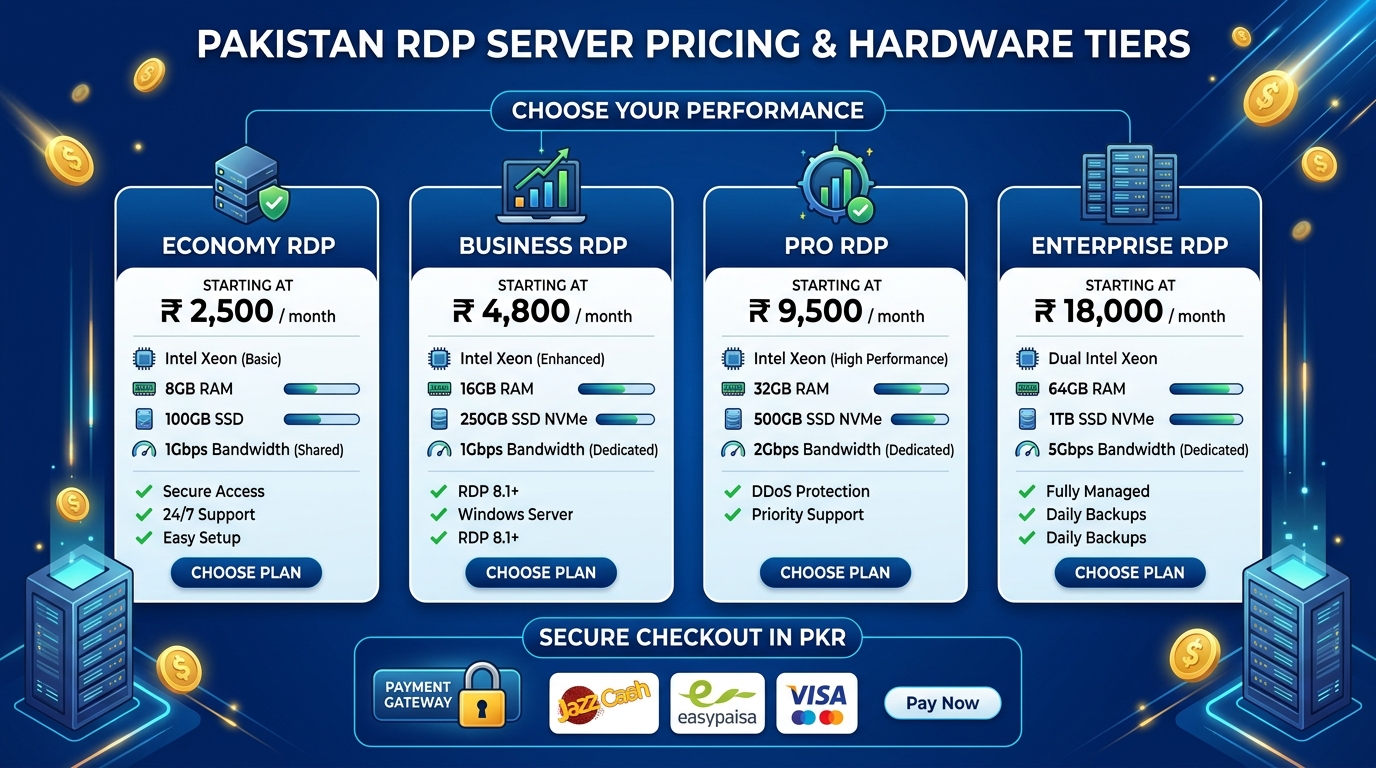
The enterprise-grade solution is building a centralized, 24/7 private AI inference and automated continuous testing server hosted on dedicated High-Performance Linux VPS instances or enterprise Windows RDP Workstations.
This architectural blueprint covers the end-to-end deployment of a production-ready AI coding infrastructure utilizing headless Ollama with DeepSeek-R1 and Qwen 2.5 Coder, Continue.dev IDE orchestration, local Qdrant/ChromaDB vector embedding engines for full-codebase RAG, and private GitLab/GitHub Actions runners for automated AI code reviews and synthetic test generation.
1. System Architecture: Private AI Inference & Continuous QA Topology
To deliver instant, sub-50ms code completions while simultaneously enabling multi-turn deep architectural reasoning and automated CI/CD code reviews, the infrastructure employs a decoupled, two-tier model topology connected over an encrypted, private overlay mesh.
graph TD
    subgraph "Developer Workstations (Karachi / Lahore / Islamabad)"
        Dev1["VS Code / Cursor (Continue.dev)"]
        Dev2["JetBrains IDEs (IntelliJ/PyCharm)"]
        Dev3["CLI Agents (Aider / Cline)"]
    end

    subgraph "Encrypted Zero-Trust Tunnel"
        Mesh["WireGuard / Tailscale Overlay (MTU 1420)"]
    end

    Dev1 -->|Encrypted UDP / Port 51820| Mesh
    Dev2 -->|Encrypted UDP / Port 51820| Mesh
    Dev3 -->|Encrypted UDP / Port 51820| Mesh

    subgraph "Central Dedicated VPS / RDP Infrastructure (Nextgen Cloud)"
        LiteLLM["LiteLLM Load Balancer & RBAC Proxy (:4000)"]
        Mesh --> LiteLLM

        subgraph "AI Inference Tier (Headless Ollama / vLLM)"
            FastModel["Tier 1: Autocomplete Engine\n(Qwen2.5-Coder-1.5B / StarCoder2-3B)\nLatency: <40ms"]
            HeavyModel["Tier 2: Reasoning & Refactoring\n(DeepSeek-R1-Distill-32B / Qwen2.5-Coder-32B)\nHigh Context Depth"]
        end

        subgraph "Codebase Retrieval & RAG Tier"
            EmbedEngine["Embedding Engine (nomic-embed-text-v1.5)"]
            VectorDB["Qdrant / ChromaDB Vector Store"]
            ASTIndex["Tree-sitter AST & Symbol Parser"]
        end

        subgraph "Continuous Automation & QA Tier"
            GitLabRunner["Private GitLab / GitHub CI Runner"]
            AITestGen["Synthetic Unit Test Generator (PyTest/Jest)"]
            AIReviewer["Automated PR Reviewer & SecOps Scanner"]
        end

        LiteLLM --> FastModel
        LiteLLM --> HeavyModel
        LiteLLM --> EmbedEngine
        EmbedEngine --> VectorDB
        ASTIndex --> VectorDB

        GitLabRunner --> HeavyModel
        GitLabRunner --> AITestGen
        GitLabRunner --> AIReviewer
    end
Architectural Component Breakdown
- Inference Engine (Headless Ollama / llama.cpp): Manages multi-threaded model execution, dynamic VRAM/RAM context swapping, and multi-client request queueing.
- LiteLLM Gateway: Acts as an OpenAI-compatible reverse proxy providing developer authentication, team virtual API keys, token rate-limiting, and detailed usage analytics.
- Embedding & Codebase RAG Engine: Indexes the entire enterprise repository using Tree-sitter Abstract Syntax Trees (AST) and stores high-dimensional vector embeddings in Qdrant, enabling
@codebasesemantic queries inside IDEs. - Private GitLab CI/CD Runner: Automatically triggers headless AI analysis on every merge request (MR), evaluating pull requests for security vulnerabilities, logic flaws, and auto-generating unit test suites before human review.
- Zero-Trust Network Mesh: Isolates all AI API ports (
11434,4000,6333) behind a WireGuard VPN tunnel, preventing exposure to public internet crawlers and port scanners.
2. Server Sizing & Compute Hardware Selection
Selecting the appropriate compute configuration depends on team size, concurrent developer requests, and whether inference runs on dedicated GPUs or high-core AVX-512 CPU architectures.
| Infrastructure Tier | Recommended Hardware Specs | Supported AI Models | Concurrency Capacity | Primary Use Case |
|---|---|---|---|---|
| Tier 1: Small Agency / Freelance Squad | 8 vCPU (EPYC/Xeon), 32 GB RAM, High-Speed NVMe | qwen2.5-coder:1.5b (Autocomplete) + qwen2.5-coder:7b-instruct |
3–6 Developers | Fast inline tab-completion, single-file refactoring, basic CLI scripting. |
| Tier 2: Mid-Size Software House | 16–32 vCPU, 64–128 GB RAM or 1x Dedicated 24GB GPU | qwen2.5-coder:1.5b + deepseek-r1:14b + nomic-embed-text |
10–25 Developers | Full codebase semantic search, multi-turn architectural reasoning, CI/CD PR reviews. |
| Tier 3: Enterprise Hub / Scale-Up | 32–64 vCPU, 128–256 GB RAM or Dual RTX 4090 / A5000 VPS | qwen2.5-coder:32b + deepseek-r1:32b / llama3.3:70b-q4 |
30–80+ Developers | Automated test generation pipelines, continuous repo vectorization, multi-branch CI testing. |
[!TIP] When choosing high-core CPU-only VPS configurations, ensure the CPU supports AVX-512 and VNNI instructions (available on modern AMD EPYC and Intel Xeon Scalable processors on Nextgen Linux VPS). This dramatically accelerates quantized GGUF tensor math without requiring expensive dedicated VRAM.
3. Step-by-Step Server Deployment & Kernel Optimization
Step 3.1: Host OS Tuning & Kernel Parameters
Connect to your clean Ubuntu 24.04 / Debian 12 Linux VPS via SSH and apply kernel memory, networking, and CPU governor optimizations.
# Update repositories and install foundational system dependencies
sudo apt-get update && sudo apt-get install -y \
    curl \
    wget \
    git \
    build-essential \
    wireguard \
    iptables \
    docker.io \
    docker-compose-v2 \
    htop \
    jq

# Enable BBR Congestion Control & Increase Network Buffer Limits
sudo tee -a /etc/sysctl.d/99-ai-server.conf << 'EOF'
# Kernel networking optimization for high-throughput AI API streaming
net.core.default_qdisc = fq
net.ipv4.tcp_congestion_control = bbr
net.core.rmem_max = 67108864
net.core.wmem_max = 67108864
net.ipv4.tcp_rmem = 4096 87380 33554432
net.ipv4.tcp_wmem = 4096 65536 33554432
net.ipv4.tcp_slow_start_after_idle = 0

# Virtual memory and memory swapping tuning
vm.swappiness = 10
vm.dirty_ratio = 15
vm.dirty_background_ratio = 5
vm.max_map_count = 262144
EOF

sudo sysctl --system
Step 3.2: Deploying Headless Ollama as a High-Concurrency System Daemon
Install Ollama natively to leverage direct CPU AVX-512 acceleration and memory pinning, then configure production environment variables.
# Install Ollama
curl -fsSL https://ollama.com/install.sh | sh

# Configure Ollama Systemd Environment for High-Concurrency Multi-Tenant Usage
sudo mkdir -p /etc/systemd/system/ollama.service.d/

sudo tee /etc/systemd/system/ollama.service.d/override.conf << 'EOF'
[Service]
# Bind to localhost or private WireGuard interface
Environment="OLLAMA_HOST=127.0.0.1:11434"
# Allow IDEs and CI runners to send large request payloads
Environment="OLLAMA_ORIGINS=*"
# Keep loaded models resident in RAM/VRAM permanently (prevent reload delays)
Environment="OLLAMA_KEEP_ALIVE=24h"
# Enable concurrent request processing for multiple developers
Environment="OLLAMA_NUM_PARALLEL=4"
# Max loaded models in parallel (Tier 1 autocomplete + Tier 2 reasoning + Embeddings)
Environment="OLLAMA_MAX_LOADED_MODELS=3"
# Enable Flash Attention optimizations
Environment="OLLAMA_FLASH_ATTENTION=1"
# Quantize KV cache to q8_0 to halve memory consumption during large context windows
Environment="OLLAMA_KV_CACHE_TYPE=q8_0"
EOF

# Reload and restart Ollama service
sudo systemctl daemon-reload
sudo systemctl restart ollama
sudo systemctl enable ollama
Step 3.3: Pulling Specialized Engineering LLMs
Execute the following commands to pull the specialized models optimized for coding, mathematical reasoning, and semantic embedding:
# 1. Ultra-fast Tab-Autocomplete model (Sub-40ms inline predictions)
ollama pull qwen2.5-coder:1.5b-base-q8_0

# 2. Daily Chat, Refactoring, and Docstring Generator (7B/14B Qwen2.5 Coder)
ollama pull qwen2.5-coder:14b-instruct-q8_0

# 3. High-Reasoning & Complex Architecture Debugger (DeepSeek-R1 Distilled 14B/32B)
ollama pull deepseek-r1:14b
ollama pull deepseek-r1:32b

# 4. Dense Semantic Embedding Model for Codebase RAG (8192 context window)
ollama pull nomic-embed-text:v1.5
Verify that the models are loaded and ready:
ollama list4. Deploying LiteLLM, Qdrant Vector DB, and OpenWebUI via Docker Compose
To provide enterprise features—such as multi-developer token accounting, virtual API keys, team chat interfaces, and vector storage—we orchestrate LiteLLM, Qdrant, and OpenWebUI using Docker Compose.
Create the orchestration directory and configuration file:
mkdir -p /opt/ai-infrastructure/{litellm,qdrant_data,webui_data}
cd /opt/ai-infrastructure
Create the LiteLLM proxy configuration file:
# /opt/ai-infrastructure/litellm/config.yaml
model_list:
  # Fast Tab-Autocomplete Routing
  - model_name: autocomplete-fast
    litellm_params:
      model: ollama/qwen2.5-coder:1.5b-base-q8_0
      api_base: http://host.docker.internal:11434

  # Standard Coding & Refactoring Assistant
  - model_name: coder-standard
    litellm_params:
      model: ollama/qwen2.5-coder:14b-instruct-q8_0
      api_base: http://host.docker.internal:11434

  # Deep Architectural Reasoning & CI Code Review
  - model_name: reasoning-deepseek
    litellm_params:
      model: ollama/deepseek-r1:14b
      api_base: http://host.docker.internal:11434

  # High-Context Semantic Embedding
  - model_name: text-embedding-local
    litellm_params:
      model: ollama/nomic-embed-text:v1.5
      api_base: http://host.docker.internal:11434

general_settings:
  master_key: "sk-enterprise-nextgen-master-token-change-this"
  database_url: "sqlite:////app/data/litellm.db"

litellm_settings:
  drop_params: true
  request_timeout: 120
Now, create the master docker-compose.yml:
# /opt/ai-infrastructure/docker-compose.yml
version: '3.8'

services:
  litellm-proxy:
    image: ghcr.io/berriai/litellm:main-latest
    container_name: litellm-proxy
    restart: always
    ports:
      - "127.0.0.1:4000:4000"
    volumes:
      - ./litellm/config.yaml:/app/config.yaml
      - ./litellm/data:/app/data
    environment:
      - LITELLM_CONFIG_PATH=/app/config.yaml
      - STORE_MODEL_IN_DB=True
    extra_hosts:
      - "host.docker.internal:host-gateway"

  qdrant-vectordb:
    image: qdrant/qdrant:v1.12.1
    container_name: qdrant-vectordb
    restart: always
    ports:
      - "127.0.0.1:6333:6333"
      - "127.0.0.1:6334:6334"
    volumes:
      - ./qdrant_data:/qdrant/storage

  open-webui:
    image: ghcr.io/open-webui/open-webui:main
    container_name: open-webui
    restart: always
    ports:
      - "127.0.0.1:8080:8080"
    volumes:
      - ./webui_data:/app/backend/data
    environment:
      - OPENAI_API_BASE_URL=http://litellm-proxy:4000/v1
      - OPENAI_API_KEY=sk-enterprise-nextgen-master-token-change-this
      - WEBUI_AUTH=True
      - ENABLE_RAG_WEB_SEARCH=False
    depends_on:
      - litellm-proxy
Start the containers:
docker compose up -d5. Securing the AI Server with WireGuard Zero-Trust Mesh
Exposing raw AI endpoints to the public internet creates severe security vulnerabilities, including unauthenticated model inference abuse, prompt injection, and denial of service. We isolate the entire stack behind a dedicated WireGuard VPN tunnel.
# Generate Server Keys
cd /etc/wireguard
umask 077
wg genkey | tee server_private.key | wg pubkey > server_public.key

# Create WireGuard Server Configuration
sudo tee /etc/wireguard/wg0.conf << EOF
[Interface]
Address = 10.8.0.1/24
ListenPort = 51820
PrivateKey = $(cat /etc/wireguard/server_private.key)
SaveConfig = false

# PostUp / PostDown NAT routing
PostUp = iptables -A FORWARD -i wg0 -j ACCEPT; iptables -t nat -A POSTROUTING -o eth0 -j MASQUERADE
PostDown = iptables -D FORWARD -i wg0 -j ACCEPT; iptables -t nat -D POSTROUTING -o eth0 -j MASQUERADE

# Developer 1 (Karachi Lead Engineer)
[Peer]
PublicKey = <DEVELOPER_1_PUBLIC_KEY>
AllowedIPs = 10.8.0.2/32

# Developer 2 (Lahore Frontend Engineer)
[Peer]
PublicKey = <DEVELOPER_2_PUBLIC_KEY>
AllowedIPs = 10.8.0.3/32

# Developer 3 (Islamabad QA Automation Specialist)
[Peer]
PublicKey = <DEVELOPER_3_PUBLIC_KEY>
AllowedIPs = 10.8.0.4/32
EOF

# Enable and Start WireGuard
sudo systemctl enable wg-quick@wg0
sudo systemctl start wg-quick@wg0
Configure iptables or ufw to restrict API ports:
# Allow SSH and WireGuard UDP only
sudo ufw default deny incoming
sudo ufw default allow outgoing
sudo ufw allow 22/tcp
sudo ufw allow 51820/udp
# Allow WireGuard subnet (10.8.0.0/24) full access to AI services
sudo ufw allow from 10.8.0.0/24 to any port 4000 proto tcp
sudo ufw allow from 10.8.0.0/24 to any port 8080 proto tcp
sudo ufw allow from 10.8.0.0/24 to any port 6333 proto tcp
sudo ufw enable
6. Client-Side IDE Configuration: Continue.dev & Cursor Integration
Now that the centralized server is running at 10.8.0.1 inside the WireGuard mesh, developers install the Continue.dev extension in VS Code, Cursor, or JetBrains IDEs.
Open ~/.continue/config.yaml on the developer’s local machine and paste the following production configuration:
# ~/.continue/config.yaml
name: "Nextgen Enterprise Self-Hosted AI"
version: "0.1.0"

models:
  - name: "DeepSeek-R1 (Architectural Reasoning & Debugging)"
    provider: "openai"
    model: "reasoning-deepseek"
    apiBase: "http://10.8.0.1:4000/v1"
    apiKey: "sk-enterprise-nextgen-master-token-change-this"
    contextLength: 32768
    roles:
      - chat
      - edit

  - name: "Qwen 2.5 Coder 14B (Daily Refactoring & Tests)"
    provider: "openai"
    model: "coder-standard"
    apiBase: "http://10.8.0.1:4000/v1"
    apiKey: "sk-enterprise-nextgen-master-token-change-this"
    contextLength: 16384
    roles:
      - chat
      - edit

tabAutocompleteModel:
  name: "Qwen 2.5 Coder 1.5B (Sub-40ms Tab Autocomplete)"
  provider: "openai"
  model: "autocomplete-fast"
  apiBase: "http://10.8.0.1:4000/v1"
  apiKey: "sk-enterprise-nextgen-master-token-change-this"

embeddingsProvider:
  provider: "openai"
  model: "text-embedding-local"
  apiBase: "http://10.8.0.1:4000/v1"
  apiKey: "sk-enterprise-nextgen-master-token-change-this"
  maxChunkSize: 1024

customCommands:
  - name: "test-gen"
    description: "Generate comprehensive unit tests with edge cases"
    prompt: "Write complete unit tests for the selected code using the project's standard testing framework. Include assertions for happy path, boundary conditions, invalid inputs, and null pointer exceptions."

  - name: "security-audit"
    description: "Audit code for OWASP Top 10 vulnerabilities"
    prompt: "Perform a strict security audit on this code snippet. Check for SQL Injection, XSS, insecure deserialization, unvalidated input, race conditions, and memory leaks. Provide immediate remediation diffs."

  - name: "docstring"
    description: "Generate production-grade JSDoc / Docstrings"
    prompt: "Generate clean, standardized documentation docstrings for all exported classes, functions, and types in this file following enterprise standards."
Enabling Full-Codebase RAG (@codebase)
When a developer types @codebase What is the exact authentication middleware logic in this repository?, Continue automatically:
- Chunks the local project files using Tree-sitter AST syntax parsers.
- Sends the chunks to the high-speed embedding endpoint (
http://10.8.0.1:4000/v1/embeddings). - Performs a Cosine Similarity search to extract the most relevant code blocks.
- Passes the context to DeepSeek-R1 on the dedicated server, answering architectural questions with zero hallucination.
7. Automated CI/CD AI Code Review & Synthetic Test Pipeline (GitLab & GitHub)
One of the highest-ROI use cases for Pakistani development agencies is automating code review on every Pull Request / Merge Request. Rather than paying thousands of dollars for third-party review SaaS tools, we register a private GitLab Runner directly on the VPS.
Step 7.1: Registering the Private GitLab Runner
# Install GitLab Runner on the Linux VPS
curl -L "https://packages.gitlab.com/install/repositories/runner/gitlab-runner/script.deb.sh" | sudo bash
sudo apt-get install -y gitlab-runner

# Register the runner with Docker executor
sudo gitlab-runner register \
  --non-interactive \
  --url "https://gitlab.com/" \
  --token "<PROJECT_REGISTRATION_TOKEN>" \
  --executor "docker" \
  --docker-image "python:3.11-slim" \
  --description "nextgen-ai-qa-runner" \
  --docker-network-mode "host"
Step 7.2: Continuous Automated Review Script
Create an automated review script (scripts/ai_code_review.py) inside your project repository:
#!/usr/bin/env python3
"""
Nextgen Automated AI Code Reviewer
Fetches git diff from merge request and queries self-hosted DeepSeek-R1
"""
import os
import subprocess
import requests
import json

LITELLM_URL = os.getenv("AI_API_URL", "http://127.0.0.1:4000/v1/chat/completions")
API_KEY = os.getenv("AI_API_KEY", "sk-enterprise-nextgen-master-token-change-this")
TARGET_BRANCH = os.getenv("CI_MERGE_REQUEST_TARGET_BRANCH_NAME", "main")

def get_git_diff():
    cmd = ["git", "diff", f"origin/{TARGET_BRANCH}...HEAD"]
    result = subprocess.run(cmd, stdout=subprocess.PIPE, stderr=subprocess.PIPE, text=True)
    return result.stdout

def run_ai_review(diff_text):
    if not diff_text.strip():
        print("No code changes detected in this Merge Request.")
        return

    prompt = f"""
You are an expert Principal Software Engineer and Application Security Auditor.
Review the following Git Diff for a production merge request:

```diff
{diff_text[:12000]} # Truncate to context limit if necessary
Perform a rigorous evaluation across:
- Critical Bugs & Edge Cases: Off-by-one errors, unhandled nulls/promises, memory leaks.
- Security Vulnerabilities: OWASP Top 10, insecure crypto, unvalidated inputs.
- Performance Regressions: N+1 queries, unindexed lookups, excessive allocations.
- Suggested Code Improvements: Provide clean markdown replacement snippets.
Format your response as a structured markdown review. “”“
headers = {
    "Content-Type": "application/json",
    "Authorization": f"Bearer {API_KEY}"
}

payload = {
    "model": "reasoning-deepseek",
    "messages": [
        {"role": "system", "content": "You are a senior automated code review agent."},
        {"role": "user", "content": prompt}
    ],
    "temperature": 0.2
}

response = requests.post(LITELLM_URL, headers=headers, json=payload, timeout=120)
if response.status_code == 200:
    review_content = response.json()["choices"][0]["message"]["content"]
    with open("ai_review_report.md", "w") as f:
        f.write(review_content)
    print("AI Code Review Report successfully generated.")
else:
    print(f"Inference failed with status {response.status_code}: {response.text}")
    exit(1)
if name == “main”: diff = get_git_diff() run_ai_review(diff)
### Step 7.3: Pipeline Definition (`.gitlab-ci.yml`)

Add the AI review job into your pipeline:

```yaml
stages:
  - lint
  - ai-review
  - test

lint-job:
  stage: lint
  script:
    - echo "Running static analysis..."

ai-code-review:
  stage: ai-review
  tags:
    - nextgen-ai-qa-runner
  only:
    - merge_requests
  script:
    - python3 -m pip install requests
    - python3 scripts/ai_code_review.py
    - cat ai_review_report.md
  artifacts:
    name: "ai-review-report"
    paths:
      - ai_review_report.md
    expire_in: 7 days
8. Windows RDP Development Server Setup (DirectML & Visual Studio)
For teams working primarily in the .NET ecosystem, C#, or enterprise Windows desktop software, deploying this stack on a dedicated Windows RDP Workstation provides seamless native integration.
Setting Up Headless Ollama on Windows RDP
- Download and run the official Windows installer from ollama.com.
- Open PowerShell as Administrator and configure permanent system environment variables:
# Set permanent system variables for Windows Service / Task Scheduler
[System.Environment]::SetEnvironmentVariable('OLLAMA_HOST', '0.0.0.0:11434', [System.EnvironmentVariableTarget]::Machine)
[System.Environment]::SetEnvironmentVariable('OLLAMA_KEEP_ALIVE', '24h', [System.EnvironmentVariableTarget]::Machine)
[System.Environment]::SetEnvironmentVariable('OLLAMA_NUM_PARALLEL', '4', [System.EnvironmentVariableTarget]::Machine)
[System.Environment]::SetEnvironmentVariable('OLLAMA_FLASH_ATTENTION', '1', [System.EnvironmentVariableTarget]::Machine)

# Restart Ollama background process
Stop-Process -Name "ollama" -Force -ErrorAction SilentlyContinue
Start-Process "ollama" -ArgumentList "serve" -WindowStyle Hidden- Configure Windows Defender Firewall to allow inbound traffic strictly over the private network interface:
New-NetFirewallRule -DisplayName "Allow Ollama Private Mesh" `
    -Direction Inbound `
    -LocalPort 11434 `
    -Protocol TCP `
    -Action Allow `
    -RemoteAddress 10.8.0.0/24
9. Comprehensive Cost & Performance Comparison for Pakistani Software Agencies
To evaluate the operational return on investment (ROI), consider a typical mid-sized engineering team of 30 developers operating in Pakistan.
| Parameter / Metric | Commercial Cloud SaaS Stack (Copilot + Claude + AWS Runners) | Nextgen Self-Hosted AI VPS / Windows RDP Stack | Advantage / Savings |
|---|---|---|---|
| Monthly Software Cost | $1,500 – $3,000 / month (~PKR 420,000 – 840,000) | PKR 25,000 – 65,000 / month flat | 90%–93% Monthly Expense Reduction |
| Data Privacy & IP Control | Source code sent to foreign third-party cloud servers. | 100% On-Premise / Private VPS within WireGuard perimeter. | Zero Data Leakage / Full NDA Compliance |
| Token Rate Limits | Strict per-minute token throttling during peak US hours. | Unlimited tokens, 24/7 unmetered inference. | Zero Interruptions or Blocked Prompts |
| Codebase Context Indexing | Restricted context windows; costly extra vector indexing tiers. | Infinite local indexing via Tree-sitter & Qdrant Vector DB. | Deep Multi-File Architectural Context |
| Local Laptop Battery & Heat | N/A (Cloud-based) or heavy thermal strain if running local LLMs. | Lightweight IDE client; heavy compute offloaded to 24/7 server. | Cool Laptops, Full Battery Life during Load Shedding |
| CI/CD Integration | High per-minute cloud runner billing for AI jobs. | Private, unmetered GitLab Runner executing continuous PR reviews. | Automated Quality Gate on Every Commit |
10. Summary & Production Implementation Roadmap
Deploying a centralized, 24/7 self-hosted AI code generation and automated testing server unlocks unprecedented velocity and financial efficiency for Pakistani engineering teams. By combining high-core Linux Cloud VPS instances or enterprise Windows RDP Workstations with headless Ollama, Continue.dev, Qdrant vector retrieval, and private GitLab CI/CD runners, tech agencies eliminate thousands of dollars in foreign currency SaaS fees while maintaining absolute IP security.
Implementation Checklist
- Infrastructure Provisioning: Deploy a dedicated multi-core VPS or Windows RDP on Nextgen Hosting Cloud Infrastructure.
- Engine Tuning: Configure Ollama systemd flags (
OLLAMA_NUM_PARALLEL=4,OLLAMA_KEEP_ALIVE=24h,OLLAMA_FLASH_ATTENTION=1). - Model Weights Deployment: Pull
qwen2.5-coder:1.5b-base-q8_0for sub-40ms tab-autocomplete anddeepseek-r1:14b/deepseek-r1:32bfor deep reasoning. - Security Mesh: Isolate API ports (
11434,4000,6333) behind WireGuard zero-trust tunnels. - Client Configuration: Distribute standardized
config.yamlfiles for Continue.dev to team members across Karachi, Lahore, and Islamabad. - Automated CI/CD Gates: Register private runners to execute synthetic unit test generation and automated PR security scans.
Need dedicated cloud instances engineered for machine learning inference, continuous CI/CD workloads, and high-performance remote development? Explore Nextgen Hosting Cloud VPS Plans, enterprise Dedicated Windows RDP Servers, or scalable cPanel Web Hosting tailored for Pakistani digital enterprises.
Need Enterprise-Grade Performance?
If your workload demands maximum processing power and zero resource-sharing, explore our bare-metal Dedicated Servers and Dedicated Servers in Pakistan. We offer ultra-low latency, unmetered bandwidth, and enterprise-grade hardware to scale your operations seamlessly.
