
According to global cybersecurity telemetry and the Pakistan National Cyber Emergency Response Team (Pak-CERT), an overwhelming 70% to 80% of corporate ransomware intrusions originate through exposed, unhardened Remote Desktop Protocol (RDP) ports.
When you spin up a Windows Server instance or dedicated RDP for freelancing, forex trading (MT4/MT5), or corporate ERP access with default settings, automated scanner bots discover your IP address within minutes. These bots immediately launch thousands of brute-force password guessing attacks against port 3389, attempting to breach Administrator credentials.
If an attacker succeeds:
- They deploy LockBit, BlackCat, or custom ransomware payloads, encrypting your databases and personal files.
- They exfiltrate sensitive client financial data and credentials.
- They use your server as an exit proxy or botnet node, destroying your IP reputation.
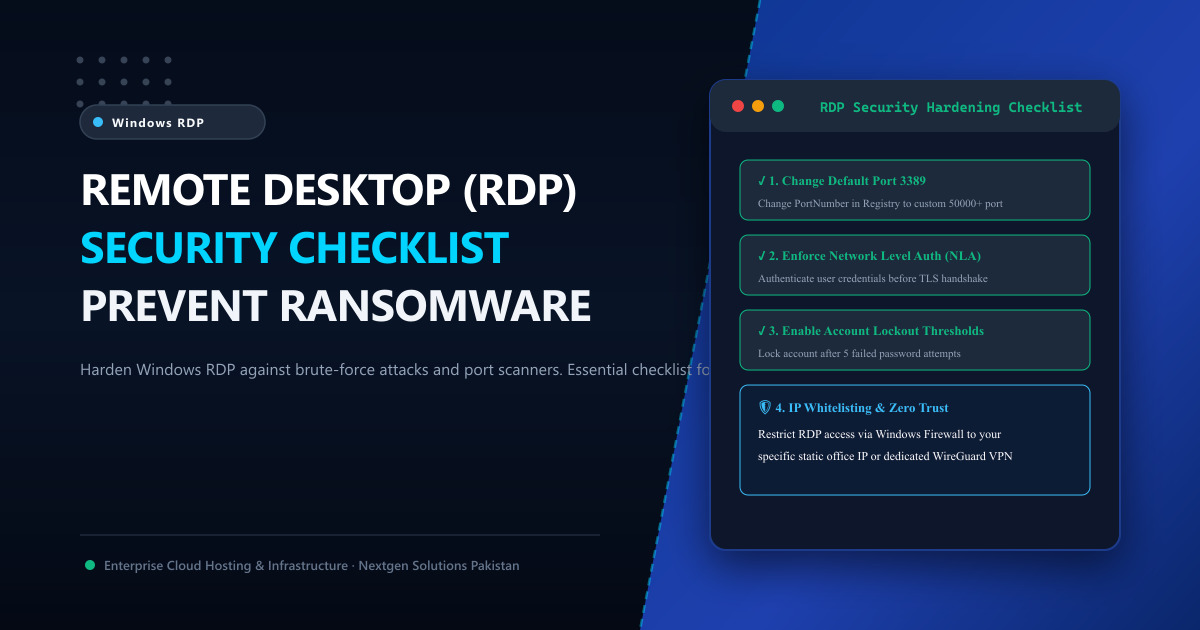
To ensure your remote desktop remains completely impenetrable, our datacenter cybersecurity team has compiled the Ultimate 2026 Windows RDP Security Hardening Checklist.
📋 The 7-Point RDP Security Hardening Checklist
| Security Layer | Default Configuration (Vulnerable) | Hardened Nextgen Standard (Secure) | Risk Mitigated |
|---|---|---|---|
| 1. Listening Port | Port 3389 (Publicly scanned by all bots). |
Custom High Port (e.g., 58422). |
Cuts automated bot scans by 99%. |
| 2. Authentication | Standard graphical password prompt. | Enforced Network Level Auth (NLA). | Prevents pre-auth denial of service & exploits. |
| 3. Account Lockout | Unlimited password attempts allowed. | Locked after 5 failed attempts for 30 mins. | Completely stops brute-force dictionary attacks. |
| 4. Admin Username | Default Administrator or Admin. |
Renamed to a custom obscure username. | Invalidates automated default-username lists. |
| 5. Network Access | Open to 0.0.0.0/0 (Global internet). | Windows Firewall IP Whitelisting / VPN. | Blocks 100% of unauthorized IP subnets. |
| 6. Encryption | Negotiate / Low Client Compatible. | High / FIPS 140-2 Compliant (TLS 1.3). | Eliminates man-in-the-middle packet sniffing. |
| 7. Multi-Factor (MFA) | Single password authentication only. | Time-Based OTP (Duo / Microsoft Auth). | Protects against compromised password leaks. |
🛠️ Step 1: Change Default RDP Port 3389 in Windows Registry
Automated internet crawlers (like Shodan and Censys) specifically index public port 3389. Changing your listening port to an unassigned dynamic port (between 49152 and 65535) stops automated probing in its tracks:
- Press
Win + R, typeregedit, and hit Enter. - Navigate to:
HKEY_LOCAL_MACHINE\System\CurrentControlSet\Control\Terminal Server\WinStations\RDP-Tcp - Locate the
PortNumberDWORD entry. - Select Decimal and change the value to your custom port (for example:
58291). - Click OK.
[!CAUTION] Before rebooting, you must open your custom port in Windows Advanced Firewall (Inbound Rules) for TCP, or you will lock yourself out of your server!
🔒 Step 2: Enforce Network Level Authentication (NLA)
Network Level Authentication requires connecting users to prove their identity to the network before the remote Windows desktop session or graphical login screen is rendered. This protects your server against remote code execution exploits (such as BlueKeep):
- Open System Properties (
sysdm.cpl). - Navigate to the Remote tab.
- Under Remote Desktop, select:
“Allow remote connections to this computer”. - Check the box:
“Allow connections only from computers running Remote Desktop with Network Level Authentication (recommended)”. - Click Apply and OK.
⏱️ Step 3: Configure Account Lockout Policy (GPO)
By default, an attacker can attempt millions of dictionary passwords without Windows intervening. Enforcing account lockout thresholds stops brute-force tools dead:
- Press
Win + R, typesecpol.msc(Local Security Policy), and hit Enter. - Navigate to Account Policies ➔ Account Lockout Policy.
- Configure the following values:
- Account lockout threshold:
5 invalid logon attempts - Account lockout duration:
30 minutes - Reset account lockout counter after:
30 minutes
- Account lockout threshold:
After 5 incorrect guesses, the account freezes for 30 minutes, rendering automated password crackers completely useless.
🌐 Step 4: Restrict Access via IP Whitelisting (The Golden Standard)
If you only connect to your RDP from your home or office, you should block the rest of the world from even reaching your custom RDP port:
- Open Windows Defender Firewall with Advanced Security.
- Locate your Inbound RDP Rule.
- Go to the Scope tab.
- Under Remote IP address, change from “Any IP address” to “These IP addresses”.
- Add your static broadband IP (or corporate WireGuard/OpenVPN subnet).
Now, even if a hacker discovers your custom port and knows your password, the Windows kernel firewall silently drops their network packets before a handshake is ever initiated!
🏢 Why Enterprise Bare-Metal RDP Delivers Superior Safety
Many freelancers in Pakistan make the dangerous mistake of purchasing cheap “shared RDP accounts” from unverified Telegram or Facebook vendors. On shared RDPs, dozens of unknown users share the same administrator OS, exposing your Upwork logins, browser cookies, and MT4 trading accounts to snooping and cascading IP bans.
By provisioning dedicated, isolated Dedicated Servers in Pakistan or global Dedicated Servers:
- You receive 100% private KVM or bare-metal isolation.
- Dedicated, clean static IPv4 addresses that have never been blacklisted.
- Complete Administrator rights to enforce enterprise GPO policies and firewall rules in Tier-3 datacenters.
📚 Related Technical Architecture Guides & Reading
- How to Secure RDP from Automated Port Scanners and Brute Force – Registry port changes, firewall rules, and IP whitelisting.
- How to Choose the Best RDP for Freelancing & Forex Trading – Buyer’s guide for Upwork, Fiverr, and MetaTrader users.
- Dedicated vs Shared RDP in Pakistan: The Visual Infographic Guide – Account safety, isolation, and IP reputation comparison.
Deploy Dedicated, Hardened Windows RDP Servers in Pakistan
Protect your freelance career and trading capital. Nextgen provides dedicated Windows Server RDP instances with pristine clean IPs, full administrator rights, enterprise NVMe storage, and 1Gbps unthrottled bandwidth in Tier-3 Islamabad datacenters.
