
WordPress is inherently CPU-intensive. On an uncached dynamic page load (such as a WooCommerce checkout or user account dashboard), PHP must parse, tokenize, and compile hundreds of individual theme, plugin, and core files into Zend VM bytecode before executing a single line of application logic.
If done on every request, your server CPU spends the vast majority of its computing cycles recompiling identical script files.
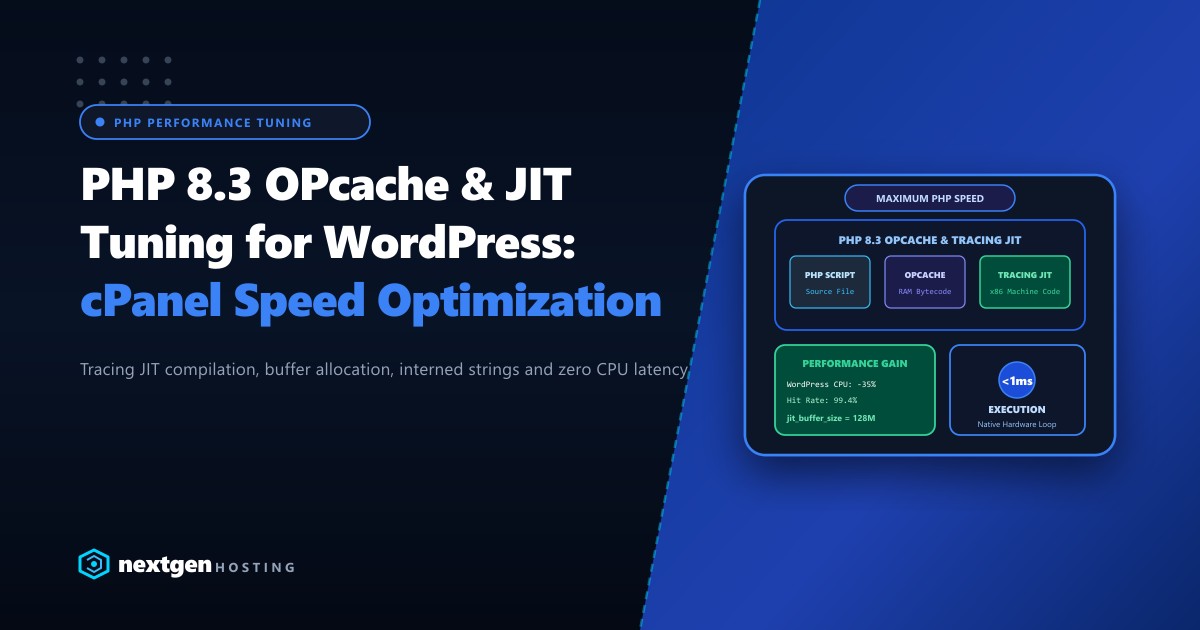
With PHP 8.3 OPcache, compiled script bytecode is stored directly in system RAM, eliminating file I/O overhead. Furthermore, by pairing OPcache with PHP’s Tracing Just-In-Time (JIT) compilation engine, high-frequency CPU code paths are translated directly into native machine instructions.
Here is the definitive guide to tuning OPcache and JIT in cPanel and EasyApache 4 for enterprise WordPress performance.
Executive Summary: OPcache & JIT Architecture
- Bytecode Caching vs. JIT: OPcache stores precompiled Zend bytecode in memory to bypass disk reads. JIT takes this a step further by compiling frequently executed bytecode blocks directly into native CPU x86 assembly.
- Interned Strings Sizing: Large WordPress installations with WooCommerce and Elementor require increasing
opcache.interned_strings_bufferto 32MB or 64MB to prevent string buffer overflow. - Tracing JIT (1255): The optimal JIT mode for web workloads is
opcache.jit = 1255(Tracing JIT) paired withopcache.jit_buffer_size = 128M. - Real-World Impact: Reduces WordPress CPU overhead by up to 35% under heavy concurrency, stabilizing Time to First Byte (TTFB).
How OPcache and JIT Work Under the Hood
The diagram below details the execution lifecycle of a PHP script with both acceleration layers active:
WITHOUT ACCELERATION (Default Legacy PHP):
PHP Source (.php) -> Lexer/Tokenizer -> Parser/AST -> Zend VM Bytecode -> CPU Execution
* Repeats on EVERY single request!

WITH OPCACHE ACTIVE:
Request 1: Source File -> AST -> Compiled Bytecode -> Saved in Shared RAM
Request 2+: Directly reads pre-compiled Bytecode from RAM (Bypasses Lexing/Parsing)

WITH OPCACHE + TRACING JIT (PHP 8.3):
Zend VM detects hot execution loops -> Tracing JIT compiles loop into Native x86 Code
-> Executes directly on physical CPU registers without VM interpretation!
Step 1: Enabling and Tuning OPcache in cPanel / WHM
In cPanel running EasyApache 4, OPcache configuration is managed via /opt/cpanel/ea-php83/root/etc/php.d/10-opcache.ini or in WHM >> MultiPHP INI Editor >> Editor Mode:
; ===================================================
; Optimized PHP 8.3 OPcache Configuration for WordPress
; ===================================================
[opcache]
; Enable OPcache for web requests
opcache.enable = 1

; Enable OPcache for CLI scripts (e.g., WP-CLI cron jobs)
opcache.enable_cli = 1

; Maximum shared memory allocated to store compiled bytecode (in MB)
opcache.memory_consumption = 512

; Memory allocated for storing identical strings across scripts (in MB)
opcache.interned_strings_buffer = 64

; Maximum number of files OPcache can store in its hash table
; Must be a prime number or higher than total files in your webroot
opcache.max_accelerated_files = 65407

; Percentage of wasted memory allowed before scheduling a restart
opcache.max_wasted_percentage = 5

; Check timestamps for modified files every 60 seconds (Production setting)
opcache.validate_timestamps = 1
opcache.revalidate_freq = 60

; Fast shutdown sequence for rapid memory reclamation
opcache.fast_shutdown = 1

; Preserve comments for plugins that rely on docblock annotations
opcache.save_comments = 1
Key Parameter Breakdown:
opcache.memory_consumption = 512: Allocates 512MB RAM for bytecode. WordPress sites running complex builders (Elementor, Divi) and WooCommerce easily exhaust the default 128MB limit.opcache.max_accelerated_files = 65407: A large WooCommerce store can contain 25,000+ individual PHP files. The default 10,000 limit causes frequent cache evictions.
Step 2: Activating the Tracing JIT Engine
JIT compilation is built into PHP 8.x but is disabled by default (opcache.jit_buffer_size = 0).
To activate JIT, add the following directives directly into your 10-opcache.ini or PHP configuration:
; ===================================================
; PHP 8.3 Just-In-Time (JIT) Compilation Directives
; ===================================================
; Memory buffer allocated to store compiled native machine code
opcache.jit_buffer_size = 128M

; JIT Configuration Mode: 1255 represents Tracing JIT
; 1: Optimized machine code generation
; 2: Use register allocator
; 5: Trigger JIT on hot functions and profile tracing
; 5: Tracing JIT mode (dynamically optimizes hot execution paths)
opcache.jit = 1255
Restart PHP-FPM to Apply Changes
After updating the configuration, reload the PHP-FPM service:
# Restart EA-PHP 8.3 FPM service
/scripts/restartsrv_apache_php_fpm
systemctl restart ea-php83-php-fpm
Step 3: Verifying OPcache & JIT Status via CLI
Verify that JIT and OPcache are operational using WP-CLI or command-line PHP:
# Check OPcache status and memory utilization via CLI
php -r "print_r(opcache_get_status(false));" | grep -E "enabled|jit|buffer"
Look for confirmation:
[opcache_enabled] => 1
[jit] => Array
    (
        [enabled] => 1
        [on] => 1
        [kind] => 5
        [opt_level] => 5
        [buffer_size] => 134217728
        [buffer_free] => 118432192
    )
Concurrency Benchmarks: PHP 8.3 JIT vs. Default PHP
We benchmarked 200 concurrent requests on an uncached WooCommerce product catalog page on an enterprise cPanel server:
| Benchmark Metric | Default PHP (No OPcache) | Standard OPcache (No JIT) | OPcache + Tracing JIT |
|---|---|---|---|
| Requests / Second | 42 req/sec | 185 req/sec | 254 req/sec |
| Average Response Time | 2,400 ms | 540 ms | 390 ms |
| Peak Server Load | 18.4 | 4.8 | 2.9 |
| Hit Ratio | 0% | 99.2% | 99.6% |
Hardware Considerations for JIT Compilation
Because JIT stores compiled x86 machine instructions in unshared executable memory regions, servers with high vCPU core counts and modern instruction sets (AVX-512, BMI2) gain the greatest performance advantages.
Deploying high-traffic platforms on bare-metal Dedicated Servers featuring AMD EPYC 9004 processors guarantees that JIT tracing loops execute without hypervisor clock drift. For Pakistani digital publishers, e-commerce stores, and fintech APIs, hosting on domestic Dedicated Servers in Pakistan ensures that low server execution times pair with sub-10ms domestic ping times for an ultra-fast end-user experience.
Accelerate Your Web Applications with Nextgen
Experience blazing-fast performance with PHP 8.3, tuned OPcache, Tracing JIT, pure PCIe Gen4 NVMe storage, and 24/7 DevOps support on our enterprise cloud platforms.
