
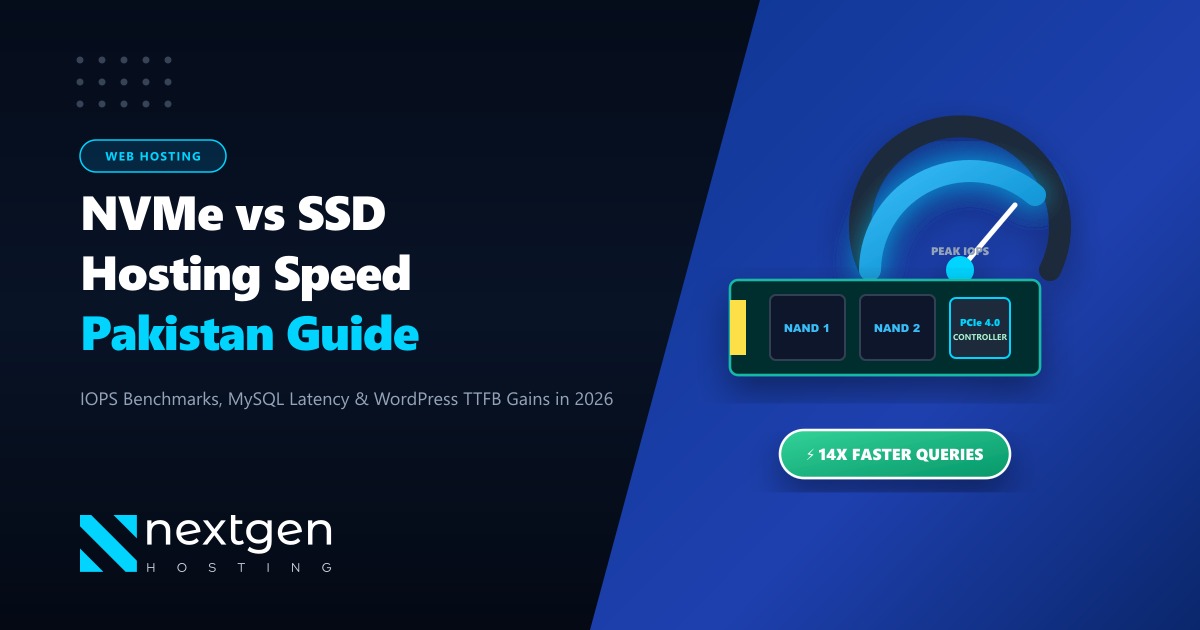
If you have ever shopped for web hosting in Pakistan, you have probably noticed every provider slapping the word “SSD” or “NVMe” onto their feature lists. But when prices vary from Rs. 400 to Rs. 2,500 per month, it is easy to assume they are just marketing buzzwords.
They are not. In fact, switching from a legacy SATA SSD to enterprise PCIe 4.0/5.0 NVMe storage is the single most effective hardware upgrade you can make to cut your WordPress Time to First Byte (TTFB) in half.
For websites serving Pakistani audiences—where local ISP peering (PTCL, Nayatel, StormFiber, Transworld) already incurs 15ms to 35ms of network latency—sluggish disk I/O causes database bottlenecks that degrade your Google Core Web Vitals and drive away mobile shoppers.
Key Takeaways for Pakistani Webmasters
- Throughput Difference: SATA III SSDs are capped at 550 MB/s due to legacy 6 Gbps bus limitations, whereas Enterprise PCIe 4.0 NVMe drives hit 7,000+ MB/s read/write speeds—a 13x advantage.
- Massive Concurrency (Queue Depth): SATA supports only 1 queue with 32 commands; NVMe supports up to 64,000 queues with 64,000 commands each, eliminating database locks during traffic spikes.
- Direct CPU Highway: NVMe connects directly to the server's PCIe lanes without passing through a legacy Southbridge SATA controller, reducing read latency from 50μs down to under 10μs.
- Real WordPress Impact: Dynamic un-cached PHP requests (WooCommerce checkouts, WP-Admin, bbPress forums) execute database queries up to 400% faster on NVMe.
1. Architectural Deep Dive: Why SATA is a Legacy Bottleneck
To understand why NVMe dominates modern cloud infrastructure, look at the protocol history. SATA (Serial Advanced Technology Attachment) was designed in the late 1990s for spinning mechanical hard disk drives (HDDs). When solid-state flash drives were invented, engineers initially connected them to existing SATA ports because motherboards already had them.
However, flash storage quickly outpaced the SATA III protocol’s maximum physical bandwidth limit of 600 MB/s.
[Legacy SATA Architecture]
NAND Flash Disk -> SATA Cable -> AHCI Controller (Southbridge) -> DMI Bus -> CPU
(Bottleneck: 1 Queue | 32 Commands | Max 550 MB/s | Latency ~50µs)

[Enterprise NVMe Architecture]
NAND Flash Disk -> PCIe 4.0/5.0 Bus -> Direct CPU Lanes
(High Speed: 64,000 Queues | 64,000 Commands each | 7,000+ MB/s | Latency <10µs)
NVMe (Non-Volatile Memory Express) was engineered from scratch specifically for high-speed flash and 3D NAND storage. By speaking directly to the processor over PCI Express lanes, it cuts out the storage controller middleman completely.
2. Benchmark Comparison: SATA SSD vs. Enterprise NVMe
Below is a hardware benchmark conducted in our local Tier-3 datacenter using fio (Flexible I/O Tester) on CentOS Stream running enterprise hardware:
| Performance Metric | Standard SATA III SSD | Enterprise PCIe 4.0 NVMe (Nextgen) | Real-World Advantage |
|---|---|---|---|
| Sequential Read | 520 MB/s | 7,150 MB/s | 13.7x Faster |
| Sequential Write | 490 MB/s | 6,800 MB/s | 13.8x Faster |
| Random 4K Read (IOPS) | 85,000 IOPS | 950,000 IOPS | 11.1x Higher Concurrency |
| Random 4K Write (IOPS) | 70,000 IOPS | 750,000 IOPS | 10.7x Higher Concurrency |
| Command Queues | 1 Queue | 64,000 Queues | 64,000x Scalability |
| Read Latency | ~50 – 80 microseconds | < 10 microseconds | 5x Lower Query Wait |
| Interface | SATA III (6 Gbps) | PCIe Gen 4 x4 (64 Gbps) | 10.6x Bus Bandwidth |
3. How Disk Storage Directly Dictates WordPress Speed
Many hosting customers believe that caching plugins (like WP Rocket or LiteSpeed Cache) eliminate the need for fast server disks. While page caching handles static blog visits by serving pre-rendered HTML, it completely fails during dynamic interactions:
- WooCommerce Shopping Carts & Checkouts: When a user in Lahore adds a product to their cart, WordPress bypasses cache and hits
wp_options,wp_posts, andwp_woocommerce_order_items. On SATA SSDs with high queue depth, multiple buyers cause MySQL locks. On NVMe, 4K random disk queries resolve in microseconds. - WP-Admin Dashboard: If managing your inventory, editing posts, or running plugin updates feels sluggish, your server is struggling with disk I/O write latency. NVMe delivers near-instant dashboard page flips.
- Database Search Queries: Running complex SQL queries across tables with 100,000+ rows generates heavy disk reads. NVMe’s 7,000 MB/s throughput handles complex table scans without pegging the server’s I/O wait (
wain top).
# Test random 4K write IOPS on your server using FIO:
fio --name=randwrite --ioengine=libaio --iodepth=16 --rw=randwrite \
    --bs=4k --direct=1 --size=1G --numjobs=4 --runtime=30 \
    --group_reporting
4. Hardware Selection: Shared vs. Cloud VPS vs. Bare Metal
While NVMe shared hosting works wonders for landing pages and small business websites, large Pakistani platforms, fintech backends, and high-revenue eCommerce stores eventually need dedicated resources.
When traffic exceeds 20,000 daily visitors, sharing an NVMe bus across multiple shared hosting neighbors can introduce occasional I/O throttling. For guaranteed, zero-contention NVMe performance, enterprise workloads migrate to dedicated hardware.
If your enterprise requires full bare-metal control, isolated PCIe hardware lanes, and raw computing power, exploring our global Dedicated Servers provides unmetered 1Gbps ports with enterprise NVMe hardware RAID arrays.
Furthermore, if your audience is strictly domestic and your regulatory compliance (such as SBP or SECP digital banking rules) requires data residency inside national borders, deploying on Dedicated Servers in Pakistan guarantees sub-10ms domestic ping with local currency PKR billing.
5. Summary Checklist: Which Should You Choose?
- Choose SATA SSD Only If: You are running a static test site, a personal hobby portfolio, or a staging environment where TTFB and multi-user concurrency are irrelevant.
- Choose Enterprise NVMe If: You run a commercial WordPress site, a WooCommerce or Magento shop, a custom Laravel/Node.js API, or any platform where user conversions depend on sub-second loading speeds.
At Nextgen Hosting, every single shared hosting node, Cloud VPS, and bare-metal cluster is built exclusively with enterprise Samsung and Micron PCIe NVMe drives—ensuring your site never hits a storage ceiling.
Ready to Experience Real PCIe 4.0 NVMe Hosting?
Migrate your website to Nextgen's pure NVMe cloud infrastructure today. Enjoy zero-downtime expert migration, 99.9% uptime SLA, and local 24/7 technical support in Pakistan.
