
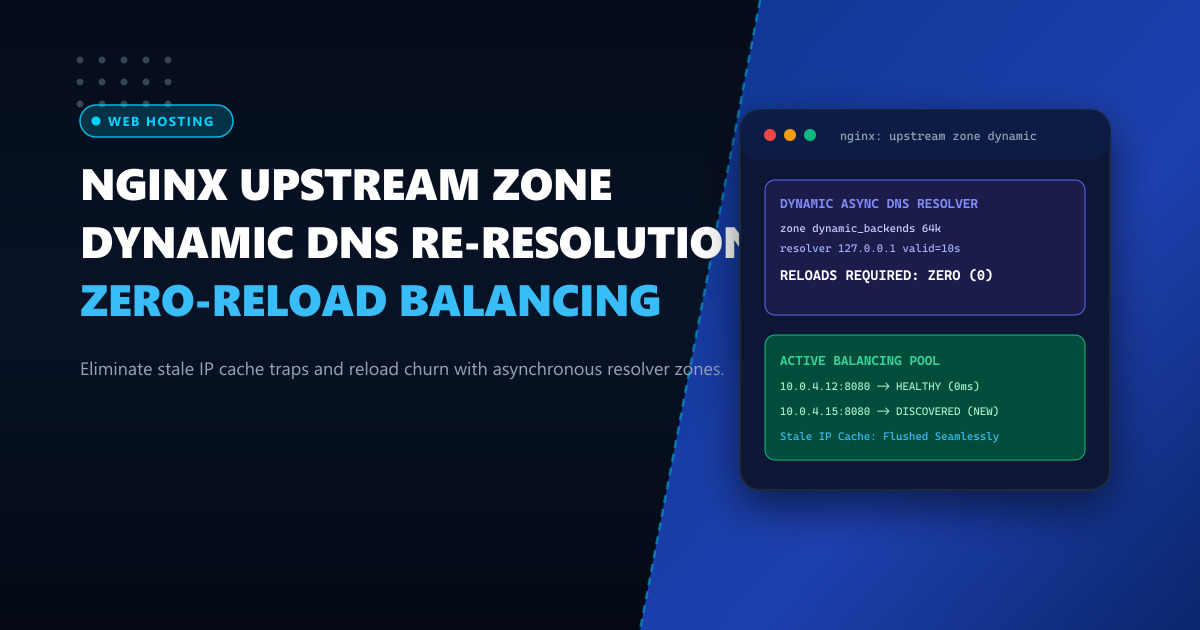
In dynamic cloud environments, autoscaling Kubernetes clusters, and containerized backend architectures, backend server IP addresses change constantly. When upstream targets scale out or migrate during failovers, new IPs are published to internal DNS resolvers with short Time-To-Live (TTL) values.
However, many systems administrators are shocked to discover that default open-source Nginx resolves upstream domain names only once at startup or reload. If a backend microservice IP changes while Nginx is running, Nginx continues routing production traffic to the old, decommissioned IP address, causing cascading 502 Bad Gateway and 504 Gateway Timeout errors across your platform.
In this deep architectural guide, we demonstrate how to force dynamic DNS re-resolution in Nginx without issuing disruptive reloads, utilizing shared memory zones, variable proxies, and DNS resolvers.
Why Nginx Caches Upstream DNS at Boot Time
Consider this standard Nginx configuration snippet:
# Standard upstream block
upstream backend_nodes {
    server api.internal.cloud.pk:8080;
}

server {
    listen 80;
    location / {
        proxy_pass http://backend_nodes;
    }
}
When Nginx parses this block during initialization:
- It queries the system resolver (
/etc/resolv.conf) via standard libcgethostbyname(). - It hardcodes the resolved IP into the compiled upstream memory block.
- It completely ignores DNS TTL values.
- If
api.internal.cloud.pkshifts from10.0.1.20to10.0.1.35, Nginx remains blind to the change until someone runsnginx -s reload.
Issuing frequent reloads on high-traffic edge gateways drops persistent HTTP/2 connections, drains SSL session caches, and causes micro-outages.
For mission-critical banking, telecom, and enterprise workloads running on high-capacity Dedicated Servers, architecting dynamic DNS resolution ensures zero-downtime routing across autoscaling backend fleets.
Solution 1: Variable-Based Dynamic Re-Resolution in Open-Source Nginx
In open-source Nginx, if you reference an upstream destination using a variable ($upstream_endpoint) inside proxy_pass, Nginx is forced to query the configured resolver directive according to the domain’s DNS TTL!
http {
    # Configure DNS resolver with custom TTL and timeout
    # 127.0.0.1 (local dnsmasq / bind) or private cloud DNS
    resolver 127.0.0.1 1.1.1.1 valid=10s ipv6=off;
    resolver_timeout 2s;

    server {
        listen 443 ssl http2;
        server_name portal.example.com.pk;

        # SSL Configuration
        ssl_certificate /etc/ssl/certs/portal.crt;
        ssl_certificate_key /etc/ssl/certs/portal.key;

        location /api/ {
            # By assigning the hostname to a variable, Nginx evaluates DNS dynamically
            set $backend_api "api-service.internal.mesh.pk";

            # Proxy pass using the dynamic variable
            proxy_pass http://$backend_api:8080;

            # Preserve essential headers
            proxy_set_header Host $host;
            proxy_set_header X-Real-IP $remote_addr;
            proxy_set_header X-Forwarded-For $proxy_add_x_forwarded_for;
            proxy_set_header X-Forwarded-Proto $scheme;

            # Robust proxy timeouts
            proxy_connect_timeout 3s;
            proxy_read_timeout 30s;
            proxy_send_timeout 30s;

            # Buffer tuning for high throughput
            proxy_buffers 16 16k;
            proxy_buffer_size 32k;
        }
    }
}
Key Parameters Explained:
resolver ... valid=10s: Forces Nginx to expire cached DNS records after 10 seconds regardless of higher SOA TTLs, enabling rapid failover detection.ipv6=off: Prevents unnecessary AAAA queries on IPv4-only internal infrastructure, cutting DNS latency in half.resolver_timeout 2s: Prevents worker threads from hanging if the DNS server experiences packet loss.
Solution 2: Shared Memory Upstream Zones (Nginx Plus & Nginx with ngx_upstream_jdomain)
If you require advanced load balancing features (such as least_conn, ip_hash, keepalive pools, and active health checks) alongside dynamic DNS resolution, variable proxying is insufficient because variables bypass the upstream {} block.
With shared memory zones:
http {
    resolver 10.0.0.2 valid=5s;

    upstream microservice_pool {
        # Allocates 256KB of shared memory across all worker processes
        zone microservice_pool 256k;

        # 'resolve' parameter dynamically refreshes IPs via the resolver directive
        server core-service.internal.mesh.pk:8080 resolve;

        # Keepalive persistent connections to backend
        keepalive 32;
    }

    server {
        listen 443 ssl;
        server_name api.enterprise.com.pk;

        location / {
            proxy_pass http://microservice_pool;
            proxy_http_version 1.1;
            proxy_set_header Connection "";
        }
    }
}
Diagnostic Verification: Probing Dynamic Resolution
To verify that Nginx is actively polling DNS without reloading, execute a packet capture on the loopback or DNS interface:
# Capture port 53 DNS traffic generated by Nginx workers
tcpdump -nn -i any port 53 and host 127.0.0.1
Trigger requests to your endpoint:
curl -I https://portal.example.com.pk/api/healthYou will observe regular DNS A record queries originating from nginx worker processes every 10 seconds matching your valid=10s parameter.
Architecture Comparison Matrix
| Capability / Feature | Static Upstream Block | Dynamic Variable Proxy | Shared Upstream Zone (resolve) |
|---|---|---|---|
| DNS Resolution Frequency | Boot / Reload Only | Per Request / TTL Expiry | Continuous Background Async |
| Zero-Reload Failover | No (Fails until reload) | Yes | Yes |
| Connection Keepalive | Supported | Not Supported | Fully Supported |
| Load Balancing Algorithms | All algorithms | Single DNS round-robin | Round-robin, Least-conn, Hash |
| Worker CPU Overhead | 0% | Minimal (Per-query cache) | Negligible (Shared memory) |
Hosting your microservice ingress controllers and reverse proxies on dedicated Dedicated Servers in Pakistan ensures ultra-low localized latency, uninterrupted DNS resolution, and seamless multi-datacenter failover.
Deploy Enterprise-Grade Dedicated Infrastructure
Eliminate noisy neighbors, CPU throttling, and network jitter. Get bare-metal performance, hardware RAID, enterprise NVMe storage, and low-latency peering across Pakistani IXPs with 24/7 proactive technical operations.
Explore Dedicated Servers in Pakistan