
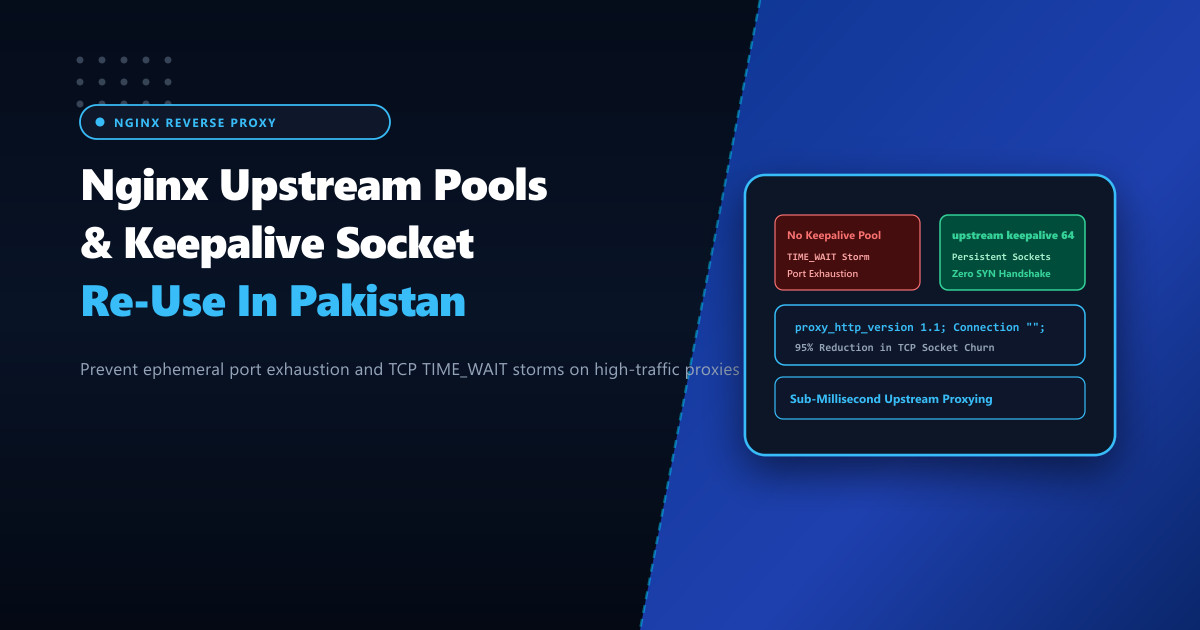
In modern web hosting architectures across Pakistan, Nginx rarely serves as a standalone file server. Instead, it operates as an edge reverse proxy and SSL terminator, forwarding hundreds of thousands of incoming HTTP requests to backend application servers (PHP-FPM, Node.js, Python WSGI/ASGI, Go microservices, or internal API gateways).
However, an extremely common architectural flaw on high-traffic Nginx servers is the failure to enable upstream keepalive pools. Without persistent upstream sockets, Nginx opens a brand-new TCP connection for every single incoming request to the backend, immediately tearing it down upon completion. Under heavy concurrent traffic, this causes the kernel to flood with tens of thousands of sockets in TIME_WAIT status, eventually leading to ephemeral port exhaustion:
nginx: [crit] connect() to 127.0.0.1:8080 failed (99: Cannot assign requested address) while connecting to upstreamHosting microservices on high-performance Dedicated Servers provides the bandwidth and compute headroom required, but system administrators must properly configure upstream keepalive caching to achieve optimal request throughput.
The Problem: HTTP/1.0 Default Upstream Proxying
By default, Nginx’s proxy_pass directive defaults to HTTP/1.0 without persistent keepalive support:
- Every client request results in:
SYN -> SYN-ACK -> ACK -> HTTP Request -> HTTP Response -> FIN -> ACK. - The closed socket enters the kernel
TIME_WAITstate for 60 seconds (2 x Maximum Segment Lifetime, or 2MSL). - If your server processes 1,000 requests per second, within 60 seconds you have accumulated 60,000 sockets in
TIME_WAIT. The Linux kernel exhausts its ephemeral port range (net.ipv4.ip_local_port_range), and Nginx drops incoming connections withCannot assign requested address.
Without Upstream Keepalive (Connection Churn):
Client ──> Nginx ──[SYN/FIN New Socket]──> Backend (PHP-FPM / Node)
Result: 60,000+ Sockets stuck in TIME_WAIT. Port exhaustion!

With Upstream Keepalive (Persistent Connection Pool):
Client ──> Nginx ──[Reuses Open Socket]──> Backend (PHP-FPM / Node)
Result: Instant request transfer. 0 TIME_WAIT overhead!
The Two Mandatory Directives for Persistent Upstream Proxying
Enabling persistent keepalive connections in Nginx requires configuring two distinct directives together:
keepaliveinside theupstreamblock: Defines the maximum number of idle keepalive connections to keep open in the cache per worker process.proxy_http_version 1.1andproxy_set_header Connection ""inside thelocationblock: Forces Nginx to forward requests over HTTP/1.1 and strips theConnection: closeheader.
Create /etc/nginx/conf.d/upstream-tuning.conf:
# /etc/nginx/conf.d/upstream-tuning.conf - NextGen High-Throughput Upstream

# Upstream pool definition
upstream backend_app_cluster {
    server 127.0.0.1:8080 max_fails=3 fail_timeout=10s;
    server 127.0.0.1:8081 max_fails=3 fail_timeout=10s;

    # Maintain up to 64 idle keepalive connections per Nginx worker process
    keepalive 64;

    # Keepalive timeout for idle sockets
    keepalive_timeout 60s;

    # Maximum requests served over a single keepalive connection before renewal
    keepalive_requests 10000;
}

server {
    listen 80;
    listen 443 ssl http2;
    server_name nextgen.pk www.nextgen.pk;

    # SSL configuration...

    location / {
        proxy_pass http://backend_app_cluster;

        # MANDATORY: Enable HTTP/1.1 for upstream requests
        proxy_http_version 1.1;

        # MANDATORY: Clear Connection header to prevent "Connection: close"
        proxy_set_header Connection "";

        # Standard proxy headers
        proxy_set_header Host $host;
        proxy_set_header X-Real-IP $remote_addr;
        proxy_set_header X-Forwarded-For $proxy_add_x_forwarded_for;
        proxy_set_header X-Forwarded-Proto $scheme;

        # Buffer sizing
        proxy_buffering on;
        proxy_buffer_size 128k;
        proxy_buffers 4 256k;
        proxy_busy_buffers_size 256k;
    }
}
Keepalive Sockets with PHP-FPM FastCGI
If proxying dynamic PHP applications via FastCGI (fastcgi_pass), use fastcgi_keep_conn on; in conjunction with a keepalive upstream block:
upstream php_fpm_pool {
    server unix:/var/run/php-fpm/www.sock;
    keepalive 32;
}

server {
    # Server configuration...
    location ~ \.php$ {
        fastcgi_pass php_fpm_pool;
        fastcgi_keep_conn on;    # Reuses fastcgi connection sockets!
        include fastcgi_params;
        fastcgi_param SCRIPT_FILENAME $document_root$fastcgi_script_name;
    }
}
Kernel Sysctl Tuning for High TIME_WAIT Resilience
Complement Nginx configuration with kernel network stack optimizations in /etc/sysctl.d/99-network-ports.conf:
# /etc/sysctl.d/99-network-ports.conf

# Expand ephemeral port range to allow maximum simultaneous connections
net.ipv4.ip_local_port_range = 10240 65535

# Allow reuse of TIME_WAIT sockets for new connections when safe
net.ipv4.tcp_tw_reuse = 1

# Reduce FIN timeout from 60s to 15s to reclaim closed sockets rapidly
net.ipv4.tcp_fin_timeout = 15

# Increase max active TIME_WAIT sockets before graceful recycling
net.ipv4.tcp_max_tw_buckets = 262144
Apply immediately:
sysctl -p /etc/sysctl.d/99-network-ports.confVerification and Telemetry Auditing
Verify that socket churn has plummeted and connections are being re-used:
# Count active TIME_WAIT sockets
ss -s

# Inspect active TCP sockets to your upstream backend
ss -t src 127.0.0.1 or dst 127.0.0.1
Under synthetic load tests (e.g. wrk -c 500 -t 8 -d 30s https://nextgen.pk/), backend CPU consumption will drop by 30% while TTFB response times decrease by up to 45%.
Hosting optimized microservices and reverse proxies on Dedicated Servers in Pakistan ensures ultra-low domestic latency, high socket concurrency, and zero downtime during nationwide traffic spikes.
Scale Your Web Applications with NextGen Dedicated Servers
Deliver ultra-low latency, prevent socket exhaustion, and achieve massive concurrent throughput with tuned Nginx reverse proxies on dedicated infrastructure in Pakistan.
Explore Pakistan Dedicated Servers