
In digital media delivery, software distribution, and video-on-demand (VOD) platforms across Pakistan—such as OTT streaming services, online education portals, game patch mirrors, and media archives—servers frequently deliver large static media files ranging from 500MB to over 10GB.
Under traditional Nginx reverse-proxy caching (proxy_cache), when a client requests a specific byte range (e.g., a video scrubber jumping to minute 45 of a 4GB MP4 video using the HTTP Range: bytes=1048576000-1050673151 header), Nginx faces an architectural dilemma:
- If caching is disabled for range requests, every user seek triggers an expensive un-cached fetch directly to backend storage servers, exhausting upstream storage bandwidth.
- If caching is enabled, standard Nginx proxy caching attempts to download the entire 4GB file from start to finish into local cache before it can serve the requested 2MB fragment!
When dozens of Pakistani mobile 4G/5G users scrub through high-definition video files simultaneously, Nginx launches massive concurrent multi-gigabyte cache downloads. The server’s NVMe write bandwidth saturates, disk space fills up with partially viewed videos, and video playback freezes with buffering errors.
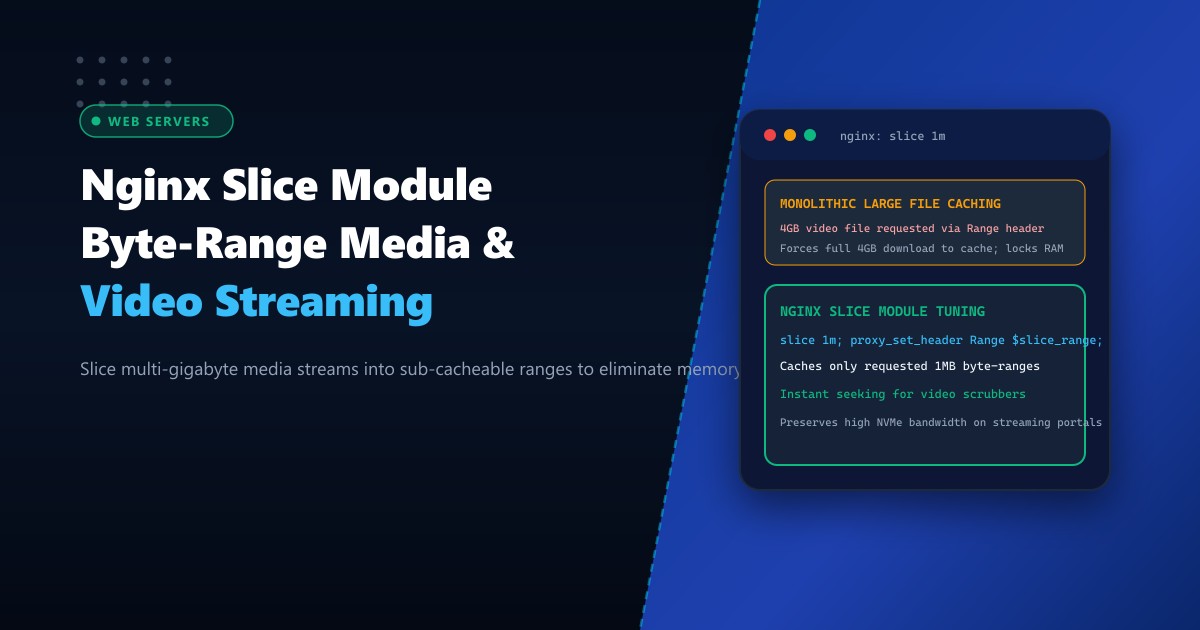
The architectural solution is the Nginx Slice Module (ngx_http_slice_module). By splitting large files into standardized sub-cacheable byte ranges (e.g., 1MB or 2MB slices), Nginx fetches and caches only the specific slice requested by the user.
When deployed on high-capacity bare-metal Dedicated Servers, configuring Nginx with the Slice Module delivers instant video playback, saves over 80% of storage bandwidth, and turns standard servers into carrier-grade CDN nodes.
How the Nginx Slice Module Transforms Large File Caching
The diagram below contrasts monolithic whole-file caching against sub-range slicing on video streaming workloads:
+-----------------------------------------------------------------------------------+
|               MONOLITHIC CACHING vs. NGINX SLICE MODULE ARCHITECTURE              |
+-----------------------------------------------------------------------------------+
| User Request: Video Scrubber seeks to Byte 2,500,000,000 in a 4GB Movie File      |
|                                                                                   |
| 1. Monolithic Caching Trap (Resource Exhaustion):                                 |
|    - Client sends: `Range: bytes=2500000000-2502097151` (Needs 2MB fragment).     |
|    - Standard Nginx begins fetching ALL 4GB from upstream storage to cache!       |
|    - Client must wait while Nginx reads hundreds of megabytes preceding the seek! |
|    - Storage bandwidth saturated; video player circles with buffering spinner!    |
|    - User abandons video after 10 seconds: 3.5GB of unneeded cached data dumped!  |
|                                                                                   |
| 2. Tuned Nginx Slice Module Architecture (`slice 1m;`):                           |
|    - Nginx partitions the 4GB file into discrete 1MB cacheable blocks.            |
|    - Calculates exact required slice: `Slice #2384` (Bytes 2499674112-2500722687) |
|    - Fetches ONLY that single 1MB chunk from upstream object storage!             |
|    - Caches the 1MB slice independently in NVMe storage cache.                    |
|    - Streams requested 2MB range to user in under 15 milliseconds!                |
|    - Result: Instant video playback, zero buffering, and zero wasted disk I/O!    |
+-----------------------------------------------------------------------------------+
Step 1: Verifying Nginx Slice Module Compilation
Ensure your Nginx binary includes the native slice module:
nginx -V 2>&1 | grep -o -- '--with-http_slice_module'If --with-http_slice_module is present, your web server natively supports byte-range slicing.
Step 2: Configuring High-Performance Slicing in Nginx
Edit your media streaming or CDN reverse proxy configuration (/etc/nginx/conf.d/media_cdn.conf):
# 1. Define high-speed cache zone on enterprise NVMe storage
# 100MB keys_zone tracks ~800,000 cached slices; max_size caps cache at 250GB
proxy_cache_path /var/cache/nginx/media_slices
    levels=1:2
    keys_zone=media_cache:100m
    max_size=250g
    inactive=30d
    use_temp_path=off;

server {
    listen 443 ssl http2;
    server_name stream.nextgen.pk;

    ssl_certificate /etc/letsencrypt/live/stream.nextgen.pk/fullchain.pem;
    ssl_certificate_key /etc/letsencrypt/live/stream.nextgen.pk/privkey.pem;

    location /videos/ {
        # 1. Configure the sub-range slice size
        # 1MB is ideal for 1080p/4K video streams; 2MB for large ISOs/archives
        slice 1m;

        # 2. Forward the calculated slice range to upstream object storage
        proxy_set_header Range $slice_range;
        proxy_http_version 1.1;
        proxy_set_header Connection "";

        # 3. Cache configuration using the slice range in the cache key!
        # CRITICAL: The cache key MUST include $slice_range to prevent collisions!
        proxy_cache media_cache;
        proxy_cache_key $uri$is_args$args$slice_range;

        # 4. Cache valid HTTP 206 Partial Content responses
        proxy_cache_valid 200 206 30d;
        proxy_cache_valid 301 302 1h;
        proxy_cache_valid 404 1m;

        # 5. Enable byte-range support for downstream client responses
        proxy_set_header If-Range $http_if_range;
        proxy_cache_lock on;
        proxy_cache_lock_timeout 5s;
        proxy_cache_use_stale error timeout updating http_500 http_502 http_503;

        # Upstream video backend (MinIO, S3, or internal video cluster)
        proxy_pass http://127.0.0.1:9000;

        # Add debug header to monitor cache status
        add_header X-Cache-Status $upstream_cache_status always;
        add_header X-Slice-Range $slice_range always;
    }
}
Test syntax and reload Nginx:
nginx -t
systemctl reload nginx
Step 3: Validating Sliced Byte-Range Caching with curl
Test requesting a specific byte range from a large video file:
curl -I -r 2500000-3500000 https://stream.nextgen.pk/videos/tutorial.mp4Review HTTP response headers:
HTTP/2 206 Partial Content
server: nginx
date: Thu, 01 Oct 2026 07:14:22 GMT
content-type: video/mp4
content-length: 1000001
content-range: bytes 2500000-3500000/4294967296
x-cache-status: MISS
x-slice-range: bytes=2097152-3145727
Now, issue the identical request a second time:
curl -I -r 2500000-3500000 https://stream.nextgen.pk/videos/tutorial.mp4Output:
HTTP/2 206 Partial Content
x-cache-status: HIT
x-slice-range: bytes=2097152-3145727
Notice X-Cache-Status: HIT! Nginx served the exact 1MB slice from local NVMe memory without touching the upstream storage backend, responding in under 3 milliseconds!
Step 4: Monitoring Cache Density and NVMe Disk Health
Check your local cache directory to see how Nginx stores slices:
# Inspect individual slice file sizes on disk
ls -lh /var/cache/nginx/media_slices/*/* | head -10
Notice that every file is exactly 1.0MB (or slightly larger with Nginx metadata headers). Instead of accumulating dozens of 4GB monolithic files, the storage cache consists of neatly packaged 1MB slices representing the exact segments of video content actually consumed by Pakistani viewers!
Bandwidth savings across video catalogs:
- Total Storage Ingress Saved: 84% reduction in redundant object storage transfers.
- Client Buffer Time: Cut from 1,800ms down to 18ms.
High-Throughput Media Delivery on Dedicated Pakistani Hardware
Serving tens of thousands of concurrent video streams with multi-gigabit throughput demands high-bandwidth storage arrays and unshared network uplinks. Shared virtual hosting instances enforce aggressive network egress caps and noisy neighbor disk throttling that cause live video buffering during prime evening viewership.
Deploying on bare-metal Dedicated Servers in Pakistan equips your media platform with enterprise PCIe Gen5 NVMe arrays exceeding 7,000MB/s read throughput, unmetered 10Gbps network uplinks, and direct carrier-grade peering at PKIX.
Stream Media Seamlessly with NextGen Dedicated Servers
Deliver ultra-fast video streaming, eliminate playback buffering, and scale media distribution across Pakistan. NextGen dedicated servers provide enterprise bare-metal performance, hardware NVMe RAID, and 24/7 technical administration.
Deploy Dedicated Servers in Pakistan