
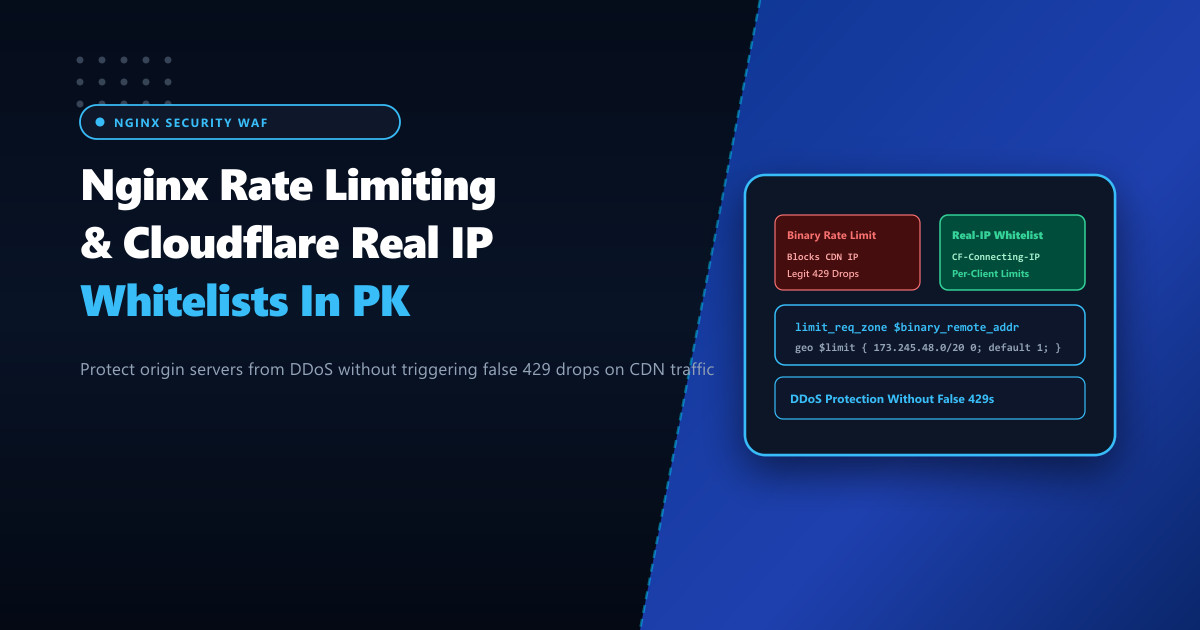
Web applications in Pakistan increasingly deploy Cloudflare or local CDN edge layers to defend against volumetric DDoS attacks and cache static assets. However, an architectural misconfiguration frequently arises when Nginx’s built-in rate-limiting module (ngx_http_limit_req_module) is enabled on the origin server behind a reverse proxy.
If Nginx rate-limits based on the physical socket connection variable ($binary_remote_addr), it tracks the IP address of Cloudflare’s edge edge proxy rather than the actual visitor. When multiple legitimate Pakistani users browse the site through the same Cloudflare data center edge IP, Nginx perceives a massive flood from a single IP address, triggering catastrophic false positives and dropping valid shoppers with HTTP 429 Too Many Requests.
Deploying resilient origin web servers on high-performance Dedicated Servers requires combining the ngx_http_realip_module with conditional rate-limiting mapping to accurately throttle malicious actors while allowing trusted CDNs and corporate subnets to operate without interference.
The Two Critical Challenges of Rate Limiting Behind Proxies
- Proxy IP Collisions: All visitor requests arrive with Cloudflare source IPs (e.g.
173.245.48.0/20or108.162.192.0/18). Rate limiting$binary_remote_addrinadvertently aggregates hundreds of independent visitors into a single quota bucket. - CDN Infrastructure Throttling: Cloudflare health monitors, worker scripts, and cache purge webhooks generate rapid bursts of requests that must never be rate-limited by the origin.
Incorrect Architecture (Rate Limiting Socket IP):
1,000 Real Users ──> Cloudflare Edge IP (173.245.48.5) ──> Origin Nginx
Nginx sees 1,000 req/sec from ONE IP ──> Returns 429 Too Many Requests to all users!

Correct Architecture (Real-IP + Whitelist Mapping):
1,000 Real Users ──> Cloudflare Edge ──[CF-Connecting-IP: Client IP]──> Origin Nginx
Nginx extracts true Client IP ──> Throttles abusive bots individually ──> CDN traffic passes!
Step 1: Restoring Real Visitor IPs from Cloudflare Headers
Configure Nginx to trust Cloudflare’s published IP ranges and extract the real client IP from the CF-Connecting-IP header.
Create /etc/nginx/conf.d/cloudflare-realip.conf:
# /etc/nginx/conf.d/cloudflare-realip.conf - Cloudflare Real-IP Mapping

# Cloudflare IPv4 ranges
set_real_ip_from 173.245.48.0/20;
set_real_ip_from 103.21.244.0/22;
set_real_ip_from 103.22.200.0/22;
set_real_ip_from 103.31.4.0/22;
set_real_ip_from 141.101.64.0/18;
set_real_ip_from 108.162.192.0/18;
set_real_ip_from 190.93.240.0/20;
set_real_ip_from 188.114.96.0/20;
set_real_ip_from 197.234.240.0/22;
set_real_ip_from 198.41.128.0/17;
set_real_ip_from 162.158.0.0/15;
set_real_ip_from 104.16.0.0/13;
set_real_ip_from 104.24.0.0/14;
set_real_ip_from 172.64.0.0/13;
set_real_ip_from 131.0.72.0/22;

# Cloudflare IPv6 ranges
set_real_ip_from 2400:cb00::/32;
set_real_ip_from 2606:4700::/32;
set_real_ip_from 2803:f800::/32;
set_real_ip_from 2405:b500::/32;
set_real_ip_from 2405:8100::/32;
set_real_ip_from 2a06:98c0::/29;
set_real_ip_from 2c0f:f248::/32;

# Extract real visitor IP from Cloudflare's header
real_ip_header CF-Connecting-IP;
real_ip_recursive on;
Step 2: Conditional Rate-Limiting Map (Exempting Whitelisted IPs)
In Nginx, if the rate-limiting key evaluates to an empty string "", the request is not accounted for in the rate limit zone. We can leverage geo and map blocks to whitelist internal administrative IPs, office subnets in Pakistan, and search engine crawlers:
Create /etc/nginx/conf.d/rate-limiting.conf:
# /etc/nginx/conf.d/rate-limiting.conf - Smart Conditional Rate Limiting

# Map real client IPs to whitelist status
geo $rate_limit_whitelist {
    default 1;                           # Normal users: rate-limited
    127.0.0.1 0;                         # Localhost: exempt
    103.151.46.0/24 0;                   # Enterprise office subnet in Pakistan: exempt
    # Trusted internal microservice IPs...
}

# If whitelisted, evaluate to empty string (""); otherwise use binary client IP
map $rate_limit_whitelist $limit_key {
    0 "";
    1 $binary_remote_addr;
}

# Define rate limit zones:
# 1. General page browsing zone: 15 requests per second per IP
limit_req_zone $limit_key zone=general_limit:20m rate=15r/s;

# 2. Sensitive login & checkout zone: 2 requests per second per IP
limit_req_zone $limit_key zone=auth_limit:10m rate=2r/s;

# Custom HTTP status code for throttled requests
limit_req_status 429;
Step 3: Enforcing Rate Limits in Server Blocks
Apply the zones with appropriate burst and nodelay thresholds inside your application server blocks:
server {
    listen 80;
    listen 443 ssl http2;
    server_name nextgen.pk www.nextgen.pk;

    # SSL and basic configuration...

    # General application browsing (burst buffer of 30 requests)
    location / {
        limit_req zone=general_limit burst=30 nodelay;
        proxy_pass http://127.0.0.1:8080;
        include proxy_params;
    }

    # Strict protection on authentication, registration, and payment endpoints
    location ~* /(wp-login\.php|xmlrpc\.php|api/v1/auth/|checkout/) {
        limit_req zone=auth_limit burst=5 nodelay;
        proxy_pass http://127.0.0.1:8080;
        include proxy_params;
    }
}burst=30: Allows visitors to load complex pages containing 30 resources simultaneously without throttling.nodelay: Executes burst requests immediately at line rate while enforcing average request spacing over time.
Verifying and Auditing Rate-Limiting Behavior
Audit Nginx access and error logs to ensure real client IPs are recorded and throttled accurately:
# Monitor rate-limited 429 responses in real time
tail -f /var/log/nginx/error.log | grep "limiting requests"
Look for explicit real visitor attribution:
[error] 14210#0: *84210 limiting requests, excess: 5.120 by zone "auth_limit", client: 39.42.18.94, server: nextgen.pk, request: "POST /wp-login.php HTTP/2.0"Notice that client: 39.42.18.94 reflects the actual PTCL or Nayatel residential IP in Pakistan, not a Cloudflare IP address.
Hosting high-security applications on enterprise Dedicated Servers in Pakistan provides the dedicated computing power and low domestic latency necessary to filter sophisticated layer-7 attacks while ensuring seamless access for legitimate domestic users.
Defend Your Applications with NextGen Dedicated Servers
Protect your online business against DDoS, credential stuffing, and bot traffic with customized Nginx WAF rules, real-IP extraction, and low-latency infrastructure in Pakistan.
Explore High-Performance Dedicated Servers