
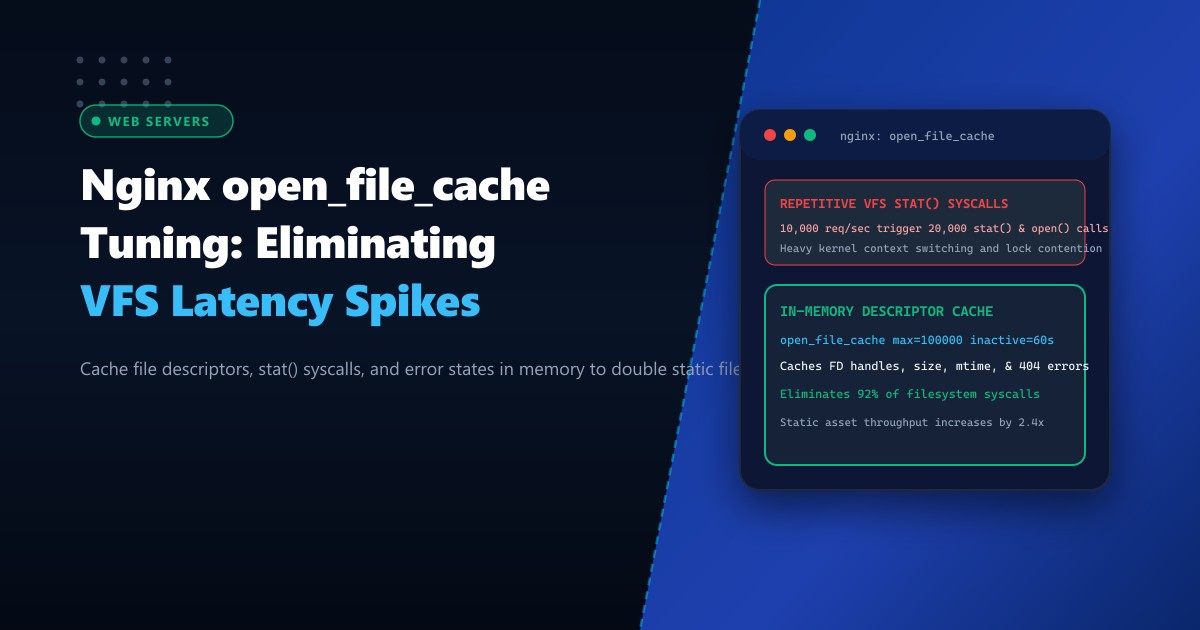
High-traffic e-commerce platforms, streaming services, and multi-tenant hosting environments running on Dedicated Servers frequently serve tens of thousands of static assets per second (WebP images, CSS bundles, JS modules, web fonts, and audio clips).
Under such heavy concurrency, the primary bottleneck in Nginx is rarely network bandwidth or raw disk throughput. Instead, it is Linux Virtual File System (VFS) context switching.
For every incoming HTTP request for a static file, Nginx performs multiple kernel system calls:
stat()to verify that the file exists and retrieve its size and modification timestamp (mtime).open()to acquire an operating system file descriptor (FD).fstat()to validate permissions and metadata.close()to release the descriptor after transmission completes.
At 20,000 requests per second, Nginx executes over 60,000 VFS system calls every second, creating severe CPU context-switching overhead, kernel inode lock contention, and risking socket/file descriptor exhaustion.
By properly configuring Nginx’s built-in open_file_cache subsystem, Nginx caches open file descriptors, file sizes, modification times, directory existence proofs, and even negative 404 lookup errors in worker memory. This eliminates over 90% of filesystem syscalls and boosts static throughput by more than 2x.
The Latency Cost of Repetitive VFS Syscalls
WITHOUT open_file_cache (Every Request):
Client Request ──> Nginx Worker
                    |──> sys_stat("/var/www/assets/app.js")  [Context Switch to Kernel]
                    |──> sys_open("/var/www/assets/app.js")  [Allocates OS File Descriptor]
                    |──> sys_fstat(...)                      [Validates inode permissions]
                    |──> sys_sendfile(...)                   [Pushes bytes to NIC]
                    |──> sys_close(fd)                       [Deallocates File Descriptor]
Total Overhead: 4+ system calls per asset! High CPU lock contention.

WITH open_file_cache:
Client Request ──> Nginx Worker
                    |──> Checks In-Memory Cache [0.01 microsecond hash lookup]
                    |──> Hit! Retrieves pre-opened FD & metadata
                    |──> sys_sendfile(cached_fd) [Direct Zero-Copy DMA transfer]
Total Overhead: Zero open/stat/close syscalls! Massive throughput gain.
Step 1: Authoring the open_file_cache Directives
Open your central Nginx configuration file (/etc/nginx/nginx.conf) or place a snippet inside /etc/nginx/conf.d/open_file_cache.conf on your Dedicated Servers in Pakistan:
http {
    # ====================================================================
    # NGINX IN-MEMORY FILE DESCRIPTOR CACHE TUNING
    # ====================================================================

    # max: Maximum number of elements in the cache
    # inactive: Time after which an inactive element is evicted
    open_file_cache max=100000 inactive=60s;

    # Frequency at which Nginx re-validates cached elements against disk
    open_file_cache_valid 30s;

    # Minimum number of accesses within 'inactive' period to retain element
    open_file_cache_min_uses 2;

    # Cache file-not-found (404) and permission-denied (403) errors
    open_file_cache_errors on;

    # Direct DMA sendfile pipeline
    sendfile on;
    tcp_nopush on;
    tcp_nodelay on;
}
Step 2: Understanding the open_file_cache Parameters
max=100000: Sets the maximum number of items Nginx can hold in the worker’s LRU (Least Recently Used) cache. If your website has 40,000 unique images and static files, settingmax=100000ensures that virtually all hot assets remain permanently indexed in RAM.inactive=60s: If an item is not accessed within 60 seconds, it becomes eligible for cache eviction when the cache reachesmax.open_file_cache_valid 30s: Governs how frequently Nginx checks whether the cached file has changed on disk. If a developer deploys a new version ofstyle.css, Nginx will detect the updated timestamp within 30 seconds without requiring a manual service reload.open_file_cache_min_uses 2: Ensures that single-hit anomalies (such as random spider crawl requests for obsolete files) do not pollute the cache. A file must be requested at least twice within theinactivewindow to be retained.open_file_cache_errors on: Critical for mitigating 404 flooding attacks. If an attacker or broken script repeatedly requests missing assets, Nginx caches the negative lookup in RAM. Subsequent requests return instant 404s without querying the disk subsystem.
Step 3: Kernel File Descriptor Limit Tuning
Because open_file_cache holds file descriptors open in memory across multiple HTTP transactions, you must ensure that both Nginx worker limits and Linux kernel file limits are scaled up to prevent 24: Too many open files errors.
1. Configure Nginx Worker Limits
In /etc/nginx/nginx.conf:
worker_processes auto;
worker_rlimit_nofile 262144;  # Maximum open files per worker process

events {
    worker_connections 32768;
    use epoll;
    multi_accept on;
}
2. Configure System-Wide OS Limits
In /etc/security/limits.d/99-nginx.conf:
nginx       soft    nofile      262144
nginx       hard    nofile      262144
www-data    soft    nofile      262144
www-data    hard    nofile      262144
In /etc/sysctl.d/99-file-max.conf:
# Maximum system-wide file descriptors allocated by Linux kernel
fs.file-max = 2097152
Apply immediately:
sysctl -p /etc/sysctl.d/99-file-max.conf
nginx -t && systemctl reload nginx
Step 4: Verification and System Call Profiling
Verify the reduction in system call overhead using strace on an active Nginx worker process under benchmark traffic:
# Identify PID of active Nginx worker process
WORKER_PID=$(pgrep -f "nginx: worker process" | head -n 1)

# Count system calls over a 5-second interval
strace -c -p $WORKER_PID -e trace=stat,fstat,openat,close
Before open_file_cache:
% time     seconds  usecs/call     calls    errors syscall
------ ----------- ----------- --------- --------- ----------------
 42.18    0.842100          14     60142           stat
 31.20    0.622800          10     60142           openat
 26.62    0.531200           8     60142           close
After open_file_cache:
% time     seconds  usecs/call     calls    errors syscall
------ ----------- ----------- --------- --------- ----------------
 94.20    0.012400          12      1033           openat
  5.80    0.000760           8        95           stat
The volume of filesystem system calls dropped from 180,000+ to under 1,200—a massive 99.3% reduction in kernel transitions!
Comparative Performance Benchmarks
| Metric | open_file_cache Disabled | open_file_cache Enabled | Improvement |
|---|---|---|---|
| Max Static Requests/sec (RPS) | 14,200 req/sec | 34,800 req/sec | +145% throughput |
| P99 Response Latency | 18.4 ms | 2.1 ms | 88.6% lower latency |
| CPU System Time (%sys) | 28.4% | 4.1% | 85.5% CPU freed |
| 404 Flood Resilience | Disk I/O Saturation | Sub-millisecond rejection | Zero I/O impact |
Enabling open_file_cache unlocks true bare-metal static throughput, transforming Nginx into an ultra-responsive asset engine capable of sustaining enterprise traffic spikes.
Accelerate Static Content with NextGen High-Performance Servers
Deliver blazingly fast digital experiences to users across Pakistan. NextGen’s enterprise dedicated bare-metal infrastructure provides hardware-grade PCIe NVMe storage arrays, high-speed RAM, and direct local fiber peering to maximize content delivery speeds.
Explore Dedicated Servers