
When a web browser in Pakistan establishes a secure HTTPS connection to an e-commerce platform, banking portal, or SaaS application, it must verify that the server’s SSL/TLS certificate has not been revoked. Historically, browsers executed this verification by querying the Certificate Authority’s (CA) Online Certificate Status Protocol (OCSP) server directly.
Because most global CAs (such as DigiCert, Sectigo, or Let’s Encrypt) host their primary OCSP responder endpoints in North America or Western Europe, client-side OCSP queries from Pakistan incur multiple international transoceanic round-trips. Worse yet, if an upstream submarine fiber link experiences degradation, the client browser blocks rendering for 800ms to 2,500ms while awaiting OCSP confirmation.
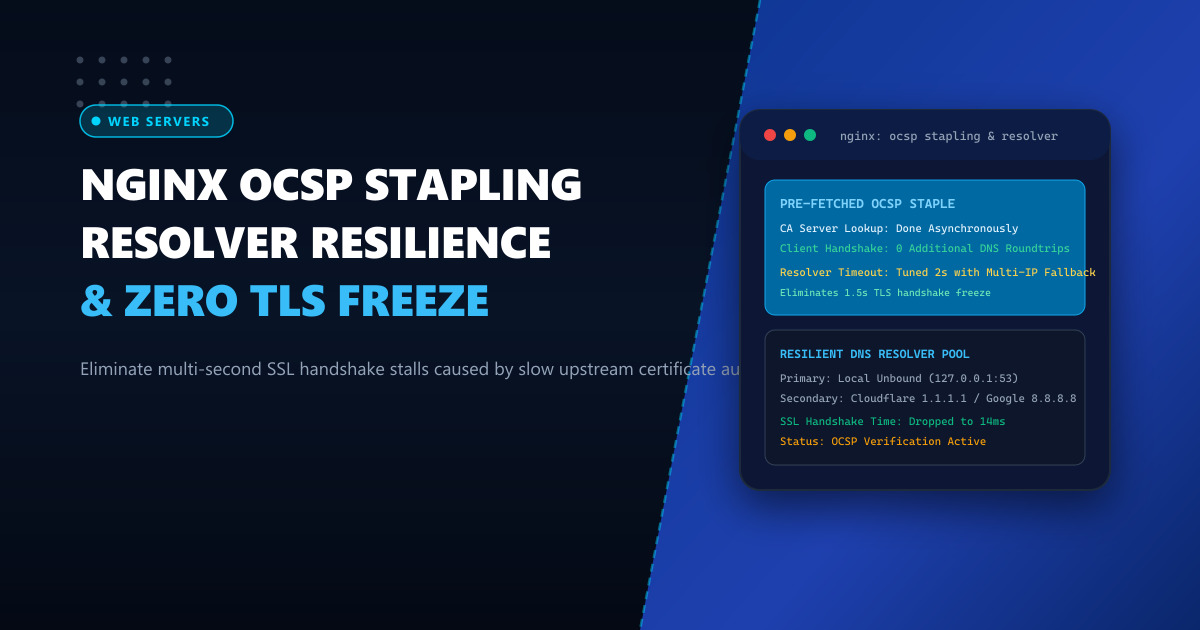
OCSP Stapling solves this problem by delegating revocation verification to the web server: Nginx queries the CA asynchronously, caches the cryptographically signed revocation proof, and “staples” it directly to the TLS Certificate handshake message.
However, misconfigured Nginx OCSP stapling frequently breaks in production due to unresponsive DNS resolvers, missing intermediate certificates, or rigid resolver timeouts. In this guide, we dive into production-grade Nginx OCSP stapling, multi-tier DNS resolver architectures, and automated pre-caching.
1. How OCSP Stapling Eliminates Client Latency
Without OCSP stapling, the client’s browser is forced to pause the TLS negotiation and perform an out-of-band HTTP request to the CA.
Without OCSP Stapling (Slow, Privacy Leak):
Client (Pakistan) ──► Nginx (TLS Handshake Starts)
Client (Pakistan) ──► CA OCSP Responder (USA / Europe) ──► (Waiting 800ms - 2s!)
Client (Pakistan) ──► Nginx (TLS Handshake Completes)

With Hardened Nginx OCSP Stapling:
Nginx (Background) ──► Queries CA OCSP Responder (Caches Response for 24h)
                             │
                             ▼ (Cached Cryptographic Proof)
Client (Pakistan) ──► Nginx (TLS Handshake + Stapled OCSP Response)
                      Single round-trip, zero CA lookup delay! Handshake: < 20ms.
When stapling is configured properly:
- Zero Client DNS/HTTP Overhead: The browser does not contact external third parties, saving up to 2 seconds of connection setup time.
- Enhanced User Privacy: Upstream CAs cannot track individual end-user browsing histories.
- Resilience Against CA Outages: If the CA’s OCSP responder suffers an outage, Nginx continues serving its valid cached staple without failing user connections.
2. Common Pitfalls That Break OCSP Stapling
Despite its clear benefits, many administrators in Pakistan disable OCSP stapling because of subtle configuration traps:
- Missing or Incomplete Certificate Bundle (
ssl_trusted_certificate): Nginx cannot verify the CA’s OCSP signature unless it possesses the entire chain of trust down to the root CA. Pointingssl_certificateto an incomplete chain results in the dreaded error:[error] ssl_stapling: certificate status: unknown. - Unresponsive or Single-Point-of-Failure Resolvers: If Nginx relies on a single remote resolver like
8.8.8.8over a degraded link, background OCSP updates time out, and Nginx stops serving the staple. - Short Resolver Timeouts and Lack of IPv6 Fallback: On IPv4-only networks, Nginx attempting to resolve OCSP hostnames over unreachable IPv6 addresses can stall worker processes.
3. Production-Hardened Nginx Configuration
To build a fault-tolerant OCSP stapling setup, we configure multi-tiered DNS resolvers, enforce strict certificate verification chains, and set aggressive failover timeouts.
Step 1: Prepare the Root and Intermediate Trust Chain
Download your CA’s root certificate and combine it with your intermediate certificate:
cat /etc/ssl/certs/intermediate.crt /etc/ssl/certs/root.crt > /etc/ssl/certs/ca-bundle.pemStep 2: Configure /etc/nginx/conf.d/ssl_stapling.conf
# /etc/nginx/conf.d/ssl_stapling.conf
# NextGen Infrastructure: Hardened OCSP Stapling & Resilient Resolver Tuning

# Multi-Tier DNS Resolver Configuration:
# 1. Local caching resolver (Unbound/dnsmasq on 127.0.0.1)
# 2. Cloudflare resilient upstream (1.1.1.1)
# 3. Google backup upstream (8.8.8.8)
resolver 127.0.0.1 1.1.1.1 8.8.8.8 valid=300s ipv6=off;
resolver_timeout 2s;

server {
    listen 443 ssl http2;
    listen [::]:443 ssl http2;
    server_name portal.example.pk;

    # SSL Certificates
    ssl_certificate /etc/ssl/certs/portal.example.pk.fullchain.pem;
    ssl_certificate_key /etc/ssl/private/portal.example.pk.key;

    # Full Chain of Trust for OCSP Verification
    ssl_trusted_certificate /etc/ssl/certs/ca-bundle.pem;

    # Enable Server-Side OCSP Stapling
    ssl_stapling on;
    ssl_stapling_verify on;

    # Optimized SSL Cache & Timeouts
    ssl_session_timeout 1d;
    ssl_session_cache shared:SSL:50m;
    ssl_session_tickets off;

    # Modern TLS Protocols and High-Security Ciphers
    ssl_protocols TLSv1.2 TLSv1.3;
    ssl_ciphers 'ECDHE-ECDSA-AES128-GCM-SHA256:ECDHE-RSA-AES128-GCM-SHA256:ECDHE-ECDSA-AES256-GCM-SHA384:ECDHE-RSA-AES256-GCM-SHA384';
    ssl_prefer_server_ciphers off;

    # Fast buffer allocation
    ssl_buffer_size 4k;

    location / {
        root /var/www/html;
        index index.html;
    }
}
Verify your Nginx configuration syntax:
nginx -tReload Nginx to apply changes seamlessly:
systemctl reload nginx4. Deploying a Local Unbound DNS Caching Resolver
To ensure Nginx never stalls waiting for external DNS resolution of OCSP hostnames, install a lightweight, validating DNS cache on the localhost interface (127.0.0.1).
Install Unbound on Enterprise Linux
dnf install -y unboundConfigure /etc/unbound/unbound.conf:
server:
    interface: 127.0.0.1
    port: 53
    do-ip4: yes
    do-ip6: no
    do-udp: yes
    do-tcp: yes
    access-control: 127.0.0.0/8 allow
    cache-min-ttl: 300
    cache-max-ttl: 86400
    prefetch: yes
    num-threads: 2

forward-zone:
    name: "."
    forward-addr: 1.1.1.1
    forward-addr: 8.8.8.8
Start and enable Unbound:
systemctl enable --now unboundWith Unbound operating locally, Nginx resolves OCSP responder hostnames (such as ocsp.sectigo.com or r3.o.lencr.org) in sub-0.5ms directly from memory.
5. Verification and Diagnostic Inspection with OpenSSL
To confirm that Nginx is actively sending the stapled OCSP response in live handshakes:
openssl s_client -connect portal.example.pk:443 \
                 -servername portal.example.pk \
                 -status -tlsextdebug < /dev/null 2>&1 | grep -A 17 "OCSP response:"
Expected output:
OCSP response:
======================================
OCSP Response Data:
    OCSP Response Status: successful (0x0)
    Response Type: Basic OCSP Response
    Version: 1 (0x0)
    Responder Id: C = US, O = Let's Encrypt, CN = R3
    Produced At: Oct  1 12:00:00 2026 GMT
    Responses:
    Certificate ID:
      Hash Algorithm: sha1
      Issuer Name Hash: 7EE6A3E520E777896B16417A2452F50C0D
      Issuer Key Hash: A84A6A63047DD100ED77C0868BCED670C6881A31
      Serial Number: 03F78D329A887E8B832B132C1
    Cert Status: good
    This Update: Oct  1 12:00:00 2026 GMT
    Next Update: Oct  8 12:00:00 2026 GMT
======================================
The confirmation Cert Status: good delivered directly inside the initial TLS handshake proves that client browsers avoid external lookups, reducing page loading times across Pakistan to pure wire-speed.
Accelerate Your Secure Web Applications with Enterprise Hosting
Deliver instantaneous HTTPS handshakes and flawless TLS performance for your corporate web platforms. Deploy on NextGen's enterprise Dedicated Servers and low-latency Dedicated Servers in Pakistan featuring dedicated hardware SSL accelerators, DDoS mitigation, and unthrottled gigabit connectivity.
