
Modern web applications and REST APIs in Pakistan—such as digital banking backends, courier dispatch trackers, and e-commerce payment checkouts—frequently experience unpredictable traffic surges. These spikes stem not only from legitimate customer volume during flash sales, but also from poorly engineered mobile apps that poll APIs every 500 milliseconds, aggressive scraping bots crawling inventory, and distributed brute-force credential stuffing attacks.
Without proactive traffic shaping, sudden request bursts overwhelm upstream application servers (PHP-FPM, Node.js, Python ASGI, or Go microservices), leading to thread starvation, memory exhaustion, and cascading HTTP 502/504 gateway failures across the entire system.
Standard Nginx rate limiting configurations frequently use rigid, binary rules (e.g. limit_req zone=one burst=5 nodelay;), which abruptly reject legitimate Pakistani mobile users experiencing microsecond network latency fluctuations. By deploying high-throughput Dedicated Servers and implementing two-stage rate limiting with the delay parameter, custom limit_req_status 429, and RFC 6585-compliant Retry-After headers, engineers can maintain rock-solid API availability without dropping genuine users.
The Architecture: Binary Rejection vs. Leaky Bucket Burst Smoothing
Nginx implements rate limiting using the Leaky Bucket algorithm. To provide a seamless user experience while protecting upstream application workers, understand the progression of rate limiting configurations:
- Strict Rate Limiting (
rate=10r/swithout burst):- Requests arriving closer together than 100 milliseconds are immediately dropped with an error. If a browser requests an HTML page that triggers 6 simultaneous resource fetches, 5 of them fail instantly!
- Standard Burst with
nodelay(burst=10 nodelay):- Accommodates initial bursts instantly up to 10 requests, but any 11th request arriving before the bucket drains is ruthlessly dropped with HTTP 503.
- Optimized Two-Stage Smoothing (
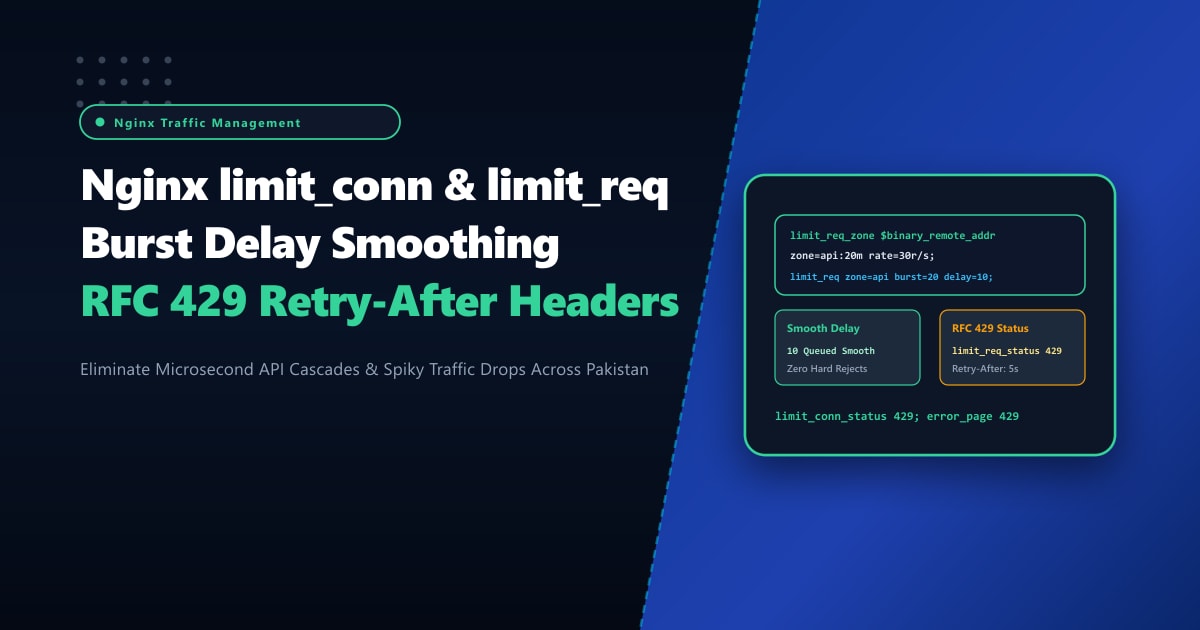
burst=20 delay=10):- Requests 1 through 10 are processed with zero delay.
- Requests 11 through 20 are smoothed and queued with artificial microsecond delays to pace execution smoothly against upstream PHP/Node pools.
- Requests exceeding 20 are gracefully throttled with HTTP 429 Too Many Requests accompanied by a dynamic
Retry-After: 5header!
Incoming Request Stream (Surge of 25 Requests)
                      │
                      ▼
┌─────────────────────────────────────────────────────────────┐
│ Nginx Leaky Bucket Filter (burst=20 delay=10):              │
├─────────────────────────────────────────────────────────────┤
│ 1-10 requests:   FORWARDED IMMEDIATELY (0 delay)            │
│ 11-20 requests:  SMOOTHED & PACED (Artificial delay queue)  │
│ 21+ requests:    THROTTLED: HTTP 429 + Retry-After: 5       │
└─────────────────────────────────────────────────────────────┘
                      │
        ┌─────────────┴─────────────┐
        ▼                           ▼
[ Immediate Execution ]     [ Upstream Protected ]
(Zero UX Friction)          (No Thread Starvation)
Step 1: Configuring Memory Zones in /etc/nginx/nginx.conf
In the http block of /etc/nginx/nginx.conf, define high-efficiency shared memory zones using $binary_remote_addr (which consumes only 4 bytes per IPv4 address instead of 7-15 bytes for string representations):
# /etc/nginx/nginx.conf
http {
    include       mime.types;
    default_type  application/octet-stream;

    # Shared Memory Zone for Request Rate Limiting:
    # 20MB zone holds state for ~320,000 unique client IP addresses
    limit_req_zone $binary_remote_addr zone=api_rate_limit:20m rate=20r/s;

    # Shared Memory Zone for Simultaneous Concurrent TCP Connections:
    limit_conn_zone $binary_remote_addr zone=conn_limit:10m;

    # Change default HTTP 503 Service Unavailable to modern RFC standard HTTP 429
    limit_req_status 429;
    limit_conn_status 429;

    # Tune log level to reduce disk I/O spam during high-volume attacks
    limit_req_log_level warn;
    limit_conn_log_level warn;

    include /etc/nginx/conf.d/*.conf;
}
Step 2: Applying Two-Stage Smoothing and RFC 429 Response Headers
In your server block configuration (e.g. /etc/nginx/conf.d/api.conf), attach the rate limits to sensitive routes and configure an informative JSON error response for mobile apps and client integrations:
# /etc/nginx/conf.d/api.conf
server {
    listen 443 ssl http2;
    server_name api.yourdomain.pk;

    ssl_certificate /etc/letsencrypt/live/api.yourdomain.pk/fullchain.pem;
    ssl_certificate_key /etc/letsencrypt/live/api.yourdomain.pk/privkey.pem;

    # Global connection limit per client IP (Max 15 concurrent TCP connections)
    limit_conn conn_limit 15;

    # Handle HTTP 429 with custom headers and structured JSON
    error_page 429 = @rate_limit_handler;

    location @rate_limit_handler {
        default_type application/json;
        add_header Retry-After 5 always;
        add_header X-RateLimit-Limit 20 always;
        add_header X-RateLimit-Remaining 0 always;
        return 429 '{"error": true, "code": 429, "message": "Too Many Requests. Please back off and retry after 5 seconds.", "retry_after": 5}';
    }

    # Public API Endpoints: Smooth burst up to 25, delay after 10
    location /v1/checkout/ {
        limit_req zone=api_rate_limit burst=25 delay=10;

        proxy_pass http://127.0.0.1:3000;
        proxy_http_version 1.1;
        proxy_set_header Connection "";
        proxy_set_header Host $host;
        proxy_set_header X-Real-IP $remote_addr;
        proxy_set_header X-Forwarded-For $proxy_add_x_forwarded_for;
        proxy_set_header X-Forwarded-Proto $scheme;
    }

    # Ultra-Strict Protection for Sensitive Authentication & OTP Routes
    location /v1/auth/login {
        # Limit to 3 requests per second with strict burst ceiling
        limit_req zone=api_rate_limit burst=5 nodelay;

        proxy_pass http://127.0.0.1:3000;
        proxy_set_header Host $host;
        proxy_set_header X-Real-IP $remote_addr;
    }
}
Step 3: Whitelisting Internal Services, Webhooks & Trusted IPs
Do not let rate limiting inadvertently block local microservices, payment gateway webhooks (e.g. JazzCash, EasyPaisa, PayFast), or monitoring nodes. Utilize Nginx’s geo and map directives to bypass the rate limit zone:
# /etc/nginx/conf.d/rate_whitelist.conf
geo $rate_limit_whitelist {
    default        0;
    127.0.0.1/32   1;   # Localhost
    10.0.0.0/8     1;   # Internal VPC subnet
    172.16.0.0/12  1;   # Internal Docker/K8s network
    203.135.63.0/24 1;  # Trusted Payment Gateway IP Range
}

map $rate_limit_whitelist $rate_limit_key {
    0 $binary_remote_addr; # Enforce rate limit for general public
    1 "";                  # Empty string bypasses the limit_req_zone entirely!
}
Then update your zone declaration:
limit_req_zone $rate_limit_key zone=api_rate_limit:20m rate=20r/s;Step 4: Stress-Testing Rate Limits & Validating Response Headers
Verify that bursts are queued and smoothed without errors, and that throttled requests return clean HTTP 429 responses with Retry-After: 5:
# Test 50 requests in rapid succession using curl or apachebench
ab -n 50 -c 10 https://api.yourdomain.pk/v1/checkout/
Check the HTTP headers returned during rate limit enforcement:
curl -i https://api.yourdomain.pk/v1/auth/loginSample output:
HTTP/2 429
date: Wed, 30 Sep 2026 14:35:10 GMT
content-type: application/json
retry-after: 5
x-ratelimit-limit: 20
x-ratelimit-remaining: 0

{"error": true, "code": 429, "message": "Too Many Requests. Please back off and retry after 5 seconds.", "retry_after": 5}
Mobile apps and client API integrations receive clean, machine-readable JSON instructions on exactly when to retry rather than crashing on ugly HTML error pages.
Enterprise Edge Infrastructure for High-Throughput Pakistani Platforms
High-frequency API gateways processing tens of thousands of requests per second require consistent CPU cycle availability and non-blocking epoll event loops. In noisy-neighbor shared cloud hosting, sudden CPU latency spikes cause request queues to back up artificially, triggering false rate limit violations for legitimate customers.
Deploying on bare-metal Dedicated Servers in Pakistan ensures dedicated physical hardware cores, dedicated memory busses, and sub-10ms nationwide edge routing via local PKIX peering nodes.
Scale Your API Gateways with NextGen Dedicated Servers
Protect your critical backends against abusive bots, DDoS surges, and runaway polling while keeping legitimate customer traffic flowing smoothly. NextGen bare-metal infrastructure provides unmetered bandwidth, local data residency, and enterprise SLA reliability.
Deploy Dedicated Servers in Pakistan