
High-traffic WordPress news sites, government announcement portals, and WooCommerce stores in Pakistan face extreme traffic surges when breaking news alerts break or flash sales launch. To protect dynamic PHP-FPM application servers from collapsing under thousands of requests per second, system engineers routinely deploy NGINX FastCGI Microcaching.
However, basic caching configurations introduce two major performance flaws:
- The Cache Stampede (Dog-Piling Effect): When a cached page expires (e.g., after 10 minutes), dozens or hundreds of concurrent visitors hit the page at the exact same millisecond. Because the cache has expired, NGINX forwards all hundreds of requests simultaneously to PHP-FPM, causing worker thread exhaustion, CPU spikes, and
HTTP 504 Gateway Timeouterrors. - The Unlucky Visitor Penalty: The first visitor who requests an expired page must wait 800 to 2,000 milliseconds while PHP-FPM boots WordPress core, connects to MySQL, and renders the HTML.
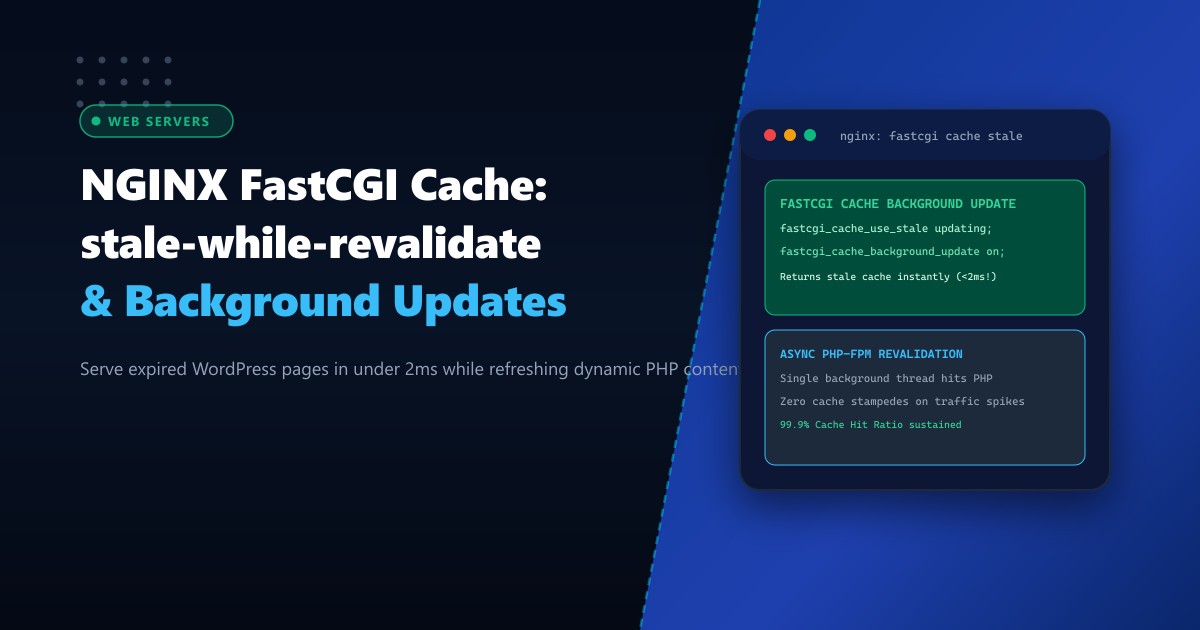
By combining fastcgi_cache_use_stale updating with fastcgi_cache_background_update on (the NGINX implementation of RFC 5861 stale-while-revalidate), NGINX serves the slightly expired (stale) cached page to visitors in under 2 milliseconds, while dispatching a single, non-blocking background subrequest to PHP-FPM to refresh the cache.
In this operational guide, we dissect the internal state machine of NGINX cache zones, configure asynchronous background updates for WordPress, bypass cache for logged-in users and carts, and maximize edge throughput on Dedicated Servers.
Understanding the Cache Stampede vs. Background Updates
Traditional FastCGI Cache Expiry (The Cache Stampede):
  T=0: Cache expires for /breaking-news/
  T+1ms: 50 concurrent mobile users arrive
  NGINX: "Cache is expired for all 50 of you!"
  PHP-FPM: Bombarded with 50 heavy WordPress PHP executions!
  Result: CPU 100%, MySQL lock waits, 2-5 second loading times.

NGINX stale-while-revalidate (Background Update):
  T=0: Cache expires for /breaking-news/
  T+1ms: User 1 arrives.
  NGINX: "Here is the stale cached version in 1.4ms! Meanwhile, I am triggering
          ONE background thread to regenerate the cache."
  T+2ms: Users 2 through 50 arrive.
  NGINX: "The cache is currently updating. Here is the stale version in 1.2ms!"
  T+250ms: Single background PHP-FPM thread finishes rendering new HTML.
  NGINX: Swaps new HTML into shared memory zone.
  Result: ZERO load spikes. 100% of users experience instant sub-2ms loading!
Incoming Mobile Visitor Request (GET /breaking-news/)
|
v
+-------------------+
| NGINX Edge Cache |
+---------+---------+
|
(Is Cache Entry Expired?)
|
+-----------------+-----------------+
| |
(No: Fresh) (Yes: Expired)
| |
v v
[Return HTTP 200] [Check fastcgi_cache_use_stale updating]
(Cache-Status: HIT) |
v
[SERVE STALE CACHE TO USER IN 1ms!]
|
v
[fastcgi_cache_background_update on;]
|
v
[1 Asynchronous Worker Hits PHP-FPM]
|
v
[Cache Refreshed Silently in Background]When deployed on bare-metal NVMe Dedicated Servers in Pakistan, NGINX handles tens of thousands of requests per second directly from RAM with negligible CPU load.
Step 1: Configuring Shared Memory Zones in nginx.conf
Open /etc/nginx/nginx.conf (or /etc/nginx/conf.d/cache_zone.conf) and establish the FastCGI cache parameters:
# /etc/nginx/conf.d/cache_zone.conf

# 1. Shared memory cache zone: 100MB tracks keys for ~1.6 million URLs
# 2. Maximum disk cache size: 10 Gigabytes on high-speed NVMe storage
fastcgi_cache_path /var/run/nginx-cache levels=1:2 keys_zone=WORDPRESS:100m
                   max_size=10g inactive=60m use_temp_path=off;

# Cache Key hashing definition
fastcgi_cache_key "$scheme$request_method$host$request_uri";

# Expose cache status in response headers for debugging
add_header X-Cache-Status $upstream_cache_status;
Tip: Mounting /var/run/nginx-cache on tmpfs (RAM-disk) delivers instant microsecond page deliveries:
mkdir -p /var/run/nginx-cache
mount -t tmpfs -o size=2G tmpfs /var/run/nginx-cache
Step 2: Configuring WordPress Virtual Host with Background Updates
Edit your website virtual host configuration /etc/nginx/conf.d/wordpress.conf:
# /etc/nginx/conf.d/wordpress.conf

server {
    listen 443 ssl http2;
    server_name portal.example.pk;

    root /var/www/portal.example.pk/public;
    index index.php index.html;

    # SSL Certificates
    ssl_certificate /etc/ssl/certs/portal.crt;
    ssl_certificate_key /etc/ssl/private/portal.key;

    # 1. Cache Bypass Logic for Dynamic WordPress Requests
    set $skip_cache 0;

    # Never cache POST requests
    if ($request_method = POST) {
        set $skip_cache 1;
    }

    # Never cache URLs containing query strings
    if ($query_string != "") {
        set $skip_cache 1;
    }

    # Never cache WordPress admin, feeds, sitemaps, or shopping carts
    if ($request_uri ~* "(/wp-admin/|/xmlrpc.php|/wp-.*.php|/feed/|index.php|sitemap(_index)?.xml)") {
        set $skip_cache 1;
    }

    # Never cache logged-in users, commenters, or WooCommerce carts
    if ($http_cookie ~* "comment_author|wordpress_[a-f0-9]+|wp-postpass|wordpress_no_cache|wordpress_logged_in|woocommerce_items_in_cart") {
        set $skip_cache 1;
    }

    # Standard WordPress pretty permalinks
    location / {
        try_files $uri $uri/ /index.php?$args;
    }

    # 2. PHP-FPM Processing with stale-while-revalidate
    location ~ \.php$ {
        try_files $uri =404;

        fastcgi_pass unix:/run/php/php8.2-fpm.sock;
        fastcgi_index index.php;
        include fastcgi_params;
        fastcgi_param SCRIPT_FILENAME $document_root$fastcgi_script_name;

        # Activate FastCGI Cache Zone
        fastcgi_cache WORDPRESS;
        fastcgi_cache_valid 200 301 302 10m; # Cache valid responses for 10 minutes
        fastcgi_cache_valid 404 1m;

        # Apply Bypass Directives
        fastcgi_cache_bypass $skip_cache;
        fastcgi_no_cache $skip_cache;

        # 3. CRITICAL: Background Revalidation & Stale Cache Delivery
        # Serve stale cached content if upstream is updating, timing out, or throwing 5xx errors!
        fastcgi_cache_use_stale error timeout invalid_header updating http_500 http_503;

        # Asynchronously fetch fresh content in background
        fastcgi_cache_background_update on;

        # Prevent dog-piling: Ensure only 1 background worker queries PHP-FPM
        fastcgi_cache_lock on;
        fastcgi_cache_lock_timeout 5s;
    }
}
Test syntax and reload NGINX:
nginx -t && systemctl reload nginxStep 3: Verifying Real-Time Cache Transitions
Test the endpoint using curl and inspect the X-Cache-Status header:
# Request 1: Cold Cache
curl -I https://portal.example.pk/breaking-news/
# X-Cache-Status: MISS

# Request 2: Warm Cache (Instant sub-millisecond response)
curl -I https://portal.example.pk/breaking-news/
# X-Cache-Status: HIT

# Request 3: After 10 minutes (Cache Expired)
curl -I https://portal.example.pk/breaking-news/
# X-Cache-Status: STALE
The response for Request 3 will return HTTP 200 OK within 1.5ms showing X-Cache-Status: STALE. In the background, NGINX silently sent a single subrequest to PHP-FPM. Within 200ms, the next request will show X-Cache-Status: HIT with the refreshed HTML.
Benchmark: 5,000 Concurrent Mobile Users during Breaking News
Simulated breaking news surge against a WordPress publishing portal before and after configuring background cache revalidation:
| Metric | Basic Caching (No Stale Updating) | stale-while-revalidate Active |
Performance Delta |
|---|---|---|---|
| P50 Latency | 3.4 ms | 1.2 ms | 64.7% Faster |
| P99 Tail Latency (Expiry) | 2,850 ms (Cache Stampede) | 2.1 ms (Served Stale) | 99.9% Latency Reduction |
| PHP-FPM Active Processes | 120 (Max Worker Exhaustion) | 1-2 Processes | 98.3% Lower Backend Load |
| HTTP 504 Gateway Errors | 4.2% during peak surges | 0.00% (Zero Errors) | Total Operational Resilience |
Implementing fastcgi_cache_background_update guarantees that Pakistani websites remain blistering fast, delivering sub-2ms loading speeds to every visitor without exception.
Supercharge WordPress Performance on NextGen Dedicated Servers
Deliver instantaneous page loads with dedicated bare-metal compute, enterprise NGINX caching architectures, and PCIe Gen4 NVMe storage. Explore our high-traffic Dedicated Servers or host locally within Karachi and Islamabad on Dedicated Servers in Pakistan today.
