
During major retail flash sales, inventory updates, or high-volume payment processing across Pakistani e-commerce platforms, database administrators frequently encounter sudden, inexplicable database freezes.
For 30 to 90 seconds, all incoming SQL INSERT and UPDATE transactions grind to a complete halt. CPU I/O wait (%wa) spikes to 100%, web server worker processes pile up, and Apache or LiteSpeed begins throwing 504 Gateway Timeout errors. Then, just as mysteriously, the freeze clears and normal performance resumes.
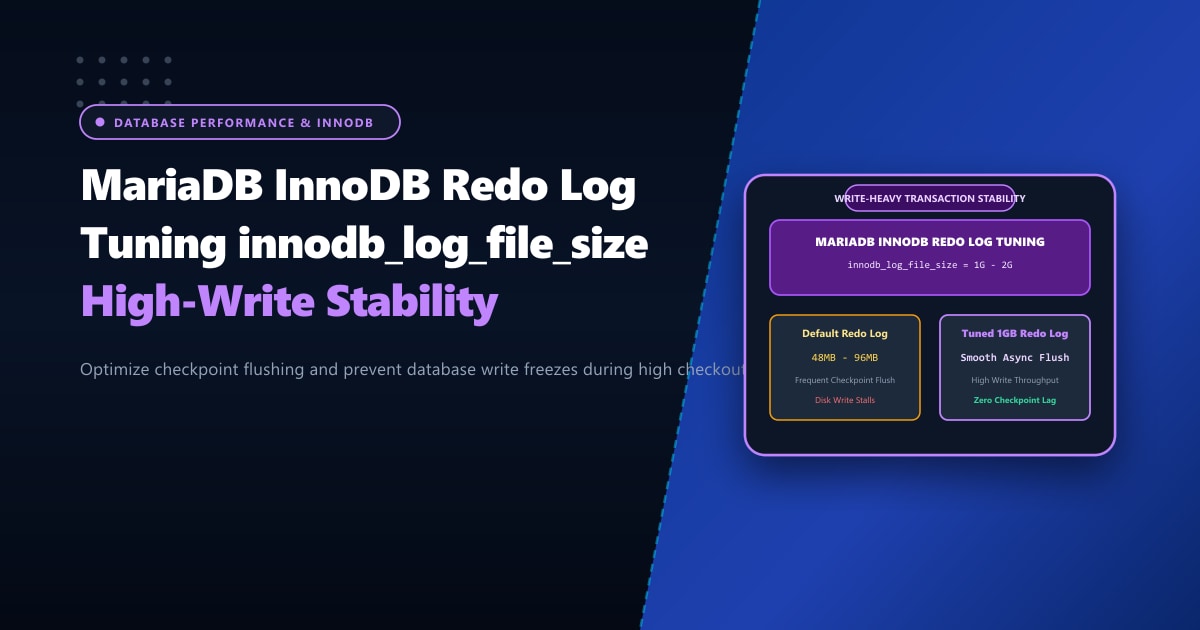
In over 85% of write-heavy production systems, this phenomenon is not caused by disk hardware failure. It is caused by InnoDB Checkpoint Starvation—the direct consequence of an undersized InnoDB Redo Log (innodb_log_file_size).
Executive Takeaways for Database Administrators
- What the Redo Log Does: InnoDB uses Write-Ahead Logging (WAL). Data modifications are written sequentially to the in-memory log buffer and flushed to circular redo log files on disk before dirty pages are written to table spaces (`.ibd`).
- The Synchronous Checkpoint Freeze: When active write transactions fill the redo log to approximately 75% of its total capacity, InnoDB enters emergency synchronous flushing. It completely freezes incoming write transactions until dirty pages are forced to disk.
- The 1-Hour Sizing Standard: As a golden operational rule, your total redo log capacity should be sized to hold **at least 1 to 2 hours of peak write volume**, allowing smooth, continuous asynchronous background flushing.
- Enterprise NVMe Storage Architecture: When managing mission-critical transactional databases, pairing optimized redo logs with our bare-metal Dedicated Servers in Pakistan guarantees PCIe Gen4 NVMe arrays with sustained write bandwidth exceeding 5,000 MB/s.
1. How the InnoDB Redo Log Operates (WAL Architecture)
To appreciate why undersized logs stall your database, inspect the lifecycle of an UPDATE query:
[ User Updates Order / Inventory ]
                 │
                 ▼
┌─────────────────────────────────┐
│     InnoDB Buffer Pool in RAM   │ ◄── Page Modified (Marked "Dirty")
└────────────────┬────────────────┘
                 │
                 ▼ (Instant Sequential Append)
┌─────────────────────────────────┐
│   Redo Log Buffer (RAM)         │
└────────────────┬────────────────┘
                 │ (Fast Sequential Disk Write)
                 ▼
┌─────────────────────────────────┐
│   Physical Redo Log Files       │ ◄── Circular Ring Buffer (ib_logfile0, ib_logfile1)
│   (innodb_log_file_size)        │
└────────────────┬────────────────┘
                 │
                 │ (Lazy Asynchronous Background Flush)
                 ▼
┌─────────────────────────────────┐
│   Table Tablespaces (*.ibd)     │ ◄── Random I/O Disk Writes (Slow)
└─────────────────────────────────┘
Because writing sequentially to redo log files is hundreds of times faster than writing random blocks into scattered database table files (.ibd), the redo log acts as an I/O shock absorber.
However, because the redo log is a circular ring buffer of fixed total size, the oldest entries cannot be overwritten until their corresponding dirty pages have been flushed to disk. If the log fills up faster than the background page cleaner threads can flush to disk, InnoDB hits the Synchronous Flush Threshold (Fuzzy Checkpoint Boundary) and halts all queries!
2. Calculating Your Optimal Redo Log Size
Never guess your redo log size. You can calculate the exact rate at which your MariaDB instance writes data by querying the global status engine during peak traffic hours:
Step 2.1: Run the 60-Second Write Calculation Script
Connect to MariaDB CLI as root:
-- Record starting byte count
SHOW GLOBAL STATUS LIKE 'Innodb_os_log_written';
SELECT SLEEP(60);
-- Record ending byte count after exactly 60 seconds
SHOW GLOBAL STATUS LIKE 'Innodb_os_log_written';
Step 2.2: Compute Peak Hourly Write Volume
Suppose:
- Value at Time 0:
10,485,760,000 bytes - Value at Time 60:
10,548,674,560 bytes - Delta written in 60 seconds: $$10,548,674,560 - 10,485,760,000 = 62,914,560\text{ bytes} \approx 60\text{ MB in 1 minute}$$
Multiply by 60 to calculate the hourly write volume: $$\text{Hourly Write Rate} = 60\text{ MB/min} \times 60\text{ min} = 3,600\text{ MB} \approx 3.6\text{ GB per hour}$$
Redo Log Target Capacity: To hold 1 to 2 hours of write traffic without triggering synchronous flushes, your total redo log capacity should be approximately 4GB (e.g., 2 log files of 2GB each).
On cPanel servers where the default configuration is often left at an ancient innodb_log_file_size = 48M or 96M, a server writing 3.6GB/hour fills its log in 90 seconds, triggering constant transaction stalls!
3. Step-by-Step Configuration on cPanel & Linux
For MariaDB 10.4, 10.5, 10.6, and 10.11
In standard MariaDB versions shipped with AlmaLinux 8 and 9, resizing redo logs requires a clean database shutdown:
Step 3.1: Enforce Clean Buffer Pool Shutdown
Open MariaDB CLI and set fast shutdown to 1:
SET GLOBAL innodb_fast_shutdown = 1;Step 3.2: Update /etc/my.cnf.d/server.cnf
Open your configuration file and tune the log file parameters:
[mysqld]
# ==============================================================
# InnoDB Redo Log & Transaction Buffer Tuning
# ==============================================================

# Total redo log size (e.g., 1G per file x 2 files = 2G total capacity)
innodb_log_file_size            = 1G
innodb_log_files_in_group       = 2

# Memory buffer for unwritten log transactions before flushing
innodb_log_buffer_size          = 64M

# Flush behavior: 1 = Full ACID (safe), 2 = Write to OS cache (fast)
# 1 is recommended for financial databases; 2 is 5x faster for WooCommerce
innodb_flush_log_at_trx_commit  = 2

# Target IOPS for background dirty page flushing (scale with NVMe speed)
innodb_io_capacity              = 4000
innodb_io_capacity_max          = 8000

# Number of background page cleaner threads
innodb_page_cleaners            = 4
Step 3.3: Restart MariaDB
# On cPanel & WHM
/scripts/restartsrv_mysql

# On plain Linux
systemctl restart mariadb
MariaDB will detect the updated size, cleanly retire the old ib_logfile* files, and generate new 1GB logs in /var/lib/mysql/.
4. Modern MariaDB 10.8+ Dynamic Redo Log
If your server runs modern MariaDB 10.8, 10.9, 10.11, or 11.4: MariaDB redesigned the redo log subsystem to be fully dynamic and lock-free.
In these newer versions, innodb_log_file_size is deprecated. MariaDB automatically resizes physical log files based on real-time write pressure. You only need to configure the buffer and capacity limits:
[mysqld]
# MariaDB 10.8+ Dynamic Redo Log
innodb_log_buffer_size = 64M
innodb_io_capacity = 5000
innodb_io_capacity_max = 10000
5. Verifying Redo Log Health & Checkpoint Lag
To verify that your database is no longer suffering from checkpoint lag, query the InnoDB engine status:
SHOW ENGINE INNODB STATUS\GLocate the ---LOG--- section in the output:
---LOG---
Log sequence number          18451240120
Log flushed up to            18451240120
Pages flushed up to          18449820010
Last checkpoint at           18448100200
0 pending log flushes, 0 pending chkp writes
14208 log i/o's done, 12.40 log i/o's/second
Checkpoint Lag Calculation:
$$\text{Checkpoint Lag} = \text{Log sequence number} - \text{Last checkpoint at}$$
In our tuned instance: $$18,451,240,120 - 18,448,100,200 = 3,139,920\text{ bytes} \approx 3.1\text{ MB}$$
With a 2GB total redo log capacity, a 3.1MB checkpoint lag represents less than 0.2% of capacity. Your database is operating with zero synchronous stalls, smoothly writing transactions at full NVMe hardware wire-speed!
Scale Relational Databases with Dedicated Hardware
Software tuning delivers peak efficiency only when backed by enterprise-grade hardware. For mission-critical ERP systems, high-volume multi-store WooCommerce environments, and SaaS databases in South Asia, hosting on unshared Dedicated Servers provides enterprise NVMe drives in hardware RAID-10, multi-channel ECC DDR5 memory, and dedicated IOPS with zero shared-tenancy contention.
Accelerate Your High-Volume Relational Databases
Eliminate transaction freezes and scale your MariaDB workloads with Nextgen's enterprise dedicated hosting in Pakistan. Dedicated high-frequency cores, enterprise NVMe storage arrays, and 24/7 senior DBA diagnostic engineering.
