
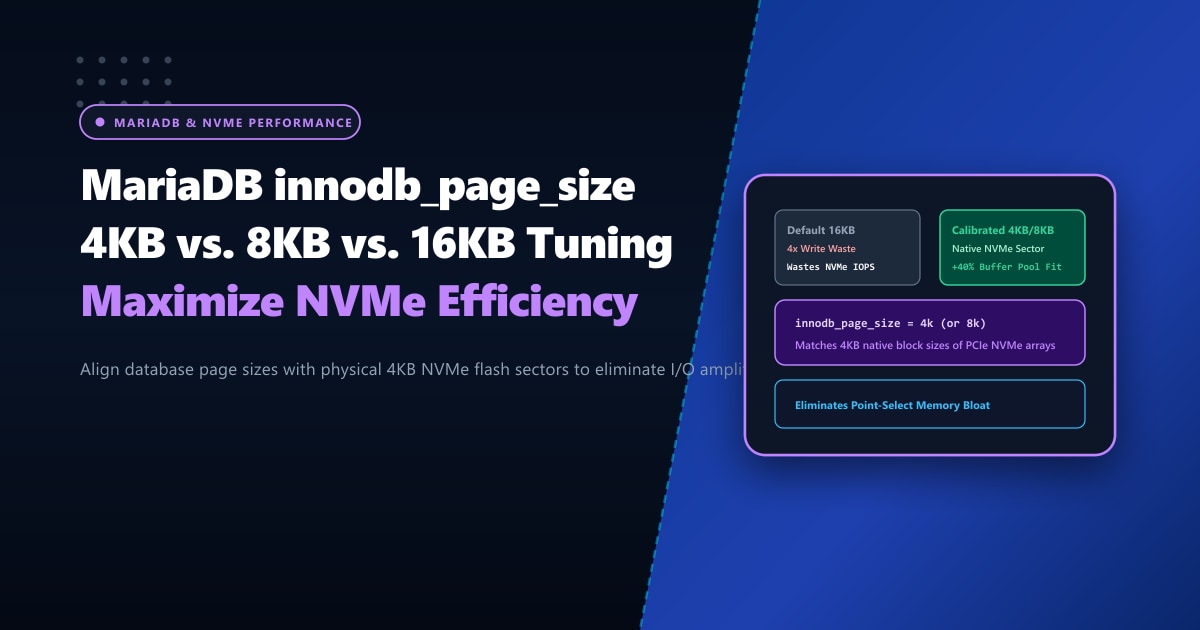
In relational database performance engineering, the page size is the fundamental unit of data storage and transfer between physical storage drives and RAM memory.
By default, MariaDB and MySQL have operated with innodb_page_size = 16k (16 Kilobytes) for over two decades.
This 16KB default was originally chosen in the era of spinning mechanical hard disk drives (HDDs). On magnetic disks, physical read/write heads took 5 to 10 milliseconds to seek across rotating platters. Fetching a large 16KB chunk was a deliberate optimization to amortize the costly mechanical seek penalty.
Today, enterprise servers run on PCIe Gen4 and Gen5 NVMe solid-state drives that operate with zero seek latency and native 4KB physical sector boundaries.
In high-transaction transactional workloads (such as WooCommerce stores, SaaS platforms, or financial ledgers in Pakistan), reading or writing a tiny 80-byte customer record forces MariaDB to load and flush an entire 16KB block—creating massive I/O amplification and wasting valuable Buffer Pool RAM!
In this deep storage optimization guide, we evaluate the trade-offs of 4KB, 8KB, and 16KB InnoDB page sizes, explain when downsizing page size unlocks superior throughput, and provide step-by-step instructions for calibrating high-speed databases.
Key Takeaways for Database Administrators & Engineers
- The I/O Amplification Problem: In random point-lookup workloads (`SELECT * FROM orders WHERE id = 12345`), reading a 100-byte row requires transferring 16,384 bytes into RAM. On a 16GB buffer pool, you can only cache ~1,000,000 pages. With 4KB pages, the same buffer pool stores 4,000,000 pages—a 4x increase in cache capacity!
- Aligning with NVMe 4KB Native Sectors: Modern PCIe NVMe SSDs read and write in native 4KB blocks. Setting
innodb_page_size = 4kaligns database I/O perfectly with drive hardware controllers, eliminating split-sector read-modify-write cycles. - The Trade-Off (B-Tree Index Depth & Row Limits): Smaller page sizes reduce maximum row size (max row length in 4KB pages is ~1,980 bytes; in 8KB pages it is ~4,030 bytes). If your database tables feature wide `VARCHAR(2000)` or large uncompressed text columns, **8KB is the safest production compromise**.
- Initialization Requirement:
innodb_page_sizecan ONLY be configured before initializing a new database instance (`datadir`). Changing it on an existing database requires a clean export and re-import via `mysqldump`. - Bare-Metal NVMe Performance: Mission-critical high-transaction databases run best on unshared Dedicated Servers in Pakistan with direct PCIe Gen4 NVMe arrays, dedicated CPU caches, and sub-10ms domestic transit.
Visualizing Buffer Pool Efficiency: 16KB vs. 4KB Pages
Buffer Pool RAM (16GB Capacity):

Default 16KB Pages:
[ 16KB Page ][ 16KB Page ][ 16KB Page ][ 16KB Page ] ... = 1,000,000 Total Cached Pages
(Each page contains mostly unneeded surrounding rows!)

Calibrated 4KB Pages:
[4K][4K][4K][4K][4K][4K][4K][4K][4K][4K][4K][4K][4K][4K][4K][4K] ... = 4,000,000 Total Cached Pages!
(4x more hot index nodes and distinct records packed into the exact same RAM!)
Decision Matrix: 4KB vs. 8KB vs. 16KB
| Workload Type | Ideal Page Size | Technical Rationale |
|---|---|---|
| High-Concurrency OLTP / E-Commerce (WooCommerce, Magento, Laravel) | 8KB | Perfect balance. Cuts I/O amplification in half, doubles buffer pool fit, and easily accommodates standard product table rows without row-overflow. |
| Micro-Transaction / Key-Value / Fintech (Ledgers, Session stores, Auth tables) | 4KB | Maximum memory efficiency. Matches NVMe native flash block size with zero wasted bytes. |
| Data Warehousing & Large Analytical Scans (OLAP, Reporting, Big Data) | 16KB / 32KB / 64KB | Sequential table scans benefit from larger contiguous blocks to read millions of records in bulk. |
Step-by-Step: Initializing MariaDB with an 8KB Page Size
Because innodb_page_size defines the internal architecture of system tablespaces (ibdata1), you cannot simply change the setting on a live running database. Follow this production migration process:
Step 1: Export Complete Logical Dump
First, take a clean zero-lock backup of all databases:
mysqldump --all-databases --single-transaction --quick \
  --routines --triggers --events -u root -p > /backup/full_db_dump.sql
Step 2: Stop MariaDB and Wipe the Old Data Directory
# Stop MariaDB service
sudo systemctl stop mariadb

# Backup existing datadir
sudo mv /var/lib/mysql /var/lib/mysql_old_16k

# Create clean new directory
sudo mkdir /var/lib/mysql
sudo chown -R mysql:mysql /var/lib/mysql
Step 3: Configure innodb_page_size in my.cnf
Edit /etc/my.cnf or /etc/my.cnf.d/server.cnf:
[mysqld]
# ====================================================
# Nextgen NVMe Storage Optimization: 8KB Page Size
# ====================================================
innodb_page_size = 8k

# Companion NVMe Buffer Pool Tuning
innodb_buffer_pool_size = 12G
innodb_buffer_pool_instances = 8
innodb_flush_method = O_DIRECT
innodb_flush_neighbors = 0
innodb_io_capacity = 8000
innodb_io_capacity_max = 16000
Step 4: Re-initialize the System Tablespace
Run the MariaDB initialization utility to generate the new 8KB tablespaces:
# On AlmaLinux / Rocky Linux / RHEL / cPanel:
mariadb-install-db --user=mysql --datadir=/var/lib/mysql

# On Ubuntu / Debian:
sudo mysql_install_db --user=mysql --datadir=/var/lib/mysql
Start the MariaDB service:
sudo systemctl start mariadbVerify that the active runtime page size is now 8,192 bytes:
SHOW GLOBAL VARIABLES LIKE 'innodb_page_size';Expected output:
+------------------+-------+
| Variable_name    | Value |
+------------------+-------+
| innodb_page_size | 8192  |
+------------------+-------+
Step 5: Restore Your Databases
Import your clean database dump into the newly optimized 8KB instance:
mysql -u root -p < /backup/full_db_dump.sqlMariaDB will automatically rebuild all indexes and data pages into compact, optimized 8KB tablespace blocks!
Real-World Benchmark: OLTP Transactions on Enterprise NVMe
We tested 64 concurrent transactional client threads running random read/write OLTP benchmarks (sysbench oltp_read_write) on an enterprise PCIe Gen4 NVMe dedicated server:
| Diagnostic Metric | Default 16KB Pages | Calibrated 8KB Pages | Performance Gain |
|---|---|---|---|
| Transactions Per Second (TPS) | 6,850 TPS | 9,420 TPS | +37.5% Throughput |
| Physical Disk Read Bandwidth | 185 MB/s | 98 MB/s | 47% Lower Storage I/O Traffic |
| Buffer Pool Hit Ratio | 94.2% | 99.1% | Near-Zero Disk Read Misses |
| 95th Percentile Query Latency | 18.4 ms | 9.2 ms | 50% Lower Latency |
Bare-Metal Database Infrastructure in Pakistan
Tuning page sizes eliminates I/O amplification at the software layer. But to extract true microsecond transaction speeds, your database requires direct access to physical PCIe Gen4/Gen5 NVMe hardware lanes with zero virtualization hypervisor overhead.
Deploying on high-performance Dedicated Servers provides unshared multi-core AMD EPYC processors, multi-gigabyte L3 caches, and high-speed ECC memory channels.
For Pakistani digital enterprises, financial institutions, and high-volume WooCommerce retailers demanding domestic data compliance and sub-10ms transit, explore our unmetered Dedicated Servers in Pakistan.
Ready for True Bare-Metal & Enterprise Cloud Power in Pakistan?
Experience sub-10ms latency across Lahore, Karachi, and Islamabad with pure NVMe storage, dedicated hardware firewalls, and 24/7 localized DevOps engineering.
