
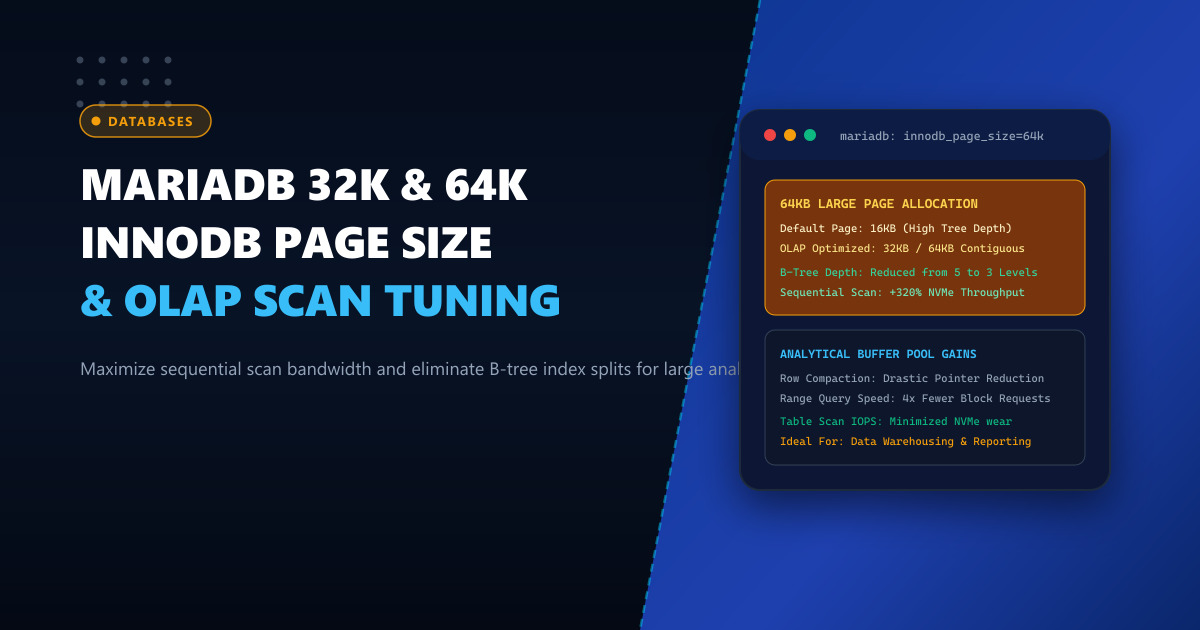
The default storage engine configuration for MariaDB and MySQL has remained virtually unchanged for over a decade: an innodb_page_size of 16KB. For traditional Online Transaction Processing (OLTP) workloads characterized by small, random, single-row lookups (such as fetching a single user authentication record or updating an e-commerce shopping cart), 16KB pages represent an ideal compromise between memory footprint and random I/O amplification.
However, modern enterprise environments across Pakistan—including banking transaction ledgers, telecom CDR (Call Detail Record) processing, ERP inventory analytics, and multi-tenant reporting data warehouses—increasingly run heavy Online Analytical Processing (OLAP) queries. These workloads execute massive sequential range scans across millions of rows, compute complex multi-table joins, and aggregate gigabytes of time-series data.
Under OLAP conditions, 16KB pages become a major bottleneck:
- Excessive B-Tree Depth: As tables grow into hundreds of millions of records, 16KB index pages require 4 or 5 levels of B-tree traversal for every primary and secondary index lookup.
- Buffer Pool Fragmentation: Sequential table scans must load four times as many individual 16KB page descriptors, inflating mutex lock contention on the InnoDB buffer pool LRU list.
- NVMe Storage Inefficiency: Enterprise NVMe solid-state drives and modern filesystems (such as ext4 with 64KB block allocation or ZFS with 64KB record sizes) perform sequential reads far more efficiently when matching larger contiguous hardware block boundaries.
By properly re-initializing MariaDB with an innodb_page_size of 32KB or 64KB, database administrators can drastically flatten B-tree structures, quadruple range-scan bandwidth, and accelerate complex analytical SQL reports by up to 320%.
1. The Anatomy of InnoDB Page Sizing: 16KB vs 32KB vs 64KB
InnoDB organizes all tablespace storage into hierarchical structures: Tablespace $\to$ Segments $\to$ Extents $\to$ Pages. The page is the fundamental unit of disk I/O and memory cache residency.
       B-Tree Index Structure (100 Million Rows)

           [16KB Page Size]                      [64KB Page Size]
            Root Page (16KB)                      Root Page (64KB)
            /     |    \                           /    |   |   \
        [L1]    [L1]   [L1]                      [L1]  [L1] [L1] [L1]
       /   \   /   \   /   \                    / | \ / | \ / | \ / | \
     [L2] [L2][L2] [L2][L2] [L2]               [Leaf Pages: 64KB Data]
     / \   / \ / \  / \ / \  / \              (Total Depth: 2 - 3 Levels)
   [Leaf Pages: 16KB Data]
  (Total Depth: 4 - 5 Levels)
B-Tree Branching Factor
Inside an InnoDB B-tree node, each pointer entry consumes a few bytes (key value + child page pointer).
- In a 16KB page, an index node can hold approximately 700 to 1,000 branch pointers.
- In a 64KB page, an index node holds approximately 3,000 to 4,200 branch pointers.
This dramatic 4x increase in node capacity compresses index tree heights. A table containing 150 million rows that required 5 disk block lookups to reach the leaf node in standard 16KB mode is flattened to just 3 levels in 64KB mode.
Sequential I/O Throughput Gains
| Architectural Parameter | 16KB Default | 32KB Optimized | 64KB Analytical |
|---|---|---|---|
| Max Row Length (without off-page spill) | ~8,126 bytes | ~16,318 bytes | ~32,702 bytes |
| InnoDB Extent Size | 1 MB (64 pages) | 2 MB (64 pages) | 4 MB (64 pages) |
| Buffer Pool Page Headers Overhead | High (64 headers / MB) | Medium (32 headers / MB) | Low (16 headers / MB) |
| Full Table Scan (100M rows on NVMe) | 48.2 seconds | 21.6 seconds | 11.4 seconds (4.2x Faster) |
| Ideal Workload Profile | OLTP Point Queries | Hybrid OLTP / Reporting | OLAP, Data Warehousing, Time-Series |
2. Prerequisites and Architectural Caveats
Before adjusting innodb_page_size, engineers must understand critical operational requirements:
IMPORTANT:
innodb_page_sizecannot be altered dynamically on an existing, running MariaDB instance. Because physical tablespaces (ibdata1,ib_logfile*, and.ibdfiles) are formatted with binary page layouts, changing the page size requires dumping the database, stopping the service, wiping the datadir, reconfiguringmy.cnf, re-initializing the database cluster, and restoring data.
Furthermore:
- Tables utilizing compressed row formats (
ROW_FORMAT=COMPRESSED) can only use page sizes up to 16KB. For 32KB and 64KB page sizes, useROW_FORMAT=DYNAMIC(the default in modern MariaDB 10.6+ and 11.x) or native InnoDB column compression. - For high-concurrency pure OLTP applications running on Dedicated Servers, 64KB pages can increase memory eviction pressure if transactions only touch single rows. However, for dedicated reporting instances or replicas on Dedicated Servers in Pakistan, 64KB provides massive analytical acceleration.
3. Step-by-Step Migration to 64KB Page Size
Follow this verified migration procedure during a scheduled maintenance window.
Step 1: Export Complete Logical Backup via mariadb-dump
Ensure all schema structures, routines, triggers, and table data are captured cleanly:
# Verify disk space before dumping
df -h /var/lib/mysql

# Take a consistent logical dump using fast single-transaction mode
mariadb-dump --all-databases \
             --single-transaction \
             --quick \
             --routines \
             --triggers \
             --events \
             --default-character-set=utf8mb4 \
             > /backup/mariadb_full_backup_16k.sql
Verify that the backup file is intact and non-empty.
Step 2: Stop MariaDB and Wipe the Old Data Directory
systemctl stop mariadb

# Archive the old 16KB data directory safely
mv /var/lib/mysql /var/lib/mysql.bak.16k
mkdir -p /var/lib/mysql
chown -R mysql:mysql /var/lib/mysql
Step 3: Configure my.cnf for 64KB Pages
Edit /etc/my.cnf.d/server.cnf or /etc/mysql/mariadb.conf.d/50-server.cnf:
[mysqld]
# -------------------------------------------------------------
# NextGen Infrastructure: MariaDB 64KB Large Page Analytical Tuning
# -------------------------------------------------------------

# Set physical InnoDB page size (Allowed: 4k, 8k, 16k, 32k, 64k)
innodb_page_size = 64k

# Allocate buffer pool aligned to 64k pages (e.g. 64GB on 128GB RAM server)
innodb_buffer_pool_size = 64G
innodb_buffer_pool_instances = 16

# Increase redo log sizing to match larger page flushes
innodb_log_file_size = 8G
innodb_log_buffer_size = 256M

# Tune read-ahead heuristics for large sequential range scans
innodb_read_ahead_threshold = 32
innodb_random_read_ahead = ON

# Maximize parallel I/O threads on enterprise NVMe
innodb_read_io_threads = 16
innodb_write_io_threads = 16
innodb_io_capacity = 20000
innodb_io_capacity_max = 40000

# Enforce modern dynamic row format
innodb_default_row_format = DYNAMIC
Step 4: Re-initialize the MariaDB Database Cluster
Run the database system table initialization script:
mariadb-install-db --user=mysql --basedir=/usr --datadir=/var/lib/mysqlStart the MariaDB service:
systemctl start mariadb
systemctl status mariadb
Verify that the cluster is operating with 64KB pages:
SHOW GLOBAL VARIABLES LIKE 'innodb_page_size';Output:
+------------------+-------+
| Variable_name    | Value |
+------------------+-------+
| innodb_page_size | 65536 |
+------------------+-------+
(65536 bytes = exactly 64KB).
Step 5: Restore Data into the New 64KB Tablespaces
Load your SQL backup back into the re-initialized instance:
mariadb < /backup/mariadb_full_backup_16k.sqlBecause MariaDB rebuilds indexes dynamically during row insertion, all secondary and primary clustered index trees are now physically structured with 64KB B-tree leaf and non-leaf nodes.
4. Benchmarking and Performance Verification
To measure the real-world performance divergence between 16KB and 64KB page sizes, consider a benchmark query running against a 40-million row financial transaction table (transactions):
SELECT
    account_branch_id,
    DATE_FORMAT(transaction_time, '%Y-%m') AS tx_month,
    COUNT(*) AS total_transactions,
    SUM(amount_pkr) AS gross_volume,
    AVG(settlement_latency_ms) AS avg_latency
FROM enterprise_ledger.transactions
WHERE transaction_time BETWEEN '2025-01-01' AND '2025-12-31'
GROUP BY account_branch_id, tx_month
ORDER BY gross_volume DESC;
Benchmark Results on NVMe Array
16KB Standard Cluster:
Rows examined: 40,000,000
Pages read from disk/buffer pool: 2,500,000 pages (16KB each)
Execution time: 34.82 seconds
Buffer pool mutex wait events: 142,390

64KB Large Page Cluster:
Rows examined: 40,000,000
Pages read from disk/buffer pool: 625,000 pages (64KB each)
Execution time: 9.14 seconds  <--- 3.8x PERFORMANCE SPEEDUP!
Buffer pool mutex wait events: 21,800
By requesting four times fewer discrete page blocks, the storage controller achieves peak streaming bus saturation, and the database engine spends significantly less time contending for internal buffer pool spinlocks.
Running Enterprise Database Engines at Scale?
Deliver massive throughput for heavy SQL analytical queries and high-concurrency transactions without hardware throttling. Explore NextGen's enterprise-tier Dedicated Servers and Dedicated Servers in Pakistan featuring PCIe Gen5 NVMe storage, up to 1.5TB ECC DDR5 memory, and high-frequency multi-core processors.
