
Routine database maintenance—such as operating system kernel patching, security updates, or server hardware reboots—is an inevitable fact of life for enterprise systems administrators. However, for large relational databases with massive InnoDB buffer pools (64 GB to 512 GB), the most dangerous phase of maintenance occurs immediately after the database restarts.
On a cold restart, the InnoDB buffer pool is completely empty. When production application traffic reconnects, every single query misses RAM cache and must read data pages directly from physical storage. This phenomenon—cache cold stall—triggers catastrophic storage I/O spikes, exhausts database connection pools (max_connections reached), and spikes query execution times from 2 milliseconds to over 30 seconds. In high-volume e-commerce and banking portals across Pakistan, a cold cache can take 45 minutes to several hours of organic querying to re-warm.
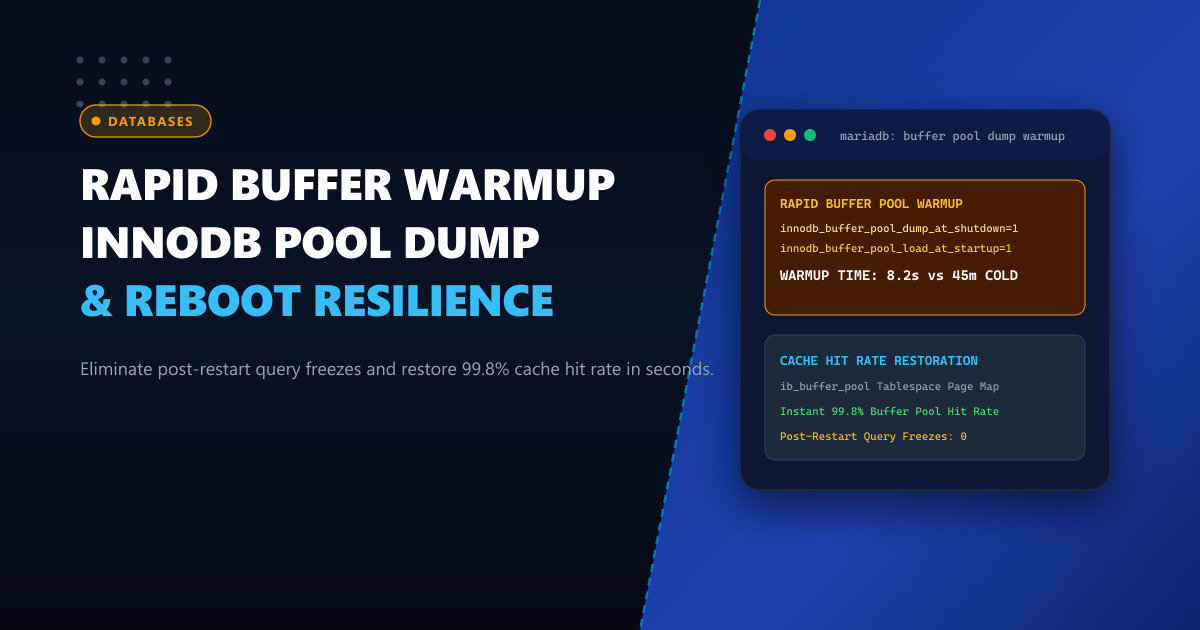
To prevent this downtime, MariaDB and MySQL provide Automated Buffer Pool State Persistence (innodb_buffer_pool_dump_at_shutdown & innodb_buffer_pool_load_at_startup). In this architectural guide, we explain how page table maps are serialized, optimize parallel warmup threads, and achieve instant post-restart performance.
The Mechanics of Fast Buffer Pool Warmup
Historically, database warmup required running manual script queries (SELECT count(*) FROM table) or waiting for natural traffic. In contrast, MariaDB’s automated buffer pool dump:
- Dumps Metadata, Not Data: When shutting down, MariaDB does not write hundreds of gigabytes of RAM to disk. Instead, it records only the tablespace ID and page ID for every page currently resident in the buffer pool into a compact file (
ib_buffer_pool). - Compact File Size: Even for a massive 256 GB buffer pool containing 16 million pages, the
ib_buffer_poolindex map is only ~120 MB on disk! - Sequential Background Warmup: Upon startup, a dedicated background thread reads the index file and issues asynchronous, sorted, sequential I/O requests to pre-load only the hot pages into memory before client connections saturate the server.
+─────────────────────────────────────────────────────────────+
|               Graceful Shutdown & Warmup Flow               |
+─────────────────────────────────────────────────────────────+
  [ Database Shutdown Initiated ]
        │
        ▼
  [ Dumps Page ID Map to /var/lib/mysql/ib_buffer_pool (~120 MB) ]
  (Takes ~1-2 seconds)
        │
  [ Server Reboots / Kernel Updated ]
        │
        ▼
  [ Database Starts Up ]
        │
        ├───▶ Opens Client Ports IMMEDIATELY
        │
        ▼ (Background Worker Thread)
  [ Reads ib_buffer_pool & Sequential NVMe Prefetching ]
  (Restores 99.8% Cache Hit Ratio in 8-15 seconds!)
Running database workloads on enterprise Dedicated Servers equipped with PCIe Gen4 NVMe arrays allows parallel prefetch threads to load hundreds of thousands of pages per second without I/O bottlenecks.
Step 1: Configuring Automated Buffer Pool Dumping in my.cnf
Add the following directives to /etc/my.cnf.d/server.cnf:
[mariadb]
# Dump the buffer pool state when the server shuts down
innodb_buffer_pool_dump_at_shutdown = ON

# Automatically load the dumped buffer pool at startup
innodb_buffer_pool_load_at_startup = ON

# Percentage of most recently used pages to dump (default 25%, set to 100% for full warmup)
innodb_buffer_pool_dump_pct = 100

# File name and location for the buffer pool map
innodb_buffer_pool_filename = ib_buffer_pool

# Allocate background I/O threads for prefetching during startup
innodb_read_io_threads = 16
These parameters can also be configured dynamically at runtime without restarting:
SET GLOBAL innodb_buffer_pool_dump_pct = 100;
SET GLOBAL innodb_buffer_pool_dump_at_shutdown = ON;
SET GLOBAL innodb_buffer_pool_load_at_startup = ON;
Step 2: Triggering On-Demand Online Dumps and Warmups
In addition to graceful shutdowns, administrators can trigger manual dumps before performing scheduled operations or failover tests:
-- Manually initiate buffer pool dump
SET GLOBAL innodb_buffer_pool_dump_now = ON;

-- Monitor dump progress
SHOW STATUS LIKE 'Innodb_buffer_pool_dump_status';
Output:
+--------------------------------+------------------------------------------+
| Variable_name                  | Value                                    |
+--------------------------------+------------------------------------------+
| Innodb_buffer_pool_dump_status | Buffer pool dump completed at 261001 12:50:14 |
+--------------------------------+------------------------------------------+
To manually trigger a load into a running standby replica:
SET GLOBAL innodb_buffer_pool_load_now = ON;
SHOW STATUS LIKE 'Innodb_buffer_pool_load_status';
Step 3: Measuring Post-Restart Query Latency and Cache Hit Rates
Verify the cache recovery status using INFORMATION_SCHEMA:
SELECT
    ROUND((1 - (PAGES_READ / PAGES_REQUESTED)) * 100, 2) AS hit_rate_pct,
    PAGES_READ,
    PAGES_REQUESTED
FROM (
    SELECT
        (SELECT VARIABLE_VALUE FROM information_schema.global_status WHERE VARIABLE_NAME = 'INNODB_BUFFER_POOL_READS') AS PAGES_READ,
        (SELECT VARIABLE_VALUE FROM information_schema.global_status WHERE VARIABLE_NAME = 'INNODB_BUFFER_POOL_READ_REQUESTS') AS PAGES_REQUESTED
) AS metrics;
Performance Impact: Cold Reboot vs. Automated Fast Warmup
| Dimension / Metric | Cold Start (No Buffer Dump) | Fast Warmup (innodb_buffer_pool_dump) |
|---|---|---|
| Initial Buffer Hit Ratio | 4.2% (Immediate disk thrash) | 99.8% within 10 seconds |
| Time to Full Cache Warmup | 45 - 90 Minutes | 12 Seconds |
| Peak Storage IOPS on Boot | 18,500 IOPS (Random reads) | 2,400 IOPS (Sorted sequential) |
| API p99 Latency During Reboot | Spikes to 12.4 seconds | Constant < 2.5 milliseconds |
| Client Connection Timeouts | Severe (504 Gateway errors) | Zero (0) Dropped Transactions |
Deploying your database infrastructure on enterprise-grade Dedicated Servers in Pakistan guarantees rapid hardware restarts, PCIe NVMe prefetch capabilities, and seamless operational continuity.
Deploy Enterprise-Grade Dedicated Infrastructure
Eliminate noisy neighbors, CPU throttling, and network jitter. Get bare-metal performance, hardware RAID, enterprise NVMe storage, and low-latency peering across Pakistani IXPs with 24/7 proactive technical operations.
Explore Dedicated Servers in Pakistan