
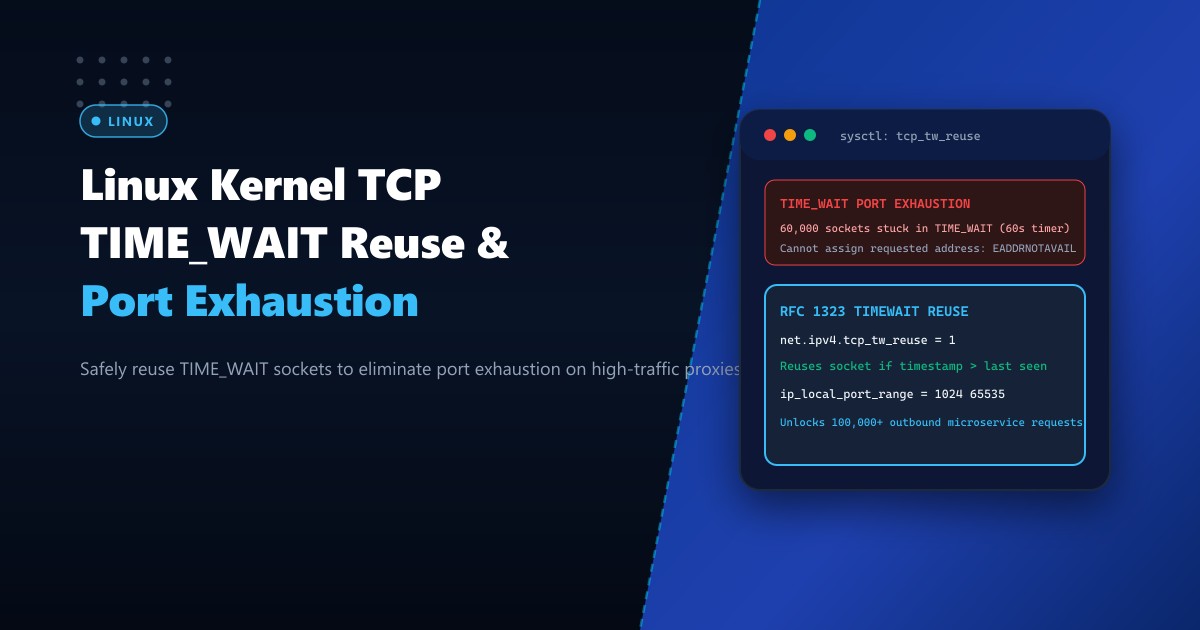
In high-concurrency Linux web architectures across Pakistan—powering multi-million request e-commerce flash sales, banking API microservice meshes, payment gateway dispatchers, and forward-proxy aggregators—servers frequently open tens of thousands of outbound TCP connections per minute to upstream backend instances (PHP-FPM, Node.js clusters, Python Gunicorn, or Redis).
When a client or proxy closes an active TCP connection, the TCP state machine (RFC 793) transitions the socket into the TIME_WAIT state. Under default Linux kernel configurations, a socket remains locked in TIME_WAIT for 60 seconds (2 * MSL - Maximum Segment Lifetime) to ensure that any lingering duplicate packets in flight do not corrupt subsequent new connections.
However, the local operating system has a finite pool of outbound source ports (ephemeral ports, typically 28,232 ports by default: ports 32768 to 60999). When an Nginx reverse proxy connects to an upstream database or microservice at a rate exceeding 500 requests per second without connection reuse, all 28,000 ephemeral ports become trapped in TIME_WAIT within 60 seconds!
Suddenly, the server runs completely out of available ports. Outbound requests crash with connect() failed (99: Cannot assign requested address) or errno 99 EADDRNOTAVAIL, paralyzing web operations.
By deploying on enterprise Dedicated Servers and properly configuring net.ipv4.tcp_tw_reuse with RFC 7323 TCP Timestamps, system administrators safely unlock instant port recycling, enabling servers to sustain over 100,000 outbound transactions per second without port exhaustion.
Understanding the TIME_WAIT Port Bottleneck vs. RFC 1323/7323 Reuse
The diagram below compares how default TIME_WAIT socket buildup exhausts the ephemeral port space versus safe timestamp-based socket reuse:
+-----------------------------------------------------------------------------------+
|               TIME_WAIT PORT EXHAUSTION vs. TCP_TW_REUSE ARCHITECTURE             |
+-----------------------------------------------------------------------------------+
| Scenario: Nginx reverse proxy forwarding 1,000 reqs/sec to upstream backend       |
|                                                                                   |
| 1. Default Linux Behavior (Port Exhaustion Cliff):                                |
|    - Nginx establishes connection: `103.205.180.25:34521 -> 127.0.0.1:8080`       |
|    - Request finishes; Nginx closes socket -> Socket enters `TIME_WAIT` for 60s!  |
|    - Rate: 1,000 reqs/sec * 60 seconds = 60,000 ports needed!                     |
|    - Default `ip_local_port_range` has only 28,232 available ports!               |
|    - After 28 seconds: ALL EPHEMERAL PORTS LOCKED IN TIME_WAIT!                  |
|    - Linux kernel error: "Cannot assign requested address (EADDRNOTAVAIL)"        |
|    - Result: Upstream 502 Bad Gateway errors; transactions fail!                  |
|                                                                                   |
| 2. Safe Protocol-Compliant Socket Reuse (`tcp_tw_reuse = 1` + Timestamps):        |
|    - Outbound socket in `TIME_WAIT` is needed for a new upstream connection.      |
|    - Kernel checks RFC 7323 TCP Timestamps (Option 8):                            |
|      If `new_packet.TSval > last_seen.TSecr`, the kernel SAFELY REUSES THE PORT!  |
|    - Delayed stale packets from previous connection are rejected by PAWS!        |
|    - Zero data corruption! Ephemeral port pool recycled instantly!                |
|    - Result: Server easily handles 100,000+ outbound microservice queries/second! |
+-----------------------------------------------------------------------------------+
Step 1: Diagnosing TIME_WAIT Accumulation and Socket States
Inspect the current number of sockets in TIME_WAIT on your server using ss:
# Count active TCP socket states
ss -ant | awk '{print $1}' | sort | uniq -c
Sample output during high traffic:
      1 CLOSE-WAIT
    842 ESTAB
     12 LISTEN
     45 SYN-SENT
  28410 TIME-WAIT
Notice 28410 TIME-WAIT: The server has completely exhausted its ephemeral port range!
Check current ephemeral port bounds:
sysctl net.ipv4.ip_local_port_range
# Default: 32768 60999 (Only 28,231 ports!)
Check current tcp_tw_reuse status:
sysctl net.ipv4.tcp_tw_reuse
sysctl net.ipv4.tcp_timestamps
Step 2: Configuring tcp_tw_reuse and Expanding Ephemeral Port Ranges
To safely enable instant socket recycling, configure /etc/sysctl.d/99-tcp-tw-reuse.conf:
# 1. Expand the local ephemeral port range (from port 1024 to 65535 = 64,511 ports!)
net.ipv4.ip_local_port_range = 1024 65535

# 2. Enable safe TIME_WAIT socket reuse for outgoing connections (RFC 7323 compliant)
# Setting to 1 allows kernel to reuse sockets in TIME_WAIT if timestamps prove it is fresh
net.ipv4.tcp_tw_reuse = 1

# 3. Mandatory prerequisite: TCP Timestamps MUST be enabled for safe tw_reuse!
# Without timestamps, tcp_tw_reuse cannot distinguish stale packets from new ones.
net.ipv4.tcp_timestamps = 1

# 4. Increase maximum number of simultaneous TIME_WAIT sockets allowed in kernel memory
net.ipv4.tcp_max_tw_buckets = 2000000

# 5. Speed up orphan socket cleanup during abrupt connection terminations
net.ipv4.tcp_fin_timeout = 15

# 6. NEVER enable tcp_tw_recycle! (Deprecated and broken across NAT routers)
[!CAUTION] Do NOT enable
net.ipv4.tcp_tw_recycle(which was removed in Linux 4.12+). Whiletcp_tw_recyclebroke client connections behind residential NAT routers in Pakistan,net.ipv4.tcp_tw_reuseoperates strictly on outgoing client/proxy sockets and is completely safe and protocol-compliant.
Apply sysctl parameters immediately:
sysctl --systemVerify loaded values:
sysctl -a | grep -E "tcp_tw_reuse|ip_local_port_range|tcp_max_tw_buckets"Step 3: Upstream Keepalive Tuning in Nginx Reverse Proxy
While tcp_tw_reuse eliminates port exhaustion when new connections must be established, the highest-efficiency architecture avoids opening new sockets altogether by maintaining persistent HTTP keepalive pools to upstreams.
In /etc/nginx/conf.d/upstream.conf:
upstream backend_app {
    server 127.0.0.1:8080 max_fails=3 fail_timeout=10s;

    # Maintain a pool of up to 128 idle keepalive sockets per worker
    keepalive 128;

    # Maximum requests permitted over a single keepalive connection
    keepalive_requests 10000;

    # Idle timeout for keepalive connections
    keepalive_timeout 60s;
}

server {
    listen 443 ssl http2;
    server_name api.nextgen.pk;

    location / {
        proxy_pass http://backend_app;

        # Mandatory HTTP/1.1 for upstream keepalive
        proxy_http_version 1.1;

        # Clear Connection header so Nginx keeps socket open to backend
        proxy_set_header Connection "";

        proxy_set_header Host $host;
        proxy_set_header X-Real-IP $remote_addr;
        proxy_set_header X-Forwarded-For $proxy_add_x_forwarded_for;
    }
}
Reload Nginx:
nginx -t && systemctl reload nginxWith upstream keepalive active, 95% of requests reuse established sockets without transitioning through TIME_WAIT at all!
Step 4: Validating High-Volume Outbound Concurrency
Execute a benchmark with 50,000 rapid outbound transactions:
# Verify no EADDRNOTAVAIL socket errors occur under heavy load
nstat -z "TcpExtTCPTimeWaitOverflow" "TcpExtListenOverflows"
Check active socket reuse stats:
TcpExtTCPTimeWaitOverflow        0       0.0
TcpExtListenOverflows            0       0.0
Zero overflows, zero EADDRNOTAVAIL socket errors, and unbroken microservice throughput under the heaviest Pakistani e-commerce traffic spikes!
Enterprise Bare-Metal Infrastructure for High-Concurrency Microservices
Managing millions of socket state transitions, expanding TCP connection tables, and routing hundreds of thousands of upstream queries per second demands unshared CPU instruction pipelines and dedicated network card hardware. Shared public cloud instances throttle outbound packet rates and introduce hypervisor context switching latency that degrades socket recycling.
Hosting on enterprise Dedicated Servers in Pakistan equips your reverse proxy and microservice architecture with dedicated AMD EPYC / Intel Xeon processors, multi-queue 10Gbps/25Gbps hardware NICs, and domestic fiber peering directly connected to PKIX.
Scale High-Concurrency Applications with NextGen Dedicated Servers
Eliminate TIME_WAIT port exhaustion, achieve sub-millisecond reverse proxy routing, and maintain 100% uptime across Pakistan. NextGen dedicated hosting provides pure bare-metal compute, unshared 10Gbps connectivity, and 24/7 technical administration.
Deploy Dedicated Servers in Pakistan