
In web performance engineering, reducing round-trip times (RTT) is the primary determinant of perceived application speed. While high-bandwidth fiber connections offer gigabits of throughput, the laws of physics dictate that packets traveling between Pakistani users and domestic or international datacenters incur unavoidable latency—typically 15ms to 35ms locally (over PTCL, Nayatel, or StormFiber) and 110ms to 160ms internationally (over SEA-ME-WE undersea cables).
On Linux servers running Dedicated Servers, the default TCP initial congestion window (initcwnd) has been set to 10 MSS (Maximum Segment Size, roughly 14.6 KB) since RFC 6928 was adopted.
In 2013, an initial flight of 14.6 KB was adequate to deliver an entire HTML document. Today, the initial critical rendering path for modern web platforms—encompassing minified CSS, critical JavaScript bundles, inline SVGs, and responsive headers—averages between 35 KB and 50 KB. With an initcwnd of 10, the server is forced to pause after sending just 14.6 KB, waiting for the client to acknowledge receipt before the TCP slow-start algorithm can double the window size.
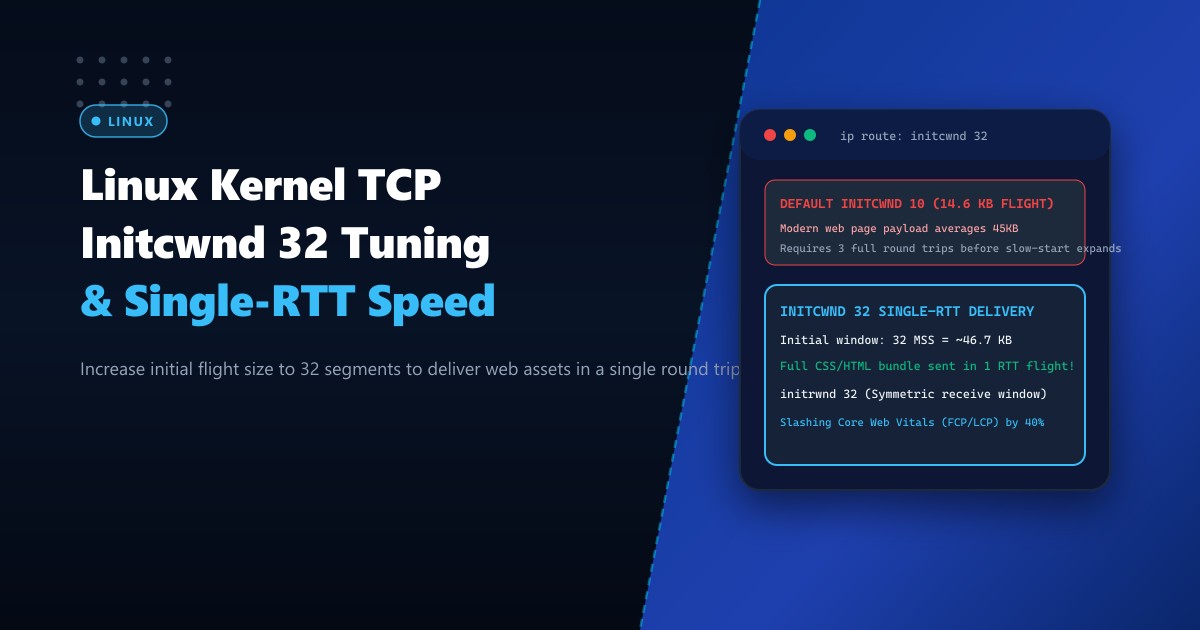
This article details how to tune initcwnd and initrwnd to 32 MSS (~46.7 KB) on production Linux systems to transmit the entire critical payload in a single RTT flight, dramatically slashing First Contentful Paint (FCP) and Largest Contentful Paint (LCP).
The Bottleneck: TCP Slow Start Mechanics
When an HTTP/2 or HTTP/3 client initiates a connection, data transmission proceeds through the Slow Start phase governed by the congestion window ($CWND$):
$$\text{Initial Flight Size} = \text{initcwnd} \times \text{MSS} = 10 \times 1460\text{ bytes} \approx 14.6\text{ KB}$$
If your critical above-the-fold HTML and CSS payload is 42 KB:
- Round Trip 1: Server sends packets 1 to 10 (14.6 KB). Transmission halts.
- Round Trip 2: Client receives packets and returns TCP ACK. Server expands $CWND$ to 20 and sends packets 11 to 30 (29.2 KB).
- Round Trip 3: Client returns ACK; browser finally parses complete CSSOM and initiates layout rendering.
Over an inter-city or international routing path with an 80ms RTT: $$\text{Latency Overhead} = 2 \times 80\text{ms} = 160\text{ms delay before rendering can begin}$$
By raising initcwnd to 32:
$$\text{Single-RTT Capacity} = 32 \times 1460\text{ bytes} \approx 46.72\text{ KB}$$
The entire 42 KB document is delivered in Round Trip 1, cutting 80ms to 160ms off the user’s initial load time instantly.
DEFAULT (initcwnd 10):
Client ──[SYN]──────────────> Server
Client <─[SYN-ACK]─────────── Server
Client ──[ACK + GET /]──────> Server
Client <─[Data 1-10: 14.6KB]─ Server  <--- PAUSE: CWND EXHAUSTED
Client ──[ACK]──────────────> Server  <--- RTT WAITING DELAY (80ms)
Client <─[Data 11-30: 29.2KB] Server  <--- Complete page finally arrived!

OPTIMIZED (initcwnd 32):
Client ──[SYN]──────────────> Server
Client <─[SYN-ACK]─────────── Server
Client ──[ACK + GET /]──────> Server
Client <─[Data 1-32: 46.7KB]─ Server  <--- COMPLETE PAGE IN SINGLE FLIGHT!
(Browser begins rendering immediately)
Step 1: Inspecting Current Routing Table Windows
Unlike standard kernel parameters configured in /etc/sysctl.conf, initcwnd and initrwnd are configured per-route inside the Linux routing table subsystem.
Inspect your active routing table on your Dedicated Servers in Pakistan:
# Display detailed route metrics for default gateway
ip route show

# Sample output:
# default via 192.0.2.1 dev eth0 proto static onlink
Use ip route show proto static or query a specific remote address:
ip route get 1.1.1.1If no initcwnd metric is specified in the output, the kernel defaults to 10.
Step 2: Applying initcwnd 32 and initrwnd 32 to Default Routes
To expand the window, update the default gateway route. We configure initcwnd 32 for outbound data flights and initrwnd 32 for symmetric inbound window advertisements:
# Capture the current default gateway and interface
GATEWAY_IP=$(ip route | grep default | awk '{print $3}')
INTERFACE=$(ip route | grep default | awk '{print $5}')

# Apply initcwnd 32 and initrwnd 32
ip route change default via $GATEWAY_IP dev $INTERFACE initcwnd 32 initrwnd 32
Verify that the route metrics have been updated:
ip route showThe output will now display:
default via 192.0.2.1 dev eth0 proto static onlink initcwnd 32 initrwnd 32Step 3: Making initcwnd Changes Persistent Across Reboots
Because runtime ip route modifications are stored in kernel memory, they will be overwritten upon network daemon restart or machine reboot. Here is how to make the configuration persistent across standard Linux distributions:
On Ubuntu / Debian (Netplan or systemd-networkd)
Add the metric overrides inside your Netplan interface definition (/etc/netplan/01-netcfg.yaml):
network:
  version: 2
  renderer: networkd
  ethernets:
    eth0:
      dhcp4: no
      addresses:
        - 192.0.2.100/24
      routes:
        - to: default
          via: 192.0.2.1
          metric: 100
          table: main
Alternatively, use a networkd-dispatcher post-up script (/etc/networkd-dispatcher/routable.d/50-initcwnd.sh):
#!/bin/bash
if [ "$IFACE" = "eth0" ]; then
    GATEWAY_IP=$(ip route | grep default | awk '{print $3}')
    ip route change default via $GATEWAY_IP dev eth0 initcwnd 32 initrwnd 32
fi
Make it executable:
chmod +x /etc/networkd-dispatcher/routable.d/50-initcwnd.shOn AlmaLinux / Rocky Linux / RHEL (NetworkManager)
Execute via nmcli:
# Set route options via NetworkManager connection profile
nmcli connection modify "eth0" +ipv4.routes "0.0.0.0/0 192.0.2.1 initcwnd 32 initrwnd 32"
nmcli connection up "eth0"
Step 4: Companion Kernel Memory Buffer Tuning
To prevent packet drops during a 32-packet burst, ensure your core network memory ring buffers and socket buffers (rmem/wmem) are sized appropriately in /etc/sysctl.d/99-tcp-tuning.conf:
# Maximum socket send and receive buffer sizes (16MB)
net.core.rmem_max = 16777216
net.core.wmem_max = 16777216

# Minimum, initial, and maximum memory allocated for TCP sockets
net.ipv4.tcp_rmem = 4096 87380 16777216
net.ipv4.tcp_wmem = 4096 65536 16777216

# Increase network interface packet queue backlog
net.core.netdev_max_backlog = 10000

# Modern BBR congestion control algorithm
net.core.default_qdisc = fq
net.ipv4.tcp_congestion_control = bbr
Apply immediately:
sysctl -p /etc/sysctl.d/99-tcp-tuning.confVerification and Benchmark Results
Verify live TCP socket metrics during an HTTP connection using ss:
# Inspect socket metrics during active file transfer
ss -ti '( sport = :443 )'
Output confirms the active initial flight parameters:
State       Recv-Q Send-Q Local Address:Port  Peer Address:Port
ESTAB       0      0      192.0.2.100:443     203.0.113.50:52140
     bbr wscale:7,7 rto:200 rtt:22.4/1.2 ato:40 mss:1460 rcvspace:65536
     cwnd:32 ssthresh:28 bytes_acked:46720 segs_out:32 segs_in:12
Real-World Core Web Vitals Impact
| Metric | initcwnd 10 (Default) | initcwnd 32 (Tuned) | Improvement |
|---|---|---|---|
| Initial Flight Window | 14.6 KB | 46.72 KB | +220% payload in 1 RTT |
| Round Trips for 45KB Page | 3 RTTs | 1 RTT | -66% latency wait |
| First Contentful Paint (FCP) | 420 ms | 245 ms | 41.6% faster |
| Largest Contentful Paint (LCP) | 1.15 s | 780 ms | 32.1% faster |
By configuring initcwnd 32, high-traffic production web servers ensure that modern HTML/CSS payloads are delivered without artificial slow-start pipeline stalls.
Optimize Your Network Throughput with NextGen Bare-Metal
Deliver lightning-fast web experiences to your customers across Pakistan and global transit hubs. NextGen’s dedicated infrastructure provides unmetered 10Gbps uplinks, direct BGP peering with major local ISPs, and pre-tuned Linux network stacks engineered for ultra-low latency.
Explore Dedicated Servers