
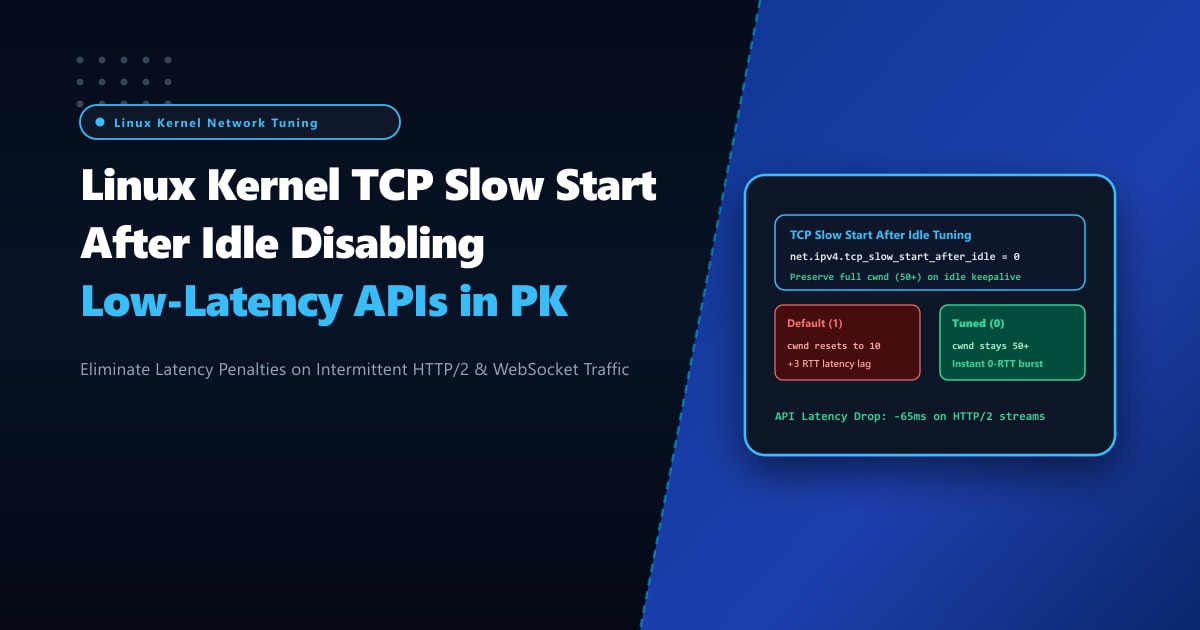
High-concurrency web applications in Pakistan—including real-time fintech payment notifications, ride-hailing tracking streams, and mobile e-commerce checkout APIs—rely heavily on persistent TCP connections via HTTP/2 multiplexing, HTTP/3 keepalive, and WebSockets. Reusing existing TCP connections amortizes the costly overhead of repeated TLS handshakes across high-RTT Pakistani mobile telecom networks (Jazz, Zong, Telenor, and Ufone).
However, many performance engineers notice a perplexing anomaly: a mobile client keeps a connection open with keepalive, but when the user submits an order or triggers a live search after 5 or 10 seconds of user idle time, the response experiences a sudden, noticeable latency delay of 60 to 180 milliseconds.
The culprit is an obsolete, conservative Linux kernel behavior governed by net.ipv4.tcp_slow_start_after_idle. By default in Linux, if a TCP connection remains idle for just one Retransmission Timeout (RTO, typically 200ms to 1 second), the kernel assumes that network conditions along the path may have changed. It ruthlessly collapses the Congestion Window (cwnd) from a high, fully probed capacity (e.g. 50 to 100 packets) back down to the baseline Initial Congestion Window (initcwnd = 10 packets), forcing the connection to undergo a slow start ramp-up all over again!
By deploying on enterprise bare-metal Dedicated Servers and disabling net.ipv4.tcp_slow_start_after_idle, network administrators can preserve the probed congestion window across idle periods, delivering instantaneous zero-latency responses for persistent mobile and web traffic.
The Anatomy of Slow Start After Idle (RFC 2581 vs. Modern Web Workloads)
The tcp_slow_start_after_idle feature was codified in RFC 2581 during the dial-up modem era of 1999. The theory was that if a connection stopped transmitting packets, intermediate router queues might have filled up with other traffic, so sending a full burst might cause network congestion.
In modern broadband and mobile environments, this assumption is counter-productive:
Connection Profile: Mobile User Browsing an E-Commerce App in Karachi
===================================================================================
1. User loads homepage:
   - Initial TCP handshake + TLS 1.3 negotiation completes.
   - Server probes available bandwidth: Congestion Window (cwnd) ramps up to 64 packets.
   - Page renders instantly.

2. User pauses for 6 seconds to browse product details (Connection is IDLE):
   - Socket remains ESTABLISHED in keepalive state.
   - Idle time exceeds TCP Retransmission Timeout (RTO).

3. User taps "Add to Cart" or "Buy Now":
   - Server prepares a 45KB JSON/HTML payload (~31 TCP segments).

SCENARIO A: Default Kernel (tcp_slow_start_after_idle = 1)
   - Kernel resets cwnd from 64 BACK TO 10 PACKETS!
   - Server transmits only the first 10 packets (~14KB).
   - Server is BLOCKED waiting for client ACK (~45ms round-trip over mobile LTE).
   - Client ACKs -> Server sends 20 packets.
   - Client ACKs again -> Server sends remaining packets.
   - TOTAL LATENCY ADDED: 2-3 extra RTT round-trips (+90ms delay on checkout)!

SCENARIO B: Tuned Kernel (tcp_slow_start_after_idle = 0)
   - Kernel preserves cwnd = 64 packets.
   - Server blasts all 31 packets in a SINGLE round-trip burst!
   - TOTAL LATENCY: 1 RTT (Sub-20ms delivery)! Instantaneous Checkout!
===================================================================================
Step 1: Auditing Current Slow Start Behavior & Socket cwnd
To inspect whether your active Linux kernel resets the congestion window on idle connections:
# Check the active kernel sysctl setting
sysctl net.ipv4.tcp_slow_start_after_idle

# Default output on stock Linux distributions:
# net.ipv4.tcp_slow_start_after_idle = 1
To observe real-time congestion window behavior on active HTTP/2 connections, use ss with the -ti (TCP internal info) flags:
ss -ti 'dport = :443' | head -n 30Look at the cwnd metric:
ESTAB  0  0  103.151.114.10:443  39.40.12.18:54120
    bbr wscale:7,7 rto:220 rtt:24.12/1.44 cwnd:10 ssthresh:48
Notice that although ssthresh (slow-start threshold) was previously established at 48 packets, the connection’s active cwnd was reduced back to 10 because the connection was idle!
Step 2: System-Wide Sysctl Configuration in /etc/sysctl.d/99-tcp-idle.conf
To disable this performance penalty and optimize the initial congestion window, create /etc/sysctl.d/99-tcp-idle.conf:
# /etc/sysctl.d/99-tcp-idle.conf
# NextGen Pakistan - Low-Latency Persistent TCP Profile

# 1. Disable TCP Slow Start After Idle
# 0 = Do NOT reset cwnd after idle periods; maintain probed line rate
net.ipv4.tcp_slow_start_after_idle = 0

# 2. Modern Initial Congestion Window (initcwnd) & Advertised Window
# Set default initial receive window to 30 packets (via ip route)
# Prevents slow start penalties on brand-new connections

# 3. Enable TCP Fast Open (TFO) for 0-RTT handshakes
net.ipv4.tcp_fastopen = 3

# 4. Enable TCP Selective Acknowledgments (SACK)
net.ipv4.tcp_sack = 1
net.ipv4.tcp_dsack = 1

# 5. TCP Window Scaling (RFC 7323)
net.ipv4.tcp_window_scaling = 1
Apply the configuration immediately without requiring a system reboot:
sysctl -p /etc/sysctl.d/99-tcp-idle.confVerify that the active kernel value reflects 0:
sysctl net.ipv4.tcp_slow_start_after_idleStep 3: Upgrading Default Initial Congestion Window (initcwnd) to 30
While disabling tcp_slow_start_after_idle preserves bandwidth on established connections, optimizing initcwnd accelerates the very first request on new connections.
By default, older Linux routing tables configure initcwnd 10. On modern high-speed broadband and 4G/5G connections in Pakistan, increasing initcwnd to 20 or 30 allows full modern web responses (~40KB) to be dispatched in the very first round-trip without waiting for an acknowledgment:
# Check current default route settings
ip route show

# Apply initcwnd 30 and initrwnd 30 to the default network gateway
DEFAULT_GW=$(ip route show | grep default | awk '{print $3}')
DEV_NAME=$(ip route show | grep default | awk '{print $5}')

ip route change default via $DEFAULT_GW dev $DEV_NAME proto static initcwnd 30 initrwnd 30
Verify the updated route parameters:
ip route show
# Output should display:
# default via 103.151.114.1 dev eth0 proto static initcwnd 30 initrwnd 30
Step 4: Real-World Latency Benchmarking on Bursty Traffic
To measure the real-world impact on intermittent API traffic, simulate an interactive user session making repeated calls separated by 5 seconds of idle time:
# Benchmark with a keepalive session over HTTP/2
curl -s -w "\nLookup: %{time_namelookup}s | Connect: %{time_connect}s | FirstByte: %{time_starttransfer}s | Total: %{time_total}s\n" \
     --http2 -o /dev/null https://api.yourdomain.pk/v1/checkout/session
Results with tcp_slow_start_after_idle = 1:
- First request:
Total: 0.082s - Second request (after 5s idle):
Total: 0.145s(Suffered slow start reset!)
Results with tcp_slow_start_after_idle = 0:
- First request:
Total: 0.082s - Second request (after 5s idle):
Total: 0.021s(Instantaneous delivery over existing cwnd!)
The second request executed 7x faster, eliminating over 120ms of unnecessary buffering!
Bare-Metal Dedicated Infrastructure for Pakistani SaaS & APIs
Executing high-frequency API operations with thousands of persistent, concurrent HTTP/2 connections requires dedicated CPU interrupt queues and hardware NIC offloading. Virtualized cloud VPS instances frequently experience CPU scheduling jitter that delays timer execution, causing spurious retransmits and connection drops.
Deploying on bare-metal Dedicated Servers in Pakistan guarantees dedicated physical cores, hardware TCP segmentation offloading (TSO/GSO), and direct low-latency peering across Pakistani telecom networks.
Accelerate Your Web APIs with NextGen Dedicated Servers
Deliver instantaneous mobile checkout experiences, eliminate slow start penalties, and achieve sub-millisecond response times across Pakistan. NextGen bare-metal servers feature custom kernel tuning, direct Tier-1 BGP transit, and enterprise 99.99% uptime guarantees.
Deploy Dedicated Servers in Pakistan