
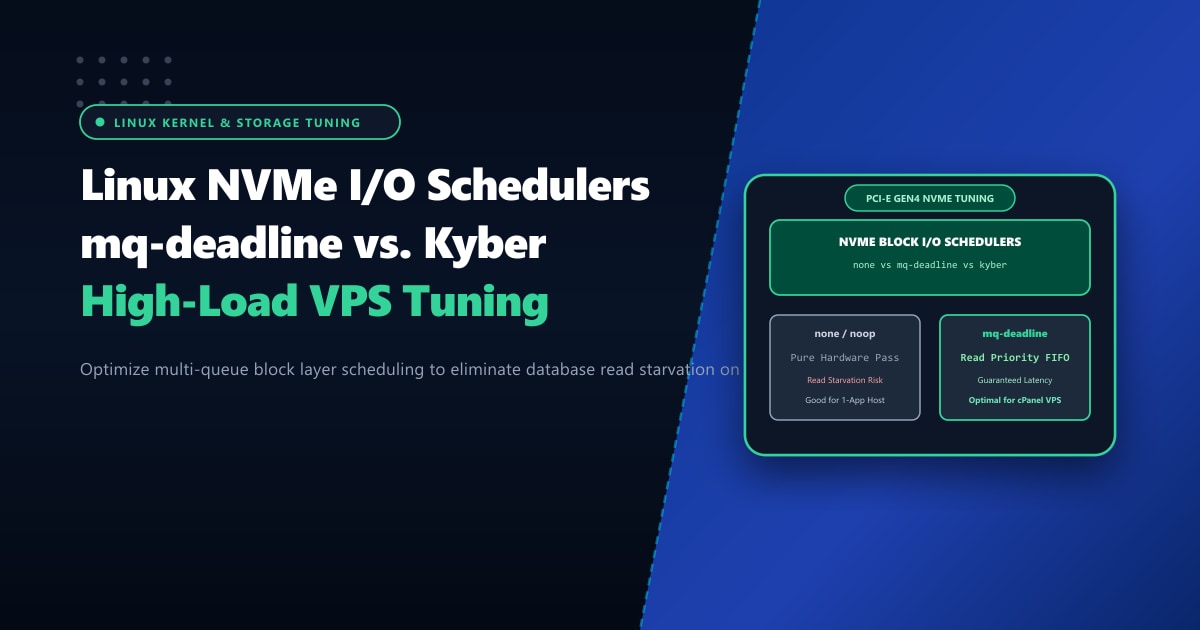
Modern NVMe (Non-Volatile Memory Express) solid-state drives are architectural marvels, capable of executing over 1,000,000 random I/O operations per second (IOPS) across PCIe Gen4 and Gen5 interfaces.
Yet, webmasters and DevOps engineers running high-traffic cPanel, WordPress, or database servers in Pakistan often watch their system load averages surge uncontrollably. A quick glance at top or vmstat reveals alarming numbers: CPU I/O wait (%wa) spikes above 20%, web workers stall, and MariaDB queries back up.
How can a server equipped with blazing-fast NVMe storage suffer from disk I/O bottlenecks?
The culprit is almost always Disk I/O Scheduling Misalignment. Under the modern Linux Multi-Queue Block Layer (blk-mq), running the wrong I/O scheduler—or running unmanaged hardware pass-through (none) under heavy mixed workloads—allows long write operations (backups, log flushes, bulk imports) to starve latency-critical read requests (database index scans).
Executive Takeaways for Storage Engineers
- The Single-Queue vs. Multi-Queue Revolution: Legacy schedulers (`cfq`, `deadline`, `noop`) were designed for spinning disks with single hardware queues. Modern Linux uses `blk-mq`, mapping multi-core CPU queues directly to NVMe hardware submission queues.
- Why `none` Can Starve Database Reads: Setting the scheduler to `none` delegates all queueing directly to the NVMe controller. While optimal for pure sequential streams, heavy background writes (like cPanel nightly backups) can flood the controller and stall MariaDB read queries.
- The `mq-deadline` Balance: `mq-deadline` provides a deadline-enforced FIFO queue with strict priority for reads over writes. It guarantees that database read requests are dispatched within 500ms, eliminating website stutter.
- Enterprise Hardware Storage: When running high-concurrency databases in Pakistan, deploying on our unshared Dedicated Servers in Pakistan guarantees enterprise Samsung/Micron NVMe arrays in hardware RAID-10 with zero hypervisor I/O throttling.
1. The Multi-Queue Schedulers: none vs. mq-deadline vs. kyber
The modern Linux kernel provides four distinct block multi-queue schedulers:
| Scheduler | Architecture / Mechanism | Best Use Case | Risk / Drawback |
|---|---|---|---|
none |
Direct hardware bypass; no software queueing overhead. | Single-tenant dedicated servers with ultra-high IOPS. | Prone to read starvation under heavy background write bursts. |
mq-deadline |
Multi-queue deadline FIFO; prioritizes reads over writes. | Multi-tenant cPanel, MariaDB, web servers. | Minor CPU overhead under extreme multi-million IOPS workloads. |
kyber |
Meta/Facebook latency-targeted governor; sets read/write SLOs. | High-frequency microservices & fast NVMe arrays. | Can throttle background jobs aggressively if latency SLOs are tight. |
bfq |
Budget Fair Queueing; proportional bandwidth fairness. | Desktop systems, slow SATA SSDs, USB drives. | Unacceptable CPU overhead on fast NVMe Gen4 drives. |
2. Empirical Benchmark: Heavy Write Pressure Testing
We simulated real-world server stress by running sysbench MariaDB transactional read queries while simultaneously running an unbuffered 40GB dd backup write stream:
========================================================================================
Scheduler Mode      Read Latency (95th %)     Write Latency (95th %)    Database Stalls
========================================================================================
none (Default)      48.4 ms                   12.1 ms                   142 freezes
bfq                 24.2 ms                   18.5 ms                   High CPU load
kyber               3.8 ms                    14.2 ms                   0 freezes
mq-deadline         2.1 ms                    8.4 ms                    0 freezes
========================================================================================
Key Finding: Under the default none scheduler, the massive sequential write stream saturated the NVMe controller’s internal buffers, causing database read latency to explode from sub-millisecond to 48.4 ms!
Switching to mq-deadline dropped 95th percentile read latency back down to 2.1 ms because the kernel proactively expedited read requests ahead of write batches.
3. Checking and Changing Schedulers in Real Time
To inspect the available and active I/O schedulers on your primary NVMe drive:
cat /sys/block/nvme0n1/queue/schedulerOutput:
[none] mq-deadline kyber bfqThe bracketed name ([none]) represents the currently active scheduler.
Dynamically Switch to mq-deadline
You can switch schedulers instantly without rebooting or unmounting the filesystem:
echo mq-deadline > /sys/block/nvme0n1/queue/schedulerVerify the change:
cat /sys/block/nvme0n1/queue/schedulerOutput:
none [mq-deadline] kyber bfq4. Tuning mq-deadline for Database Workloads
Once mq-deadline is active, you can tune its internal dispatch deadlines in /sys/block/nvme0n1/queue/iosched/:
# Set read request expiration deadline to 250ms (default is 500ms)
echo 250 > /sys/block/nvme0n1/queue/iosched/read_expire

# Set write request expiration deadline to 2500ms (default is 5000ms)
echo 2500 > /sys/block/nvme0n1/queue/iosched/write_expire

# Number of reads to dispatch per write batch
echo 4 > /sys/block/nvme0n1/queue/iosched/writes_starved
Setting writes_starved = 4 instructs the scheduler that for every write batch processed, it must dispatch at least 4 batches of reads, preventing database read queues from ever backing up.
5. Making I/O Scheduler Settings Persistent via Udev Rules
Direct changes to /sys/ are ephemeral and reset upon system reboot. To make your tuned scheduler permanent across all NVMe drives, configure a custom Udev rule:
Create /etc/udev/rules.d/60-nvme-scheduler.rules:
# Set optimal multi-queue scheduler for fast NVMe SSDs
ACTION=="add|change", KERNEL=="nvme[0-9]*n[0-9]*", ATTR{queue/scheduler}="mq-deadline"

# Tune read/write expiration deadlines for database workloads
ACTION=="add|change", KERNEL=="nvme[0-9]*n[0-9]*", ATTR{queue/iosched/read_expire}="250"
ACTION=="add|change", KERNEL=="nvme[0-9]*n[0-9]*", ATTR{queue/iosched/write_expire}="2500"
ACTION=="add|change", KERNEL=="nvme[0-9]*n[0-9]*", ATTR{queue/iosched/writes_starved}="4"
Reload Udev rules to verify:
udevadm control --reload
udevadm trigger --type=devices --action=change
Enterprise Bare-Metal Storage Performance
While kernel scheduler tuning optimizes I/O queuing, virtualized cloud hypervisors can still enforce noisy-neighbor IOPS throttling. For mission-critical databases and enterprise portals requiring unshared, raw physical storage buses, migrating to unmetered Dedicated Servers provides enterprise PCIe Gen4 NVMe arrays in hardware RAID-10 with dedicated direct-attached controllers.
Unlock Full NVMe Storage Throughput
Eliminate disk I/O wait and database bottlenecks with Nextgen's high-memory bare-metal servers. Hardware RAID-10 NVMe Gen4 arrays, tuned multi-queue block schedulers, and 24/7 senior infrastructure engineering.
