
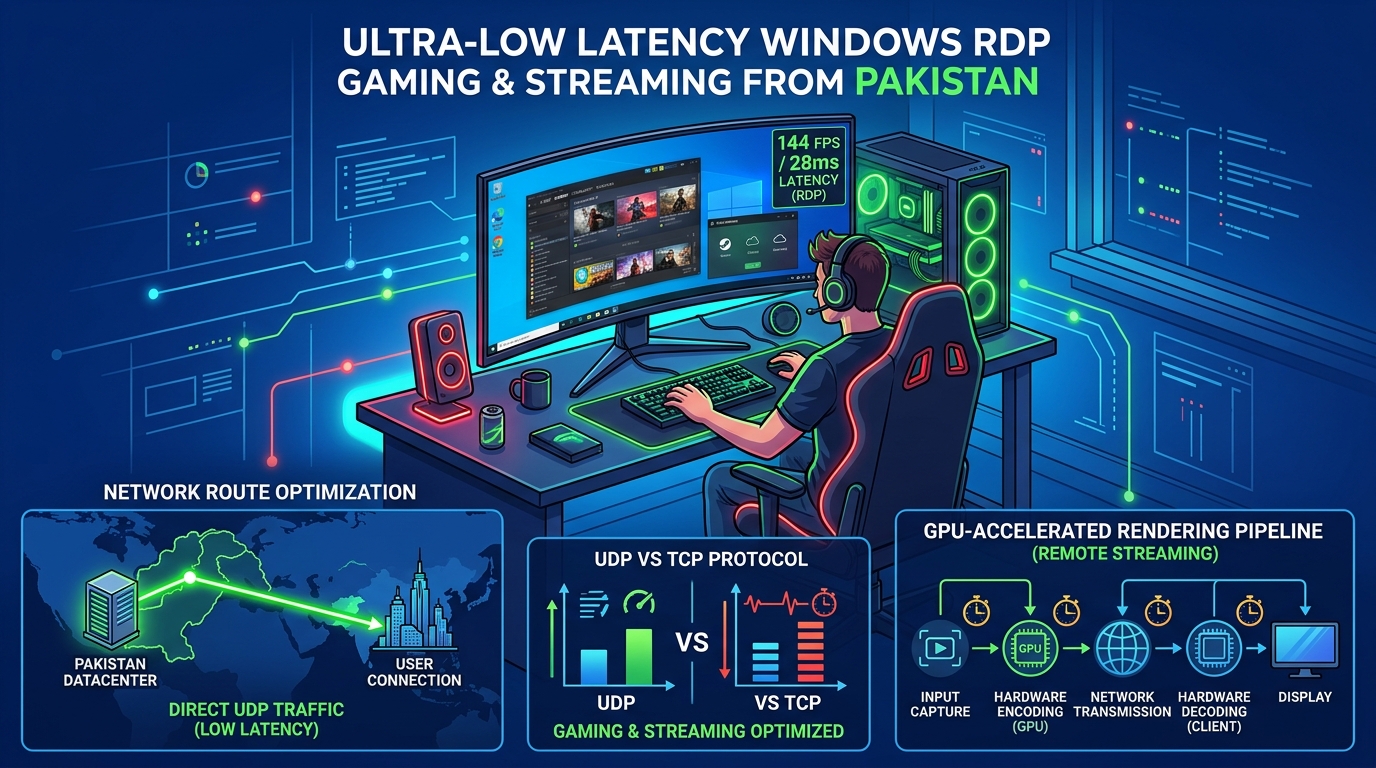
The competitive gaming and esports scene in Pakistan has grown into a vibrant industry. Tournaments and community clans across Karachi, Lahore, Islamabad, and Peshawar host dedicated servers for titles like Counter-Strike 2 (CS2), Rust, Grand Theft Auto V (FiveM RP), and Palworld.
Yet, Pakistani gamers face a persistent, frustrating handicap: unacceptable latency and hit-registration lag.
When server hosts deploy game servers on cheap international VPS providers in Germany, Singapore, or Dubai:
- Players experience ping times of 75ms to 140ms. In high-stakes tactical shooters like CS2, 100ms of latency means an opponent sees and peeks you before your client receives the packet.
- Rubberbanding, desynchronization, and rejected bullet registrations plague competitive matches.
- International routing suffers from undersea cable packet jitter and throttling during evening peak ISP congestion hours.
The only way to achieve true 5ms to 15ms LAN-like pings in Pakistan is hosting on dedicated physical bare-metal hardware located inside Pakistani Tier-3 datacenters.
The Realities of Game Server Architecture: Why Single-Core Clock Speed Rules
Unlike web servers (which scale gracefully across dozens of slow, low-clock CPU cores), game server simulation loops are strictly single-threaded:
GAME SERVER TICK-LOOP SERIALIZATION:
┌────────────────────────────────────────────────────────┐
│ 1 TICK (Frame Simulation Budget: e.g. 15.6ms for 64-tick)│
│ ├─ 1. Receive incoming player UDP packets              │
│ ├─ 2. Calculate entity physics, ballistics & collisions│
│ ├─ 3. Run game state verification                      │
│ └─ 4. Broadcast world state snapshot to all 32 players │
└────────────────────────────────────────────────────────┘
If physics calculations take 16.2ms on a slow 2.2GHz CPU:
TICK DROPS! The server stutters, and players experience rubberbanding!
A 64-core enterprise processor clocked at 2.2 GHz will deliver a miserable, stuttering gaming experience. Game servers demand high single-core burst frequencies (4.5 GHz to 5.4 GHz+) found in dedicated performance processors (such as AMD Ryzen 9 7950X / Intel Core i9 or high-frequency Xeon/EPYC).
Review our high-frequency hardware on Dedicated Servers and localized gaming nodes on Dedicated Servers in Pakistan.
Ping Comparison: Domestic Pakistan vs. International Game Hosting
Here is the real-world ping telemetry experienced by players located in Lahore, Karachi, and Islamabad:
| Server Location | Transit Routing | Ping from Karachi | Ping from Lahore | Ping from Islamabad |
|---|---|---|---|---|
| Frankfurt (Hetzner / OVH) | Undersea Cable (SMW4/AAE-1) | 125 ms – 145 ms | 135 ms – 155 ms | 140 ms – 160 ms |
| Singapore (AWS / DigitalOcean) | Eastern Undersea Cable | 75 ms – 95 ms | 85 ms – 105 ms | 90 ms – 110 ms |
| Dubai (UAE Transit) | Arabian Sea Fiber | 45 ms – 65 ms | 55 ms – 75 ms | 60 ms – 80 ms |
| Nextgen Pakistan (Domestic PkIX) | Direct Fiber (PTCL/Nayatel/StormFiber) | 4 ms – 12 ms | 6 ms – 14 ms | 3 ms – 8 ms |
At under 15ms, hit registration feels instantaneous, bullet trajectories sync perfectly, and community server retention skyrockets.
Tuning Linux for Low-Jitter Game Server Execution
To prevent the Linux kernel from putting CPU cores into power-saving C-states during matches, apply these performance tweaks:
1. Set CPU Governor to Maximum Performance
# Disable CPU frequency scaling down-clocking
cpupower frequency-set -g performance
2. Network Buffer Tuning for High-Frequency UDP Packets
Game servers communicate exclusively over UDP. If the operating system UDP socket buffer overflows, packets are dropped before the game engine can read them.
In /etc/sysctl.d/99-gameserver.conf:
# Increase maximum socket receive and send buffer sizes to 32MB
net.core.rmem_max = 33554432
net.core.wmem_max = 33554432
net.core.rmem_default = 16777216
net.core.wmem_default = 16777216

# Increase maximum backlog queue for UDP packets
net.core.netdev_max_backlog = 10000

# Disable slow start restart to maintain high burst throughput
net.ipv4.tcp_slow_start_after_idle = 0
Apply immediately:
sysctl -p /etc/sysctl.d/99-gameserver.confDefending Against Gaming UDP Flood Attacks
Gaming servers in Pakistan are notorious targets for competitor DDoS attacks (UDP reflection floods, Valve Source Engine query amplification).
Add line-rate iptables rules to drop malformed A2S_INFO query floods:
# Rate limit Source Engine Server Queries (A2S_INFO) to prevent amplification floods
iptables -A INPUT -p udp --dport 27015 -m string --hex-string "|ffffffff54536f75726365|" --algo bm -m hashlimit --hashlimit-upto 10/sec --hashlimit-burst 20 --hashlimit-name a2s_limit -j ACCEPT
iptables -A INPUT -p udp --dport 27015 -m string --hex-string "|ffffffff54536f75726365|" --algo bm -j DROP

# Drop invalid UDP packet fragments
iptables -A INPUT -p udp -f -j DROP
Setting Up Counter-Strike 2 Dedicated Server with SteamCMD
Install SteamCMD and deploy a dedicated CS2 server on Rocky Linux 9:
# Create dedicated user
useradd -m -s /bin/bash steam
su - steam

# Download SteamCMD
mkdir ~/steamcmd && cd ~/steamcmd
curl -sqL "https://steamcdn-a.akamaihd.net/client/installer/steamcmd_linux.tar.gz" | tar zxvf -

# Install CS2 Dedicated Server (App ID 730)
./steamcmd.sh +force_install_dir ~/cs2-server +login anonymous +app_update 730 validate +quit
Create a startup script ~/start_cs2.sh:
#!/bin/bash
cd /home/steam/cs2-server/game/bin/linuxsteamrt64
./cs2 -dedicated +ip 0.0.0.0 -port 27015 +map de_mirage -maxplayers 24 +game_type 0 +game_mode 1 +sv_setsteamaccount "YOUR_GSLT_TOKEN" -tickrate 64
Make executable and launch inside tmux or systemd:
chmod +x ~/start_cs2.sh
./start_cs2.sh
Why Bare Metal Is Non-Negotiable for Esports Clans and Tournament Organizers
Virtual cloud VPS servers share physical CPU execution queues with neighboring VMs. When another tenant on your host runs a heavy compile job, your game server suffers micro-stuttering and missed tick loops.
On Nextgen’s Dedicated Gaming Infrastructure:
- 100% Guaranteed Physical Cores: Dedicated high-clock AMD Ryzen and Intel processors with zero hypervisor jitter.
- Enterprise Anti-DDoS Filtering: Automated L3/L4 UDP scrubbing that cleans attack traffic without adding latency.
- Direct PkIX Connectivity: The fastest, lowest-latency domestic gaming network in Pakistan.
Host Unstoppable, Low-Ping Game Servers in Pakistan
Deliver 8ms LAN-like pings for your CS2, Rust, or FiveM community. Deploy dedicated gaming bare-metal servers engineered for maximum tickrate stability and zero jitter.
