
In the digital world, hardware failure is not a question of if—it is purely a matter of when. Whether triggered by a sudden NVMe controller burnout, a corrupted MySQL database index, a rogue developer script deleting production tables, or a devastating ransomware attack, catastrophic data loss can wipe out years of business operations in seconds.
For Pakistani enterprises, banks, software houses, and healthcare providers, disaster recovery is not merely an IT best practice; it is increasingly a strict legal requirement mandated by the State Bank of Pakistan (SBP) and the Securities and Exchange Commission of Pakistan (SECP) under national data protection frameworks.
Yet, a staggering number of organizations in Pakistan rely on flawed backup habits: saving automated cPanel backups to the very same physical disk where the website lives, or downloading a manual ZIP file once a month onto an employee’s personal laptop.
If your primary server suffers a physical motherboard meltdown or your root SSH credentials are breached, local backups are destroyed alongside your live site. True operational resilience requires an automated, immutable, multi-region Disaster Recovery (DR) pipeline.
The 3-2-1 Disaster Recovery Standard for Pakistan
- The 3-2-1 Architecture: Maintain at least 3 copies of your data across 2 different media types, with at least 1 copy stored offsite in a physically separated geographic region.
- RPO vs. RTO: Define your Recovery Point Objective (how much data you can afford to lose, e.g. 15 minutes of orders) and Recovery Time Objective (how quickly systems must be back online, e.g. under 1 hour).
- Immutable, Air-Gapped Snapshots: Configure WORM (Write Once, Read Many) or object-locked storage so that even if attackers compromise your root server credentials, they cannot delete or encrypt your offsite backup archives.
- Automated Restore Verification: A backup that has never been tested is not a backup—it is an assumption. Run automated monthly sandbox restores to verify database consistency.
1. Defining Your Business SLAs: RPO and RTO
Before writing a single backup script, your management team must establish two critical metrics:
[Incident Timeline]
├── Last Backup (e.g. 2:00 PM) ──► DISASTER OCCURS (2:15 PM) ──► SYSTEM RESTORED (3:00 PM)
│◄────── RPO: 15 Minutes ──────►│                             │◄──── RTO: 45 Minutes ────►│
(Maximum acceptable data loss) (Time required to recover)- Recovery Point Objective (RPO): The maximum age of files that must be recovered from backup storage for normal operations to resume. For a static portfolio site, an RPO of 24 hours is acceptable. For an eCommerce store handling 100 orders an hour in Pakistan, your RPO must be 15 minutes or less (achieved via binlog streaming or hourly block-level snapshots).
- Recovery Time Objective (RTO): The maximum acceptable duration of downtime before business systems are fully functional again. A robust DR plan targets an RTO under 60 minutes via automated failover DNS or pre-configured standby instances.
2. Multi-Region Replication Architecture (Karachi to Islamabad)
Relying on a single datacenter creates a single point of failure (SPOF). Power grid interruptions, subsea fiber cuts, or municipal incidents can isolate an entire facility.
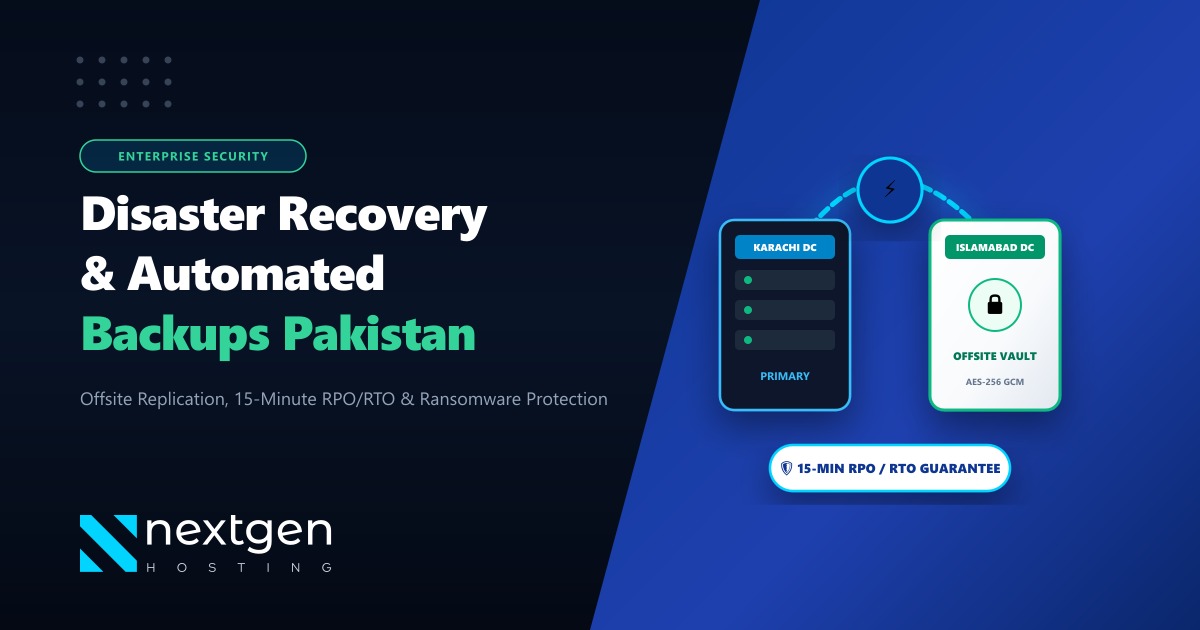
For enterprise Pakistani platforms, Nextgen deploys an automated dual-region disaster recovery pipeline:
[Production Node: Karachi DC]
  ├─ Live Production Database (MySQL / PostgreSQL)
  ├─ User Uploads & Media Assets
  └─ Hourly Incremental ZFS / LVM Snapshots
          │
          ▼ [Encrypted WireGuard / TLS 1.3 Tunnel]
[DR Standby Vault: Islamabad DC]
  ├─ Immutable Object Storage (WORM / S3-Compatible)
  ├─ Hot Standby Replicated Database (Read-Replica)
└─ Automated Health Probes (Anycast DNS Failover)- Data in Transit: Backups are compressed and encrypted using AES-256 before leaving the primary server, transiting through dedicated private fiber interconnects.
- Immutability: Even if an unauthorized party gains SSH root access on the production server, the destination offsite backup repository rejects all delete or modify requests via S3 Object Lock retention policies.
3. Practical Linux Backup Pipeline (Automated & Encrypted)
Here is a production-grade Bash automated backup routine that dumps MySQL with consistent transactional snapshots, compresses using zstd, encrypts via GPG, and syncs offsite:
#!/bin/bash
# Enterprise Daily Database & File Backup Script
DATE=$(date +%Y-%m-%d_%H%M%S)
BACKUP_DIR="/var/backups/staging"
DEST_BUCKET="s3://nextgen-dr-vault-islamabad/backups/"
PASSPHRASE="YourStrongVaultKey2026"

mkdir -p $BACKUP_DIR

# 1. Consistent MySQL Dump with Transaction Isolation
mysqldump --single-transaction --quick --routines --triggers \
    -u root -p'YourDBSecret' --all-databases | zstd -T4 -3 > $BACKUP_DIR/db_${DATE}.sql.zst

# 2. Encrypt using AES-256 GPG Symmetric Cipher
gpg --batch --yes --passphrase "$PASSPHRASE" \
    --symmetric --cipher-algo AES256 $BACKUP_DIR/db_${DATE}.sql.zst

# 3. Stream to Offsite Storage via Rclone / AWS CLI
rclone copy $BACKUP_DIR/db_${DATE}.sql.zst.gpg $DEST_BUCKET/daily/

# 4. Clean up local staging buffer
rm -rf $BACKUP_DIR/*
echo "[$(date)] Backup and offsite sync completed successfully."
4. Hardware Independence: Bare-Metal Redundancy
For mission-critical enterprise workloads—including financial institutions, logistics networks, and governmental systems—virtual backups must be backed by true bare-metal disaster recovery readiness.
When primary hardware encounters catastrophic motherboard or power supply failure, having on-demand provisioning on independent physical machines prevents prolonged downtime.
If your organization requires dedicated physical computing infrastructure with hardware RAID-10 storage controllers and hot-swappable enterprise NVMe drives, our global Dedicated Servers provide 99.99% network uptime SLAs with unmetered throughput.
Furthermore, if your regulatory mandate requires strict data residency within sovereign Pakistani jurisdiction, our Dedicated Servers in Pakistan ensure your primary and secondary disaster recovery nodes operate entirely within tier-3 domestic datacenters in Karachi and Lahore.
5. Summary: The Golden Rules of Server Backups
- Never backup to the same drive: Always replicate to a separate physical machine and offsite datacenter.
- Encrypt before transmission: Protect sensitive user data, passwords, and database dumps with AES-256 encryption.
- Automate and monitor: Manual backups fail because humans forget. Use automated cron jobs with Slack or email alert webhooks on failure.
- Test your restore quarterly: Practice restoring a backup into a fresh sandbox server to ensure your staff knows the exact recovery runbook.
Protect Your Business with Enterprise Disaster Recovery
Sleep soundly knowing your data is safe. Nextgen Hosting offers automated snapshot backups, multi-datacenter offsite replication, and 24/7 emergency disaster recovery assistance in Pakistan.
