
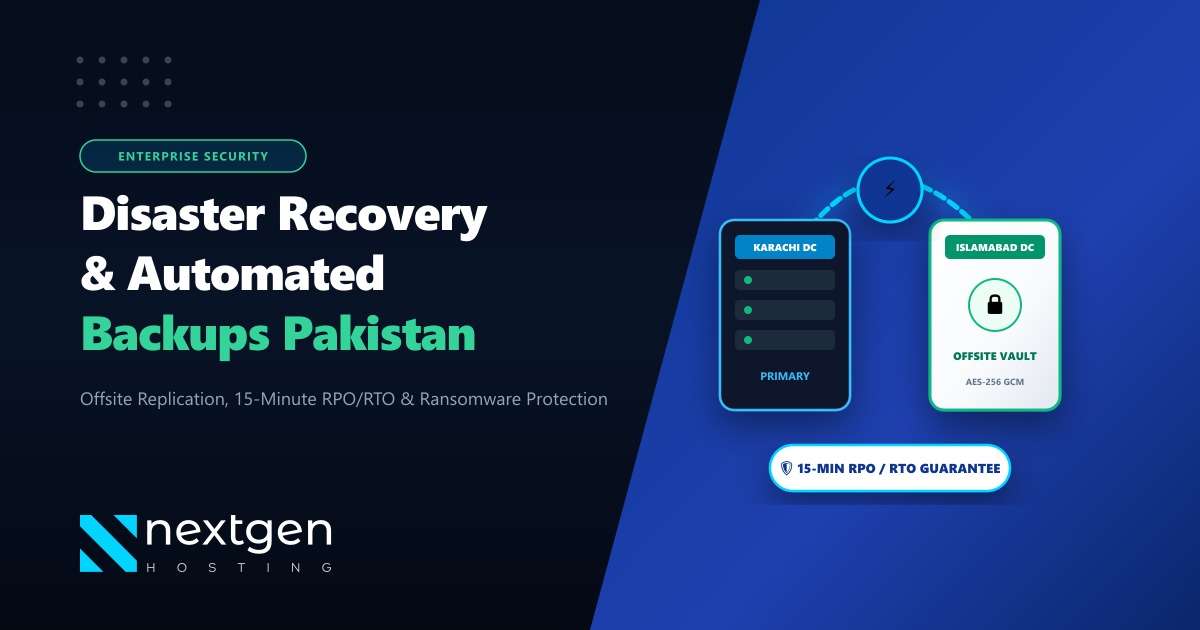
Legacy backup solutions on multi-tenant cPanel servers frequently generate massive I/O spikes, thrash database buffers, and consume hundreds of gigabytes in redundant .tar.gz archives. For enterprise hosting providers, digital agencies, and mission-critical SaaS platforms operating in Pakistan, traditional full cPanel backups are unsustainable when server accounts exceed tens of millions of small files and hundreds of gigabytes of relational database storage.
JetBackup 5 completely modernizes backup architecture on WHM/cPanel. Utilizing block-level incremental snapshot engines, client-side GPG AES-256 encryption, hard-link or chunked deduplication, and native support for S3-compatible object storage (such as AWS S3, Wasabi, Backblaze B2, or self-hosted MinIO), JetBackup reduces backup windows from hours to minutes while minimizing egress and storage overhead.
When architecting high-availability infrastructure on Dedicated Servers in local data centers, pairing local NVMe tiering with an automated offsite JetBackup 5 pipeline ensures rigorous compliance with Recovery Point Objectives (RPO < 24 hours) and Recovery Time Objectives (RTO < 30 minutes).
1. JetBackup 5 Architectural Fundamentals
Unlike native cPanel backup scripts (/usr/local/cpanel/bin/backup) which package whole accounts into uncompressed or gzipped tar archives on the local disk before transfer, JetBackup 5 decouples data harvesting from packaging:
- Incremental Indexing Engine: Files and databases are indexed into immutable snapshot trees. Only modified blocks and new inodes are transmitted to the remote destination.
- Chunking & Deduplication: Duplicate assets (such as identical WordPress core releases, shared composer packages, or duplicate plugin files across 500 cPanel accounts) are deduplicated at the storage layer.
- Queue & Resource Throttling: Backups execute through managed background worker threads with direct integration into Linux
niceandionicepriorities, preventing web server slowdowns or MySQL query latency spikes during backup windows. - Single-Item Granular Restores: End-users can self-restore single files, individual database tables, cron jobs, DNS zones, or email inboxes directly from the cPanel client interface without contacting tier-3 support engineers.
+-----------------------------------------------------------------------+
|                    cPanel Host Server (WHM)                           |
|  +--------------------+  +--------------------+  +-----------------+  |
|  | /home/user1 (NVMe) |  | /home/user2 (NVMe) |  | MariaDB Engine  |  |
|  +---------+----------+  +---------+----------+  +--------+--------+  |
+------------|-----------------------|----------------------|-----------+
             |                       |                      |
             +-----------------------+----------------------+
                                     |
                          [ JetBackup 5 Daemon ]
                                     |
                  +------------------+------------------+
                  |  - Block-level delta calculation    |
                  |  - Client-side GPG AES-256 cipher   |
                  |  - ionice -c2 -n7 I/O throttling    |
                  +------------------+------------------+
                                     |
                     (Encrypted HTTPS / TLS 1.3 Pipe)
                                     |
             +-----------------------v----------------------+
             |  Remote S3 / Wasabi / MinIO Object Storage   |
             |   - Immutable snapshots                      |
             |   - Zero-egress disaster recovery standby    |
             +----------------------------------------------+
2. Installing JetBackup 5 on cPanel / WHM
JetBackup 5 installs cleanly on AlmaLinux 8/9, CloudLinux 8/9, or Rocky Linux systems powering cPanel:
# Register JetBackup yum repository and install core package
curl -o /etc/yum.repos.d/jetbackup5.repo http://repo.jetbackup.com/centOS/jetbackup5.repo
dnf clean all
dnf install -y jetbackup5-cpanel

# Verify JetBackup service daemon status
systemctl enable --now jetbackup5d
systemctl status jetbackup5d
Once installed, JetBackup initializes its local SQLite metadata catalog in /usr/local/jetapps/var/jetbackup5/ and registers its WHM plugin hooks.
3. Configuring S3-Compatible Offsite Storage Destinations
To prevent data loss in the event of local hardware failure, chassis corruption, or regional transit disruption, backups must be routed to offsite object storage.
JetBackup 5 supports standard Amazon S3, Wasabi Hot Cloud Storage, Backblaze B2, and local S3-compliant MinIO clusters deployed on private Dedicated Servers in Pakistan.
CLI Destination Configuration
You can configure storage destinations directly via JetBackup’s management CLI (jetbackup5api):
# Add an S3-compatible remote destination via CLI
jetbackup5api -F createDestination \
  -D "name=Offsite-S3-Wasabi" \
  -D "type=S3" \
  -D "options[access_key]=AKIAIOSFODNN7EXAMPLE" \
  -D "options[secret_key]=wJalrXUtnFEMI/K7MDENG/bPxRfiCYEXAMPLEKEY" \
  -D "options[bucket]=nextgen-cpanel-backups-pk" \
  -D "options[region]=eu-central-1" \
  -D "options[custom_endpoint]=s3.eu-central-1.wasabisys.com" \
  -D "options[backup_dir]=/live-nodes/node01/" \
  -D "options[signature_version]=v4" \
  -D "options[connection_limit]=8"
Enabling Client-Side GPG / AES-256 Encryption
Backups stored in offsite clouds should be encrypted before leaving server RAM. JetBackup 5 integrates transparent symmetric and asymmetric encryption:
# Generate a dedicated AES-256 encryption key inside JetBackup
jetbackup5api -F createEncryptionKey \
  -D "name=Production-AES256-Key" \
  -D "type=AES-256" \
  -D "passphrase=SuperSecureProductionEntropyPassphrase987!@"
Attach this encryption key to the destination configuration to ensure that all payload chunks are encrypted before transit.
4. Designing High-Performance Backup Jobs
To avoid resource starvation, backup schedules should be segmented into multi-tier policies:
- Daily Accounts Snapshot: Retains 7 daily restore points (files, databases, cron jobs, emails).
- Weekly Archive: Retained for 4 weeks.
- Monthly Cold Storage: Retained for 12 months with automated pruning.
Creating the Daily Incremental Backup Job
# Create incremental backup job targeting all active accounts
jetbackup5api -F createBackupJob \
  -D "name=Daily-MultiTenant-Incremental" \
  -D "destination=Offsite-S3-Wasabi" \
  -D "structure=1" \
  -D "contains[homedir]=1" \
  -D "contains[databases]=1" \
  -D "contains[emails]=1" \
  -D "contains[cron]=1" \
  -D "contains[dns]=1" \
  -D "contains[certificates]=1" \
  -D "schedule[type]=1" \
  -D "schedule[time]=02:30" \
  -D "retention[type]=1" \
  -D "retention[limit]=7"
I/O and Process Throttling Tuning
Edit the JetBackup master configuration to protect MySQL and web server concurrency during active backup passes:
# /usr/local/jetapps/etc/jetbackup5/jetbackup.ini
[performance]
max_concurrent_accounts = 4
max_concurrent_files = 8
ionice_class = 2
ionice_priority = 7
nice = 19
mysqldump_single_transaction = 1
mysqldump_quick = 1
mysqldump_max_allowed_packet = 512M
ionice_class = 2(Best Effort) andionice_priority = 7(Lowest priority in class 2) guarantee that real-time HTTP requests and MySQL transactions take precedence over backup read operations.mysqldump_single_transaction = 1avoids locking InnoDB tables, allowing uninterrupted checkout transactions on WooCommerce platforms during late-night backup jobs.
5. Automated Disaster Recovery Drills & Validation
A backup that has never been restored is an untested hypothesis. In enterprise production environments, disaster recovery drills should be executed quarterly to validate archive integrity and determine true RTO.
Simulating Bare-Metal Server Rebuild
In a worst-case scenario where the primary node suffers catastrophic NVMe array failure:
# Step 1: Install clean OS and cPanel/WHM on replacement hardware
# Step 2: Install JetBackup 5 and attach existing remote S3 destination
jetbackup5api -F createDestination \
  -D "name=Offsite-S3-Wasabi" \
  -D "type=S3" \
  -D "options[access_key]=AKIAIOSFODNN7EXAMPLE" \
  -D "options[secret_key]=wJalrXUtnFEMI/K7MDENG/bPxRfiCYEXAMPLEKEY" \
  -D "options[bucket]=nextgen-cpanel-backups-pk" \
  -D "options[custom_endpoint]=s3.eu-central-1.wasabisys.com" \
  -D "options[backup_dir]=/live-nodes/node01/"

# Step 3: Re-index remote catalog into local database
jetbackup5api -F syncDestination -D "name=Offsite-S3-Wasabi"

# Step 4: Batch restore all accounts with automated DNS & MySQL rebuilding
jetbackup5api -F restoreAccount \
  -D "backup_id=64d2f8a1e4b01" \
  -D "account=clientcorp" \
  -D "restore_items[homedir]=1" \
  -D "restore_items[databases]=1" \
  -D "restore_items[emails]=1"
Automated Integrity Checking (Backup Verification)
JetBackup includes built-in verification routines that run checksum validations on stored chunks without requiring a full restore:
# Trigger an integrity scan on snapshot indices
jetbackup5api -F verifyDestination -D "name=Offsite-S3-Wasabi"
6. Summary: Disaster Recovery Best Practices
| Architecture Metric | Legacy cPanel Backups | JetBackup 5 with S3 Engine |
|---|---|---|
| Backup Format | Full .tar.gz monolithic files |
Block-level incremental deduplicated chunks |
| Disk Overhead | 100% - 200% local temp storage required | Zero local disk staging (streamed directly) |
| I/O Impact | Severe CPU/I/O thrashing during compression | Throttled via ionice & nice background workers |
| Client Restoration | Full cPanel restore required via WHM | Self-service single file, email, or DB restore in cPanel |
| Encryption | Plaintext or manual server-side scripts | Built-in AES-256 client-side GPG encryption |
| Multi-Cloud Target | Complex custom rsync scripts | Native S3, Wasabi, B2, MinIO, Google Cloud Storage |
Deploying JetBackup 5 on high-bandwidth, redundant Dedicated Servers in Pakistan equips hosting providers with bulletproof data resiliency, zero-downtime operational reliability, and sub-minute recovery times for modern mission-critical applications.
Enterprise Hosting Infrastructure with Automated Disaster Recovery
Looking for bare-metal performance, high-speed NVMe storage arrays, and fully isolated network environments in Pakistan? Explore NextGen's unmetered enterprise dedicated server solutions engineered for mission-critical reliability.
Deploy Dedicated Server in Pakistan