
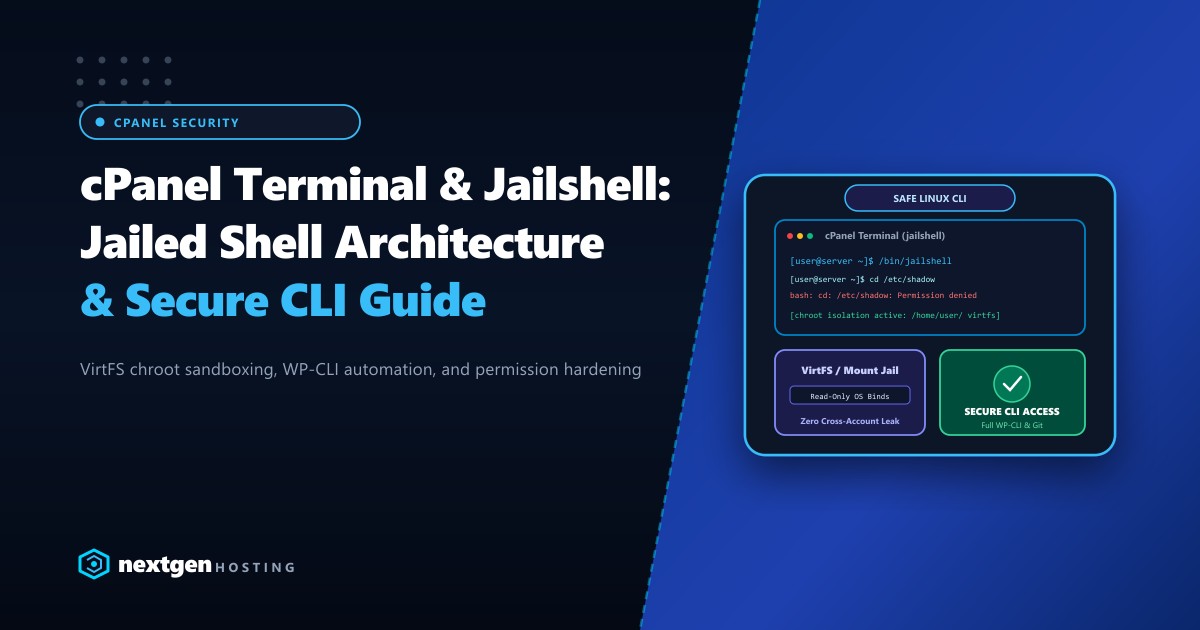
In a multi-tenant shared hosting environment, granting terminal SSH access to developers has traditionally been considered one of the highest operational risks. Without rigorous OS-level containment, a standard unprivileged POSIX user account can enumerate running processes, read globally readable configurations in /etc/, inspect shared temporary directories in /tmp, and exploit file permission weaknesses to launch cross-account symlink traversal attacks.
For hosting providers, digital agencies, and enterprise devops teams operating servers in Pakistan, cPanel’s JailShell and VirtFS (Virtual File System) architecture is the frontline defense mechanism that makes user SSH access safe and compartmentalized.
This deep technical guide dissects the kernel-level mechanics of JailShell, explains how VirtFS establishes on-demand chroot environments using Linux bind mounts, walks through real-world configuration and troubleshooting, and contrasts virtual containment with the bare-metal security of isolated Dedicated Servers in Pakistan.
The Architecture: How JailShell and VirtFS Work Together
JailShell is not a standalone custom binary shell written from scratch. Instead, it is a setuid wrapper that launches standard /bin/bash (or the user’s designated shell) inside an isolated, containerized filesystem tree constructed dynamically under /home/virtfs/.
When a cPanel user with JailShell privileges logs in via SSH or runs a command through cPanel Terminal, the system executes the following boot sequence:
[cPanel User SSH Login Request]
           │
           ▼
[JailShell setuid binary: /usr/local/cpanel/bin/jailshell]
           │
           ├── 1. Query user UID/GID & cPanel permissions
           ├── 2. Verify or initialize /home/virtfs/$USER directory tree
           ├── 3. Mount read-only system bind-mounts (/bin, /lib64, /usr, /opt)
           ├── 4. Mount private writable paths (/home/$USER, /tmp, /var/tmp)
           ├── 5. Apply chroot(/home/virtfs/$USER)
           └── 6. Drop elevated privileges & execve("/bin/bash")
1. The VirtFS Bind-Mount Mechanism
Unlike traditional UNIX chroot jails that required duplicating hundreds of megabytes of system binaries, shared C libraries (libc.so), and device nodes into every single user jail, VirtFS leverages Linux Kernel bind mounts (mount --bind).
VirtFS mounts essential host operating system directories into /home/virtfs/$USER/ with strict read-only (ro) and execution permissions:
- Read-Only System Trees:
/bin&/sbin$\rightarrow$/home/virtfs/$USER/bin/usr$\rightarrow$/home/virtfs/$USER/usr/lib&/lib64$\rightarrow$/home/virtfs/$USER/lib64/opt/cpanel$\rightarrow$/home/virtfs/$USER/opt/cpanel
- Private Read-Write Trees:
/home/$USER$\rightarrow$/home/virtfs/$USER/home/$USER- Private namespaced
/tmpand/var/tmpmounts to prevent shared temporary file poisoning.
Because the system utilities are bind-mounted read-only, even if an attacker manages to execute an arbitrary write exploit as an unprivileged user inside JailShell, they cannot modify system binaries, install kernel modules, or tamper with global PAM authentication files.
Anatomy of an Attack: Preventing Symlink Race Exploits
One of the most devastating shared hosting vulnerabilities in Pakistan’s web ecosystem has been the Symlink Race Condition (CWE-59). In standard unconfined shared hosting:
- Attacker uploads a PHP script on
tenant-a.com. - The script creates a symbolic link:
ln -s /home/tenantb/public_html/wp-config.php /home/tenanta/public_html/symlink_exploit.txt - If Apache or LiteSpeed does not enforce strict symlink ownership checks, browsing to
tenant-a.com/symlink_exploit.txtcauses the web server to read the victim’s database credentials directly.
How VirtFS Neutralizes Symlinks
Because VirtFS establishes a strict chroot root filesystem at /home/virtfs/$USER/, the kernel resolves all absolute symlinks relative to that specific jail:
- If a rogue script inside the jail attempts to traverse
/home/tenantb/, the path simply does not exist. - The only directory mounted inside
/home/virtfs/$USER/home/is the tenant’s own/home/$USERdirectory. - Any attempt to access
/home/tenantbyieldsENOENT: No such file or directory.
Step-by-Step Configuration: Enabling JailShell via WHM & CLI
1. Configuring Default Shell Options in WHM
- Log in to your WHM (WebHost Manager) root dashboard.
- Navigate to Server Configuration $\rightarrow$ Tweak Settings.
- Under the Security tab:
- Set Use cPanel jailshell on logins to
On. - Set Jailed /tmp mount to
On(ensures/tmpis privately mounted per user).
- Set Use cPanel jailshell on logins to
- Save changes.
2. Managing User Shells from the Linux CLI
As a system administrator managing high-density servers, you can inspect and modify user shell privileges instantly using cPanel’s command-line utilities:
# Check current shell assignment for a specific user
grep "clientuser" /etc/passwd
# Output: clientuser:x:1001:1002::/home/clientuser:/usr/local/cpanel/bin/jailshell

# Grant JailShell access to a user
/usr/local/cpanel/bin/chsh -s /usr/local/cpanel/bin/jailshell clientuser

# Grant standard unjailed bash (ONLY recommended for trusted internal developers)
/usr/local/cpanel/bin/chsh -s /bin/bash clientuser

# Completely disable shell access
/usr/local/cpanel/bin/chsh -s /usr/local/cpanel/bin/noshell clientuser
To enable JailShell globally for all existing accounts in bulk:
whmapi1 set_all_users_to_jailshellDeep Dive: Managing and Troubleshooting VirtFS
The VirtFS Orphan Mount Issue (And How to Fix It)
When users log out of SSH or disconnect their SFTP sessions, VirtFS is supposed to tear down the bind mounts automatically. However, lingering background processes (such as persistent Node.js instances, background Python scripts, or hanging MySQL CLI queries) can prevent unmounting.
When this occurs, /home/virtfs/$USER remains mounted. If an inexperienced administrator attempts to delete the user or run rm -rf /home/virtfs/, it will recursively delete live host operating system binaries (/bin, /usr, /lib64), bricking the entire server!
[!CAUTION] Never, under any circumstances, run
rm -rf /home/virtfs/. Doing so will wipe out your production host operating system files through the active bind mounts.
Safe VirtFS Teardown Procedure
To cleanly unmount and clear stale VirtFS mounts on your CentOS, AlmaLinux, or CloudLinux server:
# 1. Kill all running processes belonging to the user
killall -u clientuser -9

# 2. Use cPanel's built-in clear-mount script
/scripts/clear_orphaned_virtfs_mounts --user=clientuser

# 3. If mounts still persist, check active kernel mounts
cat /proc/mounts | grep /home/virtfs/clientuser

# 4. Perform a lazy, safe kernel unmount if necessary
umount -l /home/virtfs/clientuser/usr
umount -l /home/virtfs/clientuser/bin
umount -l /home/virtfs/clientuser/lib64
umount -l /home/virtfs/clientuser/home/clientuser
umount -l /home/virtfs/clientuser
Customizing VirtFS Binaries for Modern Developers
Modern web development requires specialized command-line tooling like Composer, WP-CLI, Git, Node.js, and npm. By default, cPanel includes basic utilities, but you may need to expose custom binaries inside the jail.
cPanel manages VirtFS inclusion via /var/cpanel/templates/jailshell/.
Adding Custom Commands to VirtFS
To allow developers in Pakistan to execute git-lfs or custom Python virtual environments:
- Create a custom template configuration:
touch /var/cpanel/templates/jailshell/custom - Add the paths of the binaries you want to mount:
/usr/local/bin/git-lfs /usr/local/bin/wp /usr/bin/python3.11 - Rebuild the VirtFS jail templates:
/usr/local/cpanel/bin/jailshell --rebuild
JailShell vs. True Hardware Isolation: When to Upgrade
While cPanel’s JailShell and VirtFS provide effective multi-tenant isolation against basic traversal and privilege escalation, they remain bound to a single shared Linux kernel. If an exploit bypasses kernel user namespaces, triggers a local privilege escalation (LPE), or exhausts system I/O resources, other tenants on the server will still experience degradation.
| Security Dimension | cPanel JailShell / VirtFS | CloudLinux CageFS + LVE | Nextgen Dedicated Bare-Metal |
|---|---|---|---|
| Filesystem Isolation | Bind-mount chroot | Virtualized skeleton FS | 100% Dedicated Physical NVMe |
| Kernel Space | Shared Host Kernel | Shared Patched Kernel | 100% Private Dedicated Kernel |
| Process Visibility | Filtered via chroot | Hidden via procfs mount | Zero multi-tenant presence |
| Resource Throttling | None (cgroups manual) | Strict CPU/IO/RAM caps | Unmetered Bare-Metal Hardware |
| Root/Sudo Access | Strictly Prohibited | Strictly Prohibited | Full Root / Sudo Ownership |
| Target Workload | Budget Shared Hosting | Multi-tenant Agencies | High-concurrency ERPs, E-comm |
For mission-critical production platforms, fintech APIs, and high-concurrency databases in Pakistan, software-level containment cannot replace physical isolation. Explore Nextgen’s high-performance bare-metal Dedicated Servers and locally hosted Dedicated Servers in Pakistan for guaranteed compute, dedicated bandwidth, and zero noisy neighbors.
Summary Checklist for Sysadmins
- Always default to JailShell: Never set default new account shell permissions to
/bin/bash. - Monitor Orphan Mounts: Schedule a cron job checking for stale
/home/virtfs/mounts. - Combine with ModSecurity & CageFS: For maximum defense-in-depth, pair JailShell with CloudLinux CageFS and OWASP ModSecurity rule sets.
- Audit Backups: Ensure your backup software excludes
/home/virtfs/to avoid massive recursive backup inflation.
Secure Your Infrastructure with Nextgen Bare-Metal Servers
Tired of shared kernel risks, noisy neighbors, and complex chroot maintenance? Deploy high-performance enterprise hardware with dedicated resources, pure NVMe arrays, and sub-5ms low latency across Pakistan.
