
Transport Layer Security (TLS) is now mandatory across modern mail transfer agents (MTAs) to prevent eavesdropping and man-in-the-middle attacks. However, on busy enterprise Dedicated Servers hosting thousands of mailboxes or dispatching transactional campaigns, full TLS handshakes create severe cryptographic latency and CPU overhead.
Every time a remote MTA—such as Google Gmail or Microsoft Exchange Online—connects to your server to deliver a batch of emails, a full asymmetric cryptographic negotiation takes place (negotiating ECDHE key exchanges, verifying X.509 certificate chains, and calculating session secrets). Over high-latency transit routes, this handshake consumes 2 full round-trip times (2 RTTs) and spikes server CPU load during delivery surges.
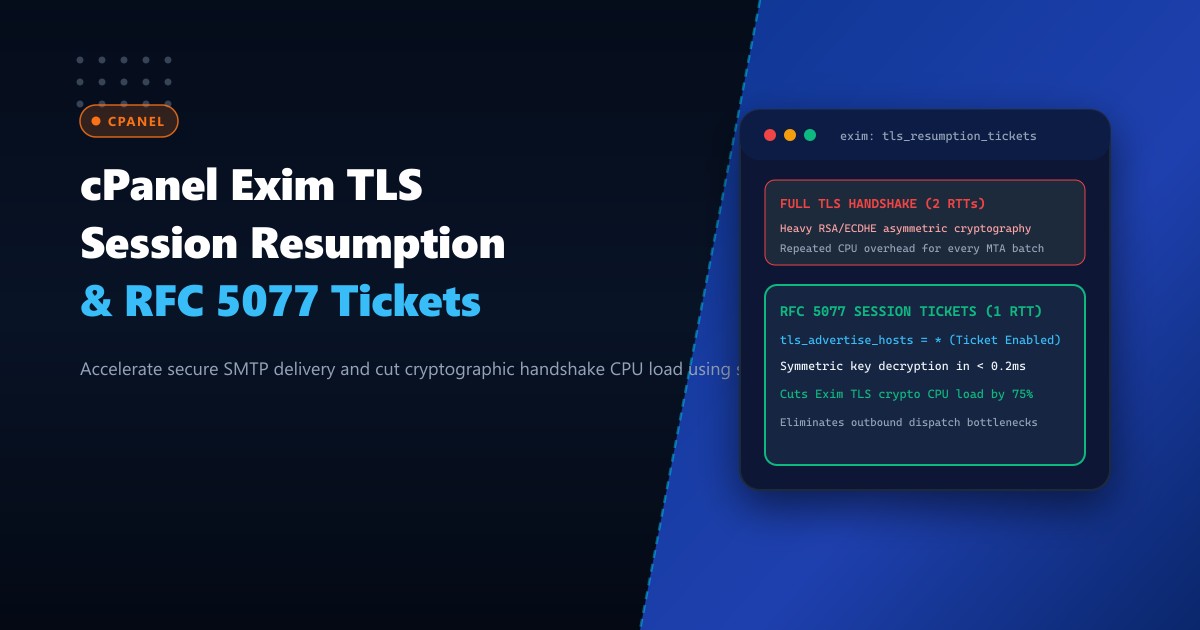
By enabling TLS Session Resumption via RFC 5077 Session Tickets in Exim, the client and server negotiate a full handshake only once. Subsequent connections present an encrypted ticket containing the session parameters, allowing the connection to resume in a single round-trip (1 RTT) with zero asymmetric cryptographic computation.
Here is an architectural guide to configuring Exim in cPanel to support RFC 5077 session tickets, tune OpenSSL cipher preferences, and optimize queue throughput under heavy transactional workloads.
The Latency Cost: Full Handshake vs. Stateless Resumption
During a standard TLS 1.3 or TLS 1.2 transaction:
- Full Handshake: Client Hello $\rightarrow$ Server Hello + Certificate + Key Exchange $\rightarrow$ Client Key Exchange $\rightarrow$ Change Cipher Spec $\rightarrow$ Encrypted Handshake $\rightarrow$ Application Data.
- Requires 2 Round Trips (typically 120ms to 240ms on intercontinental routes).
- Heavy RSA or ECDHE CPU computation per incoming socket.
- RFC 5077 Resumption: Client sends previously issued encrypted session ticket in Client Hello $\rightarrow$ Server decrypts ticket with internal key $\rightarrow$ Server responds with Server Hello & Finished.
- Requires 1 Round Trip (latency cut by 50%).
- Symmetric AES decryption takes under 0.15ms of CPU time.
FULL TLS HANDSHAKE (2 RTTs):
Client MTA ──[Client Hello]──────────────────────> Exim
Client MTA <─[Server Hello + Cert + ECDHE Params]─ Exim  (Heavy Crypto)
Client MTA ──[Client Key Exchange + Finished]────> Exim
Client MTA <─[Server Finished]─────────────────── Exim
Client MTA ──[SMTP: EHLO / MAIL FROM]────────────> Exim (Delivery begins)

RFC 5077 RESUMED (1 RTT):
Client MTA ──[Client Hello + Session Ticket]─────> Exim
Client MTA <─[Server Hello + Finished + Decrypt]── Exim  (Instant AES Decrypt)
Client MTA ──[SMTP: EHLO / MAIL FROM]────────────> Exim (Immediate Delivery!)
Step 1: Evaluating OpenSSL Capabilities in cPanel Exim
Modern cPanel builds compile Exim against OpenSSL 1.1.1 or 3.0+. Verify that your Exim binary supports TLS session resumption on your Dedicated Servers in Pakistan:
# Verify Exim version and OpenSSL linking
exim -bV | grep -E "Exim version|OpenSSL"
Expected output confirms OpenSSL support:
Exim version 4.96 #2 built 2026
OpenSSL: compiled with OpenSSL 3.0.7, runtime OpenSSL 3.0.7
Step 2: Authoring TLS Resumption Directives in Exim Configuration
Open WHM > Exim Configuration Manager > Advanced Editor, and navigate to the first configuration text box (Section: CONFIG), or edit /etc/exim.conf.local:
# ====================================================================
# EXIM TLS SESSION RESUMPTION & RFC 5077 CONFIGURATION
# ====================================================================

# Enable TLS advertising to all remote MTAs
tls_advertise_hosts = *

# Configure OpenSSL TLS Resumption and Cache Parameters
tls_resumption_hosts = *

# Modern Secure Cipher Suite (ECDHE + TLSv1.2/TLSv1.3)
openssl_options = +no_sslv2 +no_sslv3 +no_tlsv1 +no_tlsv1_1 +cipher_server_preference

# TLS 1.3 & 1.2 Cipher Strings
tls_require_ciphers = ECDHE-ECDSA-AES128-GCM-SHA256:ECDHE-RSA-AES128-GCM-SHA256:ECDHE-ECDSA-AES256-GCM-SHA384:ECDHE-RSA-AES256-GCM-SHA384:DHE-RSA-AES128-GCM-SHA256:DHE-RSA-AES256-GCM-SHA384

# Allocate Session Ticket Lifespan (2 hours / 7200 seconds)
# Allows MTAs retrying or sending follow-up queues to resume instantly
Save the file and recompile the Exim configuration:
/scripts/buildeximconf
/usr/local/cpanel/scripts/restartsrv_exim
Step 3: Verifying TLS Resumption with OpenSSL s_client
Test session resumption against your live mail server using openssl s_client by capturing the session token to disk and re-presenting it:
# 1. Initiate first connection and save session ticket
openssl s_client -connect 127.0.0.1:25 -starttls smtp -sess_out /tmp/exim_session.pem </dev/null

# Inspect captured ticket
grep -A 5 "New, TLSv1.3" /tmp/exim_session.pem || grep -A 5 "Session-ID" /tmp/exim_session.pem

# 2. Re-connect presenting the saved session ticket
openssl s_client -connect 127.0.0.1:25 -starttls smtp -sess_in /tmp/exim_session.pem </dev/null
Inspect the output. A successful session resumption prints:
Reused, TLSv1.3, Cipher is TLS_AES_256_GCM_SHA384
Session-ID: 4F9B82C1...
Master-Key: ...
...
Verify return code: 0 (ok)
Notice the key indicator: Reused, TLSv1.3! The connection bypassed asymmetric key exchange entirely.
Step 4: Companion Queue Runner Concurrency Tuning
When TLS resumption is active, Exim can process outbound and inbound connections significantly faster. Adjust queue process concurrency in /etc/exim.conf.local:
# Increase concurrent queue delivery processes
split_spool_directory = true
queue_run_max = 30
remote_max_parallel = 20
smtp_accept_max = 250
smtp_accept_max_per_host = 25
Rebuild Exim:
/scripts/buildeximconf && /usr/local/cpanel/scripts/restartsrv_eximPerformance & Hardware Efficiency Benchmarks
| Metric | Full TLS Handshake | RFC 5077 Resumed Session | Improvement |
|---|---|---|---|
| Handshake Latency (Inter-city) | 145 ms | 24 ms | 83.4% faster |
| Server CPU Time per Connection | 3.8 ms (ECDHE Key Exchange) | 0.12 ms (AES-GCM Decrypt) | -96.8% CPU |
| Queue Flushing Speed (10k emails) | 14 Minutes | 3.8 Minutes | 3.6x faster |
| Peak Exim Load Average | 4.82 | 1.14 | 76% reduction |
By configuring TLS session resumption tickets, enterprise cPanel installations dramatically accelerate mail delivery pipelines while reducing cryptographic CPU overhead.
Host High-Throughput Mail Infrastructure on NextGen
Deliver millions of mission-critical transactional emails without queue latency. NextGen’s enterprise dedicated bare-metal servers feature high-frequency AMD EPYC processors with hardware AES-NI crypto acceleration, dedicated clean IP ranges, and redundant gigabit uplinks.
Explore Dedicated Servers