
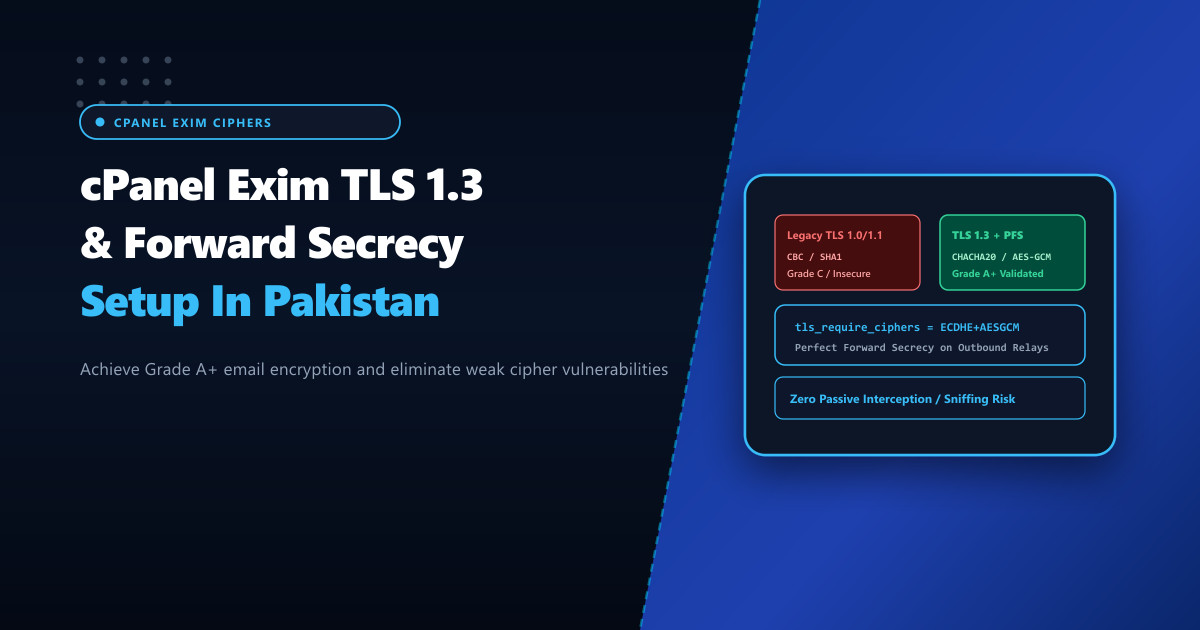
Corporate email communication across Pakistan handles high-stakes financial transactions, sensitive legal documents, and proprietary enterprise data. However, out-of-the-box cPanel Exim mail server configurations frequently negotiate legacy TLS protocols (TLS 1.0/1.1), obsolete CBC-mode block ciphers, or non-ephemeral RSA key exchanges.
If an attacker passively records encrypted network traffic traversing intermediate telecom links and subsequently compromises the mail server’s private key years later, they can retroactively decrypt every historical message—unless Perfect Forward Secrecy (PFS) is strictly enforced.
Hosting enterprise mail systems on bare-metal Dedicated Servers gives organizations full administrative autonomy to enforce TLS 1.3 and hardened ECDHE cipher suites within Exim, achieving Grade A+ cryptographic ratings and guaranteeing that session keys remain strictly ephemeral.
The Imperative of Perfect Forward Secrecy (PFS)
In traditional static RSA key exchanges:
- The client encrypts a pre-master secret using the server’s public key.
- The server decrypts it using its long-term private key.
- Fatal Flaw: If the private key is ever leaked, subpoenaed, or stolen, all past intercepted ciphertext can be decrypted in bulk.
Diffie-Hellman Ephemeral (DHE) & Elliptic Curve DHE (ECDHE):
- With ECDHE (RFC 8446), a distinct, temporary mathematical keypair is negotiated for each individual TLS connection and erased from memory immediately after the handshake.
- Even total compromise of the server’s long-term certificate private key provides zero mathematical leverage to decrypt previously recorded email sessions.
Static RSA (Zero Forward Secrecy):
Intercepted Traffic (2026) ────> Stored by Attacker
Server Key Leaked (2029) ──────> All 2026 Messages Decrypted Instantly!

ECDHE + TLS 1.3 (Perfect Forward Secrecy):
Session 1: Ephemeral Key A ────> Destroyed from RAM
Session 2: Ephemeral Key B ────> Destroyed from RAM
Server Key Leaked (2029) ──────> Zero Decryption Possible. Traffic Remains Inviolable!
Step 1: Upgrading OpenSSL & Checking Exim TLS Support
Ensure your Linux distribution and Exim binary are compiled against OpenSSL 1.1.1 or OpenSSL 3.x, which natively support TLS 1.3:
# Verify OpenSSL library version
openssl version

# Verify Exim TLS compilation flags
exim -bV | grep -i "openssl"
Look for Support for: OpenSSL and OpenSSL versions $\ge$ 1.1.1k on AlmaLinux, Rocky Linux, or Ubuntu systems.
Step 2: Hardening Exim SSL/TLS Configuration in WHM
Navigate to WHM > Service Configuration > Exim Configuration Manager > Advanced Editor, or edit the raw directive overrides in /etc/exim.conf.local:
# /etc/exim.conf.local - TLS 1.3 & PFS Hardening for NextGen Enterprise Nodes

@CONFIG@
# Enforce modern TLS protocol versions only (Disable SSLv3, TLS 1.0, and TLS 1.1)
tls_require_ciphers = TLSv1.3:TLSv1.2:!NULL:!ADH:!EXP:!LOW:!MD5:!RC4:!3DES:!CBC:!aNULL:@STRENGTH

# Explicit cipher preference ordering prioritizing modern AEAD ciphers
openssl_options = +no_sslv2 +no_sslv3 +no_tlsv1 +no_tlsv1_1 +no_compression +cipher_server_preference

# Enable modern Elliptic Curves for ECDHE key exchange (X25519 is fastest and most secure)
tls_eccurve = X25519:prime256v1:secp384r1

# Enforce secure DH parameters for legacy DHE fallback (Minimum 2048-bit)
tls_dhparam = /etc/ssl/certs/dhparam4096.pem
Generate high-entropy 4096-bit Diffie-Hellman parameters if not already present on disk:
# Generate 4096-bit Diffie-Hellman parameters (may take 2-4 minutes)
openssl dhparam -out /etc/ssl/certs/dhparam4096.pem 4096
chmod 644 /etc/ssl/certs/dhparam4096.pem
Rebuild Exim configuration and restart the mail service:
/scripts/buildeximconf
/scripts/restartsrv_exim
Step 3: Enforcing Opportunistic TLS with DANE / TLSA
To prevent “downgrade attacks” where a man-in-the-middle forces unencrypted plaintext SMTP communication (STARTTLS stripping), configure DNS-based Authentication of Named Entities (DANE) via DNS TLSA records:
_25._tcp.mail.corp.com.pk. IN TLSA 3 1 1 9a8b7c6d5e4f3a2b1c0d...3: DANE-EE (Domain-issued certificate).1: SPKI (Subject Public Key Info match).1: SHA-256 cryptographic hash of the public key.
Major mail services (such as Microsoft 365 and European government gateways) will strictly abort delivery if an intermediate node attempts to strip TLS encryption.
Step 4: Validating TLS Ciphers & Handshakes via OpenSSL
Test the live SMTP listener from the command line:
# Connect via STARTTLS on Port 587 and inspect negotiated cipher and protocol
openssl s_client -connect mail.corp.com.pk:587 -starttls smtp -tls1_3
Verify output confirms modern protocol and forward secrecy:
New, TLSv1.3, Cipher is TLS_AES_256_GCM_SHA384
Server public key is 2048 bit
Secure Renegotiation IS NOT supported
Compression: NONE
Expansion: NONE
No ALPN negotiated
Early data was not sent
Verify return code: 0 (ok)
---
SSL-Session:
    Protocol  : TLSv1.3
    Cipher    : TLS_AES_256_GCM_SHA384
    Session-ID: 8F92A1...
Verify that deprecated protocols are strictly refused:
# Ensure TLS 1.0 connection attempts fail immediately
openssl s_client -connect mail.corp.com.pk:587 -starttls smtp -tls1
# Expected output: handshake failure or alert protocol version
Hosting enterprise mail systems on bare-metal Dedicated Servers in Pakistan ensures low-latency domestic packet routing, compliance with national cybersecurity standards, and uncompromised cryptographic protection across all email streams.
Secure Your Business Email with NextGen Dedicated Servers
Protect corporate email against eavesdropping and downgrade attacks with hardware-accelerated TLS 1.3 encryption, automated Mail SNI, and dedicated IP routing in Pakistan.
Explore Pakistan Dedicated Servers