
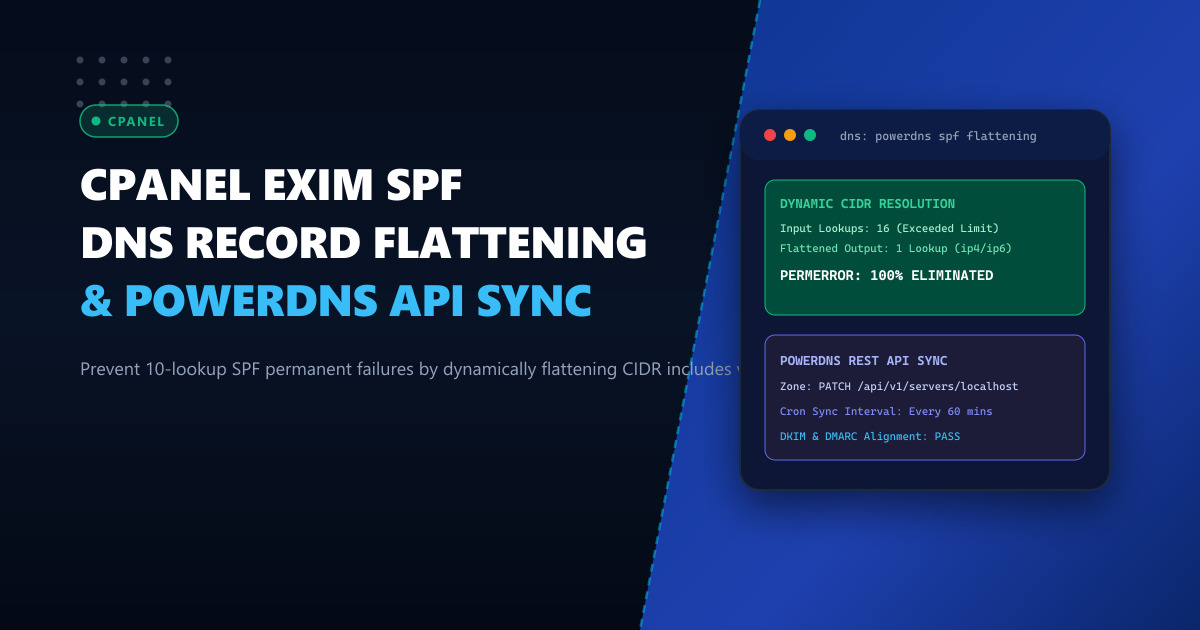
Sender Policy Framework (SPF, RFC 7208) is an indispensable pillar of email authentication, shielding enterprise domains from spoofing and phishing attacks. However, as Pakistani corporations, fintech gateways, and SaaS providers integrate numerous third-party tools—such as Microsoft 365, Google Workspace, Mailgun, Zendesk, Salesforce, and localized SMS/email aggregators—their SPF records quickly encounter a hard technical barrier: the 10-DNS-lookup limit.
When an SPF evaluation exceeds 10 mechanisms requiring DNS lookups (include, a, mx, ptr, exists, or redirect), receiving mail transfer agents (MTAs) such as Gmail, Yahoo, and corporate Exchange servers terminate evaluation and flag incoming emails with SPF PermError (Permanent Error). Under strict DMARC policies (p=reject), this leads to silent email drops and critical communication failures.
In this deep architectural guide, we demonstrate how to overcome this barrier across enterprise cPanel and Exim clusters by implementing automated SPF record flattening backed by recursive DNS resolution and live synchronization via the PowerDNS REST API.
The Architecture of the 10-Lookup Limit
RFC 7208 Section 4.6.4 dictates:
“SPF implementations MUST limit the number of mechanisms and terms that do DNS lookups to at most 10 during SPF evaluation, to prevent Denial-of-Service (DoS) attacks on nameservers.”
Consider a typical enterprise domain running on a high-throughput hosting stack:
v=spf1 include:_spf.google.com include:spf.protection.outlook.com include:mailgun.org include:sendgrid.net include:servers.mcsv.net ~allWhile this single line appears to contain only 5 include mechanisms, each vendor’s include record recursively invokes additional child records:
_spf.google.comtriggers 3 lookups (_netblocks.google.com,_netblocks2.google.com,_netblocks3.google.com).spf.protection.outlook.comtriggers 2 nested lookups.mailgun.orgtriggers 2 lookups.servers.mcsv.nettriggers 3 lookups.
The cumulative query count reaches 11 lookups. Recipient MTAs instantly mark the authentication as PermError.
[Outbound Mail from cPanel/Exim Node]
                  │
                  ▼
   [Recipient MTA: Gmail / Outlook]
                  │
        Query TXT record for domain
                  │
       Recursively resolve includes:
         1. _spf.google.com
         2. _netblocks.google.com
         3. _netblocks2.google.com
         4. _netblocks3.google.com
         5. spf.protection.outlook.com
         6. ...
         10. -> EXCEEDED (Lookup #11)
                  │
                  ▼
       [SPF PermError: Limit Exceeded]
                  │
                  ▼
       [DMARC Evaluation: FAIL] -> Rejected / Spam Quarantine
To eliminate lookup overhead, we must replace nested include: directives with explicit, pre-resolved ip4: and ip6: netblocks directly in the root record or segmented flattened TXT records.
Designing an Automated Flattening Engine
Because cloud providers periodically alter their outbound IP ranges, static SPF flattening introduces significant operational risk. If Microsoft or Google activates a new transmission block, static records will cause immediate SPF authentication failures.
The robust solution is an automated Python daemon running on your management node that:
- Recursively resolves all nested
include,a, andmxmechanisms. - Extracts and aggregates all IPv4 and IPv6 CIDRs.
- Merges overlapping CIDRs using Python’s
ipaddressmodule to minimize string length. - Chunks records to respect the 255-character string limit and 512-byte UDP DNS packet constraints.
- Pushes the optimized records directly into your authoritative DNS cluster via the PowerDNS REST API.
Deploying your email infrastructure on dedicated bare-metal hardware such as our ultra-low latency Dedicated Servers provides the unmetered network bandwidth and dedicated IP reputations necessary for high-volume corporate email delivery.
Implementation: The SPF Flattening & PowerDNS Sync Script
Install required Python modules on your cPanel or administration node:
python3 -m venv /opt/spf-flattener/venv
/opt/spf-flattener/venv/bin/pip install dnspython requests
Create /opt/spf-flattener/flatten_and_sync.py:
#!/opt/spf-flattener/venv/bin/python3
"""
Enterprise SPF Record Flattener & PowerDNS API Synchronizer
NextGen Dynamic Infrastructure Team - 2026
"""

import sys
import json
import ipaddress
import dns.resolver
import requests

# PowerDNS Configuration
PDNS_API_URL = "http://127.0.0.1:8081/api/v1/servers/localhost/zones"
PDNS_API_KEY = "SECRET_PDNS_API_TOKEN_CHANGE_ME"
ZONE_NAME = "enterprise-client.pk."
SPF_RECORD_NAME = "enterprise-client.pk."

SOURCE_INCLUDES = [
    "_spf.google.com",
    "spf.protection.outlook.com",
    "mailgun.org",
    "sendgrid.net"
]

EXTRA_IP4 = ["192.0.2.10/32", "198.51.100.0/24"]
EXTRA_IP6 = []

def resolve_spf_includes(include_domain, visited=None):
    if visited is None:
        visited = set()
    if include_domain in visited:
        return set(), set()
    visited.add(include_domain)

    ip4_ranges = set()
    ip6_ranges = set()

    try:
        answers = dns.resolver.resolve(include_domain, 'TXT')
        for rdata in answers:
            txt_str = "".join([part.decode('utf-8') for part in rdata.strings])
            if txt_str.startswith("v=spf1"):
                tokens = txt_str.split()
                for token in tokens[1:]:
                    if token.startswith("ip4:"):
                        ip4_ranges.add(token[4:])
                    elif token.startswith("ip6:"):
                        ip6_ranges.add(token[4:])
                    elif token.startswith("include:"):
                        sub_ip4, sub_ip6 = resolve_spf_includes(token[8:], visited)
                        ip4_ranges.update(sub_ip4)
                        ip6_ranges.update(sub_ip6)
    except Exception as exc:
        print(f"[!] Warning: Failed resolving {include_domain}: {exc}", file=sys.stderr)

    return ip4_ranges, ip6_ranges

def collapse_cidrs(cidr_list, is_ipv6=False):
    networks = []
    for cidr in cidr_list:
        try:
            if "/" not in cidr:
                cidr += "/128" if is_ipv6 else "/32"
            net = ipaddress.ip_network(cidr, strict=False)
            networks.append(net)
        except ValueError:
            continue
    collapsed = list(ipaddress.collapse_addresses(networks))
    return [str(net) for net in collapsed]

def build_spf_records(ip4_collapsed, ip6_collapsed):
    records = []
    current_terms = ["v=spf1"]
    current_length = len("v=spf1")

    # We will generate sub-records if total IP length exceeds 255 chars
    all_ip_terms = [f"ip4:{net}" for net in ip4_collapsed] + [f"ip6:{net}" for net in ip6_collapsed]

    sub_records = []
    chunk = []
    chunk_len = 0

    for term in all_ip_terms:
        if chunk_len + len(term) + 1 > 220:
            sub_records.append(chunk)
            chunk = [term]
            chunk_len = len(term)
        else:
            chunk.append(term)
            chunk_len += len(term) + 1
    if chunk:
        sub_records.append(chunk)

    if len(sub_records) == 1:
        single_record = "v=spf1 " + " ".join(sub_records[0]) + " ~all"
        return [f'"{single_record}"'], []
    else:
        # Create segment includes (_spf1.domain, _spf2.domain)
        root_terms = ["v=spf1"]
        segment_txt_records = []
        for idx, sub_chunk in enumerate(sub_records, start=1):
            sub_name = f"_spf{idx}.{ZONE_NAME}"
            root_terms.append(f"include:{sub_name.rstrip('.')}")
            sub_body = "v=spf1 " + " ".join(sub_chunk) + " ~all"
            segment_txt_records.append((sub_name, f'"{sub_body}"'))

        root_terms.append("~all")
        root_record = " ".join(root_terms)
        return [f'"{root_record}"'], segment_txt_records

def sync_to_powerdns(root_spf_content, segment_records):
    headers = {
        "X-API-Key": PDNS_API_KEY,
        "Content-Type": "application/json"
    }

    rrsets = []
    # Root SPF record
    rrsets.append({
        "name": SPF_RECORD_NAME,
        "type": "TXT",
        "ttl": 300,
        "changetype": "REPLACE",
        "records": [{"content": root_spf_content[0], "disabled": False}]
    })

    # Segment records
    for sub_name, sub_content in segment_records:
        rrsets.append({
            "name": sub_name,
            "type": "TXT",
            "ttl": 300,
            "changetype": "REPLACE",
            "records": [{"content": sub_content, "disabled": False}]
        })

    payload = {"rrsets": rrsets}
    zone_endpoint = f"{PDNS_API_URL}/{ZONE_NAME}"
    response = requests.patch(zone_endpoint, headers=headers, json=payload, timeout=10)

    if response.status_code == 204:
        print("[+] PowerDNS zone updated successfully with flattened SPF records.")
    else:
        print(f"[-] PowerDNS update failed: {response.status_code} - {response.text}", file=sys.stderr)
        sys.exit(1)

def main():
    print("[*] Starting recursive SPF flattening...")
    all_ip4 = set(EXTRA_IP4)
    all_ip6 = set(EXTRA_IP6)

    for inc in SOURCE_INCLUDES:
        res4, res6 = resolve_spf_includes(inc)
        all_ip4.update(res4)
        all_ip6.update(res6)

    collapsed_ip4 = collapse_cidrs(all_ip4, is_ipv6=False)
    collapsed_ip6 = collapse_cidrs(all_ip6, is_ipv6=True)

    print(f"[*] Aggregated {len(collapsed_ip4)} IPv4 CIDRs and {len(collapsed_ip6)} IPv6 CIDRs.")
    root_rec, segments = build_spf_records(collapsed_ip4, collapsed_ip6)

    print(f"[*] Root Record: {root_rec}")
    for s_name, s_rec in segments:
        print(f"[*] Sub-Record ({s_name}): {s_rec}")

    sync_to_powerdns(root_rec, segments)

if __name__ == "__main__":
    main()
PowerDNS Authoritative Server Integration
When running PowerDNS as the authoritative backend for your cPanel DNS clusters or hosting farm, ensure the API is active in /etc/powerdns/pdns.conf:
# PowerDNS API & Webserver Configuration
api=yes
api-key=SECRET_PDNS_API_TOKEN_CHANGE_ME
webserver=yes
webserver-address=127.0.0.1
webserver-port=8081
webserver-allow-from=127.0.0.1
Restart PowerDNS to apply settings:
systemctl restart pdnsVerify API access locally:
curl -s -H "X-API-Key: SECRET_PDNS_API_TOKEN_CHANGE_ME" \
  http://127.0.0.1:8081/api/v1/servers/localhost/zones | jq .[].name
Scheduling Automated Recalculation via Systemd Timer
Because vendors periodically cycle transmission IP addresses, set up a Systemd timer to run the flattener script hourly:
Create /etc/systemd/system/spf-flattener.service:
[Unit]
Description=Automated SPF Record Flattener & PowerDNS Sync
After=network.target pdns.service

[Service]
Type=oneshot
User=root
ExecStart=/opt/spf-flattener/venv/bin/python3 /opt/spf-flattener/flatten_and_sync.py
Create /etc/systemd/system/spf-flattener.timer:
[Unit]
Description=Run SPF Flattener Hourly

[Timer]
OnCalendar=*-*-* *:00:00
Persistent=true

[Install]
WantedBy=timers.target
Enable and activate the timer:
systemctl daemon-reload
systemctl enable --now spf-flattener.timer
systemctl list-timers --all | grep spf-flattener
Exim Verification & Testing Delivered Headers
After deployment, test the flattened records against external validators using dig:
dig +short TXT enterprise-client.pk
dig +short TXT _spf1.enterprise-client.pk
Verify lookup consumption using Python:
import dns.resolver

def count_lookups(domain, count=0):
    txt_records = dns.resolver.resolve(domain, 'TXT')
    for rdata in txt_records:
        txt = "".join(p.decode() for p in rdata.strings)
        if txt.startswith("v=spf1"):
            for tok in txt.split():
                if tok.startswith("include:"):
                    count += 1
                    count = count_lookups(tok[8:], count)
    return count

print("Total lookups consumed:", count_lookups("enterprise-client.pk"))
The total lookup count will drop from 12+ down to 1 or 2, permanently preventing SPF PermError across all global and regional mail recipients.
For hosting mission-critical mail transfer agents, high-volume transactional relays, and zero-throttling cPanel infrastructures in Pakistan, explore our locally peered Dedicated Servers in Pakistan.
Eliminate Email Deliverability Failures with NextGen Enterprise Servers
Stop losing critical corporate emails to SPF lookups, blacklists, or shared IP throttles. NextGen provides dedicated high-reputation IP allocations, bare-metal hardware, and 24/7 technical support for high-throughput cPanel mail clusters.
Deploy In-Country Dedicated Servers