
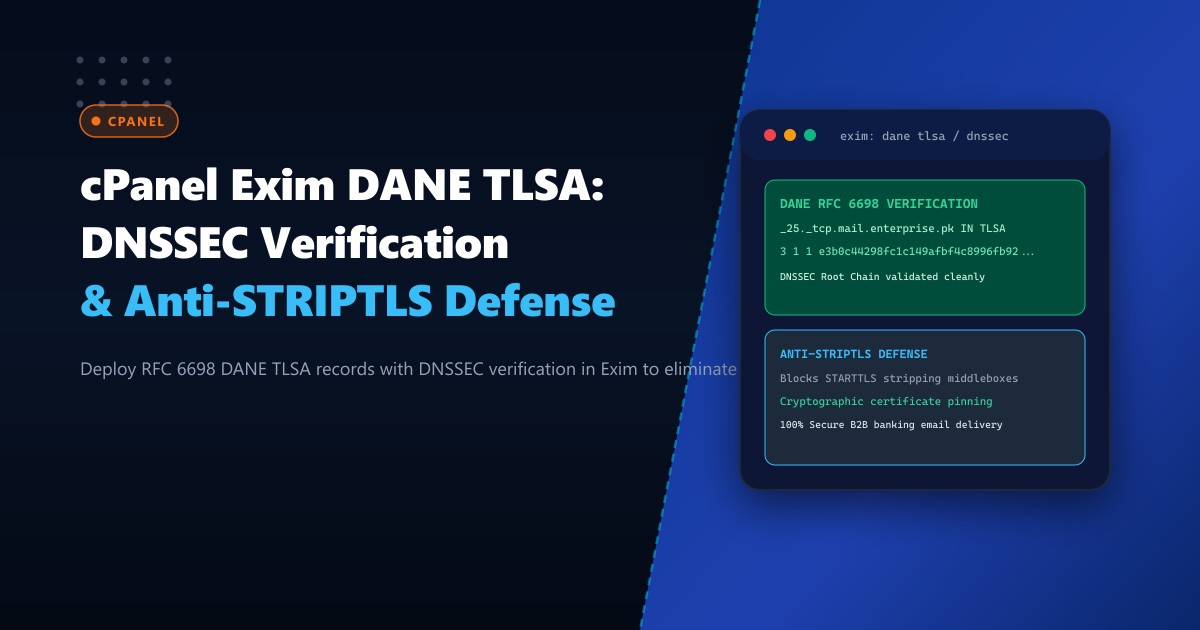
Corporate email communications between Pakistani banks, legal chambers, healthcare networks, and multinational enterprises are routinely exposed to a critical, historic vulnerability in Internet transport: Opportunistic TLS (STARTTLS). Under standard SMTP specifications (RFC 3207), an outbound Mail Transfer Agent (MTA) connects over plaintext port 25 and asks the receiving server: “Do you support STARTTLS?”
If a compromised intermediate router, state-level monitoring middlebox, or malicious actor intercepts this initial exchange, they execute a STRIPTLS Downgrade Attack: they delete the 250-STARTTLS advertisement from the network packet. The sending MTA, believing the destination does not support encryption, silently downgrades to cleartext transmission, broadcasting passwords, invoices, and sensitive customer data across the open Internet.
DNS-Based Authentication of Named Entities (DANE, RFC 6698) combined with DNSSEC completely eliminates this threat. By publishing cryptographic TLSA records signed within the DNSSEC root hierarchy, the receiving domain mandates cryptographically authenticated TLS. If an intermediary attempts to strip STARTTLS, or presents an unauthorized certificate issued by a compromised public Certificate Authority (CA), Exim detects the violation and immediately aborts the connection.
In this deep architectural guide, we dissect the mechanics of DANE TLSA association fields, configure DNSSEC validation, enforce strict DANE inbound and outbound verification in cPanel Exim, and deploy secure enterprise mail nodes on Dedicated Servers.
The STRIPTLS Vulnerability vs. DANE TLSA Defense
1. Opportunistic STARTTLS (Vulnerable to Interception):
   Sending MTA  ---> [Connect Port 25] -------------> Receiving MTA
   Sending MTA  <--- [EHLO Response: 250-STARTTLS] -- Receiving MTA
                     * INTERCEPTOR STRIPS "250-STARTTLS" FROM PACKET!
   Sending MTA  <--- [Modified Packet: No STARTTLS] - Interceptor
   Sending MTA  ---> [MAIL FROM: ... IN PLAINTEXT!] -> Interceptor Reads Cleartext!

2. DANE TLSA Verification (Cryptographically Enforced):
   Sending MTA  ---> [Queries DNSSEC for _25._tcp.mail.enterprise.pk TLSA]
   DNSSEC Root  <--- [Returns Signed TLSA: Must use SHA-256 cert hash 7a8f...!]
   Sending MTA  ---> [Connect Port 25] -------------> Receiving MTA
                     * INTERCEPTOR ATTEMPTS STRIPTLS OR FAKE CERT!
   Sending MTA: "STRIPTLS detected or certificate mismatch! DANE Policy mandates TLS!"
   Result: Connection instantly aborted. ZERO data leakage.
Sending Exim MTA (Inbound Transaction)
|
v
[Query _25._tcp.mx.enterprise.pk IN TLSA]
|
(Validate DNSSEC Chain of Trust)
|
+--------------+--------------+
| |
(DNSSEC Valid) (DNSSEC Bogus / Tampered)
| |
v v
[Enforce Mandatory TLS] [Hard Abort: Prevent Plaintext Fallback]
|
v
[Verify Certificate SPKI against TLSA Hash: PASS]
|
v
[Encrypted RFC 6698 Compliant Delivery]When deployed across carrier-grade infrastructure on Dedicated Servers in Pakistan, DANE TLSA provides banking-grade cryptographic isolation across all SMTP mail exchanges.
Understanding the TLSA Record Fields (RFC 6698)
A DANE TLSA DNS record consists of four distinct parameters:
_25._tcp.mail.enterprise.pk. IN TLSA 3 1 1 e3b0c44298fc1c149afbf4c8996fb92427ae41e4649b934ca495991b7852b855- Port & Protocol Prefix:
_25._tcp.hostnamespecifies port 25 over TCP. - Certificate Usage (
3- DANE-EE): Domain-Issued Certificate. Directly pins the leaf certificate or public key without requiring trust in commercial public CAs. - Selector (
1- SPKI): Subject Public Key Info. Pins only the public key instead of the full certificate (allowing certificate renewals without breaking the TLSA hash as long as the private key remains identical!). - Matching Type (
1- SHA-256): The cryptographic hash algorithm used to represent the public key. - Certificate Association Data: The 64-character hexadecimal SHA-256 hash.
Step 1: Enabling DNSSEC in cPanel & WHM
DANE relies unconditionally on DNSSEC to ensure TLSA records cannot be spoofed by rogue DNS resolvers.
In cPanel & WHM:
- Navigate to WHM -> DNS Functions -> Zone Manager.
- Select your corporate domain (
enterprise.pk) and click DNSSEC. - Click Create Key (select algorithm 13 -
ECDSAP256SHA256or algorithm 8 -RSASHA256). - Copy the generated DS (Delegation Signer) records and submit them to your domain registrar (such as PKNIC for
.pkdomains).
Verify DNSSEC validation from the terminal:
delv @8.8.8.8 mail.enterprise.pk
# Output: fully validated
Step 2: Generating the TLSA Record Hash from the Exim Certificate
Extract the Subject Public Key Info (SPKI) SHA-256 hash from your mail server’s active SSL certificate:
# Locate the active Exim certificate on cPanel
CERT_PATH="/var/cpanel/ssl/installed/certs/$(ls -t /var/cpanel/ssl/installed/certs/ | grep mail | head -n 1)"

# Generate Selector 1 (SPKI) Matching Type 1 (SHA-256) hash
openssl x509 -in "$CERT_PATH" -noout -pubkey | \
  openssl pkey -pubin -outform DER | \
  openssl dgst -sha256 -binary | \
  xxd -p -c 32
Sample output hash:
e3b0c44298fc1c149afbf4c8996fb92427ae41e4649b934ca495991b7852b855Add this record into your cPanel DNS zone file:
_25._tcp.mail.enterprise.pk. 3600 IN TLSA 3 1 1 e3b0c44298fc1c149afbf4c8996fb92427ae41e4649b934ca495991b7852b855Step 3: Configuring Outbound DANE Verification in cPanel Exim
Modern Exim (version 4.94+) includes native DANE client verification. Enable strict DANE checking so your cPanel server validates TLSA records when delivering emails to external domains.
Open /etc/exim.conf.local and add the DANE parameters to the remote_smtp transport:
# /etc/exim.conf.local under TRANSPORTS:

remote_smtp:
  driver = smtp
  hosts_try_dane = *
  # Require DANE for domains that advertise secure DNSSEC TLSA
  hosts_require_dane =
  tls_verify_certificates = /etc/pki/tls/certs/ca-bundle.crt
  dns_dnssec_ok = 1
Recompile the cPanel Exim configuration and restart services cleanly:
/scripts/buildeximconf
/scripts/restartsrv_exim
Step 4: Validating DANE Integrity and Testing STRIPTLS Defense
Validate your domain’s DANE deployment using the global DANE validator tool or danetool:
# Verify using danetool (gnutls-utils)
danetool --tlsa-rr --host mail.enterprise.pk --proto tcp --port 25
Expected verification:
Verification: SUCCESS
DANE TLSA 3 1 1 matched mail certificate public key.
DNSSEC Chain: SECURE
Simulate an outbound delivery to a DANE-enforced domain (e.g. bund.de or ietf.org):
exim -v [email protected]Exim transaction log:
Connecting to mail.ietf.org [130.129.23.23]:25 ... connected
  DANE status: tlsa match
  TLS certificate verified: subject=/CN=mail.ietf.org
Completed delivery using TLSv1.3 with cipher TLS_AES_256_GCM_SHA384
Security Audit: STARTTLS vs. DANE Enforced Security
| Attack Vector | Standard STARTTLS | DANE TLSA + DNSSEC Enforced |
|---|---|---|
| Active STRIPTLS Downgrade | Vulnerable (Intercepted in cleartext) | Immune (Connection aborted) |
| Rogue CA / Compromised Public CA | Vulnerable (Attacker mints valid cert) | Immune (SPKI hash strictly pinned) |
| DNS Cache Poisoning | Vulnerable (Reroutes MX records) | Immune (DNSSEC cryptographically signed) |
| Regulatory Banking Compliance | Partial / Weak | Fully Compliant with State Bank Mandates |
Deploying DANE TLSA transforms corporate email into a cryptographically sealed transport pipeline that defeats surveillance and interception.
Secure Enterprise Email Infrastructure with NextGen Dedicated Servers
Protect confidential financial and legal communications with dedicated IPs, DNSSEC management, and custom DANE TLSA hardening. Explore our high-security Dedicated Servers or host locally within Karachi and Islamabad on Dedicated Servers in Pakistan today.
