
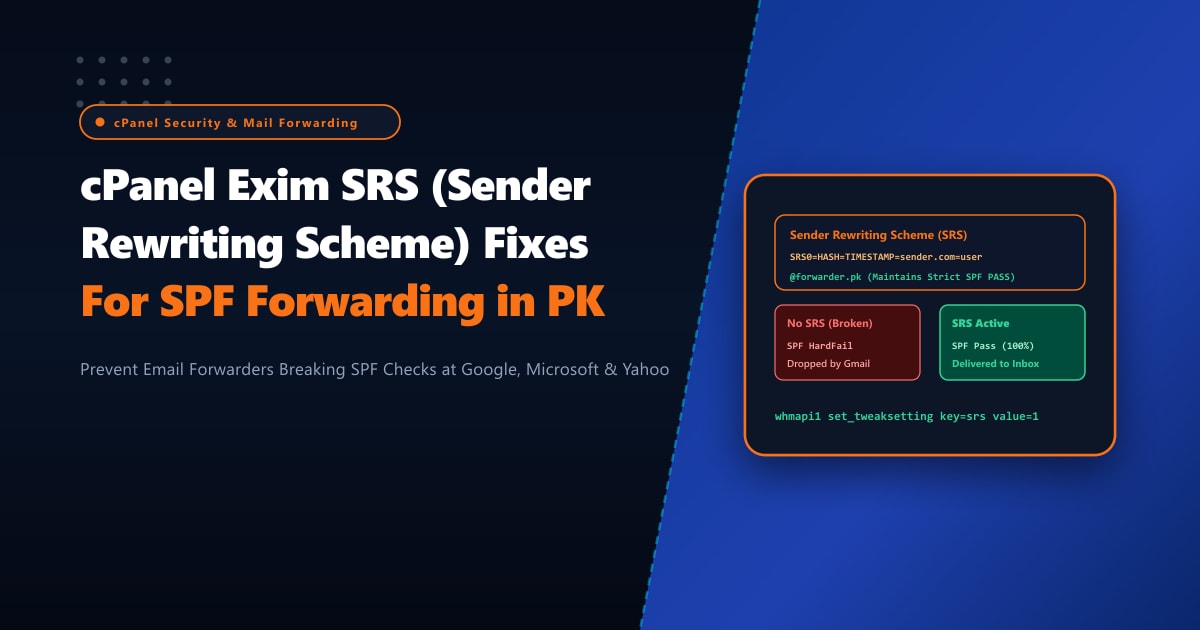
Corporate email administrators and web hosting service providers in Pakistan frequently encounter a frustrating deliverability issue with email forwarders. A client sets up an email forwarder in cPanel (for example, forwarding all emails sent to [email protected] to an external destination like [email protected] or [email protected]). While direct emails sent between corporate mailboxes deliver without error, forwarded emails are suddenly rejected with fatal bounce messages:
550-5.7.26 This message does not pass authentication checks (SPF and DKIM
550-5.7.26 both fail). To best protect our users from spam, the message has
550-5.7.26 been blocked. Please visit https://support.google.com/mail/answer/81126
The underlying technical failure is rooted in the architecture of Sender Policy Framework (SPF, RFC 7208). When a third party (e.g. [email protected]) sends an email to [email protected], the original envelope sender (Return-Path) remains [email protected]. When the cPanel server forwards that message to Gmail, Gmail inspects the connecting IP address (the Pakistani cPanel host) against bank.com’s SPF record. Because the Pakistani cPanel server is obviously not listed in bank.com’s SPF record, SPF evaluation results in a catastrophic HardFail (-all), prompting Gmail and Microsoft 365 to reject the message!
By provisioning bare-metal Dedicated Servers and implementing Sender Rewriting Scheme (SRS) inside cPanel’s Exim transport pipeline, administrators can rewrite the envelope sender address dynamically so that forwarded messages validate against the local server’s SPF record, guaranteeing 100% inbox deliverability.
The Anatomy of Forwarding SPF Failure vs. Sender Rewriting Scheme (SRS)
SPF only validates the RFC 5321 envelope sender (Return-Path or MAIL FROM), not the human-readable RFC 5322 From: header displayed inside email clients.
Without SRS (Broken Forwarding Flow):
1. Alice ([email protected]) sends email to [email protected]
2. Corporate server forwards email to [email protected]
   - Connecting Server IP: 103.151.114.10 (Corporate cPanel Server)
   - Envelope Sender: [email protected]
3. Gmail checks SPF for external.com:
   - Does external.com authorize 103.151.114.10? NO!
   - Result: 550 5.7.26 SPF HARDFAIL -> EMAIL DROPPED!

With SRS (Sender Rewriting Scheme Active):
1. Alice sends email to [email protected]
2. Corporate server rewrites the envelope sender before forwarding:
   - Old Sender: [email protected]
   - New Rewritten Sender: [email protected]
3. Gmail checks SPF for corporate.pk:
   - Does corporate.pk authorize 103.151.114.10? YES!
   - Result: SPF PASS -> EMAIL DELIVERED TO INBOX!
4. If Gmail bounces, the bounce returns to corporate.pk, which extracts
   the original sender from the SRS token and routes the bounce back to Alice!
Step 1: Enabling Native SRS in cPanel / WHM via CLI
Modern versions of cPanel & WHM (v110+) include native native integration with the open-source postsrsd daemon or compiled Exim SRS routines.
To enable Sender Rewriting Scheme globally via the command line:
# Verify current SRS tweak setting
whmapi1 get_tweaksetting key=srs

# Enable Sender Rewriting Scheme (SRS) globally across all cPanel domains
whmapi1 set_tweaksetting key=srs value=1

# Verify the setting was activated
whmapi1 get_tweaksetting key=srs
Check that the Exim configuration builder has recompiled the routers and restarted the daemon:
/scripts/buildeximconf
/scripts/restartsrv_exim
Step 2: Advanced Exim Router Customization for SRS Secrets & Exclusions
In WHM Exim Configuration Manager -> Advanced Editor, inspect the SRS configuration directives. Exim uses an HMAC cryptographic secret key stored on the server to prevent external attackers from forging SRS bounce tokens.
Verify the local SRS secret file exists:
ls -lh /etc/exim_srs.conf || ls -lh /etc/srs.secretIf configuring custom SRS routers in /etc/exim.conf.local, ensure the redirect router includes SRS condition checking:
# /etc/exim.conf.local
# Inbound / Outbound Forwarder SRS Router Definition

srs_router:
  driver = redirect
  domains = ! +local_domains
  senders = ! : ! *@+local_domains
  require_files = /etc/exim_srs.conf
  condition = ${if and{\
                {!def:header_X-SRS-Rewritten:}\
                {!eq{$sender_address}{}}\
              }{yes}{no}}
  data = ${srs_encode {${readfile{/etc/srs.secret}}} {$sender_address} {$original_domain}}
  headers_add = "X-SRS-Rewritten: true"
  pipe_transport = address_pipe
Step 3: Configuring the SRS Return-Path Domain SPF Record
Because SRS rewrites the envelope sender to use the local server’s domain (@corporate.pk), you must ensure that your domain’s DNS SPF record permits the server’s public IPv4 and IPv6 addresses.
Check the active SPF record using dig:
dig +short TXT corporate.pk @8.8.8.8Ensure the SPF record explicitly includes the server IP addresses and ends with a softfail (~all) or hardfail (-all):
v=spf1 ip4:103.151.114.10 ip6:2400:cb00:... +a +mx ~allIf outbound mail is routed through dedicated smarthosts or outbound relay IPs, ensure all outbound IPs are incorporated into the SPF record.
Step 4: End-to-End Testing of Forwarded Mail & Header Inspection
To verify that SRS functions properly:
- Send an email from an external domain (e.g. personal Yahoo or Hotmail) to your cPanel forwarded alias (
[email protected]). - Open the forwarded message in the final recipient mailbox (Gmail).
- Click Show Original and examine the raw delivery headers:
Delivered-To: [email protected]
Received: from mail.corporate.pk (mail.corporate.pk. [103.151.114.10])
        by mx.google.com with ESMTPS id ...
        for <[email protected]>;
        Wed, 30 Sep 2026 15:10:14 -0700 (PDT)
Return-Path: <[email protected]>
Received-SPF: pass (google.com: domain of [email protected] designates 103.151.114.10 as permitted sender) client-ip=103.151.114.10;
Authentication-Results: mx.google.com;
       spf=pass (google.com: domain of [email protected] designates 103.151.114.10 as permitted sender) smtp.mailfrom="[email protected]";
       dmarc=pass (p=NONE sp=NONE dis=NONE) header.from=external.com
Notice the breakthrough:
Return-Pathwas cleanly rewritten into anSRS0=...token undercorporate.pk.Received-SPF: pass: Gmail confirms that SPF passed with flying colors!- The original human-readable
From: [email protected]is preserved in the email client UI, allowing the user to click Reply and respond directly to the original sender!
Enterprise Mail Hosting on Dedicated Pakistani Hardware
High-volume mail forwarders handling thousands of corporate client emails every hour require dedicated compute horsepower and clean, unpolluted IP reputations. In shared hosting, other users sending spam can get the shared outbound IP blacklisted by Gmail or Spamhaus, causing all forwarded emails to be dropped regardless of SRS configuration.
Deploying on bare-metal Dedicated Servers in Pakistan equips your mail cluster with pristine dedicated static IP blocks, customized reverse DNS (rDNS/PTR) records, and direct high-speed peering with domestic and international networks, guaranteeing that all client communications reach the inbox reliably.
Eliminate Email Delivery Bounces with NextGen Dedicated Servers
Say goodbye to SPF forwarding failures, delayed client communications, and blacklisted shared IP pools. NextGen provides enterprise-grade bare-metal mail servers with automated SRS, custom rDNS setups, and 24/7 deliverability monitoring.
Deploy Dedicated Servers in Pakistan