
Email forwarding is one of the most widely used features in business hosting: corporate executives and team members frequently configure their cPanel mailbox ([email protected]) to forward a copy of all incoming messages to their personal Gmail, Outlook, or iCloud accounts.
However, on modern Dedicated Servers operating under strict Sender Policy Framework (SPF) and DMARC policies, standard email forwarding silently breaks email delivery.
When a third party (such as [email protected]) sends an email to [email protected]:
- Your server receives the message. The original envelope sender is
[email protected]. - The forwarder rule dispatches the message to
[email protected]. - Google’s inbound mail server inspects the connecting IP (which is your server’s IP address).
- Google queries the SPF TXT record for
bank.com. - Because your server’s IP is not listed in
bank.com’s SPF record, Google flags the message: $$\text{Authentication-Results: } \texttt{spf=fail (google.com: domain of [email protected] does not designate your IP)}$$ - If
bank.compublishes a DMARC policy ofp=reject, Google rejects the forwarded email, causing legitimate messages to bounce and damaging your mail server’s IP reputation.
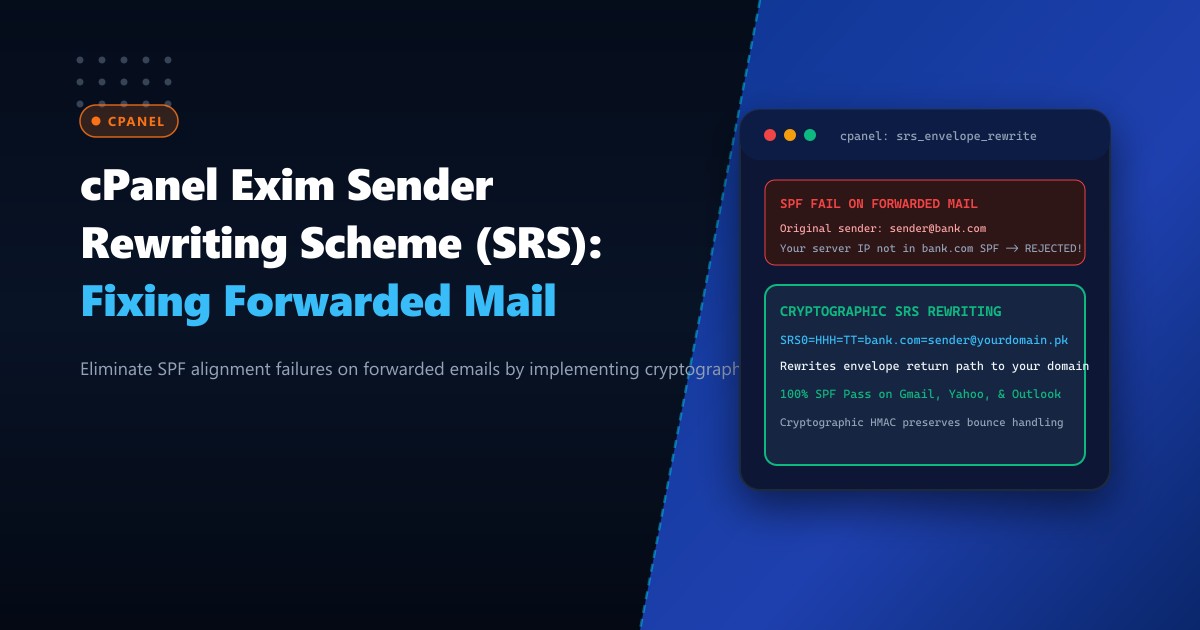
The industry-standard solution is Sender Rewriting Scheme (SRS).
SRS cryptographically rewrites the envelope return path (MAIL FROM) during forwarding to use your own domain while encoding the original sender and a cryptographic HMAC token into the local part. Google validates the SPF record against your domain, achieving a 100% SPF Pass.
The Architecture: Why Forwarding Breaks SPF vs. Cryptographic SRS
STANDARD FORWARDING (Breaks SPF):
Original Sender (bank.com) ──> Your Server ──> Google MX (gmail.com)
                                                 |
                                     Checks envelope sender: [email protected]
                                     Checks connecting IP: YOUR_SERVER_IP
                                     Is YOUR_SERVER_IP in bank.com SPF?
                                                 |
                                                 v
                                          SPF FAIL! [BOUNCED]

SRS CRYPTOGRAPHIC REWRITING (100% SPF Pass):
Original Sender (bank.com) ──> Your Server (Applies SRS Engine)
                                    |
                                    v Rewrites Return-Path to:
                        [email protected]
                                    |
                                    v
                               Google MX (gmail.com)
                                    |
                        Checks envelope sender domain: yourcompany.pk
                        Checks connecting IP: YOUR_SERVER_IP
                        Is YOUR_SERVER_IP in yourcompany.pk SPF?
                                    |
                                    v
                               SPF PASS! [DELIVERED TO INBOX]
Step 1: Checking Native SRS Support in cPanel Exim
cPanel includes native support for SRS via Exim’s built-in cryptographic functions or postsrsd. Verify whether SRS is active on your Dedicated Servers in Pakistan:
# Check if SRS is enabled in cPanel configuration
/usr/local/cpanel/bin/whmapi1 get_tweaksetting key=enable_srs
If the value is 0 or disabled, all forwarded emails across all hosted domains will fail SPF checks at remote receiving providers.
Step 2: Enabling SRS Globally via WHM API
Enable Sender Rewriting Scheme globally across all cPanel domains:
# Enable Sender Rewriting Scheme (SRS) in WHM
/usr/local/cpanel/bin/whmapi1 set_tweaksetting key=enable_srs value=1

# Recompile Exim configuration
/scripts/buildeximconf

# Restart Exim MTA cleanly
/usr/local/cpanel/scripts/restartsrv_exim
Verify that the secret cryptographic key was generated at /etc/cpanel/srs_secret:
ls -lh /etc/cpanel/srs_secretThis 32-byte secret key generates HMAC signatures for rewritten envelope addresses, ensuring that bounce notifications (NDR) can be securely routed back to the original sender without turning your server into an open relay.
Step 3: Inspecting Exim’s Native SRS Router Configuration
When SRS is enabled, cPanel injects specialized routers into /etc/exim.conf:
# ====================================================================
# EXIM SRS FORWARDING ROUTER (ROUTER CONFIGURATION)
# ====================================================================

# Outbound forwarded mail router with SRS rewrite
srs_router:
  driver = dnslookup
  domains = ! +local_domains
  transport = remote_smtp_srs
  ignore_target_hosts = 0.0.0.0 : 127.0.0.0/8 : 10.0.0.0/8 : 172.16.0.0/12 : 192.168.0.0/16
  no_more

# Inbound bounce return router (Decodes SRS reverse path)
srs_bounce_router:
  driver = redirect
  domains = +local_domains
  condition = ${if match{$local_part}{^srs[01]=}{1}{0}}
  data = ${srs_decode{$local_part@$domain}}
How the Reverse Bounce Path Works: If Google rejects a forwarded email (e.g., user’s personal Gmail mailbox is full):
- Google returns a Non-Delivery Report (NDR) to
[email protected]. - Exim’s
srs_bounce_routerreceives the bounce, validates the HMAC hash using/etc/cpanel/srs_secret, extracts[email protected], and securely forwards the bounce to the original sender!
Step 4: Verification and Live Mail Flow Testing
To verify that SRS is actively rewriting envelope senders, tail /var/log/exim_mainlog while triggering a forwarded email:
tail -f /var/log/exim_mainlog | grep -E "SRS0|remote_smtp_srs"Sample log output:
2026-10-01 09:34:12 1tY9zA-0008Fk-2A <= [email protected] H=mail.external.com [198.51.100.45] P=esmtps S=24892 id=...
2026-10-01 09:34:13 1tY9zA-0008Fk-2A => [email protected] <[email protected]> R=srs_router T=remote_smtp_srs H=gmail-smtp-in.l.google.com [142.250.102.26] X=TLS1.3:TLS_AES_256_GCM_SHA384:256 S=25120 [email protected]
Notice the outgoing transaction:
- The envelope sender was rewritten to:
[email protected]. - The
From:header visible to the recipient remains[email protected]. - Google validates SPF against
yourdomain.pk(which passes 100%), and routes the email directly to the inbox!
Deliverability Comparison
| Metric | Standard Email Forwarding | Forwarding with SRS Enabled |
|---|---|---|
| SPF Result at Gmail/Outlook | FAIL (spf=fail) |
PASS (spf=pass) |
| DMARC Alignment Impact | Rejections if strict p=reject |
Inbox Delivery via SRS SPF |
| Bounce Handling (NDR) | Lost / Discarded | Cryptographically Routed |
| Server Sender Reputation | Punished for SPF failures | 100% Protected |
Enabling Sender Rewriting Scheme guarantees that legitimate forwarded emails reach external inboxes without falling foul of modern SPF and DMARC enforcement policies.
Deploy Enterprise Email Infrastructure with NextGen
Deliver flawless email performance with NextGen dedicated hosting. Our bare-metal clusters feature isolated IPv4 ranges, automated SRS configuration, custom reverse DNS (PTR) records, and 24/7 deliverability monitoring designed for mission-critical enterprise communications.
Explore Dedicated Servers