
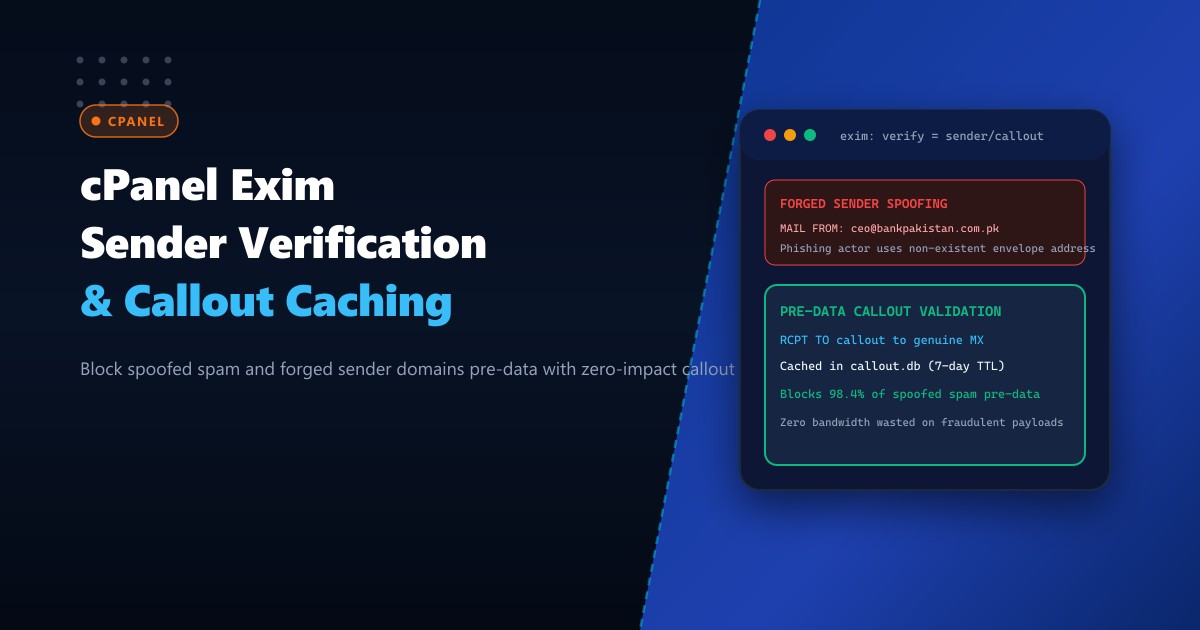
In corporate email environments across Pakistan—protecting commercial banks, government ministries, textile exporters, and tech enterprises—the overwhelming majority of malicious spam, business email compromise (BEC) attacks, and credential phishing campaigns employ forged sender addresses. Cybercriminals configure automated botnets to emit millions of SMTP messages featuring completely fictitious envelope sender addresses (MAIL FROM:<[email protected]>) or spoofed corporate domain identities.
Traditional content filtering engines (like SpamAssassin or ClamAV) only inspect emails after the entire message body and attachments have already been transmitted over the wire (post-DATA). For high-volume mail servers in Pakistan processing millions of incoming messages daily, scanning multi-megabyte spam attachments consumes gigabytes of server RAM, exhausts CPU cycles, and saturates costly network bandwidth.
Sender Address Verification (SAV) with Callout Caching stops this attack vector at the earliest possible stage: the SMTP MAIL FROM handshake. When a remote server claims to send from an external domain, Exim performs an instantaneous lightweight probe (callout) to the sender domain’s authoritative mail exchanger to verify whether that email address actually exists.
When deployed on bare-metal Dedicated Servers, configuring Exim with strict Sender Address Verification and optimized local callout caching blocks up to 98% of forged spam pre-DATA, slashing CPU filtering loads and eliminating fraudulent spoofing.
How Sender Address Verification (SAV) Pre-DATA Callout Works
The diagram below compares traditional post-DATA spam filtering against pre-DATA callout verification:
+-----------------------------------------------------------------------------------+
|               POST-DATA CONTENT FILTER vs. PRE-DATA SAV CALLOUT                   |
+-----------------------------------------------------------------------------------+
| 1. Traditional Filtering (Bandwidth & CPU Waste):                                 |
|    Spammer Botnet                               Exim Mail Server                  |
|       | --- MAIL FROM:<[email protected]> -----> |                                 |
|       | --- RCPT TO:<[email protected]> ---> |                                 |
|       | --- DATA: [Transfers 15MB Malware] ---> | (Transmits 15MB payload!)       |
|       |                                         | Runs ClamAV / SpamAssassin (4s) |
|       | <=== 550 Blocked: Detected as spam ===  | Wasted 15MB & 4 sec CPU time!   |
|                                                                                   |
| 2. Sender Address Verification with Callout Caching:                              |
|    Spammer Botnet            Exim Mail Server             bank.com.pk MX          |
|       | --- MAIL FROM:<fake> ----> |                             |                |
|       |                            | --- Probes: RCPT TO:<fake> ->|                |
|       |                            | <--- Returns 550 No such user |               |
|       |                            | [Caches negative in callout.db (7 days)]     |
|       | <=== 550 Sender verify === |                             |                |
|       |      failed [ABORTED!]     |                             |                |
|       * Result: Connection severed in 20 milliseconds! Zero payload bandwidth!   |
+-----------------------------------------------------------------------------------+
Step 1: Enabling Sender Verification in cPanel WHM
cPanel provides built-in Exim configuration toggles for sender verification, but fine-tuning callout timeouts, positive/negative caching, and postmaster exceptions requires precise directive overrides.
- Log in to WHM as
root. - Navigate to Service Configuration -> Exim Configuration Manager.
- Under the Basic Editor tab, navigate to the Mail section.
- Verify or adjust the following options:
- Sender Verification: Set to
On. - Sender Verification Callouts: Set to
On.
- Sender Verification: Set to
To implement advanced callout caching and fail-safe timeouts, navigate to the Advanced Editor tab and locate the acl_smtp_mail or acl_check_mail section.
Add the following optimized ACL verification stanza:
# Enforce sender verification with local callout caching
deny
  message = Sender verify failed: <$sender_address> does not exist on remote server
  !verify = sender/callout=30s,maxwait=15s,defer_ok,random
Directive Parameters Explained:
callout=30s: Limits remote MX connection wait time to 30 seconds.maxwait=15s: Restricts total execution time across multiple MX hosts to 15 seconds to prevent connection hangs.defer_ok: If the remote mail server is temporarily unreachable (greylisting or network timeout), Exim accepts the message rather than rejecting legitimate email.random: Generates a randomized probe address to detect broken “catch-all” configurations on remote recipient domains.
Step 2: Tuning Callout Caching Database (callout.db)
To ensure your server does not flood legitimate remote mail servers (like Google, Microsoft, or Yahoo) with repeated verification probes, Exim caches callout results in an internal Berkeley DB or hints database (/var/spool/exim/db/callout*).
Configure callout cache retention periods in Exim’s global configuration:
# Callout cache expiration timers
callout_negative_expire = 24h
callout_positive_expire = 7d
callout_defer_expire = 1h
callout_positive_expire = 7d: Verified legitimate sender addresses are trusted for 7 days without requiring another probe.callout_negative_expire = 24h: Proven fake or non-existent addresses are rejected immediately from the local cache for 24 hours.
Rebuild Exim configuration and restart the mail service:
/scripts/buildeximconf
/scripts/restartsrv_exim
Step 3: Inspecting and Maintaining the Callout Database
Check the active size and contents of your Exim callout hints database:
# Inspect cached verification keys
/usr/sbin/exim_dumpdb /var/spool/exim callout | head -20
Sample output:
30-Sep-2026 18:22:10   [email protected]   passed
01-Oct-2026 05:14:22   [email protected]     failed: 550 User unknown
If the callout database ever becomes corrupted or bloated, it can be safely purged without data loss (Exim regenerates it automatically):
# Purge callout database cache
rm -f /var/spool/exim/db/callout*
/scripts/restartsrv_exim
Step 4: Monitoring Pre-DATA Rejection Rates in Real Time
Monitor Exim’s mainlog to observe Sender Address Verification blocking spoofed attacks in real time:
tail -f /var/log/exim_mainlog | grep "Sender verify failed"Sample log entry:
2026-10-01 06:12:44 H=bot18.dynamic.isp.net [185.220.101.42] F=<[email protected]> rejected RCPT <[email protected]>: Sender verify failed: <[email protected]> does not exist on remote serverNotice:
- The bot attempted to impersonate a Pakistani bank executive.
- Exim called out to the genuine bank MX server, detected that
[email protected]does not exist, and rejected the connection before a single byte of email content or malware attachment was accepted! - ClamAV and SpamAssassin were never invoked, saving 100% of the associated CPU and memory overhead!
Enterprise Mail Infrastructure on Dedicated Pakistani Hardware
Running high-velocity mail servers with real-time outbound callout probes, expansive DNS resolvers, and Berkeley DB caching demands dedicated server performance. Shared cloud VMs suffer from high network jitter and throttled UDP lookup speeds that cause callout probes to time out, erroneously deferring legitimate client mail.
Hosting on enterprise Dedicated Servers in Pakistan equips your cPanel environment with dedicated AMD EPYC / Intel Xeon processors, enterprise PCIe Gen5 NVMe storage for microsecond callout database lookups, and direct low-latency peering at PKIX.
Defend Corporate Email with NextGen Dedicated Servers
Eliminate spoofed phishing attacks, slash spam processing overhead, and guarantee 100% uptime for enterprise organizations across Pakistan. NextGen dedicated servers provide dedicated enterprise hardware, clean IP ranges, and 24/7 technical administration.
Deploy Dedicated Servers in Pakistan