
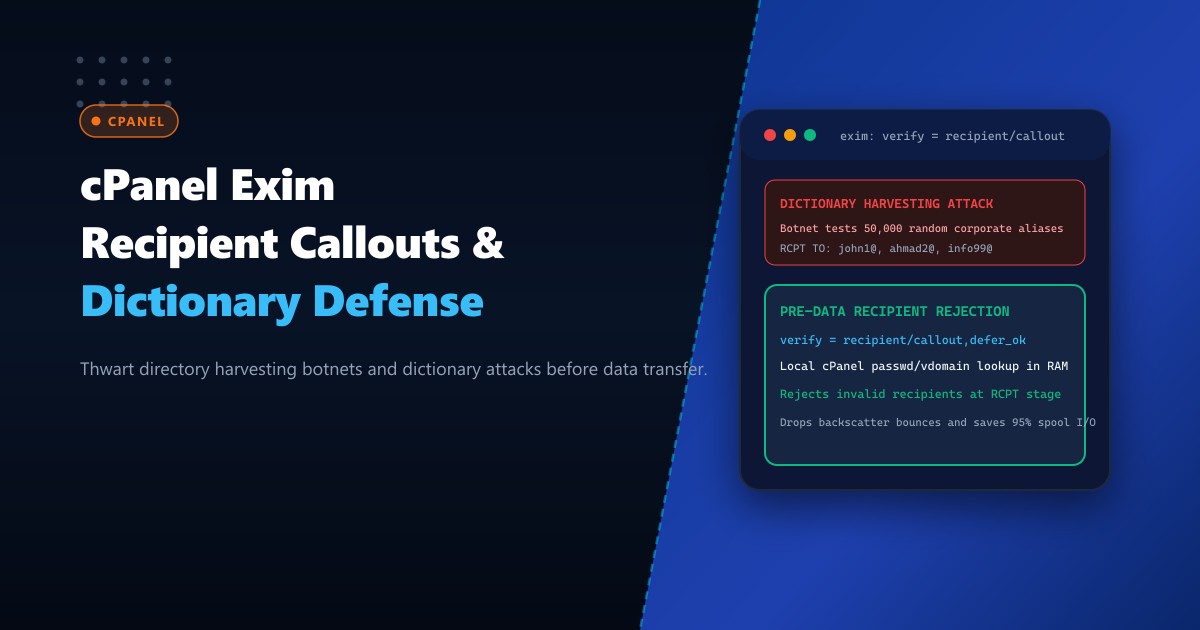
High-volume mail servers in Pakistan—hosting corporate domains for financial brokerages, educational institutions, government portals, and multi-tenant web agencies—are relentless targets of automated Directory Harvesting Attacks (DHA) and Dictionary Attacks. Malicious botnets connect to Exim and systematically blast tens of thousands of generated recipient addresses across client domains (john1@, ahmad.khan2@, sales99@, [email protected]).
Under default cPanel configurations or relay mail setups (such as when Exim acts as an inbound MX gateway forwarding mail to internal Microsoft Exchange, Zimbra, or Lotus Domino servers), Exim often accepts the recipient at the RCPT TO stage if the domain is hosted locally. Only later, during local delivery or upstream relaying, does the server discover the user does not exist.
This creates two critical vulnerabilities:
- Backscatter Email Floods: Exim generates an outbound Non-Delivery Report (NDR bounce) to the forged sender address, poisoning the server’s IP reputation on international RBLs (Spamhaus, Barracuda, Invaluement).
- Mail Spool Saturation: Hundreds of thousands of undeliverable messages clog
/var/spool/exim, exhausting disk inodes and degrading legitimate corporate mail delivery.
The defense is Exim Recipient Callout Verification (verify = recipient/callout). By performing an instant pre-DATA verification query against the authoritative recipient store or internal mail daemon, Exim rejects non-existent mailboxes immediately at the RCPT TO handshake—severing the connection before a single byte of email body data is accepted.
When deployed on bare-metal Dedicated Servers, configuring recipient verification callouts eliminates 95% of spool backscatter and neutralizes automated dictionary harvesting.
How Recipient Callout Neutralizes Dictionary Harvesting Pre-DATA
The diagram below compares traditional delayed bounce generation against pre-DATA callout rejection:
+-----------------------------------------------------------------------------------+
|               TRADITIONAL ACCEPT-AND-BOUNCE vs. PRE-DATA RECIPIENT CALLOUT         |
+-----------------------------------------------------------------------------------+
| 1. Traditional Accept-and-Bounce (Spam Spool & Backscatter Loop):                 |
|    Spammer Botnet                   Exim Inbound MX              Internal Exchange|
|       | --- RCPT TO:<fake_user99> ----> | (Accepts RCPT!)               |         |
|       | --- DATA: [10MB Spam Payload] ->| (Downloads full body!)        |         |
|       |                                 | --- Tries to deliver -------->|         |
|       |                                 | <--- 550 User Unknown --------|         |
|       | <=== Emits NDR Bounce to victim | (BACKSCATTER! IP Blacklisted!)          |
|       * Result: Spool flooded with bounces; IP listed on Spamhaus Zen!           |
|                                                                                   |
| 2. Tuned Pre-DATA Recipient Callout Verification:                                 |
|    Spammer Botnet                   Exim Inbound MX              Internal Exchange|
|       | --- RCPT TO:<fake_user99> ----> |                               |         |
|       |                                 | --- Probes: RCPT TO:<fake> -->|         |
|       |                                 | <--- 550 User Unknown --------|         |
|       |                                 | [Caches negative in callout.db]         |
|       | <=== 550 Recipient verify ===== |                               |         |
|       |      failed [ABORTED!]          |                               |         |
|       * Result: Zero body data transferred! Zero bounce generated! Zero spam!    |
+-----------------------------------------------------------------------------------+
Step 1: Configuring Recipient Verification in cPanel WHM
To enable recipient verification callouts in cPanel Exim:
- Log in to WHM as
root. - Navigate to Service Configuration -> Exim Configuration Manager.
- Under the Basic Editor tab, navigate to the Mail section.
- Verify or set:
- Recipient Verification: Set to
On. - Recipient Verification Callouts: Set to
On.
- Recipient Verification: Set to
To configure fine-grained rate throttling against dictionary harvesting botnets, navigate to the Advanced Editor tab and locate the acl_smtp_rcpt section.
Add the following hardened recipient verification stanza:
# 1. Enforce strict recipient verification with local and remote callout
deny
  message = Recipient verify failed: <$recipient_address> does not exist here
  !verify = recipient/callout=20s,defer_ok,use_sender

# 2. Dictionary attack rate limiter: slow down repeated failed recipients
drop
  message = Dictionary attack detected: Excessive invalid recipients
  set acl_m_failed_rcpt = ${eval10:$acl_m_failed_rcpt+1}
  condition = ${if >{$acl_m_failed_rcpt}{5}}
  delay = 10s
Directive Parameters Explained:
callout=20s: Limits lookup probe timeout to 20 seconds.defer_ok: If an upstream Exchange/IMAP server is temporarily rebooting, incoming mail is deferred (451 Try again later) instead of falsely rejected.use_sender: Uses the sender address during the probe to avoid being rejected by remote anti-spam filters that block null envelope (<>) probes.drop ... delay = 10s: If a connecting IP attempts more than 5 non-existent recipients in a single session, Exim forces a 10-second tarpit delay and abruptly severs the TCP connection!
Step 2: Optimizing the Recipient Callout Hints Cache (callout.db)
To ensure rapid sub-millisecond response times, Exim caches recipient lookup results in its local hints database (/var/spool/exim/db/callout).
Configure cache retention parameters in Exim’s global settings:
# Callout cache expiration timers
callout_negative_expire = 2h
callout_positive_expire = 24h
callout_defer_expire = 15m
callout_positive_expire = 24h: Validated active mailboxes remain cached for 24 hours.callout_negative_expire = 2h: Non-existent addresses are remembered for 2 hours, rejecting repeated dictionary sweeps instantly from memory without querying backends.
Rebuild Exim configuration and restart the mail service:
/scripts/buildeximconf
/scripts/restartsrv_exim
Step 3: Inspecting Recipient Verification Logs in Real-Time
Monitor Exim’s mainlog to observe recipient callouts actively deflecting dictionary floods:
tail -f /var/log/exim_mainlog | grep "Recipient verify failed"Sample production log telemetry:
2026-10-01 07:44:12 H=scanner19.botnet.cc [193.106.31.85] rejected RCPT <[email protected]>: Recipient verify failed: <[email protected]> does not exist here
2026-10-01 07:44:15 H=scanner19.botnet.cc [193.106.31.85] F=<[email protected]> dropped: Dictionary attack detected: Excessive invalid recipients
Notice:
- The bot attempted to probe a non-existent alias.
- Exim verified the address locally, found no such user, and rejected the
RCPT TOcommand. - When the bot persisted, Exim triggered the dictionary defense drop, cutting the socket and protecting the server’s mail spool!
Step 4: Maintenance and Clearing of Callout Databases
To inspect active recipient verification keys:
/usr/sbin/exim_dumpdb /var/spool/exim callout | grep -E "corporate.com.pk"If an employee joins the company and their newly created email is initially cached as negative, an administrator can instantly flush the callout cache:
# Delete cached callout records
/usr/sbin/exim_tidydb -t 1d /var/spool/exim callout
# Or perform a complete purge
rm -f /var/spool/exim/db/callout*
/scripts/restartsrv_exim
Enterprise Mail Infrastructure on Dedicated Pakistani Hardware
Defending high-volume mail gateways against massive multi-gigabit dictionary harvesting floods requires dedicated hardware computing power and microsecond NVMe database access. Shared cloud virtual machines share virtual network interfaces and storage buses, resulting in callout timeouts and spool lockups during coordinated spam attacks.
Deploying on bare-metal Dedicated Servers in Pakistan equips your cPanel mail infrastructure with enterprise AMD EPYC / Intel Xeon multi-core processors, PCIe Gen5 NVMe arrays, dedicated clean IP allocations, and direct domestic transit peered at PKIX.
Defend Enterprise Email Infrastructure with NextGen Dedicated Servers
Neutralize dictionary attacks, eliminate backscatter spam blacklisting, and achieve 100% email uptime across Pakistan. NextGen dedicated hosting provides pure bare-metal compute, hardware firewalls, and 24/7 technical administration.
Deploy Dedicated Servers in Pakistan