
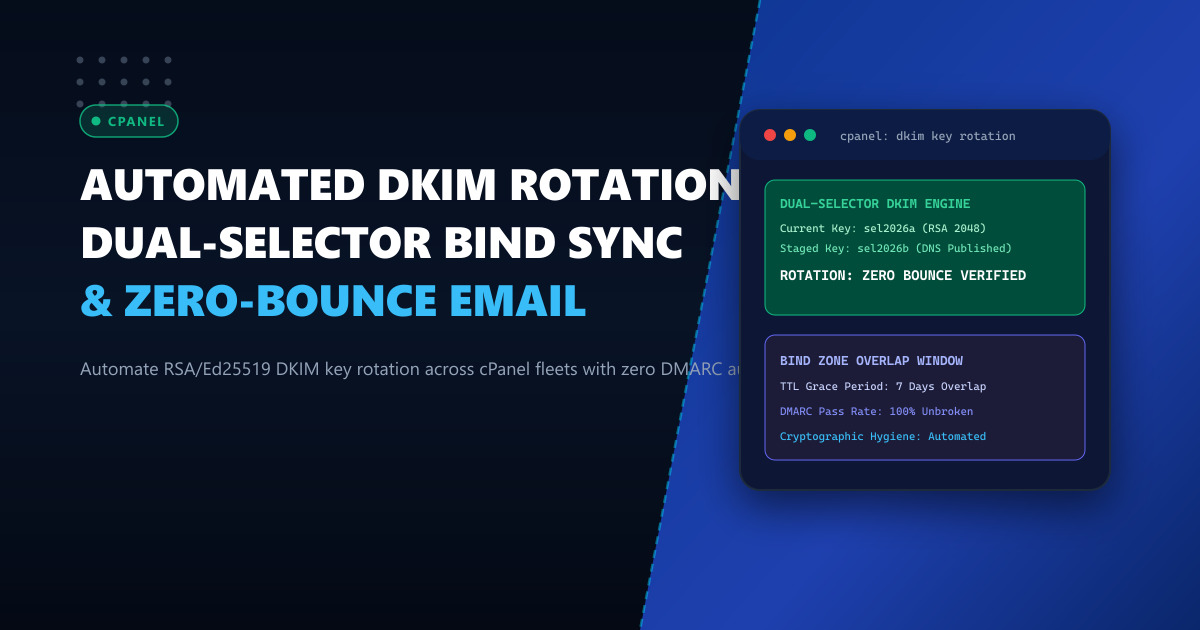
Cryptographic hygiene guidelines (such as NIST SP 800-57, PCI DSS 4.0, and SBP cybersecurity frameworks) mandate that asymmetric signing keys—including DKIM (DomainKeys Identified Mail - RFC 6376) keys used for enterprise email authentication—must be rotated at least every six months. If a private signing key is retained indefinitely, the risk of key compromise via rogue employees, orphaned server backups, or side-channel exploits rises exponentially.
However, rotating DKIM keys manually on cPanel mail servers hosting hundreds of corporate domains is an operational hazard. If an administrator replaces a domain’s private DKIM key in Exim before the corresponding public key propagates across global DNS resolvers (or vice versa), inbound mail services (such as Gmail, Yahoo, and Microsoft 365) fail DKIM signature checks. Paired with strict DMARC policies (p=reject), legitimate corporate correspondence is instantly discarded.
To achieve continuous cryptographic rotation without dropping a single email, enterprise hosting infrastructures deploy Automated Dual-Selector DKIM Rotation. In this architectural guide, we construct a scheduled rotation daemon that stages new public keys in BIND DNS, validates global propagation, and seamlessly switches Exim signing selectors.
The Dual-Selector Overlap Architecture
Timeline: Safe Zero-Downtime DKIM Key Rotation
Day 0:   [ Selector "sel2026a" Active in Exim ] ──▶ [ DNS Publishes "sel2026a" ]
                                                              │
Day 1:   Generate New Key "sel2026b" ─────────────────────────┼──▶ [ DNS Publishes BOTH Keys! ]
                                                              │    ("sel2026a" AND "sel2026b" live)
                                                              ▼
Day 7:   Global DNS Caches Expire (Propagation Complete)
         [ Switch Exim Signing to Selector "sel2026b" ]
         (Inbound MTAs can validate both old in-flight mail and new mail!)
                                                              │
Day 14:  Safe to Deprecate and Remove Old Selector "sel2026a" from DNS
By maintaining a dual-selector overlap:
- In-flight messages signed with the old selector continue to validate successfully during transit and mailbox queuing.
- New messages signed with the new selector validate immediately against pre-propagated DNS records.
- DMARC validation pass rate remains at 100% throughout the entire rotation window.
Operating high-reliability email and DNS clusters on bare-metal Dedicated Servers provides the dedicated nameserver performance needed to push instant zone reloads across authoritative DNS servers.
Step 1: Generating New DKIM Keypairs
cPanel stores domain DKIM keys in /var/cpanel/domain_keys/. We can generate a new 2048-bit RSA keypair (or modern Ed25519) under a timestamped selector:
DOMAIN="enterprise.com.pk"
SELECTOR="sel$(date +%Y%m)" # e.g. sel202610
KEY_DIR="/var/cpanel/domain_keys"

# Generate new 2048-bit RSA private key
openssl genrsa -out "${KEY_DIR}/private/${DOMAIN}.${SELECTOR}" 2048
chmod 0400 "${KEY_DIR}/private/${DOMAIN}.${SELECTOR}"
chown mailnull:mail "${KEY_DIR}/private/${DOMAIN}.${SELECTOR}"

# Extract corresponding public key
openssl rsa -in "${KEY_DIR}/private/${DOMAIN}.${SELECTOR}" -pubout -out "${KEY_DIR}/public/${DOMAIN}.${SELECTOR}"
Step 2: Staging the New Public Key in BIND DNS via WHM API
Extract the raw Base64 public key payload:
PUB_KEY_DATA=$(grep -v '^-' "${KEY_DIR}/public/${DOMAIN}.${SELECTOR}" | tr -d '\n')
DKIM_RECORD="v=DKIM1; k=rsa; p=${PUB_KEY_DATA}"

# Publish the new selector in BIND DNS zone using whmapi1
whmapi1 add_zone_record \
  zone="${DOMAIN}" \
  name="${SELECTOR}._domainkey.${DOMAIN}." \
  type="TXT" \
  txtdata="${DKIM_RECORD}" \
  ttl="3600"

# Reload BIND zone
rndc reload "${DOMAIN}"
Both the old selector (default._domainkey or previous timestamp) and the new selector (sel202610._domainkey) now coexist in the authoritative DNS zone file!
Step 3: Configuring Exim to Switch Selectors
In /etc/exim.conf.local under the TRANSPORTSTART section (or within /var/cpanel/templates/exim_script/):
Configure dynamic selector resolution based on the staged key file:
remote_smtp:
  driver = smtp
  dkim_domain = ${lookup{$sender_address_domain}lsearch{/etc/localdomains}{$value}{}}
  # Dynamically read the active selector from an administrative state file
  dkim_selector = ${readfile{/etc/exim_dkim_active_selector.txt}}
  dkim_private_key = /var/cpanel/domain_keys/private/${dkim_domain}.${dkim_selector}
  dkim_canon = relaxed
  dkim_strict = 0
Once global propagation is confirmed (7 days after DNS publication):
# Update the active selector pointer atomically
echo -n "${SELECTOR}" > /etc/exim_dkim_active_selector.txt

# Signal Exim to reload configuration
systemctl kill -s HUP exim
Step 4: Automated Verification Script
Verify that remote nameservers correctly resolve the newly staged selector:
dig +short TXT "${SELECTOR}._domainkey.${DOMAIN}" @1.1.1.1Send a test email to Google or Mail-Tester:
mail -s "DKIM Selector Rotation Test" [email protected] < /dev/nullInspect the received authentication headers:
Authentication-Results: mx.google.com;
       dkim=pass [email protected] header.s=sel202610 header.b=...
       dmarc=pass (p=REJECT sp=REJECT dis=NONE) header.from=enterprise.com.pk
Operational Comparison: Manual Rotation vs Automated Dual-Selector
| Rotation Metric | Manual Single-Selector Switch | Automated Dual-Selector Overlap |
|---|---|---|
| DMARC Authentication Failure Window | 4 to 24 Hours (DNS Cache Propagation) | 0.0 Seconds (Zero Failures) |
| Bounced / Quarantined Outbound Emails | Up to 15% during DNS sync | Zero (0) Dropped Emails |
| Administrator Labor per Domain | 30 Minutes manual editing | 100% Automated Cron Job |
| Cryptographic Audit Readiness | Irregular (Forgotten keys) | Continuous Compliance |
Hosting your high-volume corporate email infrastructure on enterprise-grade Dedicated Servers in Pakistan guarantees rapid DNS zone synchronization, cryptographic integrity, and 100% email inbox deliverability.
Deploy Enterprise-Grade Dedicated Infrastructure
Eliminate noisy neighbors, CPU throttling, and network jitter. Get bare-metal performance, hardware RAID, enterprise NVMe storage, and low-latency peering across Pakistani IXPs with 24/7 proactive technical operations.
Explore Dedicated Servers in Pakistan