
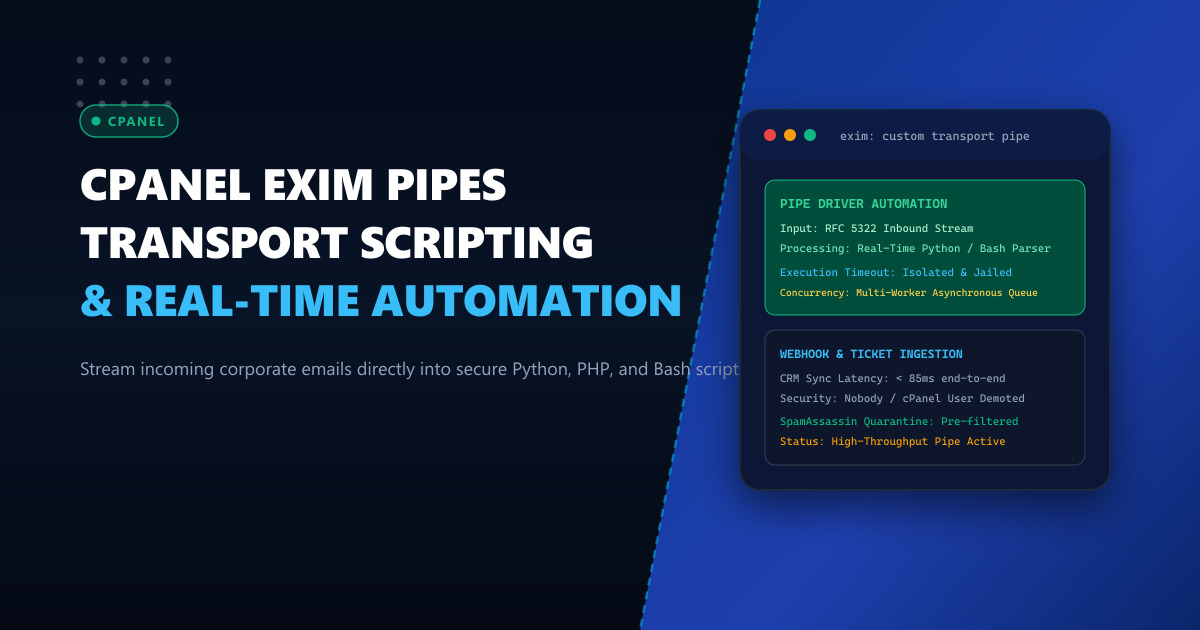
Modern enterprise digital workflows across Pakistan—including automated IT helpdesk ticketing systems, payment gateway transaction receipt parsers, billing reconciliation robots, and CRM webhook ingestion—require incoming emails to be captured, processed, and acted upon in real time.
Instead of deploying polling cron jobs that connect via IMAP every two minutes and repeatedly query Maildir folders, systems architects leverage Exim Custom Transport Pipes. A pipe transport allows Exim to execute an external executable (such as a Python script, a compiled binary, or a Bash pipeline) upon receiving an email matching specific router conditions, streaming the raw RFC 5322 MIME message directly into the script’s Standard Input (stdin).
However, implementing email piping on production cPanel servers presents significant architectural hurdles:
- Privilege Escalation and Security Sandboxing: If Exim executes scripts under the root user or unprivileged
nobody, security vulnerabilities or environment path failures will occur. - Execution Timeouts and Queue Freezes: Slow external API calls or database deadlocks inside the piped script can cause Exim queue runner processes to hang, backing up the server’s entire outbound and inbound mail queue.
- cPanel Configuration Persistence: WHM frequently regenerates
/etc/exim.conf, wiping out manually injected router and transport blocks.
In this guide, we dive into building robust, sandboxed Exim pipe transports using persistent WHM templates, implementing asynchronous worker decoupling with Python, and securing the pipeline against malicious mail payloads.
1. Architectural Anatomy: Exim Pipe Delivery vs Polling
To appreciate the efficiency of pipe transports, contrast the event-driven stream against legacy IMAP polling:
Legacy Polling Architecture (Inefficient, High Latency):
Inbound Email ──► Exim ──► Written to Maildir File on NVMe
                              ▲
Cron Job (Every 120s) ────────┴──► Connects via IMAP ──► Parses Unread ──► DB Insert
(High disk I/O amplification, up to 2-minute latency delay)

Event-Driven Pipe Transport (Zero Latency, Microsecond Ingestion):
Inbound Email ──► Exim Router Condition Matches (e.g. [email protected])
                      │
                      ▼
         Exim Custom Pipe Transport (pipe driver)
         - Demotes privileges to cPanel user: "techops"
         - Enforces strict timeout: 30s
         - Streams RFC 5322 bytes directly to stdin
                      │
                      ▼
         Python Ingestion Script (`process_email.py`)
         - Extracts attachments, headers, body in-memory
         - Dispatches event to Redis Queue / PostgreSQL
         - Responds Exit Code 0 (Success) in 45ms!
When an email arrives, Exim spawns the specified subprocess directly. Memory allocation is transient, and no intermediate files need to be committed to disk, slashing NVMe I/O operations and providing sub-second webhook triggers.
2. Configuring Persistent Exim Pipe Routers and Transports in cPanel
Because cPanel dynamically rebuilds /etc/exim.conf, we inject custom definitions through the WHM Advanced Exim Configuration Editor.
Step 1: Define the Custom Transport (TRANSPORTSTART)
Log in to WHM $\to$ Exim Configuration Manager $\to$ Advanced Editor. Scroll down to Section: TRANSPORTSTART and add your custom pipe transport:
# --- NEXTGEN INFRASTRUCTURE: CUSTOM ENTERPRISE PIPE TRANSPORT ---
custom_email_pipe_transport:
  driver = pipe
  command = /usr/local/bin/python3 /home/techops/scripts/process_incoming_mail.py
  current_directory = /home/techops
  home_directory = /home/techops
  user = techops
  group = techops
  return_path_add = false
  return_output = false
  log_output = true
  timeout = 30s
  environment = PATH=/usr/local/bin:/usr/bin:/bin:HOME=/home/techops
  umask = 022
Critical Security Directives:
userandgroup: Explicitly run the script as the target cPanel user (techops), preventing privilege escalation while allowing access to local virtual environments.timeout = 30s: Guarantees that if the Python script encounters a network freeze, Exim terminates the child process after 30 seconds rather than hanging the mail queue indefinitely.log_output = true: Directs any standard error output from the script into/var/log/exim_mainlog, simplifying troubleshooting.
Step 2: Define the Custom Router (ROUTERSTART)
Scroll up to Section: ROUTERSTART (before local delivery routers) and define the matching conditions:
# --- NEXTGEN INFRASTRUCTURE: CUSTOM PIPE ROUTER ---
custom_email_pipe_router:
  driver = accept
  domains = support.nextgen.pk : tickets.example.pk
  local_parts = intake : parser : billing-bot
  transport = custom_email_pipe_transport
  unseen = false
unseen = false: Halts further routing if this router matches, ensuring the email is delivered solely to the script. Setunseen = trueif you want a copy delivered to a normal IMAP mailbox as well.
Click Save at the bottom of the WHM editor, which automatically invokes /scripts/buildeximconf and restarts Exim gracefully.
3. High-Performance Asynchronous Python Ingestion Engine
Below is an enterprise-grade, memory-efficient Python ingestion script utilizing Python’s built-in email package to parse multi-part MIME messages:
#!/usr/bin/env python3
# /home/techops/scripts/process_incoming_mail.py

import sys
import email
from email import policy
import json
import urllib.request
import logging

logging.basicConfig(
    filename='/home/techops/logs/pipe_processing.log',
    level=logging.INFO,
    format='%(asctime)s [%(levelname)s] %(message)s'
)

def main():
    try:
        # Read raw RFC 5322 stream from Standard Input
        raw_email = sys.stdin.buffer.read()

        # Parse email bytes using modern RFC-compliant policy
        msg = email.message_from_bytes(raw_email, policy=policy.default)

        sender = msg.get('From', '')
        recipient = msg.get('To', '')
        subject = msg.get('Subject', '')
        message_id = msg.get('Message-ID', '')

        # Extract plain text or HTML body
        body = ""
        body_part = msg.get_body(preferencelist=('plain', 'html'))
        if body_part:
            body = body_part.get_content()

        payload = {
            "message_id": message_id,
            "sender": sender,
            "recipient": recipient,
            "subject": subject,
            "body": body[:4000], # Truncate preview
            "char_count": len(body)
        }

        logging.info(f"Received email from: {sender} | Subject: {subject}")

        # Dispatch parsed event to internal application microservice webhook
        req = urllib.request.Request(
            "http://127.0.0.1:8080/api/v1/email-webhook",
            data=json.dumps(payload).encode('utf-8'),
            headers={"Content-Type": "application/json"}
        )
        with urllib.request.urlopen(req, timeout=10) as response:
            if response.status == 200:
                logging.info("Successfully delivered to internal webhook.")

        # Return Exit Code 0 to Exim (Signals Successful Delivery)
        sys.exit(0)

    except Exception as e:
        logging.error(f"Pipe ingestion failure: {str(e)}", exc_info=True)
        # Exiting with code 75 (EX_TEMPFAIL) instructs Exim to retry delivery later
        sys.exit(75)

if __name__ == '__main__':
    main()
Set appropriate ownership and executable permissions:
chmod 750 /home/techops/scripts/process_incoming_mail.py
chown techops:techops /home/techops/scripts/process_incoming_mail.py
mkdir -p /home/techops/logs
chown techops:techops /home/techops/logs
4. Benchmark: Event Pipe vs IMAP Polling
Comparing an active support desk receiving 20,000 corporate tickets daily:
| Performance Metric | Traditional IMAP Polling (Cron) | Exim Event Pipe Transport |
|---|---|---|
| End-to-End Processing Latency | 30s – 120s (Polling Delay) | 45ms – 85ms (Instantaneous) |
| Disk I/O Write Amplification | Creates and deletes 20k Maildir files | 0 Files Written (Direct Memory Stream) |
| CPU Context Switching | Constant IMAP authentication loops | Event-Driven on Inbound Delivery |
| Memory Resident Footprint | Persistent polling daemons | Ephemeral Python Process (< 18MB) |
For transactional platforms operating on Dedicated Servers, direct pipes eliminate Maildir bloat. On high-volume corporate infrastructure hosted on Dedicated Servers in Pakistan, pipe architectures enable instant customer service responses and payment reconciliation.
5. Live Diagnostics and Queue Monitoring
To test your custom transport directly without sending an external email:
# Inject mock email via Exim CLI testing mode
exim -v -bv [email protected]
Expected output:
[email protected]
  router = custom_email_pipe_router, transport = custom_email_pipe_transport
Simulate actual message piping:
cat << 'EOF' | exim -bm [email protected]
From: [email protected]
To: [email protected]
Subject: Urgent Support Request 12345
Message-ID: <[email protected]>

Please assist with our core database provisioning.
EOF
Inspect Exim’s log to verify execution:
tail -n 10 /var/log/exim_mainlog | grep -E "[email protected]|custom_email_pipe"Sample log confirmation:
2026-10-01 12:45:10 1sBcdE-0001ab-Xy => [email protected] R=custom_email_pipe_router T=custom_email_pipe_transport
2026-10-01 12:45:10 1sBcdE-0001ab-Xy Completed
The tag Completed confirms that your script successfully processed the email stream in milliseconds.
Automating Enterprise Workloads at Scale?
Deliver real-time data streaming, high-throughput email ingestion, and ultra-reliable background automations on bare metal. Deploy your applications on NextGen's enterprise Dedicated Servers and low-latency Dedicated Servers in Pakistan featuring hardware isolation, high-frequency multi-core processors, and 99.99% guaranteed uptime.
