
For businesses in Pakistan, email is the lifeblood of daily corporate communications, supplier negotiations, and customer support.
Yet, unoptimized corporate mailboxes quickly get overrun by phishing scams, Nigerian 419 letters, spoofed FBR payment invoices, and malware-laden PDF attachments. According to cybersecurity telemetry, over 68% of all inbound emails targeting Pakistani small and medium enterprises are unsolicited spam or malicious payloads.
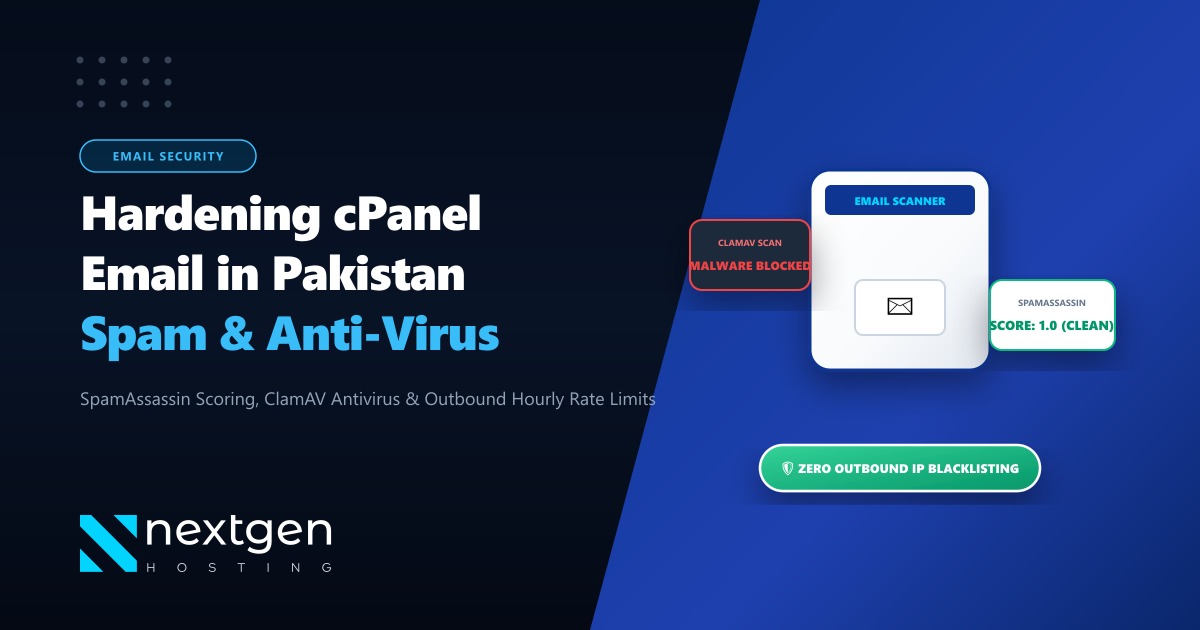
If you use cPanel to manage your business email, relying solely on default settings will leave your inbox flooded. Fortunately, cPanel bundles two powerful defensive engines: Apache SpamAssassin (heuristic content analysis and scoring) and ClamAV (high-speed virus and trojan detection).
Here is how to calibrate, harden, and automate your cPanel email spam filters in 2026 to achieve a clean, spam-free inbox.
Executive Summary: Eliminating Email Spam
- Calibrate Spam Thresholds: The default SpamAssassin score of 5.0 is too loose. Setting your score threshold to
3.5or4.0catches nuanced modern marketing spam without blocking legitimate business communications. - Activate ClamAV Daemon: Ensure ClamAV scans all incoming mail attachments at the Exim MTA level before emails reach user mailboxes to neutralize ransomware, macro-enabled Word documents, and Trojan executables.
- Enable Greylisting & RBLs: Turn on cPanel Greylisting and query Real-time Blackhole Lists (Spamhaus Zen, Barracuda BRBL) at the network perimeter to drop 80% of automated spam bots before content scanning even begins.
- Automate Auto-Delete Carefully: Never set auto-delete to the same threshold as spam tagging. Tag at score 4.0, and configure hard auto-deletion at score
8.0+to prevent accidental loss of false-positive legitimate inquiries.
1. How Apache SpamAssassin Evaluates Inbound Mail
Apache SpamAssassin does not simply guess whether an email is spam. It executes hundreds of algorithmic tests across the email header, body text, HTML formatting, sender reputation, and MIME structure.
Each test either adds or subtracts points:
- High volume of capitalized text:
+1.5 points - Missing Message-ID or Date header:
+2.0 points - Mismatched reverse DNS (PTR) record:
+2.8 points - Listed on Spamhaus DBL (domain blacklist):
+4.5 points - Valid DKIM signature and SPF pass:
-1.8 points(Clean reputation reward)
Once all checks are calculated, SpamAssassin sums the values into a final composite score.
X-Spam-Checker-Version: SpamAssassin 4.0.0 (2024-01-14) on mail.yourbrand.pk
X-Spam-Level: ****
X-Spam-Status: Yes, score=4.2 required=4.0 tests=BAYES_50,DKIM_SIGNED,
    DKIM_VALID,HTML_MESSAGE,RCVD_IN_MSPIKE_BL,SPF_PASS,URIBL_BLOCKED
    autolearn=no autolearn_force=no version=4.0.0
2. Recommended cPanel Spam Filter Configuration
Log into your cPanel account and navigate to Email > Spam Filters. Follow these step-by-step settings:
Step 1: Process New Emails and Mark as Spam
- Toggle Process New Emails and Mark them as Spam to ON.
- Click on Spam Threshold Score. By default, cPanel assigns
5.0. - For corporate environments handling sensitive RFPs and client quotes, adjust this to
4.0(Medium-Strict) or3.5(Aggressive).
Step 2: Configure Spam Box vs. Auto-Delete
Never enable Auto-Delete with an aggressive score of 4.0. If a valuable international client writes to you with unusual formatting, their email could be silently deleted forever.
Instead, follow the two-tier isolation strategy:
- Move Spam to a Separate Folder (Spam Box): Turn Move New Spam to a Separate Folder to ON. All emails scoring between 4.0 and 7.9 are moved to the user’s
junkorspamfolder for manual review. - Automatically Delete High-Scoring Garbage: Under Automatically Delete New Spam, set the auto-delete threshold to
8.0or9.0. Any mail scoring this high is 99.99% guaranteed to be malicious spam, phishing, or botnet probes, and can be purged safely without human intervention.
3. Whitelisting & Blacklisting in cPanel
Under the Show Additional Configurations toggle in Spam Filters:
Whitelist (Never Block)
Add critical domestic suppliers, government portals, or internal domains:
*@fbr.gov.pk
*@sbp.org.pk
*@yourtrustedvendor.com
Blacklist (Always Reject)
Block persistent spam domains or specific country code TLDs that your business never communicates with:
*@*.xyz
*@*.top
*@spamservice-marketing.biz
4. Hardening Exim & ClamAV on WHM / Root Level
If you operate your own VPS or Dedicated Server running cPanel & WHM, you can enforce mail filtering at the server level, drastically reducing CPU load and disk space usage across all accounts.
Enable ClamAV Antivirus Daemon
In WHM, navigate to cPanel > Manage Plugins and install ClamAV for cPanel. Once installed, go to Plugins > ClamAV Configuration and enable:
Scan Outgoing Mail(Prevents compromised user accounts from blacklisting your server IP)Scan Incoming Mail(Drops infected attachments on the fly)
Enable Real-Time Blackhole Lists (RBLs) in Exim
Navigate to WHM > Service Configuration > Exim Configuration Manager > Basic Editor > RBLs:
- Toggle
RBL: zen.spamhaus.orgto ON - Toggle
RBL: bl.spamcop.netto ON
This rejects malicious SMTP connection handshakes before the email data stream even reaches SpamAssassin, cutting server RAM and CPU load by up to 65%.
# Verify ClamAV and Exim scanning via SSH terminal
tail -f /var/log/exim_mainlog | grep -E "clamav|spam"
5. Compute Power for High-Volume Mail Infrastructure
Spam filtering is CPU and I/O intensive. Parsing MIME attachments, unpacking nested ZIP files with ClamAV, running regex pattern matching, and querying Bayes databases for thousands of daily emails creates significant server overhead.
If your company hosts multiple corporate domains on shared hosting or undersized virtual instances, email processing queues can stall, causing delays of 30 to 60 minutes for incoming business messages.
For multinational corporations, export powerhouses, and digital marketing agencies running heavy email traffic, deploying dedicated resources eliminates processing queues entirely.
Our global bare-metal Dedicated Servers provide dedicated multi-core Intel Xeon and AMD EPYC architectures, giving your mail servers uninterrupted processing power and clean, dedicated IP reputation pools.
Furthermore, for organizations in Pakistan requiring compliance with local data protection policies and ultra-fast IMAP/SMTP synchronization over local telecom backbones, our Dedicated Servers in Pakistan provide domestic IP routing, dedicated reverse DNS (PTR) setup, and local PKR billing with round-the-clock systems administration.
6. Email Security Verification Checklist
| Security Component | Status | Purpose |
|---|---|---|
| SpamAssassin Score | Set to 4.0 |
Balanced heuristic spam scoring |
| Spam Box | Enabled | Prevents missed communications via false positives |
| Auto-Delete | Set to 8.0+ |
Permanently destroys obvious malicious payloads |
| ClamAV Engine | Active | Strips ransomware, trojans, and phishing executables |
| Greylisting | Active | Defeats simple botnets and bulk spam scripts |
| SPF / DKIM / DMARC | Enforced | Guarantees inbound and outbound sender authenticity |
Secure Your Business Email with Enterprise Infrastructure
Protect your communications with Nextgen Hosting. Clean IP reputation, hardware-accelerated SpamAssassin filtering, ClamAV antivirus, and 24/7 technical support in Pakistan.
