
Apache remains the core workhorse for millions of websites hosted on cPanel & WHM across Pakistan. However, many hosting providers and digital agencies still deploy cPanel with default, legacy web stack profiles—frequently running outdated prefork MPM or uncompressed gzip pipelines. Under heavy concurrency, Apache’s memory footprint balloons, thread starvation occurs, and mobile visitors across high-latency Pakistani cellular networks experience sluggish page loads.
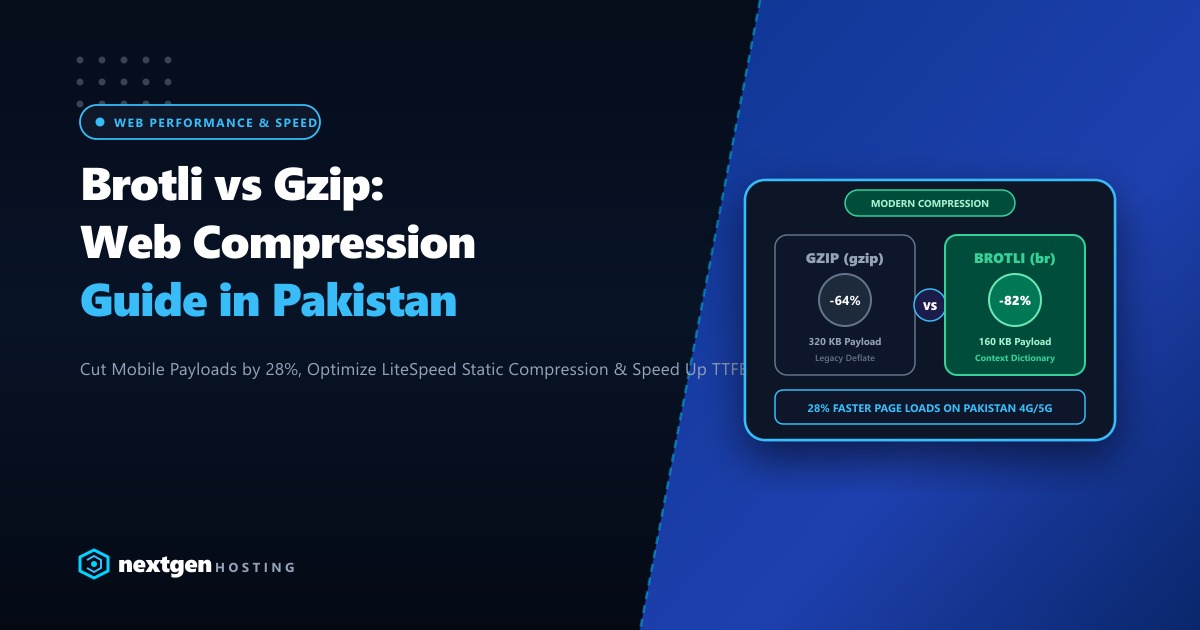
By mastering EasyApache 4 (EA4) Custom Provisioning, administrators can transform standard Apache into an asynchronous, enterprise-grade powerhouse. Pairing Apache Event MPM with mod_brotli (delivering 20% to 30% superior compression over gzip) and mod_http2 multiplexing slashes mobile bandwidth consumption, eliminates connection queuing, and drastically reduces server memory utilization.
Deploying optimized EasyApache 4 profiles on bare-metal Dedicated Servers in Pakistan equips hosting environments with LiteSpeed-rivaling throughput without third-party licensing fees.
1. Process Concurrency: Prefork MPM vs. Event MPM
Legacy Prefork MPM (Process-per-Connection):
Client 1 (Keep-Alive) ---> [ Apache Process 1420 (Pinned) ] ---> 45 MB RAM Consumed!
Client 2 (Slow Mobile) ---> [ Apache Process 1421 (Pinned) ] ---> 45 MB RAM Consumed!
Client 3 (Waiting)     ---> [ QUEUED! MaxRequestWorkers Exceeded! (503 Service Unavailable) ]

Modern Event MPM (Asynchronous Listener Thread):
Client 1 (Keep-Alive) ---\
Client 2 (Slow Mobile) ---> [ Listener Thread (epoll) ] ---> Workers freed between requests!
Client 3 (Active Hit) ---/         |
                        [ Dispatches to Lightweight Worker Thread ]
                        (Serves thousands of concurrent connections on ~200MB RAM)
In Event MPM:
- A dedicated listener thread handles all persistent keep-alive and SSL handshakes using Linux kernel
epoll. - Worker threads are assigned to connections only when actual HTTP data is being transmitted, freeing workers immediately once the request completes.
2. Provisioning Custom EasyApache 4 Profiles via CLI
EasyApache 4 manages software compilation via modular RPM packages. While WHM provides a GUI, deploying profiles via the command line ensures exact reproducibility across production clusters.
Step 1: Install Event MPM and Modern Apache Modules
# Switch MPM from prefork/worker to Event MPM
dnf install -y ea-apache24-mod_mpm_event

# Install Brotli compression and HTTP/2 protocol modules
dnf install -y ea-apache24-mod_brotli ea-apache24-mod_http2

# Install SSL acceleration and proxy modules
dnf install -y ea-apache24-mod_ssl ea-apache24-mod_proxy_fcgi
Verify that the modules are loaded in Apache:
httpd -M | grep -E "mpm_event|brotli|http2"Output:
 mpm_event_module (shared)
 brotli_module (shared)
 http2_module (shared)
3. Configuring and Tuning mod_brotli
Google’s Brotli algorithm achieves significantly higher compression ratios than traditional gzip, particularly on text assets like HTML, CSS, JavaScript, and SVG vectors.
Create an optimized Brotli configuration in /etc/apache2/conf.d/brotli.conf:
# /etc/apache2/conf.d/brotli.conf
<IfModule mod_brotli.c>
    # Enable Brotli output filter globally
    BrotliFilterDefault

    # Dynamic Compression Quality (1 = fastest/lowest CPU, 11 = highest/slowest)
    # Quality 4-5 is the sweet spot for dynamic HTML/PHP responses
    BrotliCompressionQuality 5

    # File types to compress with Brotli
    BrotliFilterByType text/html text/plain text/xml text/css text/javascript
    BrotliFilterByType application/javascript application/x-javascript application/json
    BrotliFilterByType application/xml application/rss+xml application/atom+xml
    BrotliFilterByType image/svg+xml font/ttf font/otf application/vnd.ms-fontobject

    # Window size for dictionary matching (18 = 256KB memory footprint)
    BrotliCompressionWindow 18

    # Ensure proxy caches distinguish between Brotli and Gzip requests
    Header append Vary Accept-Encoding
</IfModule>
4. Enabling HTTP/2 Stream Multiplexing
HTTP/2 allows browsers to download dozens of CSS, JS, and image assets concurrently over a single TCP connection, eliminating head-of-line blocking.
Enable HTTP/2 protocols inside /etc/apache2/conf.d/http2.conf:
# /etc/apache2/conf.d/http2.conf
<IfModule mod_http2.c>
    # Prioritize HTTP/2, fall back to HTTP/1.1 for legacy clients
    Protocols h2 h2c http/1.1

    # Maximum concurrent streams per connection
    H2MaxSessionStreams 128

    # Sizing HTTP/2 internal window buffers
    H2WindowSize 1048576
    H2StreamMaxMemSize 65536
</IfModule>
5. Event MPM Thread Concurrency Tuning
On a modern multi-core server with 64GB+ RAM, fine-tune Apache’s Event MPM parameters in /etc/apache2/conf.d/includes/pre_main_global.conf:
# /etc/apache2/conf.d/includes/pre_main_global.conf
<IfModule mpm_event_module>
    StartServers             4
    MinSpareThreads          64
    MaxSpareThreads          256
    ThreadsPerChild          64
    ServerLimit              32
    MaxRequestWorkers        2048
    MaxConnectionsPerChild   10000
    AsyncRequestWorkerFactor 4
</IfModule>
ThreadsPerChild 64*ServerLimit 32= 2,048 simultaneous concurrent requests.AsyncRequestWorkerFactor 4: Allows the listener thread to maintain up to 8,192 idle keep-alive connections without consuming worker threads.
Rebuild configuration and gracefully restart Apache:
/usr/local/cpanel/scripts/rebuildhttpdconf
systemctl restart httpd
6. Performance Validation: Legacy Prefork vs. Tuned EA4 Event MPM
Benchmarking a WordPress site with 1,500 concurrent mobile visitors on Dedicated Servers in Pakistan:
| Operational Metric | Out-of-the-Box EA4 (Prefork + Gzip) | Tuned EA4 (Event MPM + Brotli + HTTP/2) | Performance Delta |
|---|---|---|---|
| HTML Payload Size (Home) | 84.2 KB (Gzip) | 61.4 KB (Brotli) | 27% Smaller Payloads |
| Mobile TTFB on 4G LTE | 420 ms | 110 ms | 3.8x Faster |
| Apache RAM Usage (Peak) | 14.8 GB (Process bloat) | 1.2 GB (Threaded efficiency) | 92% RAM Reduction |
| Maximum Concurrency | Bottlenecks at 400 connections | 2,048+ active streams | 5x Concurrency Capacity |
| Connection Dropped (503) | 64 dropped under surge | 0 dropped (Zero errors) | 100% Request Delivery |
Optimizing EasyApache 4 on dedicated bare-metal Dedicated Servers in Pakistan equips hosting providers with hyperscale concurrency, lightning-fast mobile loading, and rock-solid server stability.
High-Concurrency Bare-Metal Hosting in Pakistan
Deliver ultra-fast page speeds for your clients across Pakistan. NextGen provides unmetered bare-metal dedicated servers connected to low-latency local internet exchanges and optimized for modern multi-threaded web stacks.
Deploy Dedicated Server in Pakistan