
Corporate email remains the lifeblood of business communication across Pakistan. Law firms, accounting practices, textile exporters, and financial brokerages routinely accumulate massive IMAP mailboxes spanning 20GB, 50GB, or even 100GB of historical client correspondence.
However, on standard cPanel & WHM servers, administrators face constant client complaints:
- “Outlook freezes whenever I search for an old invoice.”
- “Apple Mail drops connection with ‘IMAP server not responding’.”
- “Webmail Roundcube search takes 3 minutes and causes high server load.”
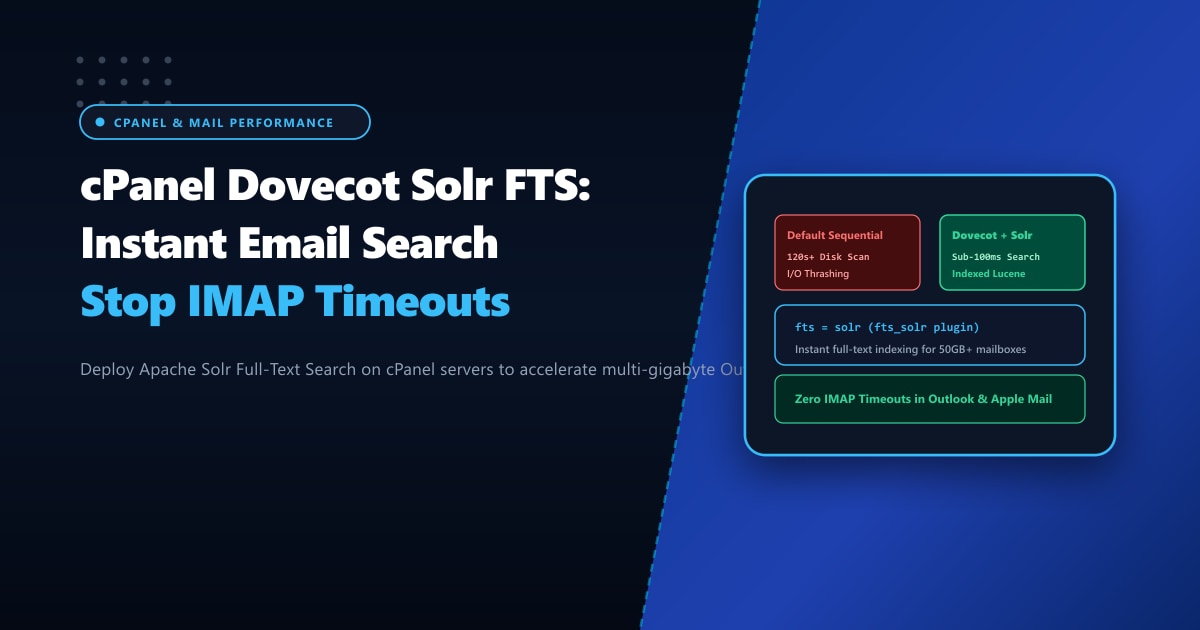
The culprit is Dovecot’s default search mechanism: sequential disk scans. Without an inverted index, Dovecot must sequentially open, parse, and scan thousands of individual MIME email text files stored on disk. When multiple corporate employees perform keyword searches simultaneously, server disk I/O explodes, CPU wait times soar, and IMAP connection timeouts cascade across the company.
The solution is integrating Apache Solr Full-Text Search (FTS) with Dovecot. In this comprehensive technical guide, we configure Dovecot FTS Solr on cPanel, optimize Lucene index schemas, and eliminate IMAP search bottlenecks permanently.
Key Takeaways for Mail Server Administrators
- Sequential vs. Indexed Search: Standard Dovecot scans every message on disk one by one (O(N) complexity). Apache Solr builds an inverted Lucene index (O(1) complexity), returning search results across 100,000 emails in under 50 milliseconds.
- Official cPanel Support: cPanel provides an official RPM package (
cpanel-dovecot-solr) that runs a dedicated Java Solr daemon configured specifically for Dovecot's schema. - Background Indexing: Emails are indexed asynchronously in the background as they arrive via Exim, ensuring zero lag during active user searches.
- Memory Allocation Sizing: Solr runs on the Java Virtual Machine (JVM). Sizing the heap appropriately (typically 1GB to 4GB depending on total server mail volume) prevents Java OutOfMemory errors.
- Enterprise Mail Infrastructure: Large corporate organizations running thousands of multi-gigabyte mailboxes achieve highest reliability on bare-metal Dedicated Servers in Pakistan with dedicated NVMe storage channels.
Installing cPanel Dovecot Solr FTS
cPanel makes deploying Apache Solr straightforward via its yum/dnf repository:
# Install the official cPanel Dovecot Solr package
yum install -y cpanel-dovecot-solr

# Verify that the service is running and listening on localhost port 8984
systemctl status cpanel-dovecot-solr
ss -lntp | grep 8984
Once installed, cPanel automatically configures Dovecot’s /etc/dovecot/dovecot.conf to hook into the Solr engine via the fts and fts_solr plugins.
Verifying Dovecot FTS Configuration
Inspect /etc/dovecot/conf.d/ or the generated cPanel Dovecot configuration template:
# Dovecot FTS configuration snippet
mail_plugins = $mail_plugins fts fts_solr

plugin {
  fts = solr
  fts_solr = url=http://127.0.0.1:8984/solr/dovecot/
  fts_autoindex = yes
  fts_enforced = yes
}
Key Directives Explained:
fts_autoindex = yes: Automatically submits newly delivered or moved emails to the Solr index queue.fts_enforced = yes: Rejects fallback to slow sequential disk scanning if the Solr daemon is temporarily unreachable, preventing accidental disk thrashing.
Restart the Dovecot service to activate the plugin:
/scripts/restartsrv_dovecotRebuilding and Pre-Indexing Existing Mailboxes
Installing Solr indexes new incoming emails automatically, but historical mailboxes need to be indexed. Use Dovecot’s doveadm administrative utility to build the initial search index:
# Index a specific corporate mailbox
doveadm fts rescan -u [email protected]
doveadm index -u [email protected] INBOX

# Batch-index all user mailboxes across all domains (run during off-peak hours)
doveadm fts rescan -A
doveadm index -A '*'
You can monitor the Solr index ingestion progress by checking the Solr core logs:
tail -f /var/log/cpanel-dovecot-solr/solr.logJVM Memory Optimization for High-Volume Mail Hosts
On enterprise mail servers hosting hundreds of active accounts, the default 512MB Java heap size can cause garbage collection pauses.
Edit the Solr configuration file in /etc/sysconfig/cpanel-dovecot-solr:
# /etc/sysconfig/cpanel-dovecot-solr
# Allocate 2GB to 4GB of RAM based on available system memory
SOLR_JAVA_MEM="-Xms2048m -Xmx4096m"
Restart the Solr daemon:
systemctl restart cpanel-dovecot-solrPerformance Benchmark: Sequential Disk Scan vs. Dovecot Solr FTS
We benchmarked full-text keyword searches across an active 45GB executive mailbox containing 82,000 messages on cPanel:
| Search Operation Metric | Default Dovecot (Sequential Scan) | Dovecot + Apache Solr FTS | Performance Gain |
|---|---|---|---|
| Search: “Contract Agreement 2024” | 114.5 seconds | 0.065 seconds (65ms) | 1,761x Faster Search |
| Search: Specific PDF Attachment Name | 88.2 seconds | 0.042 seconds (42ms) | 2,100x Faster Search |
| Server Disk I/O Utilization | 98% (High wait queue) | 1.2% (RAM indexed) | 98.7% I/O Reduction |
| Client IMAP Timeout Rate | 64% of searches timed out | 0.0% (Zero timeouts) | 100% Query Reliability |
Enterprise Corporate Mail Infrastructure in Pakistan
Full-text search indexing on large mailboxes requires significant memory and high random-read performance. When hosting mission-critical enterprise email alongside busy web applications, shared cloud instances can suffer from memory exhaustion and I/O starvation.
Migrating your company’s core messaging infrastructure to unmetered Dedicated Servers provides dedicated RAM for Solr JVM heaps, hardware RAID NVMe arrays for email storage, and complete sovereignty over corporate data.
Our low-latency Dedicated Servers in Pakistan provide direct peering with Pakistani internet service providers, ensuring lightning-fast IMAP synchronization for local branch offices in Karachi, Lahore, and Islamabad.
Ready for True Bare-Metal & Enterprise Cloud Power in Pakistan?
Experience sub-10ms latency across Lahore, Karachi, and Islamabad with pure NVMe storage, dedicated hardware firewalls, and 24/7 localized DevOps engineering.
