
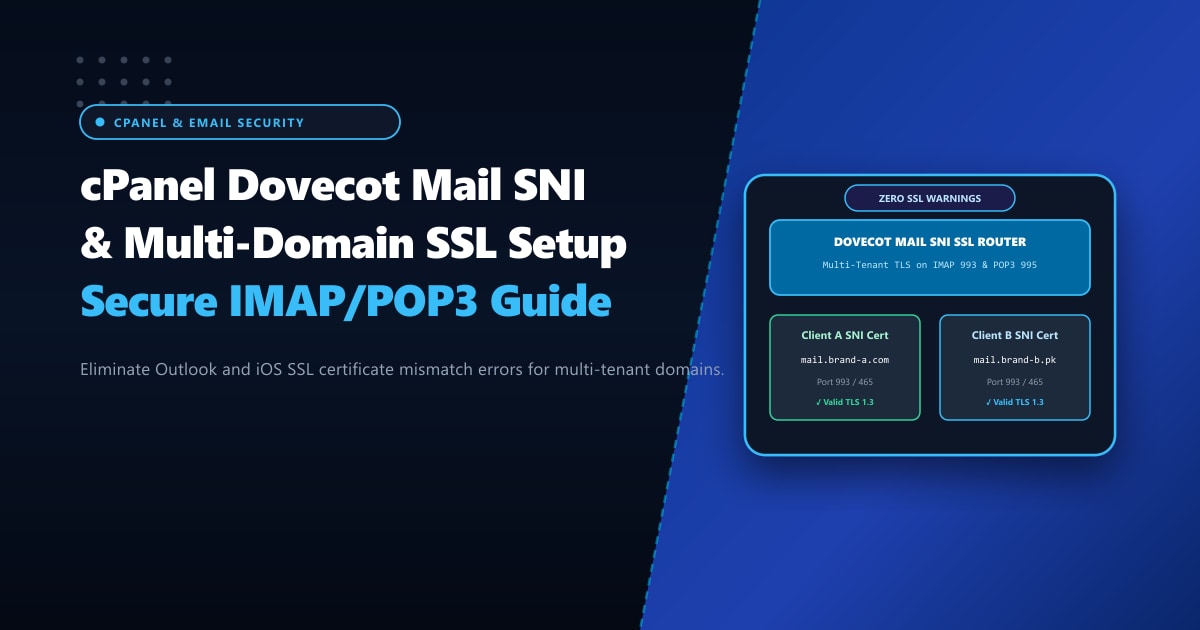
Few technical support issues cause more client friction for web hosting companies and corporate IT departments in Pakistan than email SSL certificate warnings. A client sets up their company email in Microsoft Outlook, Apple Mail, or Thunderbird using mail.theircompany.com over secure IMAP (Port 993) or SMTP (Port 465), only to be greeted by an alarming security popup:
"The server you are connected to is using a security certificate that cannot be verified.
The target principal name is incorrect. Certificate Name: host.serverhostname.com"
Clients panic, assuming their email is compromised or being intercepted.
This error occurs when the mail server (Dovecot for IMAP/POP3, Exim for SMTP) serves the server’s global default hostname certificate instead of the client’s domain-specific certificate.
By implementing Dovecot Mail SNI (Server Name Indication) and configuring cPanel AutoSSL multi-domain certificate mapping, you can eliminate certificate mismatch warnings permanently across all hosted domains.
Executive Takeaways for Email Administrators
- What Mail SNI Solves: Just as web browsers use SNI to serve hundreds of different SSL certificates from a single IP on port 443, Mail SNI allows Dovecot and Exim to inspect the requested hostname during the TLS handshake (ports 993, 995, 465, and 587) and serve the matching domain certificate.
- The `mail.` Subdomain Requirement: To prevent warnings, AutoSSL must actively generate certificates covering both `yourdomain.com` and `mail.yourdomain.com`.
- cPanel Mail SNI Rebuild Command: If cPanel updates corrupt the Dovecot SNI map, running `/scripts/buildeximconf` and `/scripts/rebuild_installed_hostnames_resolv_conf` restores certificate mapping instantly.
- Enterprise Clean Mail Infrastructure: For organizations processing sensitive corporate correspondence in Pakistan, deploying isolated mail nodes on our Dedicated Servers in Pakistan guarantees clean IP allocations, custom reverse DNS (PTR), and dedicated SSL termination.
1. How Mail SNI Works Under the Hood
Before SNI was supported in mail daemons, a single IP address could only present one default SSL certificate (usually the main server hostname, e.g., server1.yourhost.com). Every tenant hosted on that server was forced to configure their email clients to connect using the server’s master hostname rather than their own company domain.
[ Legacy Mail TLS Handshake (No SNI) ]
Client Connects to: mail.client-domain.pk (Port 993)
Dovecot Responds: "Here is my default certificate for: host.datacenter.com"
Client Mail App: ⚠️ HOSTNAME MISMATCH WARNING!

[ Modern Dovecot Mail SNI Handshake ]
Client Connects to: mail.client-domain.pk (Port 993) + Sends SNI: "mail.client-domain.pk"
Dovecot Inspects SNI Map (Dovecot SNI Hash DB)
Dovecot Responds: "Here is the exact Let's Encrypt / Sectigo SSL for: mail.client-domain.pk"
Client Mail App: 🔒 100% VALID ENCRYPTED TLS 1.3 CONNECTION (Zero Warnings)
2. Enabling Mail SNI in WHM (WebHost Manager)
On modern cPanel & WHM servers (Version 110+ on AlmaLinux 8 and 9), Mail SNI is supported natively by both Exim and Dovecot.
Step 2.1: Verify Mail SNI Feature in WHM
- Log into WHM as root.
- Navigate to Service Configuration > Mailserver Configuration.
- Verify that SSL / TLS Protocols are set to modern standards:
SSL Minimum Protocol: TLSv1.2 SSL Cipher List: ECDHE-ECDSA-AES128-GCM-SHA256:ECDHE-RSA-AES128-GCM-SHA256:... - Navigate to Server Configuration > Tweak Settings > Mail tab.
- Ensure Query Apache for SNI certificates for mail is enabled.
3. Ensuring AutoSSL Covers mail. Subdomains
The primary reason Mail SNI fails on cPanel is that AutoSSL certificates are generated only for domain.com and www.domain.com, omitting mail.domain.com.
Step 3.1: Enable Proxy Subdomains in WHM
Navigate to WHM > Server Configuration > Tweak Settings > Domains:
- Set Proxy subdomains to
On. - Set Proxy subdomain creation to
On.
This ensures that whenever a new cPanel account is created, DNS zone templates automatically include:
mail.yourdomain.com. IN A 103.xxx.xxx.10Step 3.2: Run AutoSSL for the Account
In the terminal as root, trigger AutoSSL to generate and install the certificate with the mail. SAN included:
/usr/local/cpanel/bin/autossl_check --user=cpanelusernameInspect the generated certificate in /var/cpanel/ssl/installed/certs/:
openssl x509 -in /var/cpanel/ssl/installed/certs/cpanelusername_*.crt -text -noout | grep -A 2 "Subject Alternative Name"Verify that DNS:mail.yourdomain.com is present in the list of Subject Alternative Names.
4. Rebuilding the Dovecot SNI Certificate Database
cPanel maintains a dedicated SQLite/Berkley database mapping domain names to their specific SSL certificates for Dovecot:
/var/cpanel/ssl/dovecot/
If accounts were migrated from an older server or if clients report intermittent certificate mismatches, rebuild the Dovecot SNI cache using cPanel’s internal tools:
# Rebuild the installed hostnames and SSL certificate cache
/scripts/rebuild_installed_hostnames_resolv_conf

# Force Dovecot to compile the multi-domain SNI maps
/scripts/rebuilddovecotconf

# Restart Dovecot
/scripts/restartsrv_dovecot
5. Testing Mail SNI via OpenSSL CLI
You do not need to configure an email client to verify that Dovecot Mail SNI is working. You can test it directly from your terminal using openssl s_client:
Testing IMAP over TLS (Port 993) with SNI
openssl s_client -connect 103.xxx.xxx.10:993 -servername mail.yourdomain.com -quietWhat to Look For:
In the certificate verification section:
depth=2 C = US, O = Internet Security Research Group, CN = ISRG Root X1
verify return:1
depth=1 C = US, O = Let's Encrypt, CN = R3
verify return:1
depth=0 CN = mail.yourdomain.com
verify return:1
* OK [CAPABILITY IMAP4rev1 SASL-IR LOGIN-REFERRALS ID ENABLE IDLE LITERAL+ AUTH=PLAIN AUTH=LOGIN] Dovecot ready.
If depth=0 CN shows mail.yourdomain.com and verify return:1 indicates successful chain verification, your clients will never see an untrusted certificate warning again!
6. Testing Secure SMTP Submission (Port 465 / 587)
Similarly, verify that Exim serves the matching SNI certificate during outbound email sending:
openssl s_client -connect 103.xxx.xxx.10:465 -servername mail.yourdomain.com -quietExpected response:
220-mail.yourdomain.com ESMTP Exim 4.96 #2 Tue, 29 Sep 2026 15:00:00 +0500
220-We do not authorize the use of this system to transport unsolicited,
220 and/or bulk e-mail.
Enterprise Mail Server Infrastructure
Running high-volume corporate email queues on shared hosting carries severe risks of noisy-neighbor blacklisting and IP reputation damage. When business email deliverability and confidentiality are non-negotiable, hosting your email servers on unshared Dedicated Servers provides clean, dedicated static IP allocations, full control over SSL certificates, and unmetered throughput.
Deploy Flawless Corporate Email Hosting
Protect your brand's reputation with Nextgen's enterprise dedicated hosting in Pakistan. Fully configured with Dovecot Mail SNI, custom reverse DNS (PTR), automated SSL provisioning, and 24/7 technical support.
